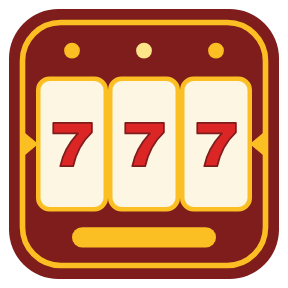
A slot machine on one Stream Deck key, right on your working page
To play a slot machine on your Stream Deck, add Slot Machine Key and drag Slot Machine onto one empty key: press it, and three reels spin and stop one by one on that single key. It sits next to the keys you already use, on any page of a Stream Deck MK.2, XL, Mini, Neo or +, so a quick break is one press away.
Stream Deck plugin · Works on Windows 10 or later with the Stream Deck app 6.9 or later, on the keys of the Stream Deck MK.2, XL, Mini, Neo and +.
What you can do
One key, a whole machine: your credits on top, three reels in the middle, your bet or your win below.
Reels stop left to right, and a press while they turn stops them sooner.
Winning reels light up, and BIG WIN and JACKPOT flash on the key.
Want it bigger: three keys side by side in a row join into one machine with a big reel on each key.
Bet & Credits key: shows your credits large and changes the bet (10, 20, 50 or 100) with a press.
A clear paytable: three sevens pay 100 times the bet, three BARs 40 times, a cherry on the left reel 2 times. About 1 spin in 3.6 wins, and over many spins about 96.4% of what is bet comes back.
Hold any key for your statistics: spins, your biggest win, jackpots.
Four looks drawn for the keys: Classic, Neon, Gems and Paper. English and Japanese.
Play credits only: start with 1,000, and a press refills them when they run out. Credits and statistics stay in your Stream Deck settings on your PC.
How it works
Install Slot Machine Key from the Elgato Marketplace. In the Stream Deck app, drag Slot Machine onto any empty key of the page you work on.
Press the key to spin. The reels stop one by one and a win shows on the key. Hold the key to see your statistics.
Optional: put three Slot Machine keys side by side in a row for a bigger machine, and add a Bet & Credits key to change the bet.
Each spin is drawn from the reels before they start to turn, and your new credits are saved at once.
Install Slot Machine Key and drag the Slot Machine action onto one key. Press the key to spin: three reels turn and stop one by one, left to right, and a win is added to your play credits.
Does it need a whole page of keys?
One key is enough. The machine fits on a single key next to your other keys, on any page. If you want it bigger, put three Slot Machine keys side by side in a row and they join into one machine with a reel on each key.
What does the paytable look like?
One pay line, the middle symbols of the three reels: three sevens pay 100 times the bet, three BARs 40, three bells 15, three oranges 10, three lemons 8, three cherries 6, two cherries from the left 4, and a cherry on the left reel 2. Over many spins about 96.4% of what is bet comes back.
Is real money involved?
The game uses play credits only. You start with 1,000, a press refills them when they run out, and there are no in-app purchases, no prizes and no ads; credits cannot be cashed out.
Are my credits kept after a restart?
Yes. Your credits, bet and statistics are saved in your Stream Deck settings on your PC and come back after a restart. Nothing is sent anywhere.
Limits
Keys show about 10 pictures a second (the Elgato guideline for keys), so the reels turn in small steps.
The dials and touch strip of the Stream Deck + are not used in this version; it plays on keys.