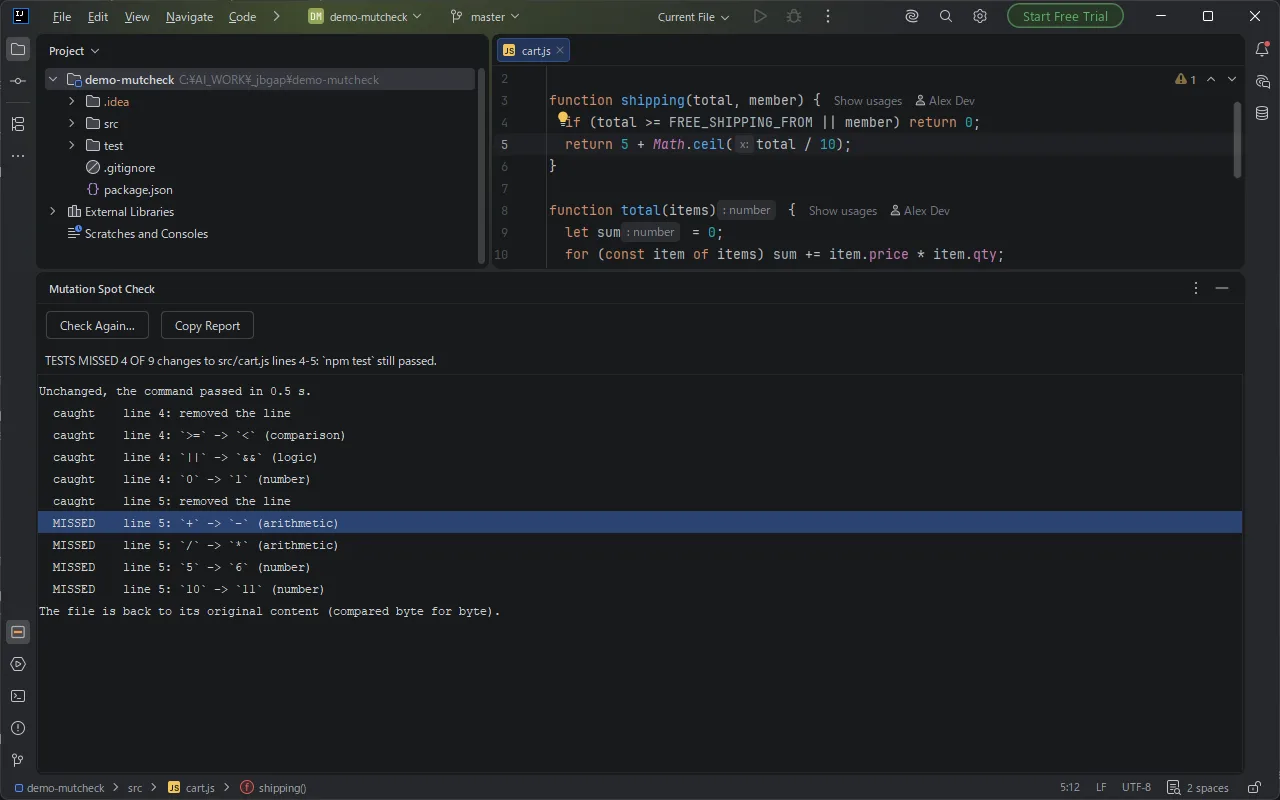
A clear answer per line
One line of conclusion, then every change with caught or MISSED. Double-click a row to jump to the line and write the missing test.
JetBrains IDE plugin
See whether your tests really protect a line. Quick mutation testing for the code you pick: the plugin breaks the line on purpose, runs your tests, restores the file and shows what your tests caught and what they MISSED. Any language, any test runner.
Get it on JetBrains MarketplaceFree trial with every feature.
One line of conclusion, then every change with caught or MISSED. Double-click a row to jump to the line and write the missing test.
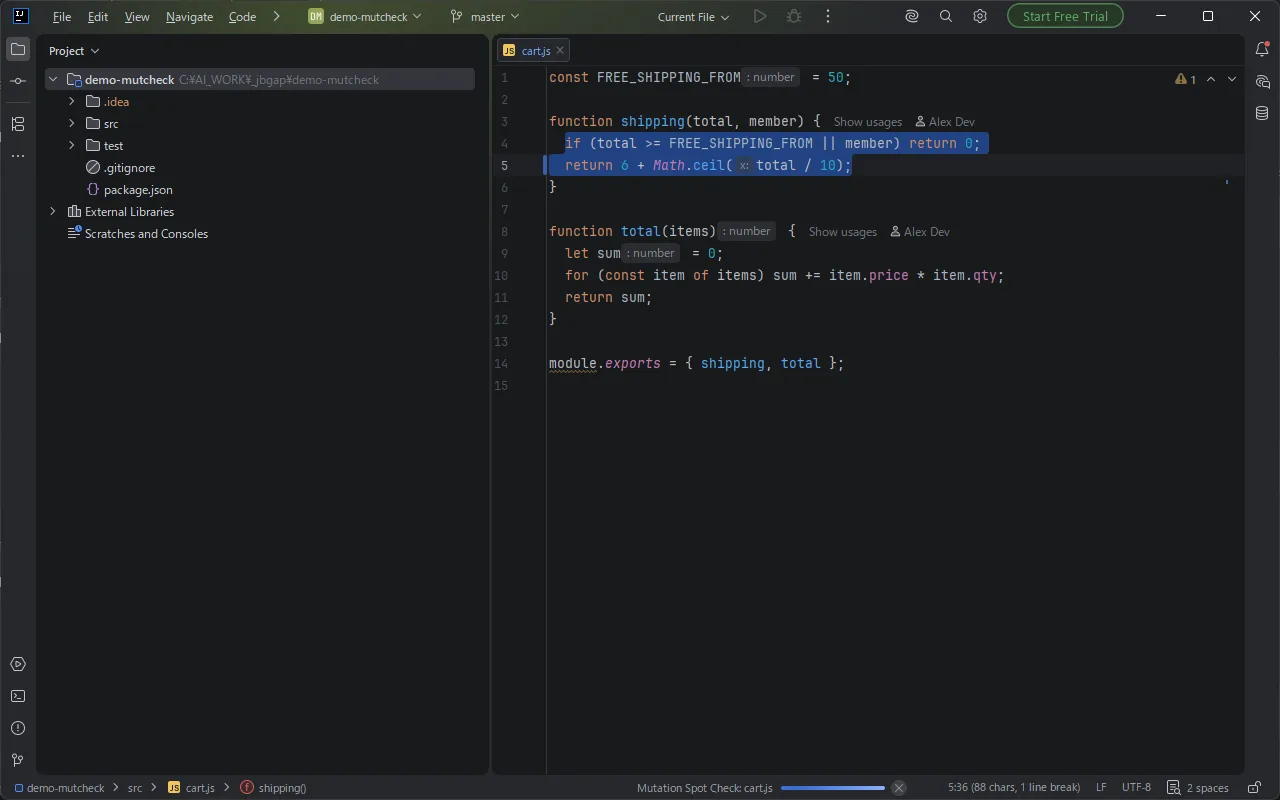
Right-click a line, or select up to 20. You get the answer in the time of a few test runs, and your file comes back byte for byte.
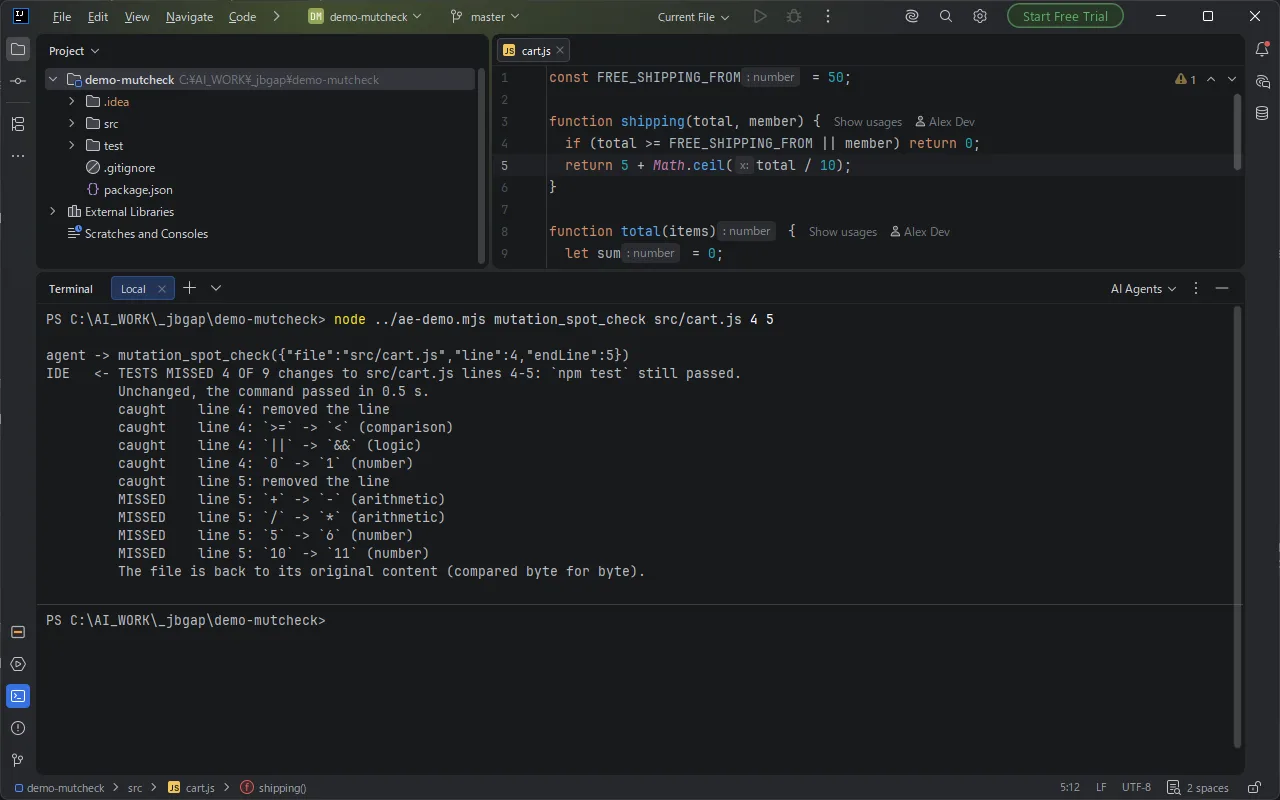
Connected AI agents call mutation_spot_check on the lines their new tests should protect, before they say the code is tested.
When the line is a whole statement of its own. If no test fails, nothing checks that the line runs at all.
== / !=, === / !==, <= / >, >= / <. Finds boundaries no test touches.
&& / || (and / or in Python, Ruby and Lua) and true / false.
+ / -, * / /, and add 1 to a whole number. Finds results that no test compares.
npm test, pytest, ./gradlew test, go test ./... or cargo test, and a time limit. Both are remembered for the project.The plugin first runs your command unchanged. If that already fails, it stops there and changes nothing. A change that makes the code stop compiling counts as caught, because the command fails.
Change the line on purpose and see whether a test fails. Mutation Spot Check does this for you in IntelliJ IDEA, PyCharm, WebStorm, GoLand and other JetBrains IDEs: right-click a line, choose Mutation Spot Check..., and it tries small changes one at a time (remove the statement, flip a comparison, swap && and ||, swap true and false, swap + and -, add 1 to a number), runs your test command after each one and puts the file back. The result says, for example, TESTS MISSED 4 OF 9 changes, and marks each change as caught or MISSED.
Yes. Mutation Spot Check works with any language and any test runner, because it runs the test command you give it, such as npm test, pytest, go test ./..., cargo test, ./gradlew test or a script. There is no build plugin to add and nothing to configure in the project.
Yes. Mutation Spot Check runs only on the line under the caret or on up to 20 selected lines, with up to 6 changes per line and 20 per run, so you get an answer for the code you just wrote in the time it takes to run your tests a few times. Each changed run is also time-limited, so a change that creates an endless loop is stopped when the time limit ends.
Select the lines the new tests are supposed to protect and run Mutation Spot Check. Every change marked MISSED is a change the tests did not notice: usually a bug they would let through. In JetBrains IDEs that include the built-in MCP server, connected agents such as Claude Code, Codex or Junie can call the tool mutation_spot_check themselves before they report that the code is tested. The agent chooses only the file and the lines; the tool runs the test command that you saved in the IDE.
The file is changed on disk only while the test command runs. Before the first change its exact bytes are copied to a folder outside the project, and after the last run, or when you cancel, the original bytes are written back and compared byte for byte. If the IDE or the computer stops in the middle, the plugin restores the file the next time you open the project. A Local History label is also added before every check, so you can go back yourself.
No. No account is needed and the plugin itself makes no network connections. It runs only the test command you saved, on your own machine. The tool for AI agents returns the report only to the agent you connected.
IntelliJ IDEA, PyCharm, WebStorm, PhpStorm, GoLand, RubyMine, CLion, Rider and Android Studio, version 2025.2 and later, on Windows, macOS and Linux.
No account is needed. The plugin itself makes no network connections and does not send your code or files anywhere. Your test command and time limit are stored in the IDE settings on your computer, not in the project folder.
If something does not work as expected, email contact@gramshift.com or open an issue at github.com/gramshiftofficial/jetbrains-plugins. We answer within 2 business days for problems that block your work and within 5 business days for other questions.
The plugin reads one line at a time and does not parse the language, so it tries a fixed set of small changes rather than every possible one. Files that are not UTF-8 text, read-only files and files over 2 MB are left alone. It is a spot check for the lines you choose, not a coverage score for the whole project.
Find the bug your tests would let through, before it ships.
Get Mutation Spot Check