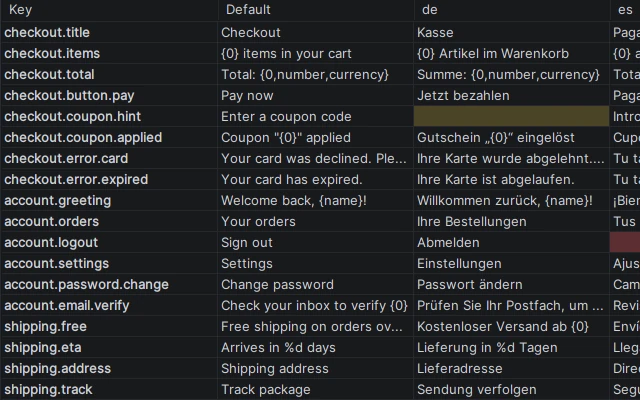
Every language side by side
One row per key, one column per language, Default first. Edit a cell and the value goes into that language's file.
IntelliJ IDEA plugin
Edit all languages of a .properties resource bundle in one table: one row per key, one column per language. Missing translations and placeholder mismatches are colored, so you see what is left to translate at a glance.
Get it on JetBrains MarketplacePersonal $39/year · Commercial $79/year · Free trial with every feature
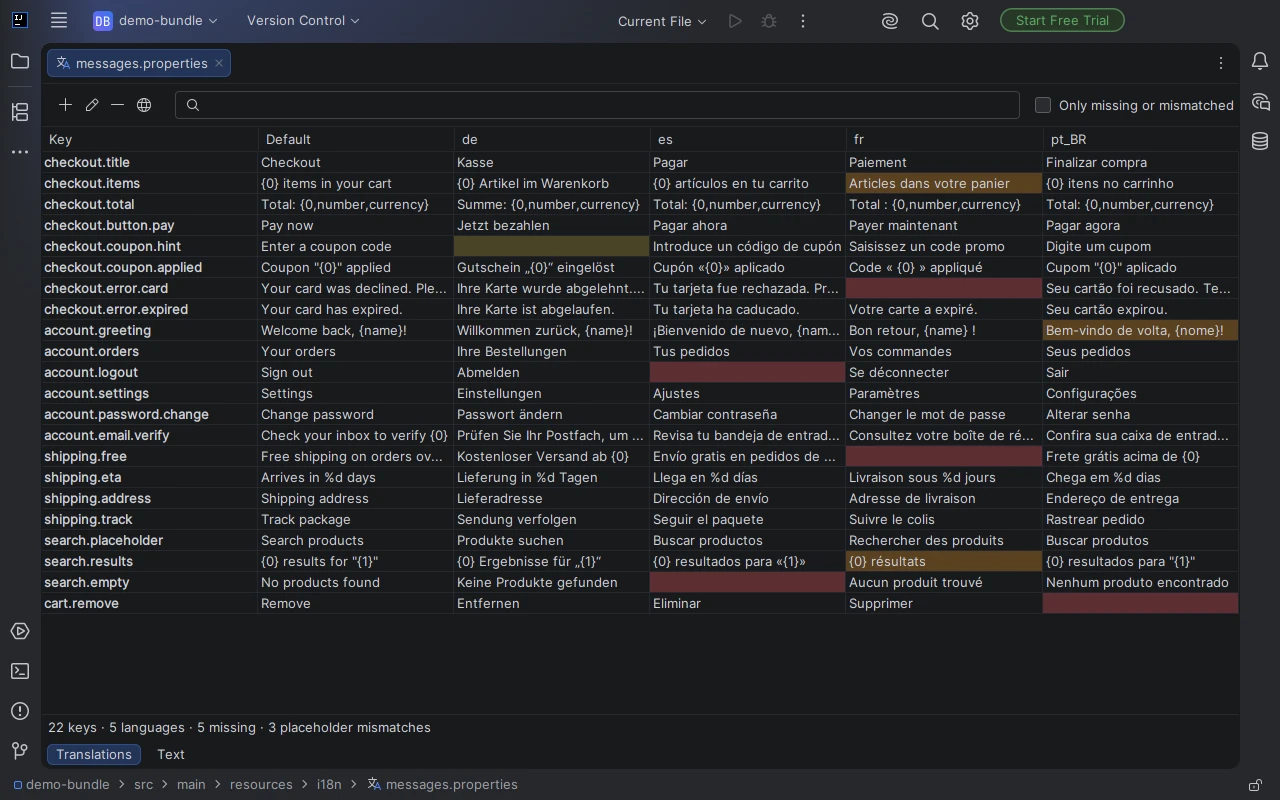
One row per key, one column per language, Default first. Edit a cell and the value goes into that language's file.
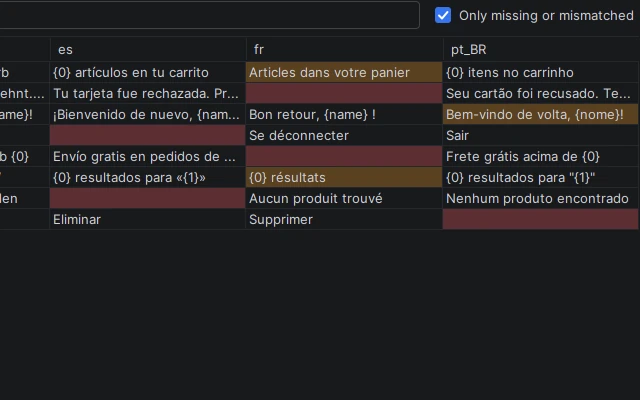
Show only missing or mismatched rows. The status line counts keys, languages, missing values and placeholder mismatches.
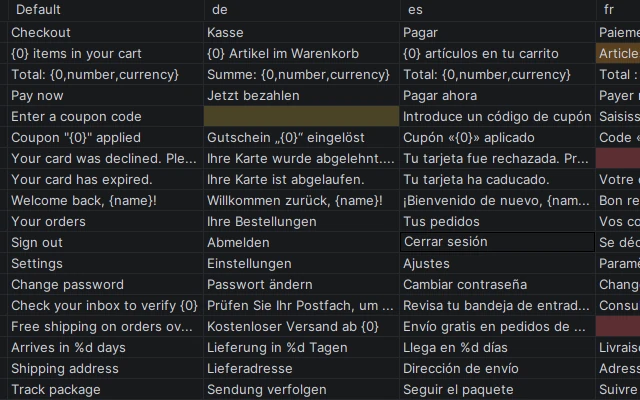
Type the translation into the empty cell, paste a column from a spreadsheet, or fill a whole selection with one value.
Missing values, empty values and placeholder mismatches such as {0}, {0,number}, {name}, %s and %1$s are colored. Filter to them or search keys and values.
Add, rename or delete a key once and it changes in every language file. Add a new language such as pt_BR in one step.
Copy and paste cells as tab-separated text, with multi-line values quoted. One pasted value fills the whole selection; Delete clears cells.
Comments and key order stay. Characters the file encoding cannot hold are written as \uXXXX.
Every change, even one across all language files, is one Ctrl+Z.
.properties file of a resource bundle, such as messages.properties or messages_de.properties.Install Resource Bundle Table, open any .properties file of the bundle, such as messages.properties or messages_de.properties, and pick the Translations tab at the bottom of the editor. Every key is one row and every language is one column, with Default first. Click a cell to edit it; the change is written to that language's file.
Resource Bundle Table colors missing and empty values in the Translations tab of the resource bundle, plus values whose placeholders such as {0}, {0,number}, {name}, %s or %1$s differ from the Default language. Turn on Only missing or mismatched to see just those rows. The status line shows how many keys, languages, missing values and placeholder mismatches the bundle has.
Yes. Select cells and press Ctrl+C to copy them as tab-separated text, which Excel and Google Sheets paste into separate cells. Values with line breaks are quoted. Copy cells from a spreadsheet and press Ctrl+V in the table to paste them back. One copied value pasted into a selection fills every selected cell, and Delete clears the selected cells.
In the Translations tab, add, rename or delete a key once and it changes in every language file of the bundle. Add Language creates a new file such as messages_pt_BR.properties in one step and shows it as a new column. Every change, even one that touches all language files, is undone with one Ctrl+Z.
Comments and key order stay as they are, and only the values you change are rewritten. Characters that the file encoding cannot hold are written as \uXXXX escapes, so the files keep loading the same way in your application.
IntelliJ IDEA and other JetBrains IDEs that include the Properties plugin, version 2025.2 and later.
Personal license $39 per year, commercial license $79 per year, sold through JetBrains Marketplace. The free trial includes every feature.
No account is needed. The plugin reads and writes the .properties files of the open project and does not send them anywhere. Licensing and trials are handled by JetBrains Marketplace.
If something does not work as expected or you need a feature, email contact@gramshift.com. The most requested features go into the next version.
See every translation of your bundle in one table.
Get Resource Bundle Table