Dilutoria is an Android essential oil dilution calculator: enter your carrier oil amount and the dilution % you want, and it shows the number of whole drops (or grams). A 10 mL roller bottle at 2% is 4 drops at 20 drops per mL, and you also see the real % after rounding to whole drops. Check a blend you already made and see how to bring it back within the usual guideline. Guideline caps follow the use (face, body, bath, sensitive skin) and who it is for (adult, senior, pregnancy, children by age, baby). For practitioners, Dilutoria Pro adds client records and blend record PDFs with your business name and logo. Made and published by GRAMSHIFT.
What you can do with Dilutoria
Carrier oil and % to drops
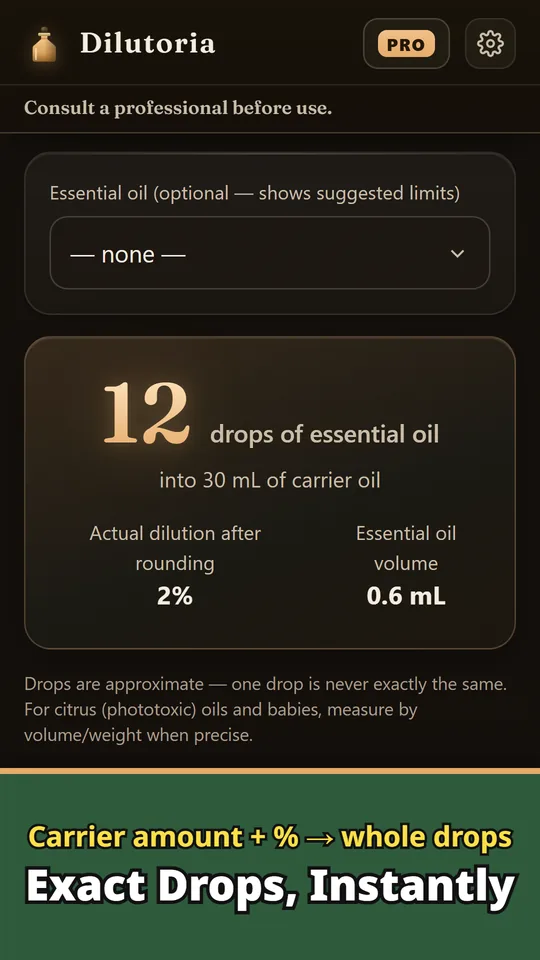
Turn a target % into drops, mL or grams for any carrier oil amount. The actual % after rounding is shown too.
Guideline caps per oil and person
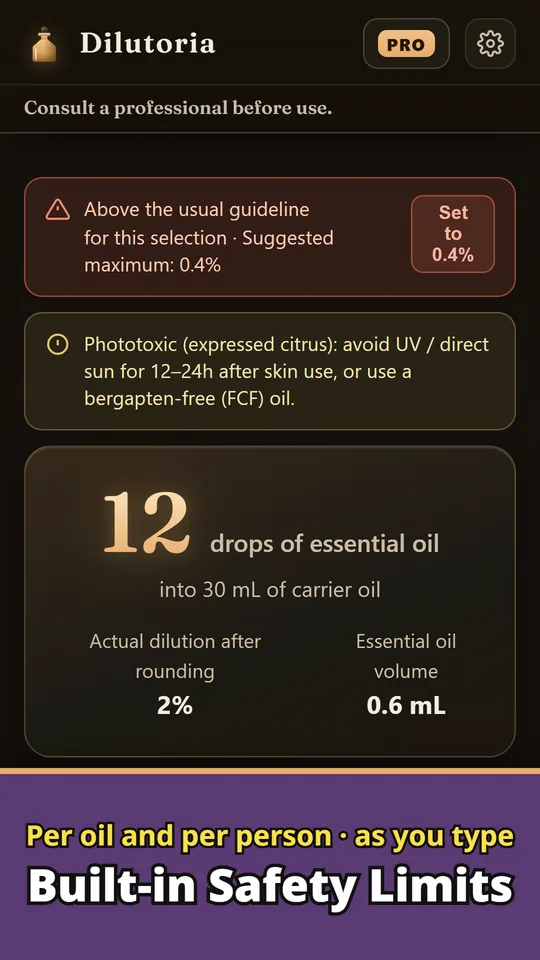
Caps follow the use and who the blend is for. Phototoxic expressed citrus oils and skin-sensitizing oils get their own per-oil maximums.
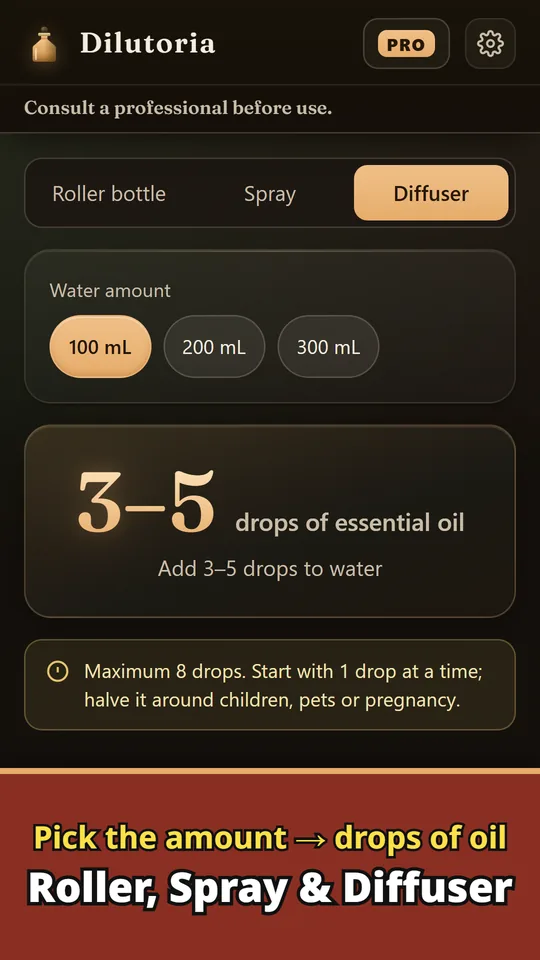
Roller bottle, spray and diffuser
Pick a bottle size and get the drops. Set the parts for each oil and the total drops to get whole-drop amounts that keep your ratio.
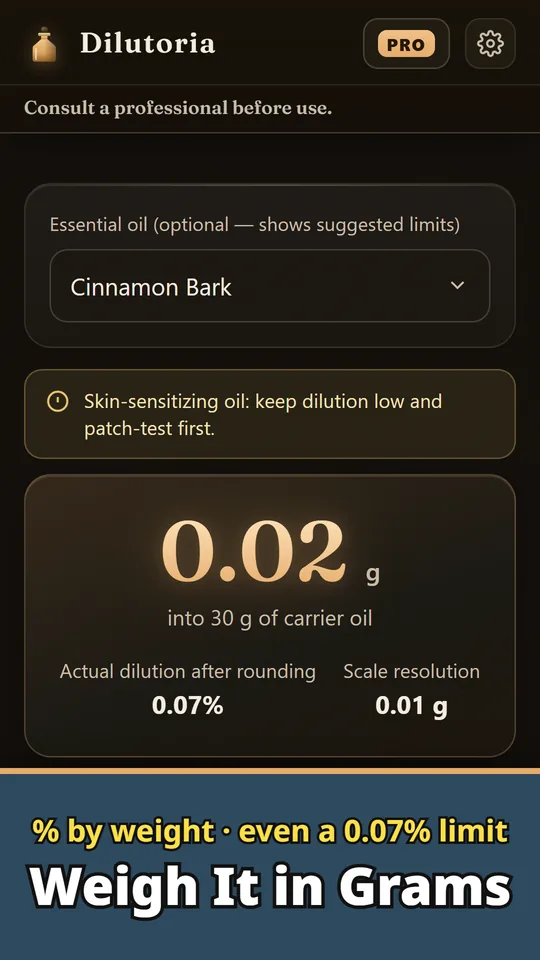
Weigh by % w/w
Weight mode works in % by weight, the way published limits are written. Very low limits such as 0.07% become measurable on a scale.
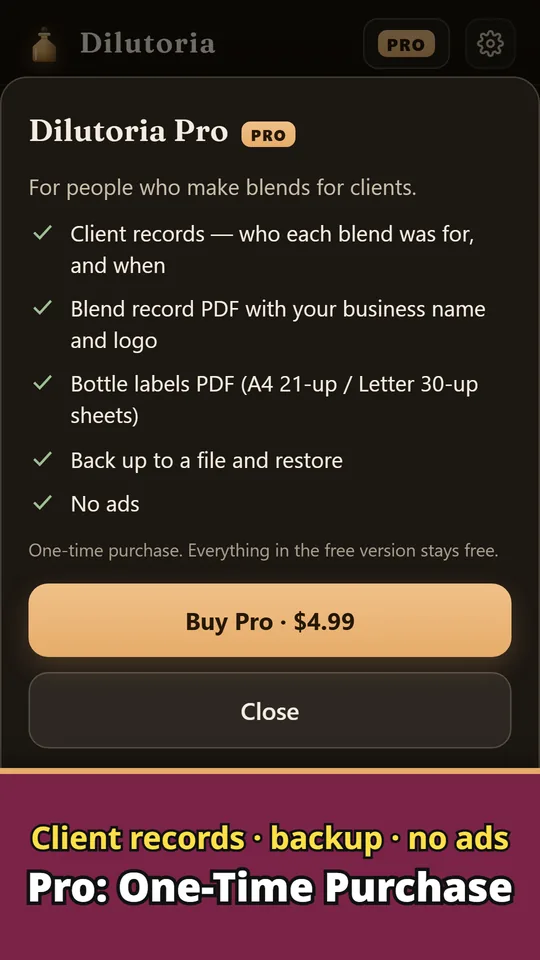
Pro: client records
Keep who each blend was for and when, and back up to a file and restore. Pro is a one-time purchase and removes ads.
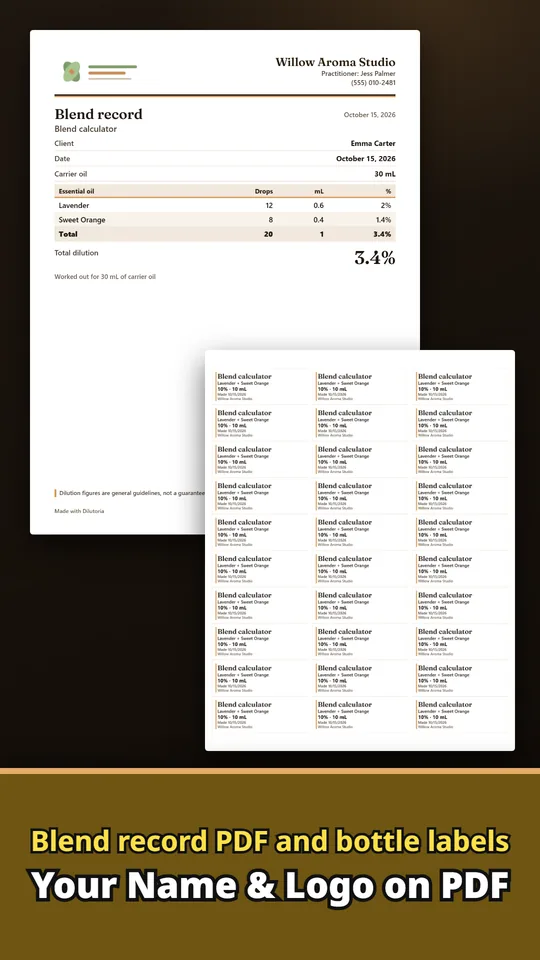
Blend record and bottle label PDFs
Put your business name, logo, practitioner name and contact at the top of each blend record. Print bottle labels on A4 (21 labels) or Letter (30 labels) sheets.
From bottle to blend
- Match your dropper. Set drops per mL from 15 to 30, or switch to weight mode to weigh instead of counting.
- Enter the amount, %, and who it is for. Add your carrier oil amount, target %, the use and the person, and get drops, mL or grams with the real % after rounding.
- Check the blend and save it. Enter the drops you used to see the real %, and how to fix it if it is above the guideline. Save recipes and share them as text.
Free and Pro
- Free: dilution calculator, blend check, roller bottle, spray and diffuser recipes, and weight mode, with no usage limits. Save as many recipes as you like. A banner ad is shown.
- Pro (one-time purchase): client records, blend record PDFs with your business name and logo, bottle label PDFs, backup and restore, no ads.
- Remove ads (one-time purchase): removes the banner ad.
- The data you enter (recipes, records and more) stays on your device unless you send it yourself. There is no account to create and no sign-in.
Frequently asked questions
How many drops of essential oil go in a 10 mL roller bottle?
At 2% and 20 drops per mL, 4 drops. Change the bottle size or % and Dilutoria recalculates the drops.
How do I convert essential oil drops to mL?
Dilutoria uses 20 drops per mL by default. Thin oils such as citrus run closer to 25 and thick oils such as sandalwood closer to 15, so you can set your own number in Settings.
What dilution should I use for children or during pregnancy?
Choose who the blend is for and Dilutoria uses the guideline cap for that group, lower for ages 2–6, the face, seniors and pregnancy. For pregnancy and ages up to 2 it also suggests asking a qualified professional, and under 3 months it advises avoiding skin use.
How do I check the dilution of a blend I already made?
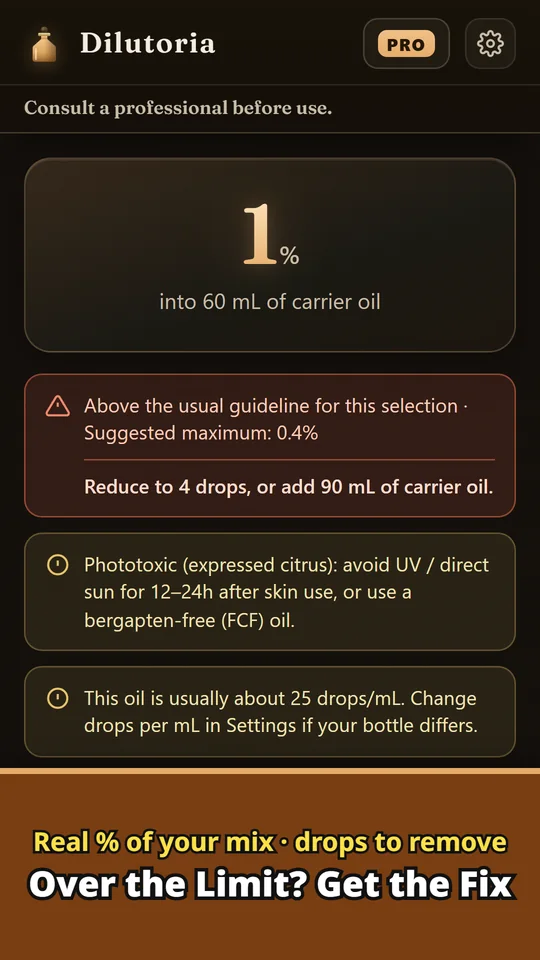
Enter the drops and the carrier oil to see the real %. If it is above the usual guideline, Dilutoria shows how many drops to reduce to or how much carrier oil to add.
Can I weigh essential oils instead of counting drops?
Yes. Weight mode works in % by weight (w/w), the way published limits are written. Very low limits such as 0.07% become measurable on a scale.
Can I keep client records and print a blend sheet?
Yes. Dilutoria Pro, a one-time purchase, adds client records, blend record PDFs and bottle labels.
Do I need an account?
No. Start without signing up.
Good to know
- Dilution figures are general guidelines, not a guarantee of safety. Patch-test before use and ask a qualified professional.
- Drop size varies by dropper and oil. For the most exact numbers, use weight mode.
- Per-oil caps cover only the oils in the built-in list. Other oils can be calculated by %, without a per-oil cap.
- Client records and PDFs stay on your device. Use backup to move them to another device.
If something does not work, or you have an idea or a request, feel free to write to us through the contact form or at contact