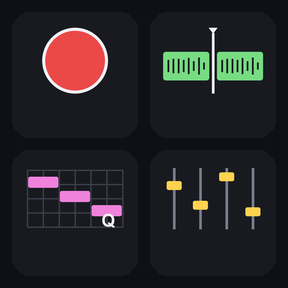
To use a Stream Deck with REAPER, install Editing Keys for REAPER, a profile with 169 labeled keys for REAPER's default keyboard shortcuts on 10 pages for the Stream Deck MK.2 (15 keys) on Windows. It is import-free, so your REAPER key map stays as it is: keep REAPER in front and press a key for recording, editing, markers, mixing or the MIDI editor.
Stream Deck profile · For the Stream Deck MK.2 (15 keys) on Windows with the Stream Deck app, and REAPER with its default key bindings (made with REAPER 7.82).
What you can do
Play and record: play, stop, pause, record, repeat, rewind, fast forward and grid steps.
Mark the song: add markers and regions, and go to or set markers 1 to 9 with one key each.
Edit items: split, duplicate, glue, group, crossfade and dynamic split.
Work with takes: next and previous take, show takes, normalize, take FX and stretch markers.
Mix tracks: new track, track volume, mixer, routing, track manager and volume, pan and tempo envelopes.
Zoom and scroll the arrange view, and open windows such as the big clock, docker, navigator and video window.
Edit MIDI on its own page: open the quantize, humanize and transpose windows, split and join notes, move notes and switch to piano roll, drum map, event list or notation.
Every key has its own picture and label, pages with more keys open a MORE folder, and the keys that delete or cut are red and sit apart in MORE folders.
How it works
Install the profile from the Elgato Marketplace and select it on your Stream Deck.
PREV and NEXT at the bottom right move between the 10 pages; the MORE key opens a folder with more keys of the same page, and BACK returns.
Keep REAPER in front and press a key: pages 1 to 9 are for the main window, page 10 is for the MIDI editor.
Each key sends one of REAPER's default keyboard shortcuts to the active window, so nothing needs to be imported into REAPER.
Install the Editing Keys for REAPER profile and select it on your 15-key Stream Deck. Keep REAPER in front and press a key; PREV and NEXT move between the 10 pages.
Do I need to import a key map or install a plugin in REAPER?
The keys send REAPER's default shortcuts, so the profile is import-free and your REAPER key map stays as it is.
Where do the MIDI keys work?
Press the MIDI Editor keys (page 10) while the MIDI editor is the active window. In the main window the same keys split, delete or select items instead.
I changed a shortcut in REAPER. Will the keys still work?
The keys send REAPER's default shortcuts. If you changed a shortcut or imported another key map, change that key's Hotkey in the Stream Deck app to match.
Does it work on Mac, Stream Deck XL or Stream Deck +?
This version is for Windows with the 15-key Stream Deck (MK.2). Other devices are not covered in this version.
Limits
Made for the 15-key Stream Deck (MK.2); Stream Deck XL, Stream Deck + and other devices are not covered in this version.
Windows only; not for REAPER on Mac.
Needs REAPER with its default key bindings; a changed shortcut needs the key's Hotkey changed to match.
Actions that have no default shortcut in REAPER, such as solo and record arm, are not on a key.
Shortcuts that exist only on symbol keys, on the numpad or on an arrow key with Shift alone are not included.