
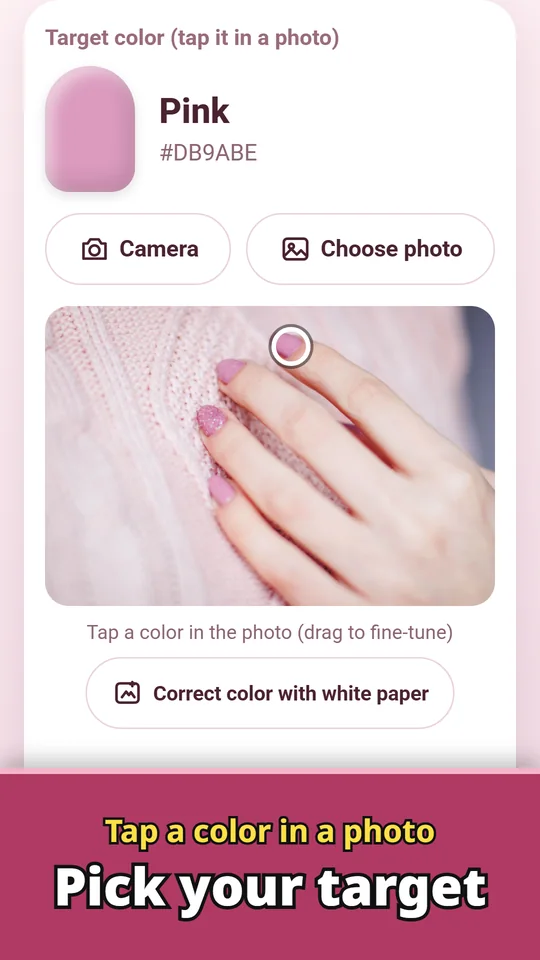
Gel Polish Color Mixer turns your inspo color, or a client's, into a mix from the gel polishes already on your shelf. Tap a color in a nail design photo, a magazine page or a screenshot, and the app shows how many parts (or drops) of each polish to mix, plus how close the result will be. You know how close you can get before you start mixing. For nail techs and at-home gel manis. Made and published by GRAMSHIFT.
What you can do with Gel Polish Color Mixer
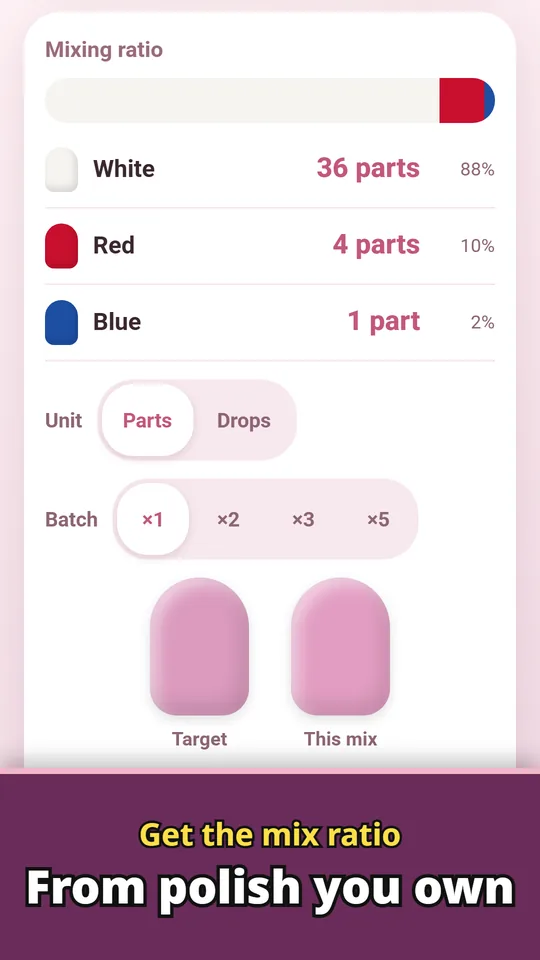
Get the mix ratio from polish you own
See the parts or drops of each polish and a match score. Pick ×1, ×2, ×3 or ×5 to scale every amount at once when you want to mix extra.
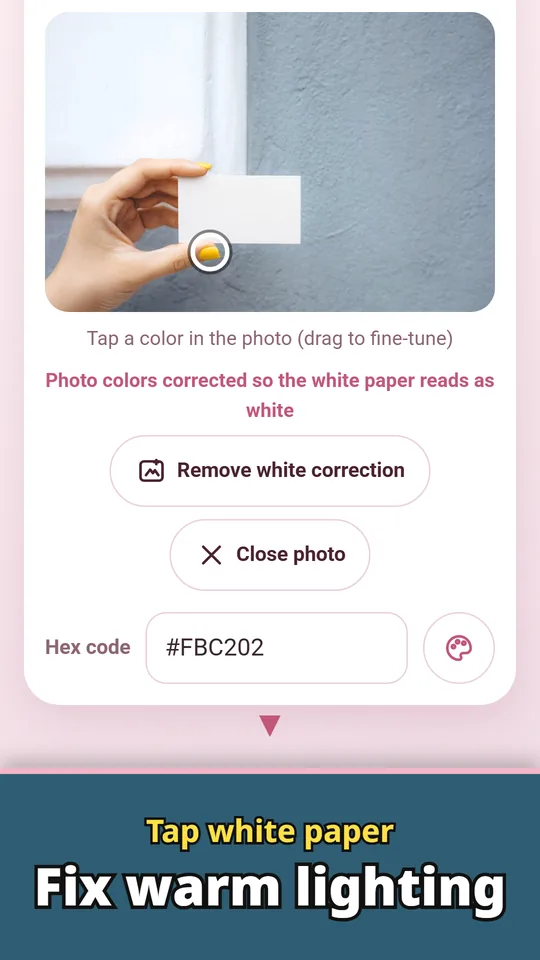
Tap white paper to fix warm lighting
If indoor light tints the photo yellow or blue, tap a white sheet of paper in the photo and the colors are corrected before you pick.
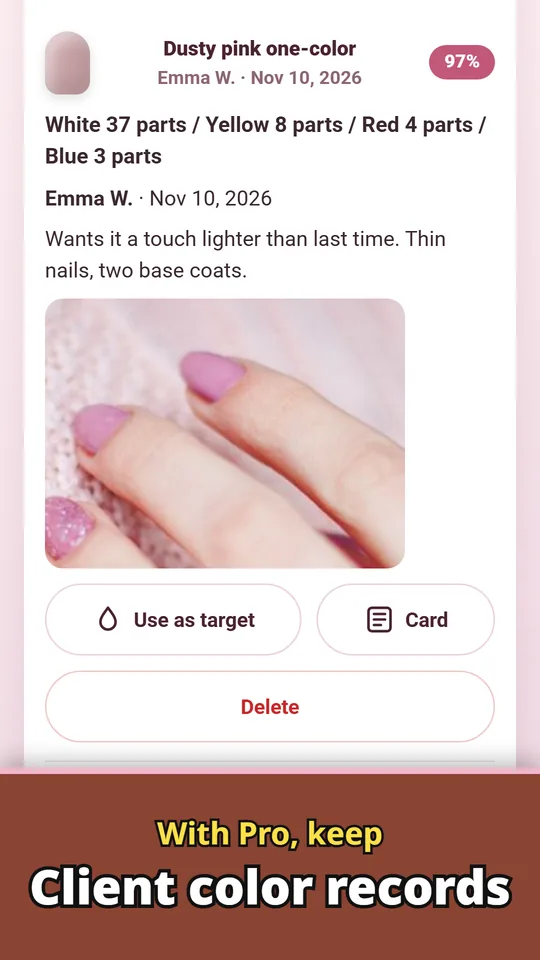
Pro: client color records
Keep a client name, appointment date, notes and a reference photo with each recipe. Search by name or notes and remix the same color at the next visit.
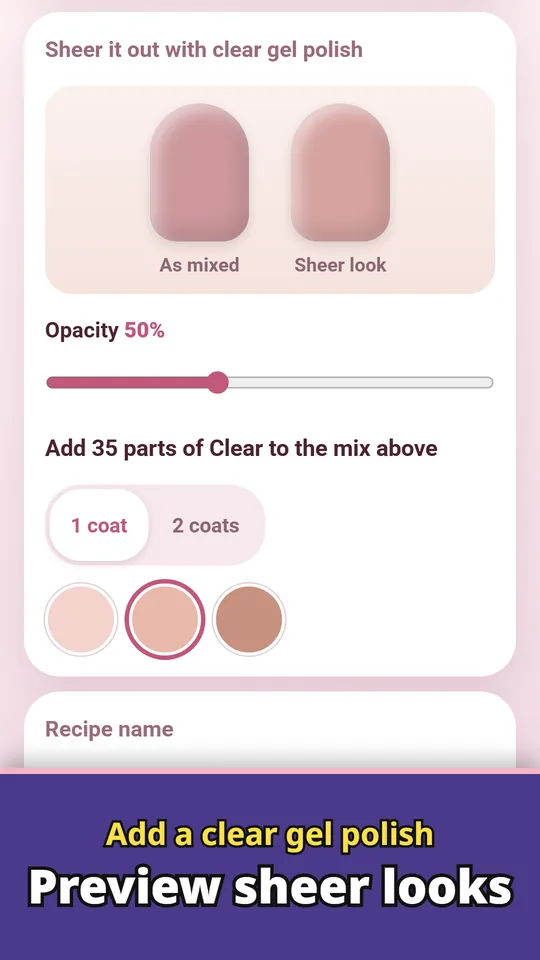
Preview sheer looks with clear gel
Add a clear gel polish to see how much clear to add and how the sheer looks, with opacity, number of coats and natural nail tone (light, medium, deep).
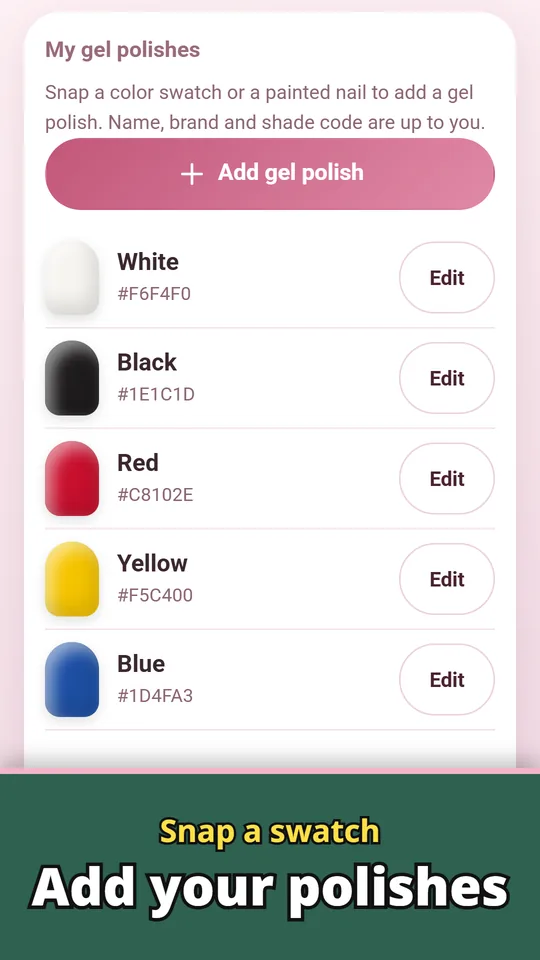
Snap a swatch to add your polishes
Snap a color swatch or a painted nail to add a polish. Name, brand and shade code are up to you, so polishes from any brand work.
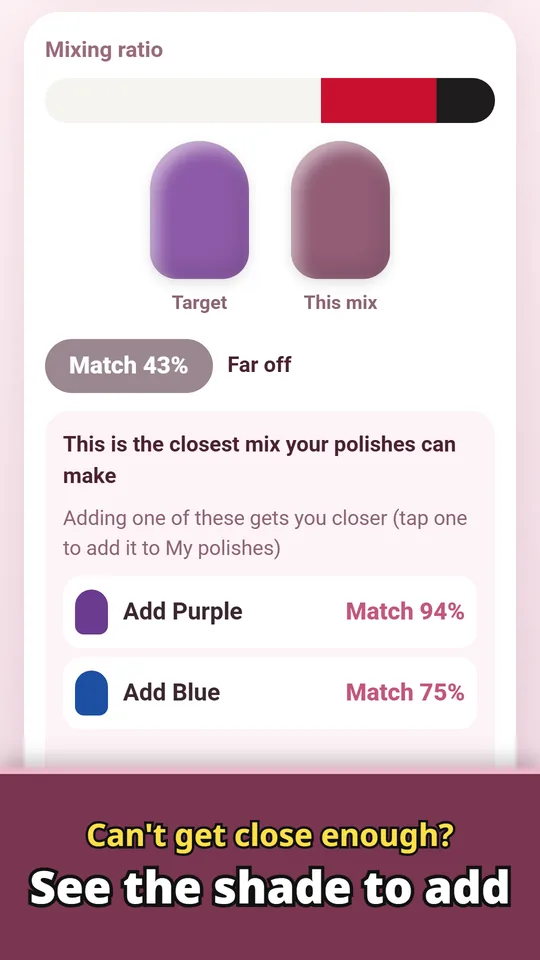
See the shade to add
When your polishes can't get close enough, the app suggests one color to add for a better match.
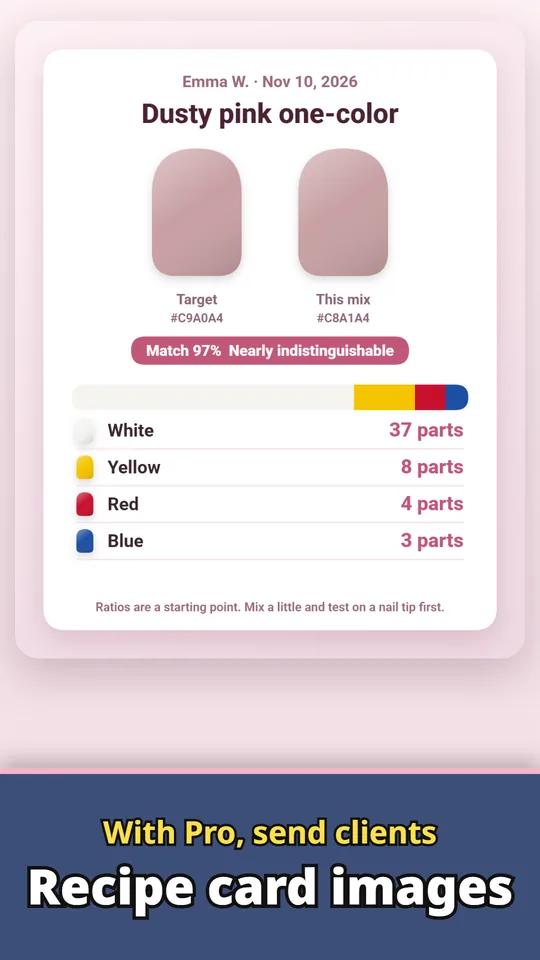
Pro: send clients recipe card images
Save a recipe card image and send it to your client.
Tap a photo, pick your polishes, mix
- Pick the target color. Take a photo or choose one from your gallery, then tap the spot you want. Drag to fine-tune. If the light tints the photo, tap a white sheet of paper to correct it.
- Add your polishes. Start from basic colors, then snap a swatch or a painted nail to set each polish to your own color. You can add a clear gel polish too.
- Mix by parts. See the parts or drops of each polish, with your target and the predicted mix side by side and a match score. Save the mixes you like with a name.
Free and Pro
- Free to download. Mix ratios, white-paper correction, sheer previews and shade suggestions have no usage limit, and you can save up to 5 recipes. No ads.
- Pro is a one-time purchase, not a subscription: unlimited saved recipes, backup of your recipes and polishes to restore on a new phone, recipe card images, and client records (name, appointment date, notes and a reference photo).
- Big screens: on a tablet or Chromebook you can drag and drop a photo and click a color.
- Photos and recipes are processed and saved on your device and are not sent to us. Sharing and exports go only where you choose. No account.
Frequently asked questions
How do I mix a gel polish color from a photo?
Add the polishes you own, tap the color you want in the photo, and the app shows the parts of each polish to mix, with a match score.
Can I use it with my own gel polish brand?
Yes. You add each polish by snapping a swatch, so you can add polishes from any brand. When mixing, follow each brand's guidance.
How do I make a color more sheer?
Add a clear gel polish in My polishes. The app shows how much clear to add and how the sheer look will compare.
How do I remix the exact same color for a returning client?
With Pro client records, save the recipe under the client's name. Search the name next time to bring back the same mix, and pick ×2 or ×3 to make more.
My photo looks too yellow. What can I do?
Tap "Correct color with white paper" and then tap a white sheet of paper in the photo. The light tint is removed before you pick the color.
What is free and what is Pro?
Mix ratios, color correction, sheer previews and shade suggestions are free with no limit, and you can save up to 5 recipes. Unlimited recipes, backup, recipe card images and client records come with Pro, a one-time purchase.
Do my photos leave the phone?
No. Photos and recipes are processed and saved on your device. Sharing and exports go only where you choose. No account needed.
Is it on iPhone?
Right now it is available only on Android (Google Play).
Guide: How to mix gel polish colors →
Good to know
- Ratios are a starting point. Colors on a screen and in a photo can look different from the bottle, so mix a small amount and test on a nail tip first.
- When mixing polishes from different brands, follow each brand's guidance.
- The match depends on the polishes you add. With only a few colors, some targets can't be reached; the app tells you which color to add.
If something does not work, or you have an idea or a request, feel free to write to us through the contact form or at contact