Krita shortcuts, blending modes and brush slots on your Stream Deck
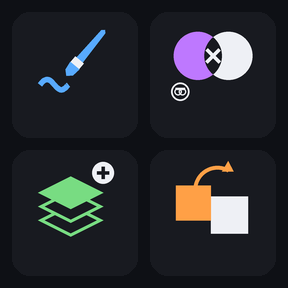
To use a Stream Deck with Krita, install Brushwork Keys for Krita, a profile with 121 one-press keys for Krita's default shortcuts plus 19 slots for your own brush presets and scripts, on 10 pages for the Stream Deck MK.2 (15 keys) on Windows. Keep Krita in front and press a key for tools, color, layers, selections and view, with 26 brush blending modes one tap each.
Stream Deck profile · For the Stream Deck MK.2 (15 keys) on Windows with the Stream Deck app (7.6), and Krita 6.0, 5.3 or 5.2 with its default shortcuts.
What you can do
Switch tools: brush, eraser, transform, fill and gradient.
Adjust color and brush: swap colors, darker, lighter and opacity.
Pick from 26 brush blending modes, one tap each.
Manage layers: new, duplicate, merge, flatten and groups.
Select and fill: select all, invert, feather, fill and delete pixels.
Edit and adjust: paste, levels, curves and HSV, and save with incremental version and backup keys.
Move around the canvas: rotate, mirror, fit and canvas only.
Put your own brushes and scripts on keys: presets 0 to 9 and scripts 1 to 9 that you assign in Krita under Tools, Scripts, Ten Brushes and Ten Scripts.
Use it on a Japanese or US keyboard layout: only letters, digits, F-keys and a few editing keys are sent, with the same key codes on both.
How it works
Install the profile from the Elgato Marketplace and select it on your Stream Deck.
PREV and NEXT at the bottom right move between the 10 pages; the MORE key opens a folder with more keys of the same page, and BACK returns.
Keep Krita in front and press a key. For the view keys with a small pointer mark, such as Fit to View and Rotate Left, keep the mouse pointer over the canvas.
Each key sends one default Krita shortcut to the active window; the Ten Brushes and Ten Scripts keys run the presets and scripts you assign in Krita.
Install the Brushwork Keys for Krita profile and select it on your 15-key Stream Deck. Keep Krita in front and press a key; PREV and NEXT move between the 10 pages.
How do I put my own brush presets on the keys?
The Ten Brushes and Ten Scripts pages have 19 slots: presets 0 to 9 and scripts 1 to 9. Assign them in Krita under Tools, Scripts, Ten Brushes or Ten Scripts; both plugins are on by default.
A key does nothing or does something else. What do I do?
Check that Krita is the active window and that a document is open; some commands need something to work on, such as a selection for Feather. The keys send Krita's default shortcuts, so if you changed one, change that key's Hotkey in the Stream Deck app to match, or restore the shortcut in Krita.
Which Krita versions work?
The keys use the default shortcuts of Krita 6.0, 5.3 and 5.2, and each key is the same in all three.
Does it work with a Japanese keyboard?
Yes. The profile is built for both Japanese and US layouts, because it sends only letters, digits, F-keys and a few editing keys with the same key codes on both.
Does it work on Mac, Stream Deck XL or Stream Deck +?
This version is for Windows with the 15-key Stream Deck (MK.2). Other devices are not covered in this version.
Limits
Made for the 15-key Stream Deck (MK.2); Stream Deck XL, Stream Deck + and other devices are not covered in this version.
Windows only; not for Krita on Mac.
Needs Krita with its default shortcuts; a changed shortcut needs the key's Hotkey changed to match.
Shortcuts on symbol keys, such as brush size, are not included.
An empty brush or script slot does nothing until you assign one in Krita.