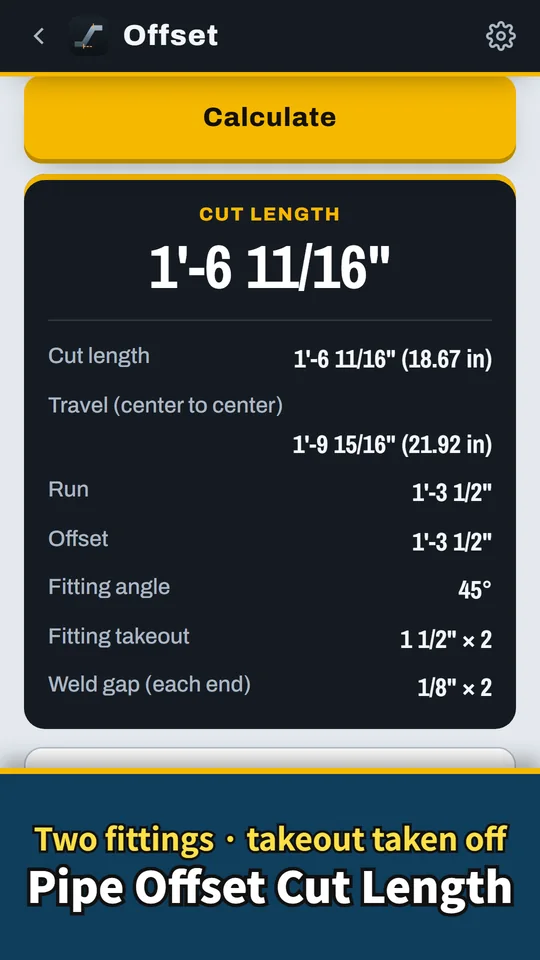
Miteria is an Android pipe offset calculator for pipefitters, plumbers and welders. Enter the offset and the fitting angle, and get the travel, the run and the cut length after fitting takeout. It also solves rolling offsets, mitered pipe and laterals, with a drawing on every screen matched one-to-one to the input boxes. Work in mm or type feet, inches and fractions like 5' 3-1/2". Miteria Pro adds a fitting takeout chart (ASME B16.9), parallel offsets, pipe data and PDF job sheets. Made and published by GRAMSHIFT.
What you can do with Miteria
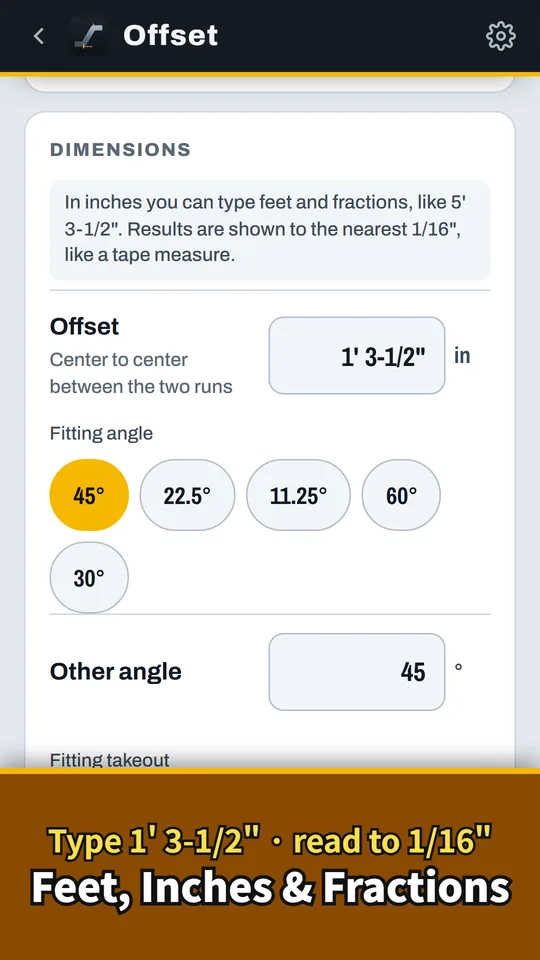
Feet, inches and fractions
Type 5' 3-1/2" and read cut lengths to the nearest 1/16", with the decimal too.
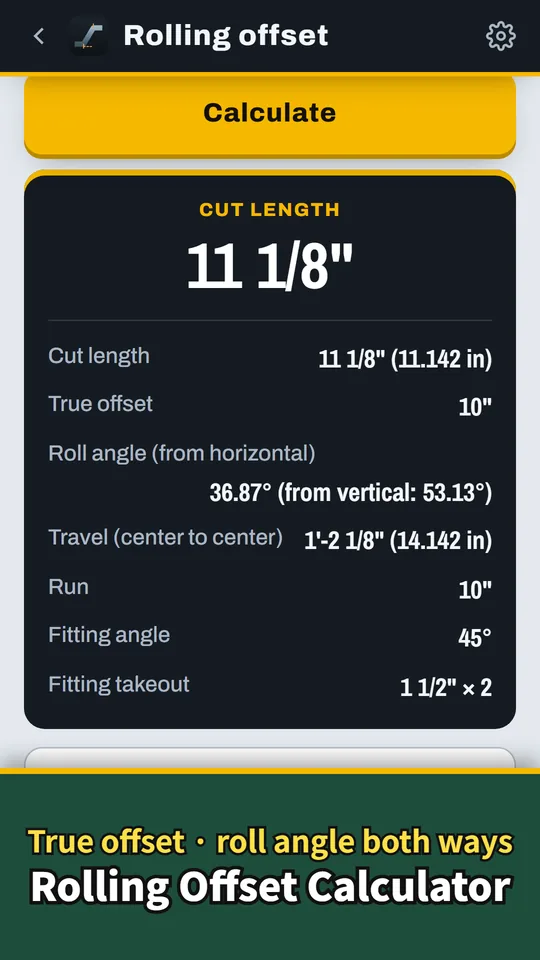
Rolling offsets and roll angle
Get the true offset and the roll angle for a pipe that moves over and up. The angle is given from the horizontal and the vertical, so you roll it the right way.
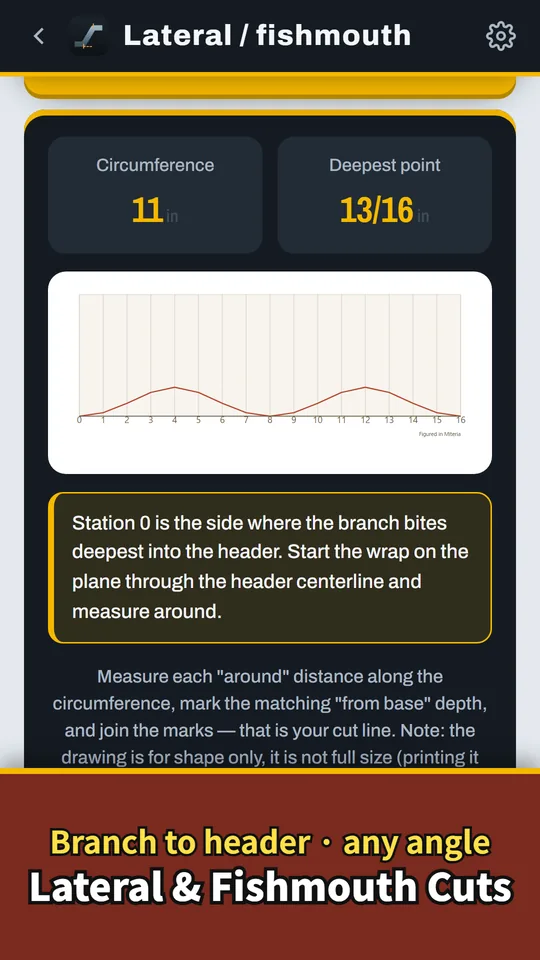
Lateral and fishmouth cuts
Get branch-cut ordinates for a lateral or a tee. Save the sheet as an image and share it.
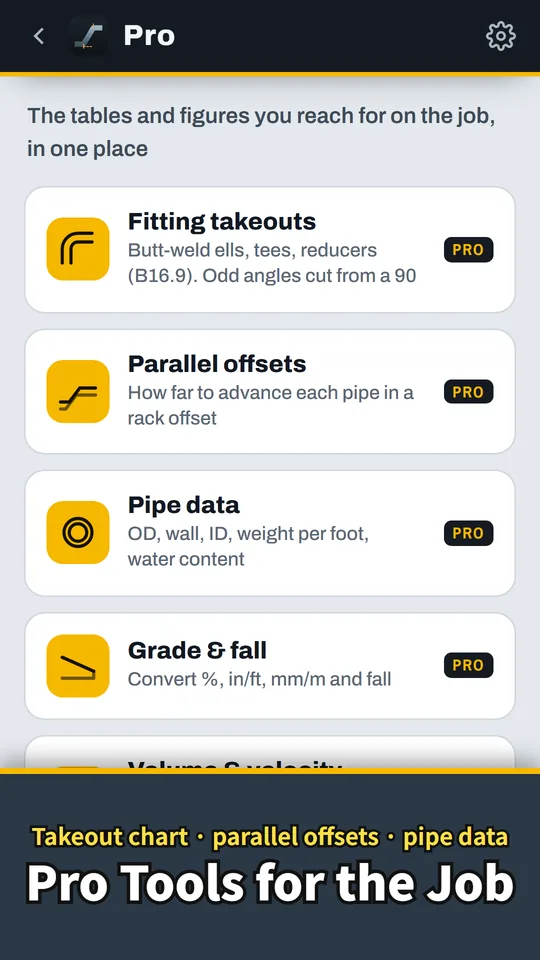
Pro tools for the job
Takeout chart, parallel offsets, pipe data, and grade and fall. Table values are ASME/ASTM nominals.
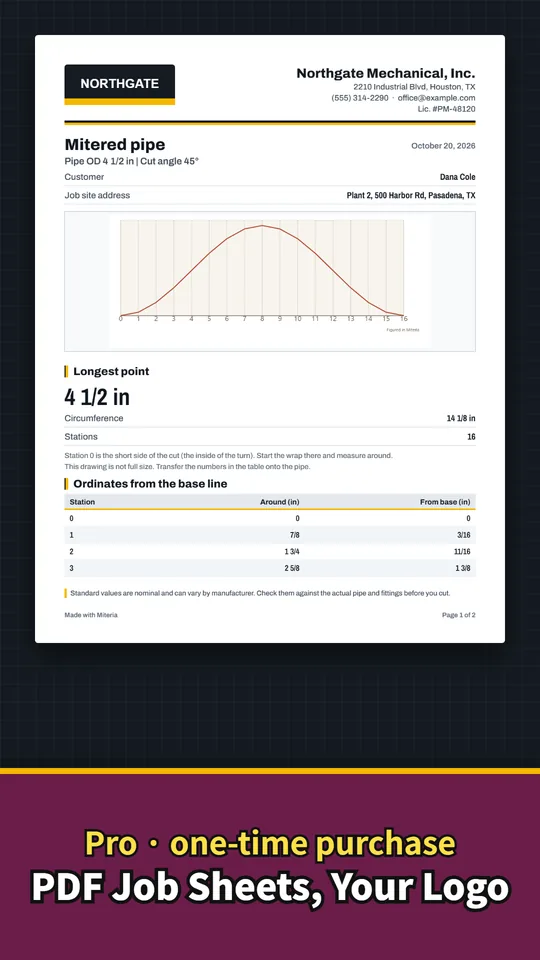
Pro: PDF job sheets with your logo
Put the result, drawing and dimension table on a sheet with your company name, logo and customer, then print or share it.
From numbers to a marked pipe
- Pick a calculation and enter the dimensions. Choose offset, rolling offset, mitered pipe or lateral, and check the drawing to see which dimension goes where.
- Enter the takeout. Use what you measured, the bend radius, or the standard table (Pro). Set a different takeout on each end; the weld gap comes off both ends.
- Mark the pipe from the figures. Read the cut length or the ordinate table below the drawing. In inches, cut lengths come out to the nearest 1/16".
Free and Pro
- Free: offsets, rolling offsets, miters and laterals, the drawings and saving images. A banner ad at the top of the screen. One video gives 60 minutes without ads.
- Pro (one-time purchase): takeouts from the ASME B16.9 table, odd-angle ells, parallel offsets, pipe data, grade and fall, volume and velocity, PDF job sheets, no ads.
- Remove ads (one-time purchase): removes the ads only.
- Neither one is a subscription. No account or sign-up needed.
Frequently asked questions
How do I calculate a pipe offset?
Travel = offset ÷ sin(angle), and run = offset ÷ tan(angle). Cut length = travel − takeout of both fittings − the weld gap at each end. At 45° the travel is about 1.414 × the offset.
How do I calculate a rolling offset?
True offset = √(roll² + rise²), then work it as a normal offset. Miteria also gives the roll angle, from both the horizontal and the vertical.
What is fitting takeout?
It is the distance from the center of the fitting to its end. For a bend it is radius × tan(angle ÷ 2); a long-radius 90 is about 1.5 × the nominal size. Pro takes it from the ASME B16.9 table.
Can I figure takeout without a fitting chart?
Yes. Enter what you measured, or let Miteria work it out from the bend radius. Picking from the standard table is a Pro feature.
How do I calculate a parallel offset?
Advance = spread × tan(angle ÷ 2). With 45° fittings each pipe starts its bend about 0.414 × the spread from its neighbor.
Can I enter feet, inches and fractions?
Yes. Switch to inches and type 5' 3-1/2", 1-1/2 or 3/4. Cut lengths come out to the nearest 1/16", with the decimal too.
Is Miteria Pro a subscription?
No. It is a one-time purchase and comes back on a new phone with the same Google account. The offset, rolling offset, mitered cut and lateral calculations stay free.
Do I need an account?
No. Open the app and start calculating right away.
Good to know
- Drawings on screen and in saved images are not to scale. Mark the pipe from the figures below the drawing.
- Results are theoretical values from the dimensions you enter. Tolerances, cutting and beveling, real fitting sizes and weld shrinkage change them on site.
- Table values are nominal and fittings vary by maker. Check on the actual material before cutting.
- The app does not decide compliance with any law, standard or specification.
If something does not work, or you have an idea or a request, feel free to write to us through the contact form or at contact