 Rateria Hide Shipping Rates
Your rules never hide the last rate
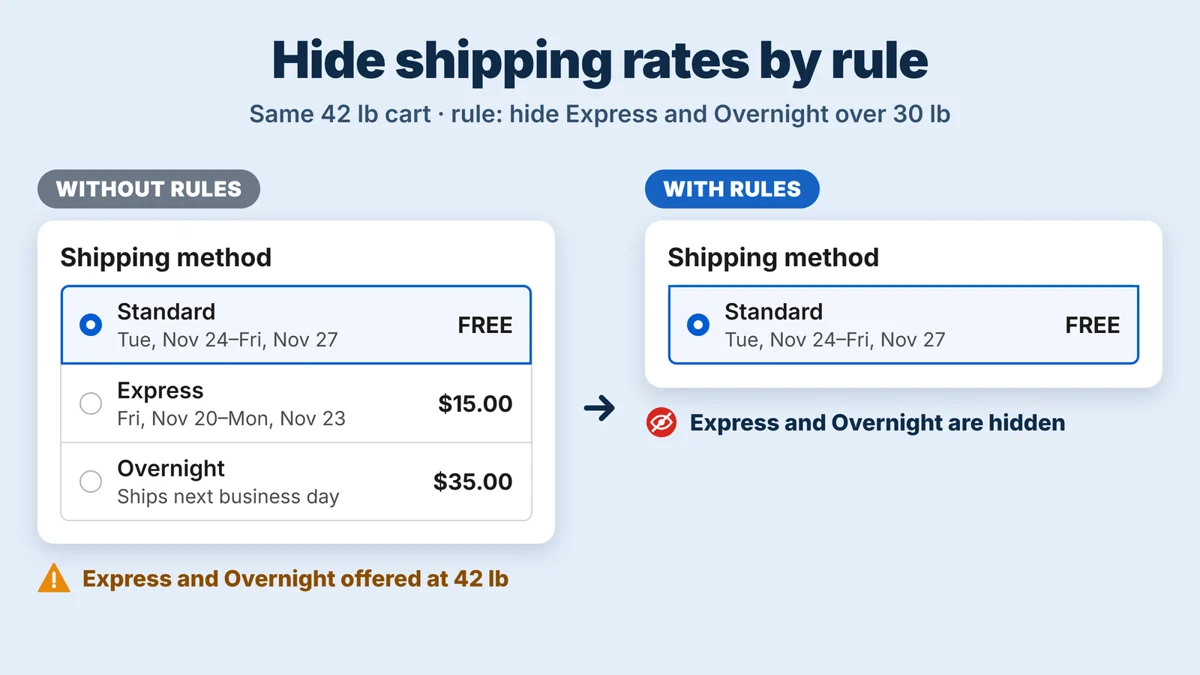
If your hide rules would remove every shipping rate of a shipment, none is hidden there, so no shopper is left without a way to check out. The Shipping rules page warns you before you save rules that could do this.
Test a cart before shoppers see it
The Test a cart page runs your saved rules on a sample cart (weight, amounts, products, country, postal code, language, currency, customer and tags) and shows the rates checkout will show, in what order and with what names, and the ones it hides.
Set up
- Install the app and open it. On Shipping rules, tick the rates your checkout shows, or type their names exactly as checkout shows them.
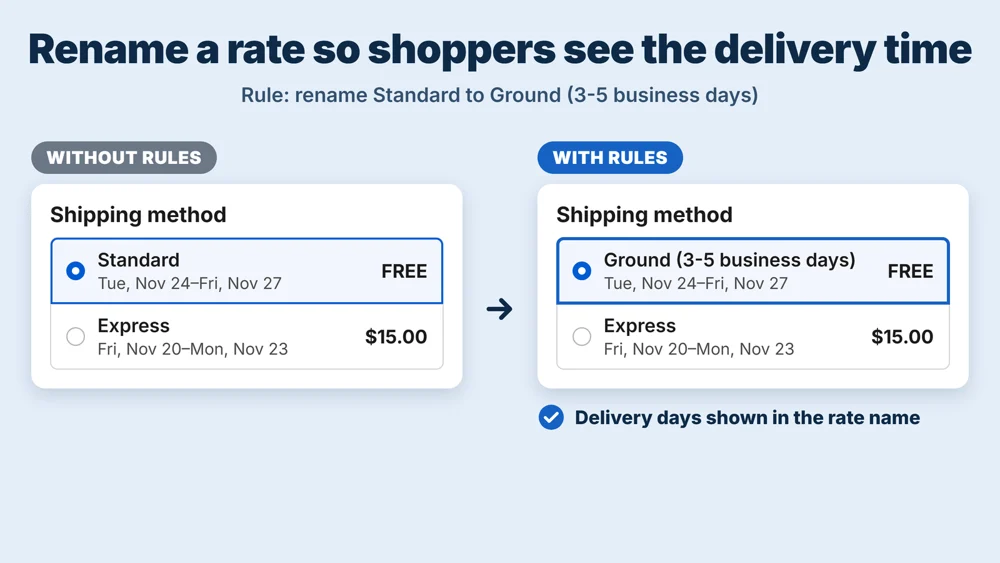
- Add a rule: choose Hide, Rename or Move, pick the rates, add conditions and save.
- On Test a cart, run a sample cart and check the result. Checkout uses your rules as soon as they are saved and Run rules at checkout is on.
Plans
Free
- Hide, rename and move shipping rates
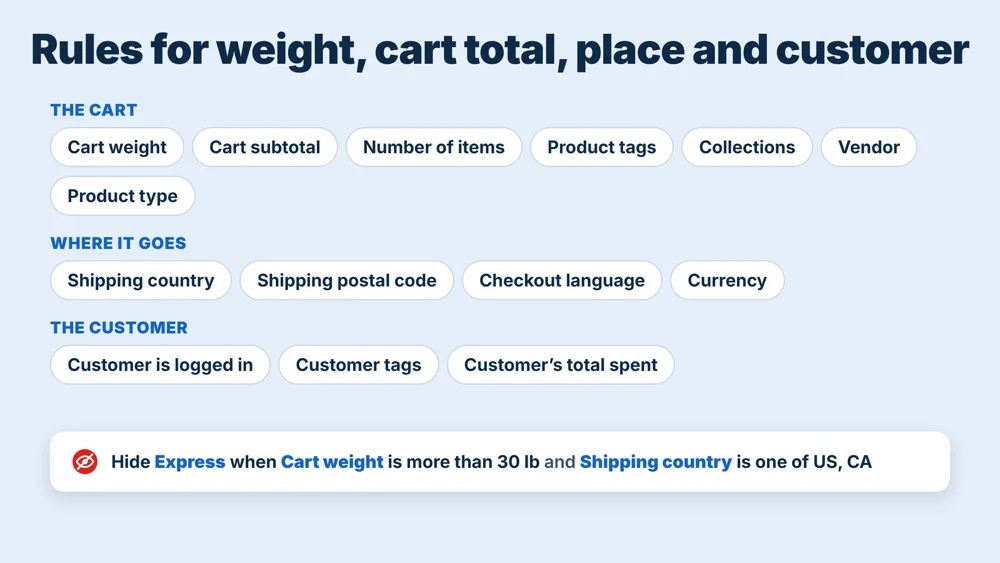
- Conditions: cart weight, cart subtotal, number of items, shipping country
- 1 rule running at checkout at a time (all conditions match), up to 50 saved rules
- Names per checkout language
- Test a cart page and the safety rule
Pro
- Everything in Free, with every rule running (up to 50)
- Rules with Any condition matches
- Customer and product tags, collections, vendor, product type
- Checkout language, currency, logged-in customers
- Postal code, customer's total spent
- Leaving Pro deletes no rules
Shopify bills plans on your Shopify invoice. Change or cancel under Plans in the app; uninstalling the app also ends the charge.
Good to know
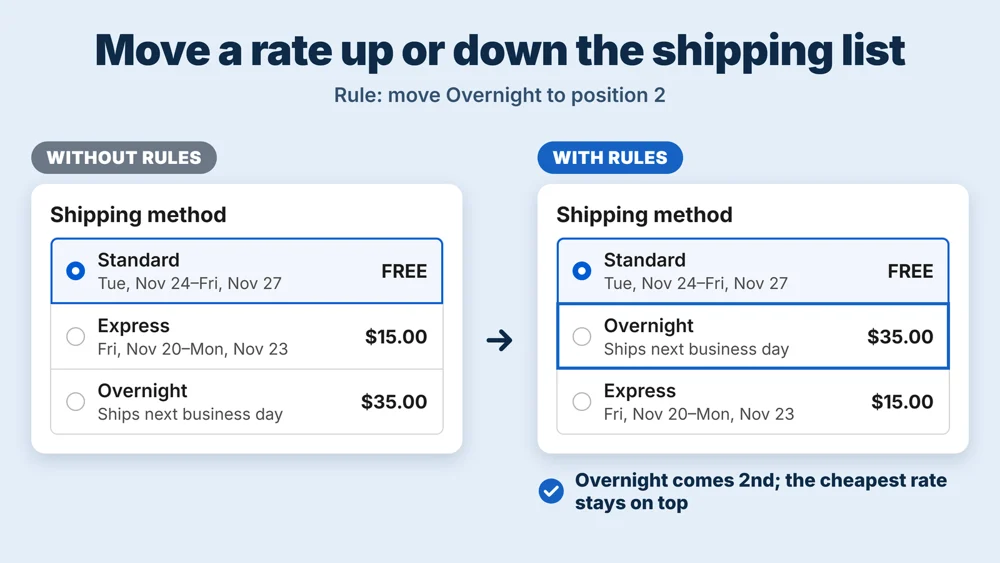
- The cheapest shipping rate stays at the top. A Move rule can change the order of the other rates; when it would put a pricier rate first, the cheapest one goes back on top.
- Hide rules do not apply to a shipment where they would hide every rate: then nothing is hidden there, so shoppers can always check out.
- Rules find rates by the name checkout shows, so use the exact name, or a word the name contains. Rates from a carrier or another app are named by them.
- Customer tags are known only when the shopper is logged in.
- Shopify allows 25 delivery customizations per store, and the app uses one.
- Rules apply to online checkout. Shopify POS is not affected.
Admin languages
The app's pages are in English, Japanese, German, French and Spanish.
Questions and requests: contact
日本語
Rateria Hide Shipping Rates は、Shopify のチェックアウトに出る配送方法(送料の選択肢)を、カートの中身に合わせて隠す・名前を変える・並べ替えるアプリです。たとえば「重い注文では速達を隠す」「Standard を『通常便(3〜5営業日)』と表示する」「お届けの速い便を上に出す」ができます。
条件は、無料プランでカートの重さ・小計・商品の数・配送先の国。Pro ではさらに郵便番号・顧客タグ・商品タグ・コレクション・販売元・商品タイプ・チェックアウトの言語・通貨・ログインの有無・累計購入額。ルールで配送方法が全部消える場合は何も隠しません(お客様が必ず購入を終えられるように)。「カートを試す」のページで、見本のカートがチェックアウトでどう見えるかを先に確かめられます。
料金: 無料(隠す・名前を変える・並べ替えの全部の操作、言語ごとの名前、テスト、安全のルール。同時に動くルールは1本・保存は50本まで)/Pro 月4.99ドルまたは年49.90ドル(7日間の無料お試し・全ルールが動く・「どれか1つの条件に合えば」・ほかの全部の条件)。
知っておくこと: 一番安い配送方法は常に一番上に残ります(Shopify App Store の決まり)。ルールはチェックアウトに出る名前で配送方法を探します。配送業者や別のアプリの配送方法は、その名前のとおりに入れてください。POS には効きません。
お問い合わせ・ご要望は contact