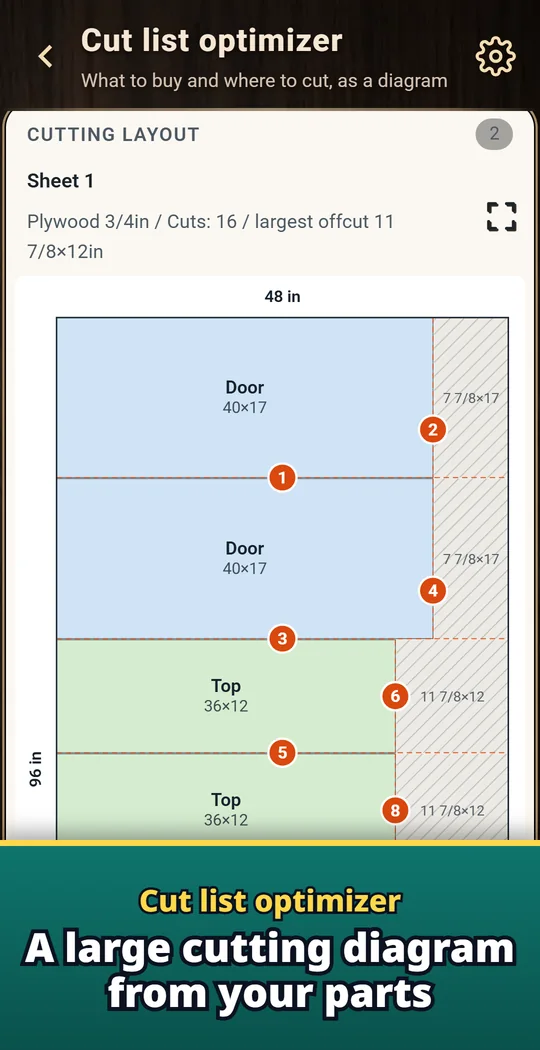
Takumia is a cut list optimizer and plywood cutting calculator for Android: type the parts you need and the sheets or boards you can buy, and it draws the cutting diagram. The diagram includes kerf and grain direction, and you see how many sheets to buy, the waste and the cost. Work in inches with fractions or in mm, with plywood and MDF sheets or lumber cut from long stock. Cut step by step marks one cut at a time on the diagram, so you always know the next cut. Made for cabinets, shelves, furniture and workshop jobs. Made and published by GRAMSHIFT.
What you can do with Takumia
Enter parts fast
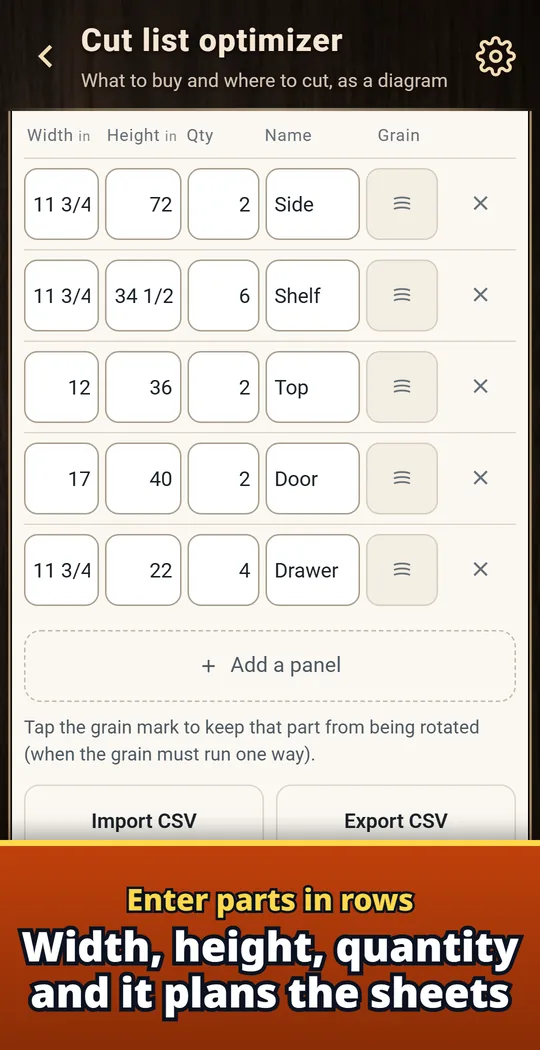
Type width, height and quantity, one row per part, and Takumia lays them out on your boards. Enter moves to the next box and adds a row at the end.
Know the cost before you buy
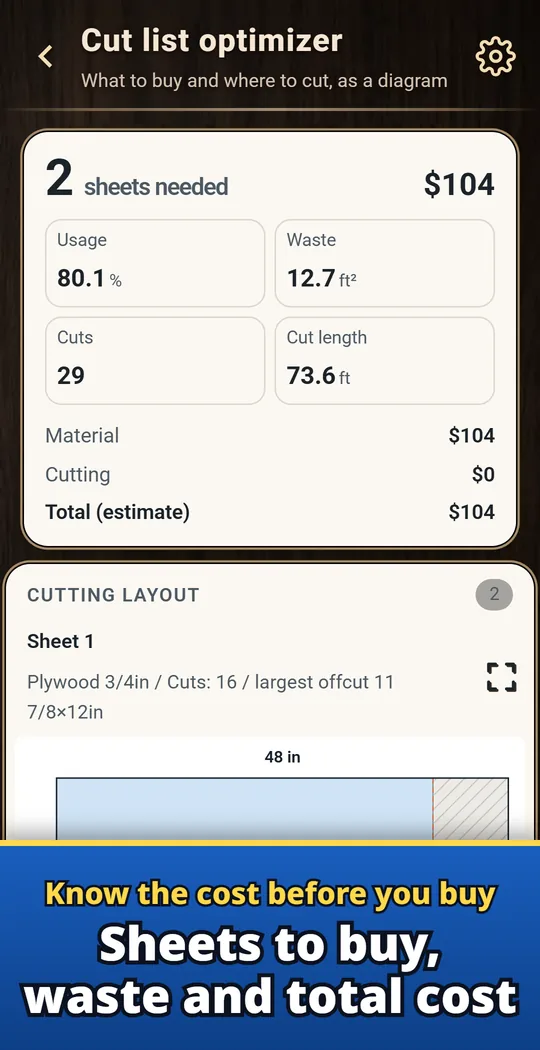
Sheets used, usage %, and waste sit right above the diagram. Add a price per sheet and a cutting service fee to see the total.
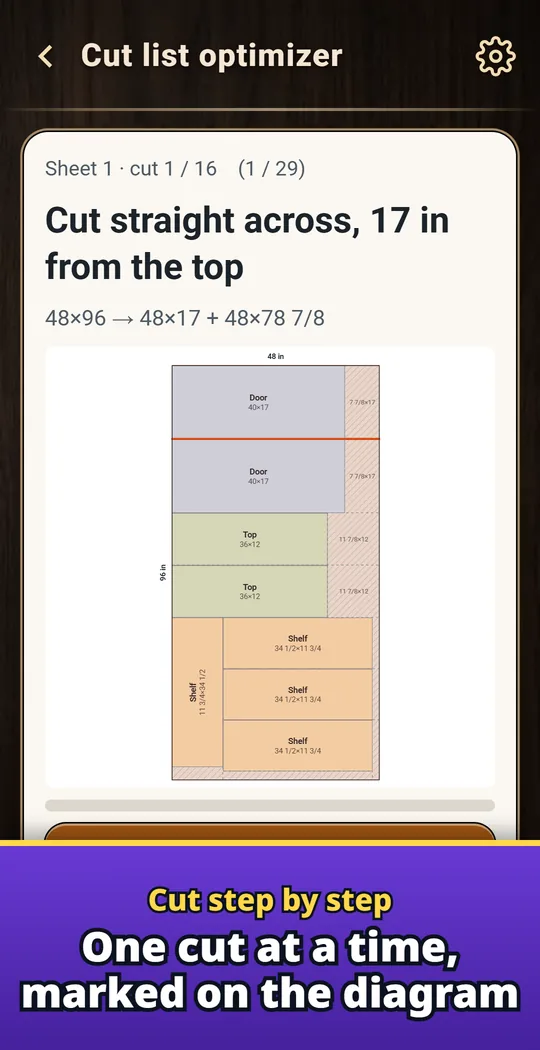
Cut step by step
Shows one cut at a time and marks it on the diagram. So you always know the next cut.
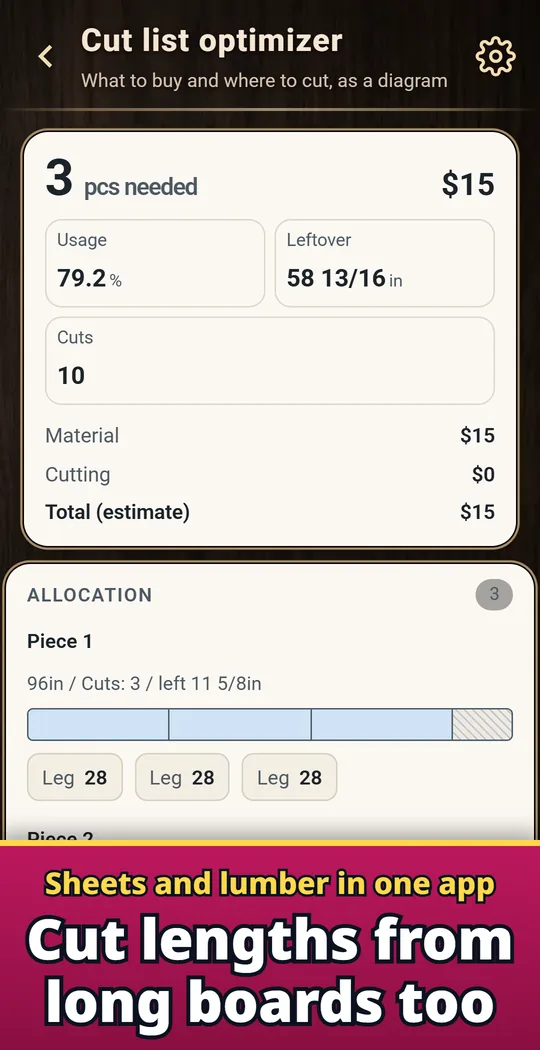
Lumber cut lists too
Cut lengths from long stock for frames, rails and legs.
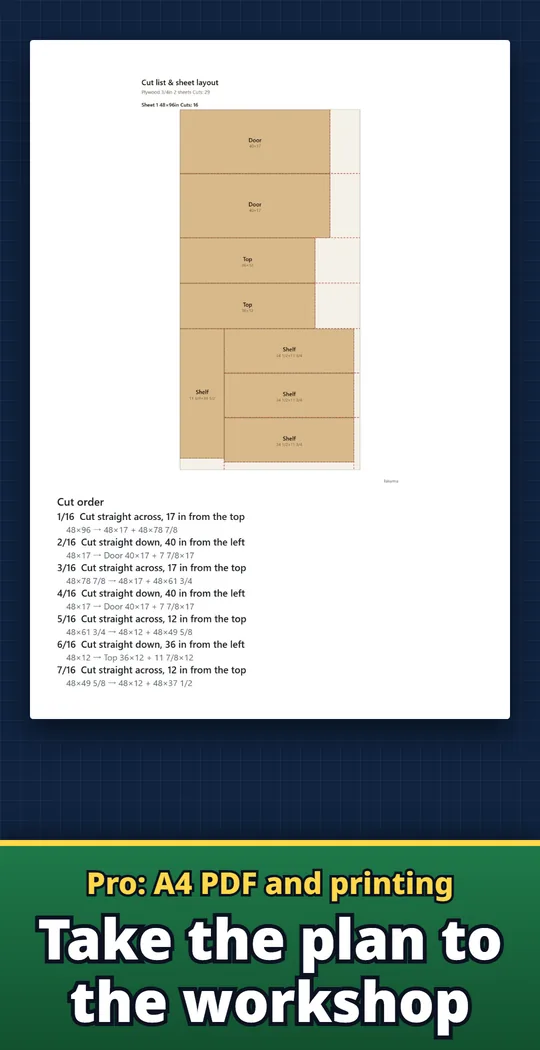
Pro: A4 PDF and printing
With Pro (one-time purchase), print diagrams, the parts list, cost and cut order as an A4 PDF.
From parts list to cuts
- Type your parts and stock. One row per part with width, height and quantity. Add your stock sizes, each with its own quantity and price.
- Tap Calculate. See the cutting diagram, sheets used, waste and cost. Switch the diagram between Dimensions, Colors, Labels and Cut order.
- Cut in order. Follow Cut step by step and make each marked cut. Save the largest leftover to your offcut stock for your next job.
Free and Pro
- Free: unlimited calculations, multiple stock sizes, cut guide, cost, edge banding, CSV, saving and sharing the diagram as an image, and 30 saved projects. Ads are shown.
- Pro (one-time purchase): A4 PDF and printing, up to 200 saved projects, cheapest stock mix, a list of reusable offcuts, back up and restore your saved projects, and no ads.
- Remove ads (one-time purchase): removes the ads.
- Your data (parts and projects) stays on your device unless you send it yourself. There is no account sign-up or login.
Frequently asked questions
How do I figure out how many sheets of plywood I need?
Type your parts and the sheet size, then tap Calculate. The result shows the number of sheets and where to cut each one.
Does the cut list account for saw blade kerf?
Yes. Set Cut thickness (kerf), or pick a saw from the list, and every cut in the plan includes it.
Can I enter measurements in inches and fractions?
Yes. Type 23 5/8 or 23.625. You can switch units in Settings.
How do I estimate the cost of plywood for a project?
Add a price per sheet and a cutting service fee to see the total. Edge banding is included too, with the tape you need and adjusted cut sizes.
Can I keep the wood grain direction in a cutting layout?
Yes. Set grain per part, and the diagram follows it. You can also allow rotation.
Can I import a cut list from a spreadsheet?
Yes. Use Import CSV to bring in your parts, and Export CSV when you are done.
Is Takumia Pro a subscription?
No. Pro is a one-time purchase, and it comes back on a new phone with the same Google account.
Do I need to create an account?
No. Open the app and start typing. Your parts and projects stay on your phone.
Good to know
- Parts are rectangles, and plans use straight edge-to-edge cuts (table saw, track saw or panel saw). Curved parts and CNC nesting are not covered.
- Plans are saved on your phone. To move them to a new phone, use Back up (Pro).
- Check the sizes against your real boards before you cut.
- Shelf sag and weight figures are estimates, including creep over time, and do not guarantee safety.
If something does not work, or you have an idea or a request, feel free to write to us through the contact form or at contact