
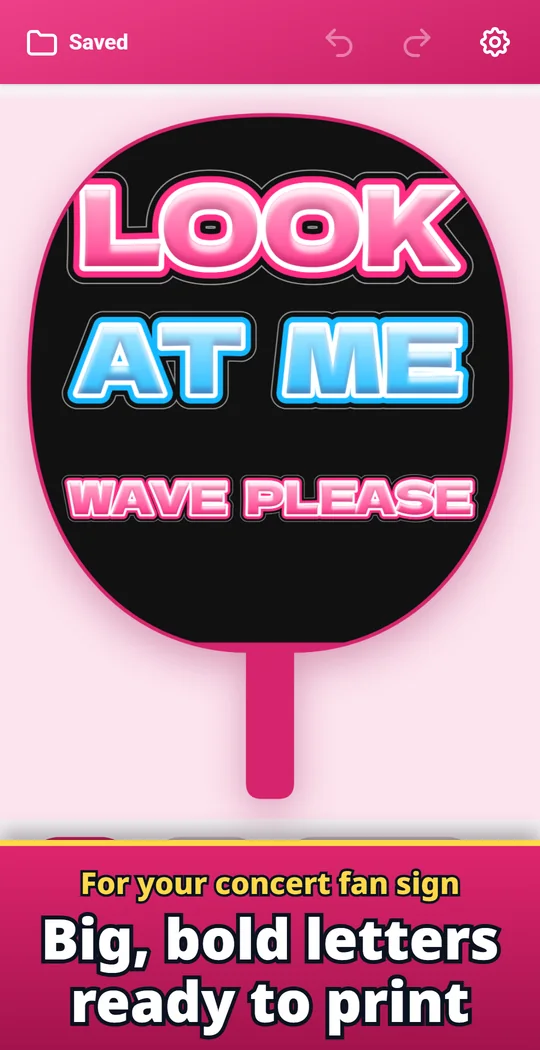
Uchiwa Letter Studio is an Android app that makes big, bold letters for a concert fan sign: the uchiwa fan or board you hold up for your favorite K-pop idol, J-pop idol or artist. Type your message, pick a font, colors and a thick outline, and save it at full size on one A3 sheet or on two A4 sheets to tape together. The preview shows the shape of a fan so you can see where the letters land. Print, cut along the outline and stick it on your fan. Add your idol's photo, hearts, stars and crowns too. Made and published by GRAMSHIFT.
What you can do with Uchiwa Letter Studio
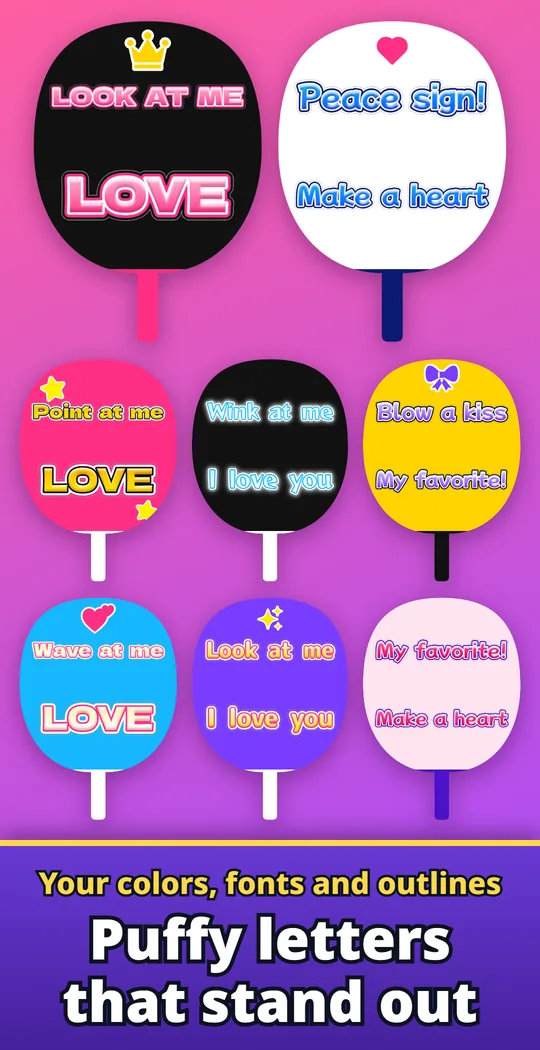
Your fonts, colors and outlines
Bold, rounded, pop, brush, handwritten and serif fonts, with gradients and a puffy 3D look. Add inner and outer outlines or a glow so your sign reads from far away.
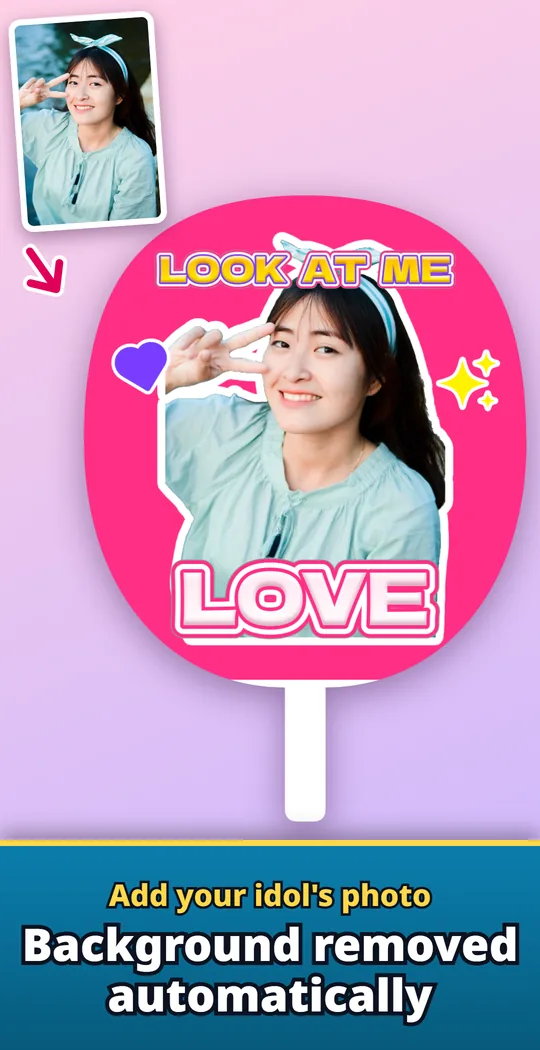
Cut out your idol's photo
Add a photo and remove the background with one button; the subject gets a white border. Move, resize and rotate it on the fan.
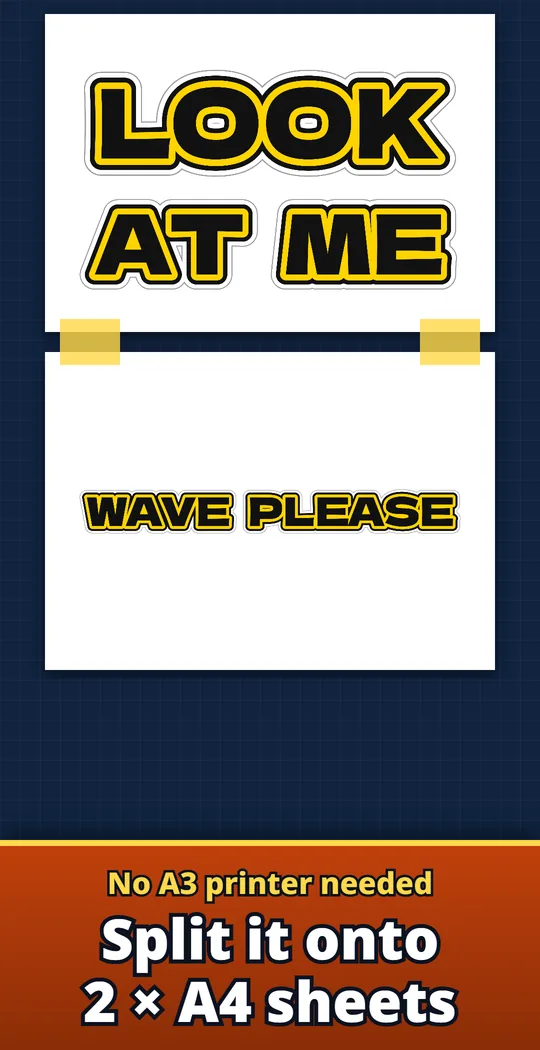
Two A4 sheets on a home printer
Choose 2 × A4 to save a top half and a bottom half. Line up the edges and tape them together for a jumbo-size sign.
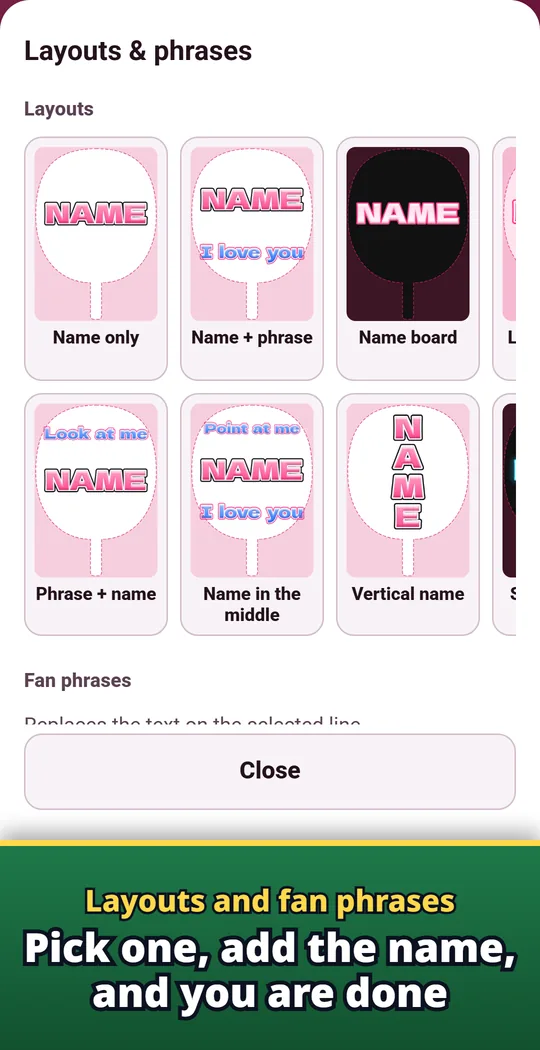
Layouts and fan phrases
Pick a layout such as phrase + name or vertical name, then type your idol's name. One tap adds fan phrases like "Look at me" or "Wave at me".
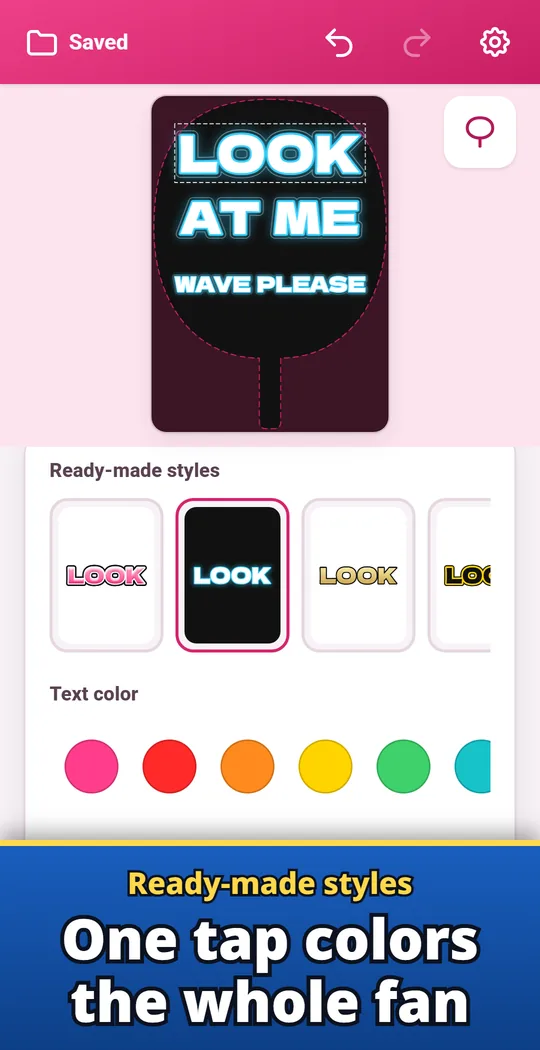
One-tap styles
Ready-made styles color the whole fan with one tap. They come with outlines already on.
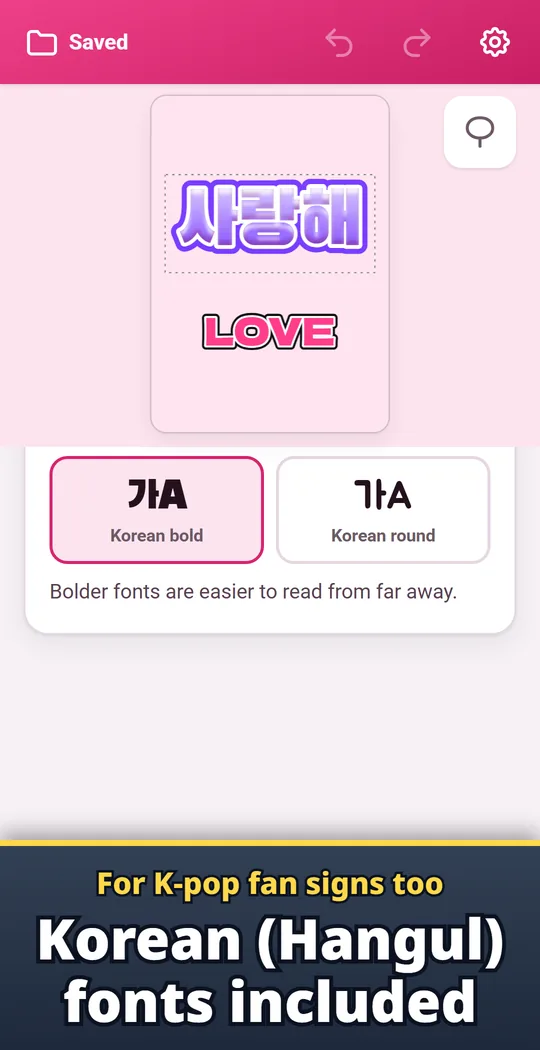
Korean (Hangul) fonts
Bold and rounded Korean fonts for your K-pop fan sign. Mix Korean, Japanese and Latin letters on one fan.
From message to fan sign
- Type your message and pick a style. On the Text tab, enter your idol's name or a phrase, then choose a font, colors and outlines. A ready-made style colors everything in one tap.
- Save on one A3 or two A4 sheets. On the Save & print tab, pick the size and save as an image (PNG), then print it.
- Cut and stick. Turn on the cut line for a guide for your scissors. With two A4 sheets, line up the edges and tape them together, then stick the letters on your fan or board.
Free and Pro
- Free: making letters, every font, color and outline, photos and stickers, and saving or sending images (PNG). A small banner ad at the bottom of the screen, and 3 saved designs to reopen later.
- Pro (one-time purchase): up to 200 saved designs, save as PDF (1 × A3 or 2 × A4), no ads.
- Remove ads (one-time purchase): removes only the banner ad.
- Saved designs stay on this phone.
Frequently asked questions
How do I make letters for a K-pop concert fan sign?
Type your message on the Text tab, choose a font and colors, then save it on the Save & print tab as one A3 sheet or two A4 sheets and print it. Cut around the outline and stick the letters on your fan or board.
How do I print a fan sign without an A3 printer?
Choose 2 × A4 to save the sign as a top half and a bottom half. Print both, line up the edges and tape them together.
How do I make fan sign letters readable from far away?
Use a bold font with two outlines in different colors, such as white inside and black outside, or add a glow. The ready-made styles come with outlines already on.
Can I write my fan sign in Korean (Hangul)?
Yes. There are bold and rounded Korean fonts, and you can mix Korean, Japanese and Latin letters on one fan.
Can I put my idol's photo on the fan?
Yes. On the Stickers tab, tap Add a photo, choose a photo, then tap Remove background to cut out the person and place them on the fan.
Is Uchiwa Letter Studio free?
Yes. Making letters, photos and stickers, and saving images (PNG) are free. The free version shows a small banner ad and keeps 3 saved designs.
Can I save my fan sign as a PDF?
Yes, with Pro, a one-time purchase. It saves a PDF on one A3 sheet or two A4 sheets.
Good to know
- Some photos may not cut out cleanly. Background removal may not be available on some devices.
- Colors on screen and on paper will not match exactly. Check the size and colors in the print service preview first.
- Concerts and venues may set rules on the size of fans and boards. Check the official notice first.
- Saved designs stay on this phone, with no backup.
If something does not work, or you have an idea or a request, feel free to write to us through the contact form or at contact