Stream Deck plugin for Windows
Your clipboard history on Stream Deck, one press to paste
Clipboard History for Windows shows your recent copies, text and images, on Stream Deck keys as a preview or a thumbnail. One press pastes the one you need into the app in front of you.
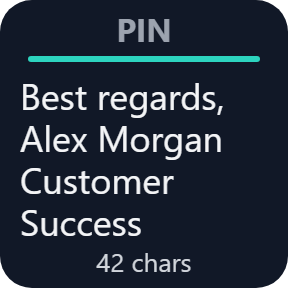
Hold a key for 1 second to pin a snippet you reuse every day. Paste with formatting or as plain text, and keep up to 200 items on your PC.
- Recent copies #1 to #20
- Text and images
- Pin with a hold
- Plain text paste
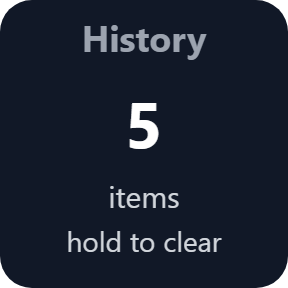
- Pause and Clear keys
What the keys do
Recent copies, one key each
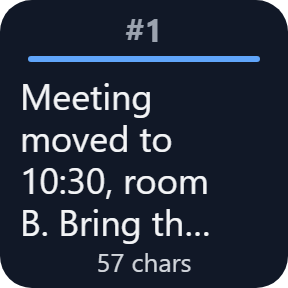
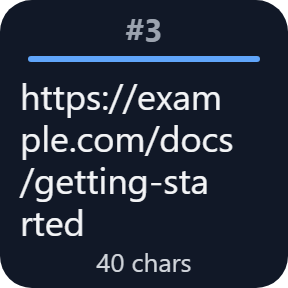
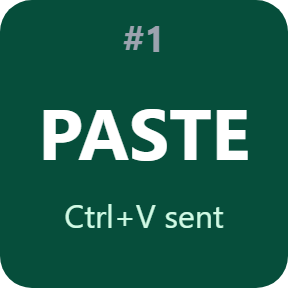
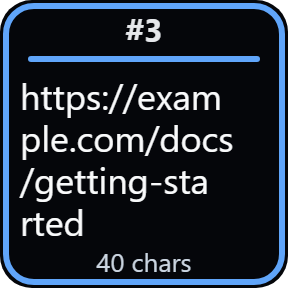
Keys show copy #1, #2, #3, up to #20, each with its first lines and length. One press pastes it into the app in front.
Text and images
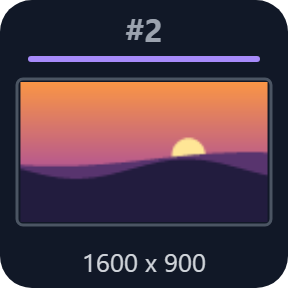
A copied picture shows as a thumbnail with its size. A press puts it back on the clipboard and pastes it, like a text.
Pin what you reuse
Hold a key for 1 second to pin its item, or pick one in the key's settings. New copies leave it in place.
Paste your way
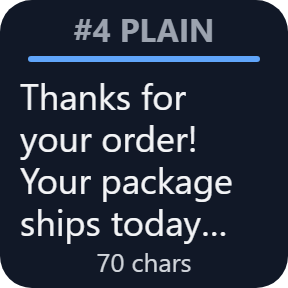
Choose for each key: paste, paste as plain text (fonts, colors and links dropped), or put it on the clipboard only.
Private copies stay private
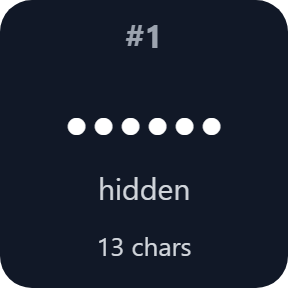
Copies an app flags as private to Windows, a flag password managers can set, are not stored. Text that looks like a password or an API key shows as dots.
Pause and Clear
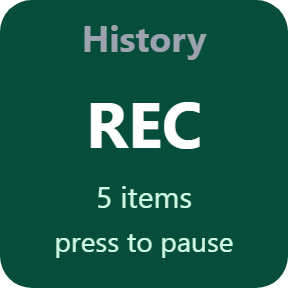
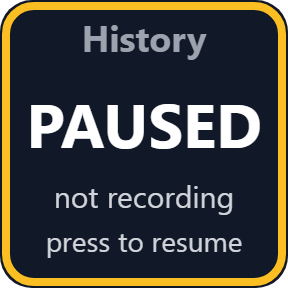
The Pause key stops recording and shows PAUSED. The Clear key deletes the history when you hold it for 2 seconds and let go.
Three more key looks
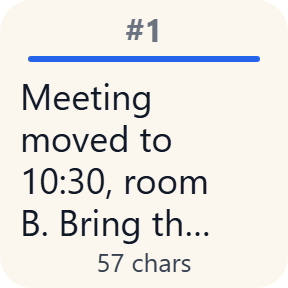
Besides the standard Classic look, choose Neon, Solid or Paper for each key in its settings.

Stored on your PC
The history holds 10 to 200 items, as you choose. Pinned items come on top of that number.
It is encrypted with your Windows account and kept after a restart, or you can keep it in memory only.
We never receive what you copy. The only thing the direct version sends online is its license key check.
Set up in 3 steps
- Open the plugin file you download after buying. The Stream Deck app installs it.
- In the Stream Deck app, drag History Slot keys onto your Stream Deck and enter your license key once in a key's settings.
- Choose each key's copy number and what a press does. Copy as usual, then press a key to paste.
Two places to buy
| Elgato Marketplace | Direct from GRAMSHIFT | |
|---|---|---|
| Amount | Same amount | Same amount, tax added at checkout |
| Checkout | Elgato Marketplace | Stripe (card) |
| New versions | Installed through the Stream Deck app | Download from your license key page |
| Use on | Your Elgato account | Up to 3 PCs per license key |
| Plugin display | English and Japanese | English and Japanese |
Requirements
- Windows 10 or later (tested on Windows 11)
- Stream Deck app 6.9 or later
Questions
How do I see my clipboard history on Stream Deck?
Install the plugin and drag History Slot keys onto your Stream Deck. Each key shows one recent copy, from #1 (the newest) up to #20, with its first lines or a thumbnail. One press pastes it into the app in front. The direct version asks for your license key once first.
Can I paste without formatting?
Yes. Set a key to Paste as plain text in its settings: fonts, colors and links are dropped.
How do I keep a snippet I use every day?
Hold its key for 1 second to pin it, or pick the item in the key's settings. New copies leave a pinned key in place, and pinned items do not count toward the history size. The Clear key leaves pinned items in place unless you set its Delete setting to Everything, pinned items too.
Are my passwords stored?
Copies an app flags as private to Windows, a flag password managers can set, are not stored. A password manager that does not set this flag is treated like any other app, so its copy is stored, and text that looks like a password or an API key shows as dots on the key. The Pause key stops recording, and the Clear key deletes the history.
Where is my history kept?
On your PC, encrypted with your Windows account. It stays after a restart, or you can choose memory only. We never receive what you copy.
Why does the paste not arrive in some apps?
An app run as administrator does not accept keystrokes from other programs. The key still puts the item on the clipboard, so press Ctrl+V in that app yourself.
How many PCs can I use with one license key?
Up to 3 of your own PCs. If you replace a PC, write to us and we free up a place for the new one.
How do I get new versions if I buy direct?
Download the latest version from your thank-you page or the license key page you received. Your license key keeps working. If you cannot open your license key page, email us as the "Recover your license key" page explains.
What if I lose my license key?
Email contact@gramshift.com from the address you paid with, and include your order number, or the date and amount you paid. We check the purchase and reply with a link to your license key page.
Can I get a refund?
Yes, for a direct purchase. If the plugin does not work on your PC, email us within 14 days of purchase and we refund the full amount. The license key stops working after the refund.
Direct purchase: details, refunds and seller
- Price
- ¥880, the same amount as on the Elgato Marketplace. Tax for your country is added at checkout.
- Payment
- Handled by Stripe through Link, Stripe's checkout service. Link appears as the seller on your receipt and card statement, and your card number never reaches GRAMSHIFT.
- Delivery
- Your license key and download link appear right after payment, and the receipt arrives by email.
- Refunds
- If the plugin does not work on your PC, email us within 14 days of purchase for a full refund. You can also ask Link support. The license key stops working after a refund.
- License
- One license key for your own use on up to 3 PCs.
- Countries
- The direct checkout is not offered in Ascension Island, China, Cuba, Iran, Kosovo, North Korea, Russia, Syria or Tristan da Cunha.
- Seller
- GRAMSHIFT, Tokyo, Japan. Contact: contact@gramshift.com
Limits
- Windows only, with your Stream Deck on the same PC. Tested on Windows 11. Stream Deck keys only: the actions do not go on dials.
- Files copied in Explorer, and screenshots a tool flags as private, stay out of the history.
- In apps run as administrator, press Ctrl+V yourself after the key.
- Very large copies are left out: text over 2 million characters and pictures over 64 MB (about 4000 x 4000 pixels).
- A key shows dots for text with no spaces that mixes at least three of capitals, small letters, numbers and symbols, so an ordinary word like iPhone15Pro can show as dots. The key still pastes it as usual. To turn the dots off, set On the key to Show everything in that key's settings.
- The dots are a best guess. A simple password like password1, or text with spaces, can still show on a key. To hide a key's text every time, set On the key to Hide the content in that key's settings.
- A key's picture can stay in your Stream Deck profile, and a profile you export may carry it.
- The direct version checks its license key with our server when you activate it, each time the plugin starts, and about once a day while it runs. If it cannot reach the server, it keeps working for up to 44 days after the last successful check.
- If something does not work, email contact@gramshift.com and we will help.