Stream Deck plugin for Elite Dangerous fleet carriers and colonisation on Windows
Your fleet carrier and colony on your Stream Deck
To see when your fleet carrier jumps and how much your colonisation construction site still needs, put the Carrier Jump and Still Needed keys on your Stream Deck: one counts down to the jump, the other shows the tonnes left.
Other keys show tritium, carrier balance, docking access, how many trips are left for your ship, and the goods most needed first.
It reads the journal the game writes on your PC, so there is nothing to set up in the game: place the keys, start Elite Dangerous, and they fill in as you play. On a Stream Deck + the dials turn through the values. Display only.
- Countdown to the carrier jump
- Tritium in the tank
- Tonnes the site still needs
- Trips left for your ship
- Goods most needed first
- Stream Deck + dials
What the keys show
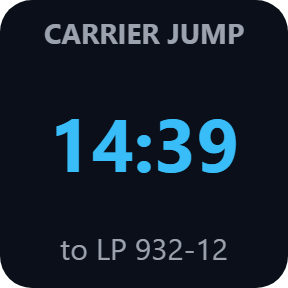
Carrier Jump
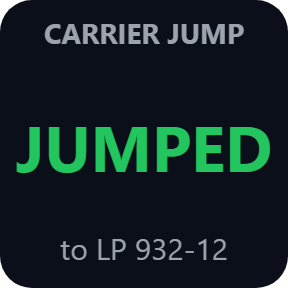
The countdown to your carrier's jump and the system it jumps to. JUMPED once it has jumped, and the system the carrier is in when no jump is set.
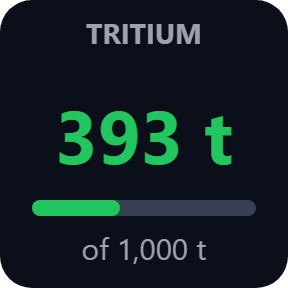
Tritium
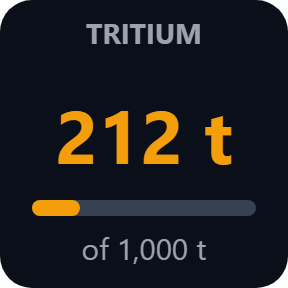
The tritium in the carrier's tank out of 1,000 t, with a bar. Amber below a quarter, red below a tenth.
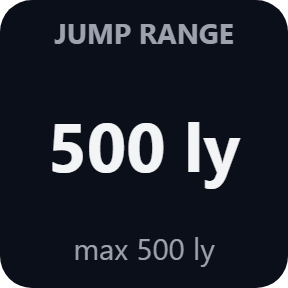
Jump Range
How far the carrier can jump now, and its range with an empty hold.
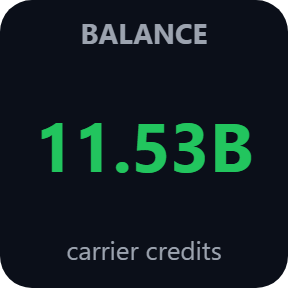
Carrier Balance
The carrier's balance, and the credits free to use when some are reserved. A carrier in debt shows in red.
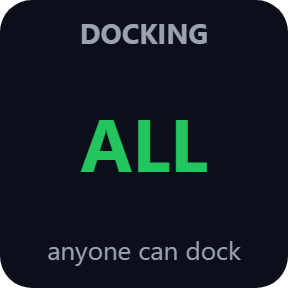
Docking Access
Who can dock at your carrier: all, friends, squadron, squadron and friends, or no one, and whether notorious pilots can.
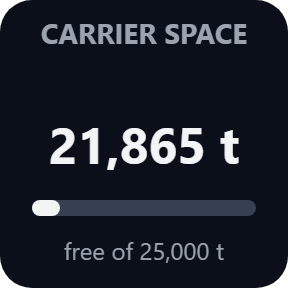
Carrier Space
The free cargo space on the carrier out of its total, with a bar of the space used.
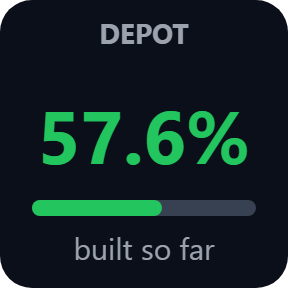
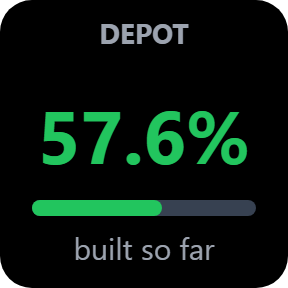
Construction Progress
How far the construction site is built, with a bar. Press for your next site, or set the key to one site.
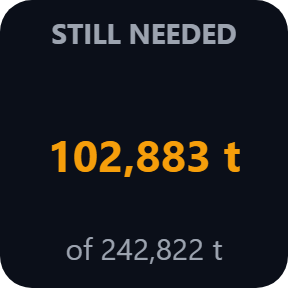
Still Needed
The tonnes of goods the site still needs, out of the total. It goes down as you and other commanders deliver.
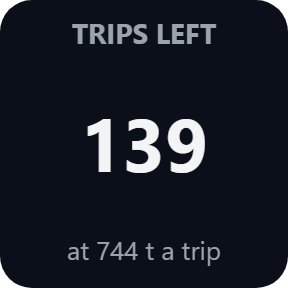
Trips Left
How many trips the goods still needed are for your ship. It uses the cargo hold of the ship you flew last, or the tonnes you enter.
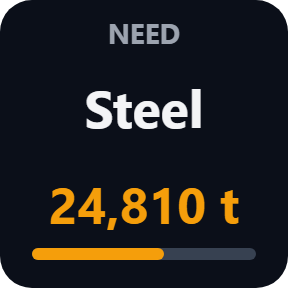
Need
A good the site still needs and its tonnes. Put several: they show the most needed first, in order. Press for the next goods, or set the key to one good.
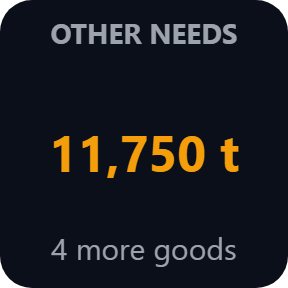
Other Needs
The tonnes of the goods still needed that no Need key shows, and how many goods that is.
Pick a look
Choose it in each key's settings: classic, black, or color, where the whole key takes the color of its state.
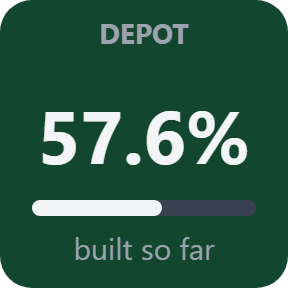
Read it at a glance
The jump key counts down and says JUMPED when the carrier has arrived. The tritium bar turns amber below a quarter of the tank and red below a tenth.
Works beside the game, on your PC
The plugin runs in the Stream Deck app and only reads the files the game writes on your PC, so there is nothing to install in the game.
It is display only: it presses no keys in the game and writes nothing to the game.
Your carrier and colony data are never sent anywhere. The only thing that goes online is the license key check.
Set up in 3 steps
- Open the plugin file you download after buying. The Stream Deck app installs it.
- In the Stream Deck app, drag the keys you want onto any page, or onto the dials of a Stream Deck +. Enter your license key once in the settings of any key.
- Start Elite Dangerous. Open the carrier management screen once and dock at your construction site: the keys fill in and keep up as you play.
Requirements
- Windows 10 or later
- Stream Deck app 6.9 or later
- Any Stream Deck with keys; on Stream Deck + and + XL the actions also work on the dials
- Virtual Stream Deck (also used by the Corsair NIGHTSWORD v2 WIRELESS SD and XENEON EDGE): the key actions work there
Questions
How do I see my fleet carrier jump timer on Stream Deck?
Put the Carrier Jump key on your Stream Deck. When you set a jump in the game, it counts down to the jump and shows the system the carrier jumps to. It says JUMPED once the carrier has arrived.
How do I track what my Elite Dangerous colonisation construction site still needs?
Dock at the construction site once. The Construction Progress key shows how far the site is built, Still Needed the tonnes left, and the Need keys the goods still needed, the most needed first. They update each time the game writes the site's numbers, for example as you deliver.
How many trips does my ship need to finish a construction site?
The Trips Left key divides the tonnes still needed by the cargo hold of the ship you flew last. To plan with another ship, enter its cargo hold in the key's settings.
Can I see how much tritium my carrier has left?
Yes. The Tritium key shows the tritium in the tank out of 1,000 t, with a bar that turns amber below a quarter and red below a tenth.
Does it work with the dials of the Stream Deck +?
Yes. Put any action on a dial: turning it shows the next value, one value per click (the carrier values on a carrier dial, the site values on a site dial, the next goods on a Need dial). Pushing the dial or tapping the touch strip goes back to the value you set it up as.
Does it work with a squadron carrier?
Yes. By default the keys show your own fleet carrier, or your squadron's carrier when you have no carrier of your own. In each key's settings you can choose your own carrier or the squadron carrier.
Does it change the game or send my data anywhere?
No. The plugin only reads the journal files the game writes on your PC. It presses no keys in the game, and your data stays on your PC. The only thing the plugin sends online is its license key check.
Does Carrier Deck for Elite Dangerous work on a Virtual Stream Deck, NIGHTSWORD v2 WIRELESS SD or XENEON EDGE?
Yes. Its key actions work on Virtual Stream Deck, which the Corsair NIGHTSWORD v2 WIRELESS SD and XENEON EDGE use: the mouse's Stream Deck button opens it, and the XENEON EDGE shows it in the iCUE Stream Deck widget. Drag the actions onto its keys as on any Stream Deck.
How many PCs can I use with one license key?
Up to 3 of your own PCs. If you replace a PC, write to us and we free up a place for the new one.
What if I lose my license key?
Email contact@gramshift.com from the address you paid with, and include your order number, or the date and amount you paid. We check the purchase and reply with a link to your license key page.
Can I get a refund?
Yes. If the plugin does not work on your PC, email us within 14 days of purchase and we refund the full amount. The license key stops working after the refund.
Direct purchase: details, refunds and seller
- Price
- ¥1,500, paid once. Tax for your country is added at checkout.
- Payment
- Handled by Stripe through Link, Stripe's checkout service. Link appears as the seller on your receipt and card statement, and your card number never reaches GRAMSHIFT.
- Delivery
- Your license key and download link appear right after payment, and the receipt arrives by email.
- Refunds
- If the plugin does not work on your PC, email us within 14 days of purchase for a full refund. You can also ask Link support. The license key stops working after a refund.
- License
- One key for your own use on up to 3 PCs.
- Countries
- Checkout is not offered in Ascension Island, China, Cuba, Iran, Kosovo, North Korea, Russia, Syria or Tristan da Cunha.
- Seller
- GRAMSHIFT, Tokyo, Japan. Contact: contact@gramshift.com
Limits
- The game writes the carrier's numbers when you open the carrier management screen, and the site's numbers while you are docked at it. The keys show the last numbers the game wrote.
- The plugin is display only: it does not press keys in the game. For keys that control your ship, see Ship Deck for Elite Dangerous.
- For the PC version of Elite Dangerous.
- The plugin checks its license key with our server when you activate it, each time the plugin starts, and about once a day while it runs. If it cannot reach the server, it keeps working for up to 44 days after the last successful check.
- If something does not work, email contact@gramshift.com or see the support page, and we will help. Tell us what you would like next: we add the most-requested features in the next version.