Stream Deck plugin for Elite Dangerous exploration on Windows
Your Elite Dangerous exploration on your Stream Deck
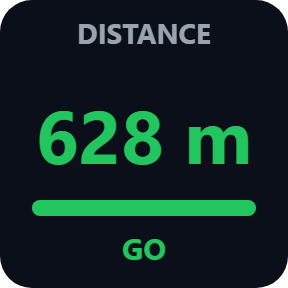
To know when you are far enough for the next exobiology sample, put the Sample Distance key on your Stream Deck: it shows how far you have walked from your last sample and turns green with GO when you can take the next one.
Other keys show the bodies you have scanned, which world to map next and what your data is worth.
It reads the journal the game writes on your PC, so there is nothing to set up in the game: place the keys, start Elite Dangerous, and they fill in as you fly. Display only.
- Far enough for the next sample?
- Samples 1, 2, 3 of each species
- The world to map next
- What your unsold data is worth
- Gravity before you land
- Keys in English and Japanese
What the keys show
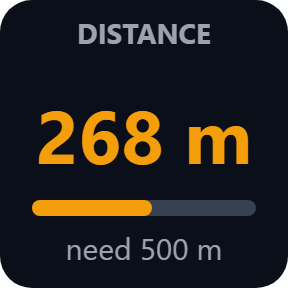
Sample Distance
How far you are from your last sample, next to the distance that life form needs (need 500 m). It turns green and says GO once you are far enough.
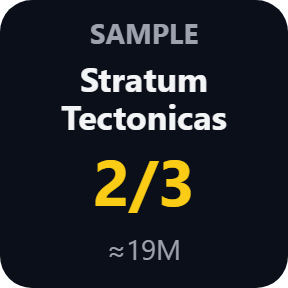
Sample Progress
The species you are sampling, how many of its 3 samples you have, and the estimate of what it sells for.
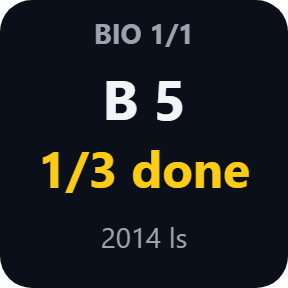
Bio Signals
The worlds in this system with biological signals, how many species you have finished on each, and how far each world is. Press for the next world.
System Scan and System Value
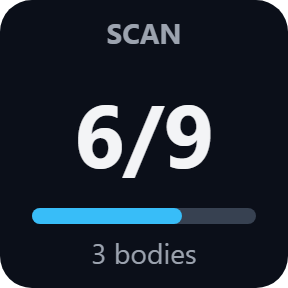
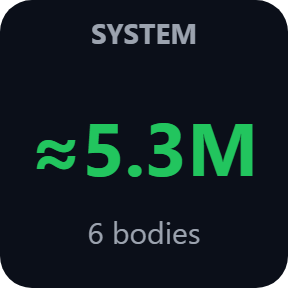
The bodies scanned of the total in the system and how many are left, and the estimate of what the scans of this system are worth.
Map Next
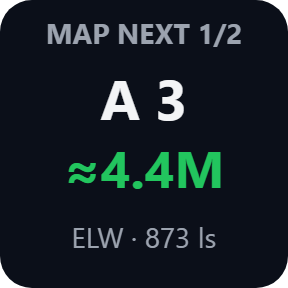
The most valuable world you have not mapped yet, with its estimate, its type and its distance. Press for the next one. You choose the lowest value and the longest distance worth the trip.
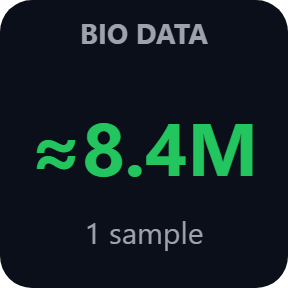
Unsold Data and Bio Data
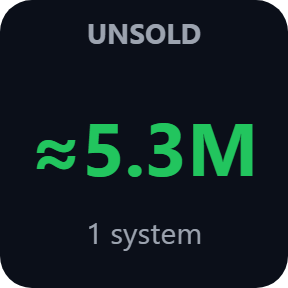
The estimate of the exploration data and of the biological data you carry and have not sold yet. The number starts again after you sell your data.
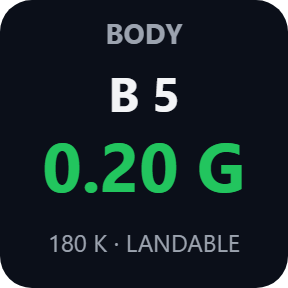
Body
The gravity and temperature of the world you are at, and whether you can land. Gravity above the limit you set shows in red.
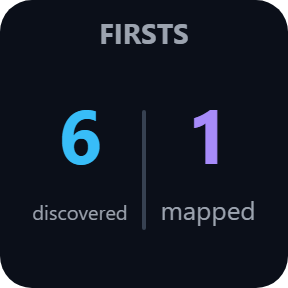
Firsts
How many bodies you were first to discover and first to map on this trip.
Read it at a glance
The distance key is amber while you walk away from your last sample, and turns green when you can take the next one.
Works beside the game, on your PC
The plugin runs in the Stream Deck app and only reads the files the game writes on your PC, so there is nothing to install in the game.
It is display only: it presses no keys in the game and writes nothing to the game.
Your exploration data is never sent anywhere. The only thing that goes online is the license key check.
Set up in 3 steps
- Open the plugin file you download after buying. The Stream Deck app installs it.
- In the Stream Deck app, drag the keys you want onto any page. Enter your license key once in the settings of any key.
- Start Elite Dangerous and fly. The keys fill in as you scan, map and sample.
Requirements
- Windows 10 or later
- Stream Deck app 6.9 or later
- Any Stream Deck with keys (the plugin does not use dials)
Questions
How do I know when I am far enough for the next exobiology sample?
Put the Sample Distance key on your Stream Deck. It shows the distance from your last sample next to the distance that life form needs, and turns green with GO once you are far enough.
How do I see which planets are worth mapping in Elite Dangerous?
The Map Next key shows the most valuable world in the system that you have not mapped yet, with its estimate and distance. Press it for the next one. In its settings you choose the lowest value and the longest distance worth the trip.
Can I see what my exploration data is worth before I sell it?
Yes. Unsold Data shows the estimate for the exploration data you carry, and Bio Data the estimate for your biological samples. The numbers are estimates, shown with ≈; the game pays the exact amount when you sell.
Do I need Odyssey?
The scan, value, mapping, body and firsts keys work with the PC version of Elite Dangerous. The biology keys (Bio Signals, Sample Progress, Sample Distance, Bio Data) need Elite Dangerous: Odyssey, where you sample on foot.
Does it change the game or send my data anywhere?
No. The plugin only reads the journal files the game writes on your PC. It presses no keys in the game, and your data stays on your PC. The only thing the plugin sends online is its license key check.
How many PCs can I use with one license key?
Up to 3 of your own PCs. If you replace a PC, write to us and we free up a place for the new one.
How do I get new versions?
Download the latest version from your thank-you page or the license key page you received. Your license key keeps working. If you cannot open your license key page, email us as the "Recover your license key" page explains.
What if I lose my license key?
Email contact@gramshift.com from the address you paid with, and include your order number, or the date and amount you paid. We check the purchase and reply with a link to your license key page.
Can I get a refund?
Yes. If the plugin does not work on your PC, email us within 14 days of purchase and we refund the full amount. The license key stops working after the refund.
Direct purchase: details, refunds and seller
- Price
- ¥980, paid once. Tax for your country is added at checkout.
- Payment
- Handled by Stripe through Link, Stripe's checkout service. Link appears as the seller on your receipt and card statement, and your card number never reaches GRAMSHIFT.
- Delivery
- Your license key and download link appear right after payment, and the receipt arrives by email.
- Refunds
- If the plugin does not work on your PC, email us within 14 days of purchase for a full refund. You can also ask Link support. The license key stops working after a refund.
- License
- One key for your own use on up to 3 PCs.
- Countries
- Checkout is not offered in Ascension Island, China, Cuba, Iran, Kosovo, North Korea, Russia, Syria or Tristan da Cunha.
- Seller
- GRAMSHIFT, Tokyo, Japan. Contact: contact@gramshift.com
Limits
- Values are estimates, shown with ≈. The game pays the exact amount when you sell.
- The plugin is display only: it does not press keys in the game. For keys that control your ship, see Ship Deck for Elite Dangerous.
- For the PC version of Elite Dangerous. The biology keys need Elite Dangerous: Odyssey.
- Unsold data is counted from your recent journal files (up to 150 files), so on a very long trip the total can be lower than what you carry.
- The plugin checks its license key with our server when you activate it, each time the plugin starts, and about once a day while it runs. If it cannot reach the server, it keeps working for up to 44 days after the last successful check.
- If something does not work, email contact@gramshift.com or see the support page, and we will help. Tell us what you would like next: we add the most-requested features in the next version.