Stream Deck plugin for Skyrim SE and AE (Windows and Mac)
Live Skyrim health, shout and carry weight on your Stream Deck keys
Hero Deck for Skyrim shows health, magicka and stamina with bars, when your shout is ready, carry weight against your limit, gold, your level progress and the time and date in Skyrim live on your Stream Deck keys while you play.
Every key also presses a game key you choose: a healing potion on favorites hotkey 1, Shout held for more words, Inventory or Wait. For Skyrim Special Edition and Anniversary Edition on Steam with SKSE64 and Address Library; the plugin installs its small game plugin with one button.
- Health, magicka, stamina
- Shout cooldown
- Carry weight
- Gold and level
- Time in Skyrim
- Favorites and Wait
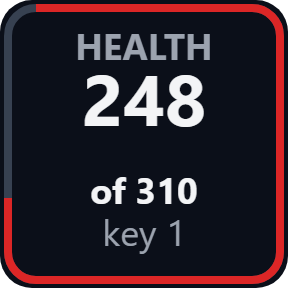
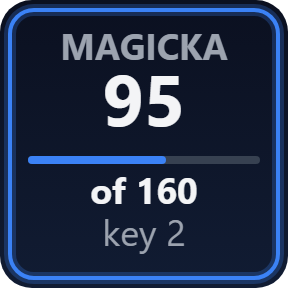
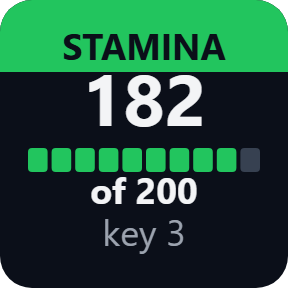
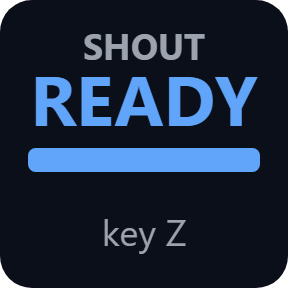
What the keys show
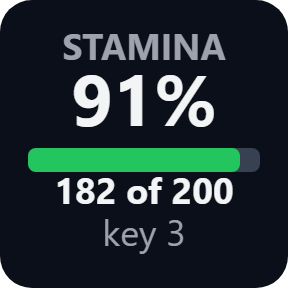
Health, Magicka, Stamina
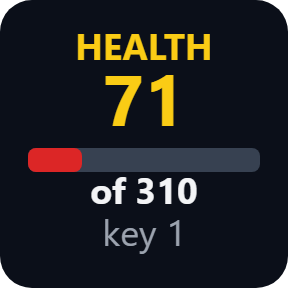
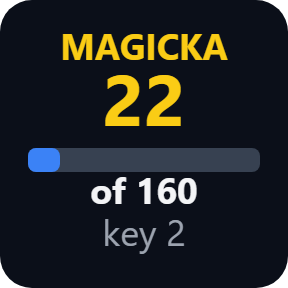
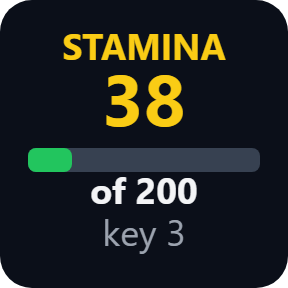
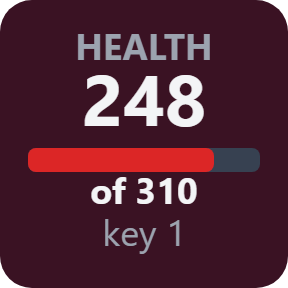
The value now with a bar, as a number or a percent. The name and number turn yellow below 25%, so a low bar stands out. A press sends your favorites hotkey: 1, 2 or 3.
Shout
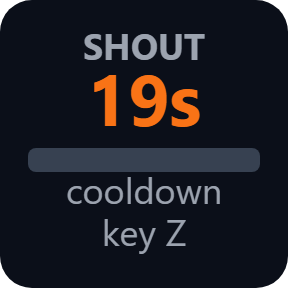
READY when your shout or power can be used again, else the seconds left. A press holds Z for 1 second, for more words.
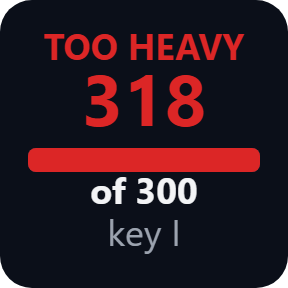
Carry Weight
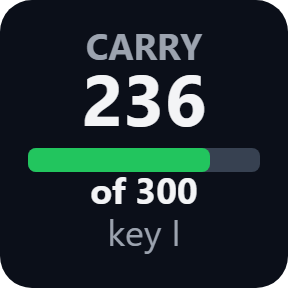
What you carry against your limit. The bar turns yellow at 90%, and the key turns red with TOO HEAVY when you are overencumbered. A press opens the Inventory.
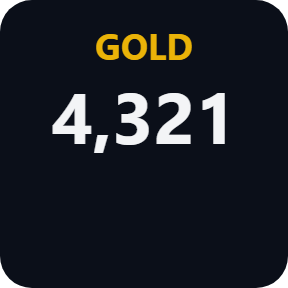
Gold
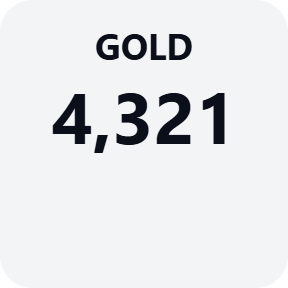
The gold you carry, in big numbers.
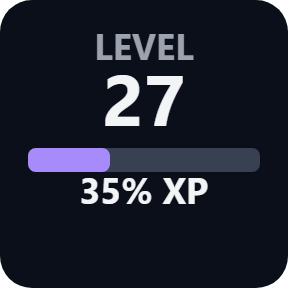
Level
Your level and the progress to the next one.
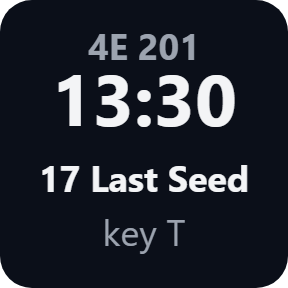
Time & Date
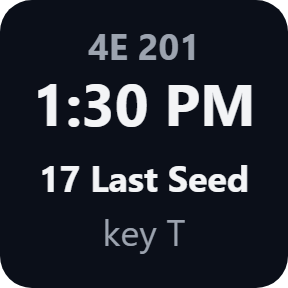
The time of day and the date in Skyrim, on a 24 or 12 hour clock. A press opens Wait.
Choose your look
Pick these in each key's settings: Classic, Neon, Ring, Bars or Solid, a number or a percent, and a 24 or 12 hour clock.
Your own color, and a button box for Skyrim
Use my own color puts your color in place of the bar colors on every key; red warnings stay red. Every key can also press any game key you set, as in the game's Controls (1, Z, F5, Ctrl+Q and so on), as a tap or held for 0.5, 1 or 2 seconds. Keys go only to the game while it is the active window. On Stream Deck +, the keys also work on the dials: pushing or touching the dial sends the key.
Reads the game, and tells you what is missing
Press Install in a key's settings with the game closed: the plugin finds Skyrim Special Edition in your Steam libraries and puts its small game plugin into Data/SKSE/Plugins. It only reads a few values of your character and the time; it does not write to your saves or the game's files.
Until the values arrive, a key says what to do: INSTALL, SETUP when SKSE64 or Address Library is missing, START GAME, or MAIN MENU until you load a save. After a game update it says GAME VER. and reads nothing until a plugin update.
The game's values stay on your PC. They go over your home network only if you set up a Mac or a second PC, and then only to the address you write. The only thing that goes online is the license key check.
Set up in 3 steps
- Open the plugin file you download after buying. The Stream Deck app installs it.
- In the Stream Deck app, drag the keys you want onto your Stream Deck and enter your license key once in a key's settings.
- With the game closed, press Install under "Game plugin" in a key's settings. Start Skyrim with skse64_loader.exe or your mod manager and load a save: the keys show your character.
Two places to buy
| Elgato Marketplace | Direct from GRAMSHIFT | |
|---|---|---|
| Amount | Same amount | Same amount, tax added at checkout |
| Checkout | Elgato Marketplace | Stripe (card) |
| New versions | Installed through the Stream Deck app | Download from your license key page |
| Use on | Your Elgato account | Up to 3 PCs per license key |
| Plugin display | English and Japanese | English and Japanese |
Requirements
- Windows 10 or later, or macOS 12 or later (the game on a Windows PC in the same network)
- Stream Deck app 6.9 or later
- Skyrim Special Edition or Anniversary Edition from Steam, with SKSE64 and Address Library for SKSE Plugins
Questions
How do I show my Skyrim health, magicka and stamina on a Stream Deck?
Install Hero Deck for Skyrim, drag the Health, Magicka and Stamina keys onto your Stream Deck and press Install in a key's settings. Start Skyrim SE or AE through SKSE64 and load a save: the keys show each value with a bar and turn yellow below 25%.
Can a Stream Deck show when my shout is ready and how much I carry in Skyrim?
Yes. The Shout key shows READY or the seconds left, and the Carry Weight key shows what you carry against your limit and turns red with TOO HEAVY when you are overencumbered.
Can I drink a potion, shout or wait in Skyrim from a Stream Deck button?
Yes. Each key presses a game key you choose while Skyrim is the active window: by default 1, 2 and 3 for your favorites hotkeys, Z for Shout (held 1 second for more words), I for the Inventory and T for Wait.
What does SETUP or GAME VER. on a key mean?
SETUP means SKSE64 or Address Library for SKSE Plugins is missing or does not match your game; the second line says which. GAME VER. means your Skyrim version is not in the plugin's list yet: nothing is read until a plugin update.
Which Skyrim versions work?
Skyrim Special Edition 1.5.97 and the Anniversary Edition updates 1.6.640, 1.6.659, 1.6.678, 1.6.1130, 1.6.1170, 1.6.1179, 1.7.99 and 1.7.104 on Steam. VR and the 2011 Skyrim are not supported.
How many PCs can I use with one license key?
Up to 3 of your own PCs. If you replace a PC, write to us and we free up a place for the new one.
How do I get new versions if I buy direct?
Download the latest version from your thank-you page or the license key page you received. Your license key keeps working. If you cannot open your license key page, email us as the "Recover your license key" page explains.
What if I lose my license key?
Email contact@gramshift.com from the address you paid with, and include your order number, or the date and amount you paid. We check the purchase and reply with a link to your license key page.
Can I get a refund?
Yes, for a direct purchase. If the plugin does not work on your PC or with your game, email us within 14 days of purchase and we refund the full amount. The license key stops working after the refund.
Direct purchase: details, refunds and seller
- Price
- ¥1,500, the same amount as on the Elgato Marketplace. Tax for your country is added at checkout.
- Payment
- Handled by Stripe through Link, Stripe's checkout service. Link appears as the seller on your receipt and card statement, and your card number never reaches GRAMSHIFT.
- Delivery
- Your license key and download link appear right after payment, and the receipt arrives by email.
- Refunds
- If the plugin does not work on your PC or with your game, email us within 14 days of purchase for a full refund. You can also ask Link support. The license key stops working after a refund.
- License
- One key for your own use on up to 3 PCs.
- Countries
- The direct checkout is not offered in Ascension Island, China, Cuba, Iran, Kosovo, North Korea, Russia, Syria or Tristan da Cunha.
- Seller
- GRAMSHIFT, Tokyo, Japan. Contact: contact@gramshift.com
Limits
- For Skyrim Special Edition and Anniversary Edition on Steam. VR and the 2011 Skyrim are not supported. After a Skyrim update, the keys say GAME VER. until a plugin update.
- Your presses reach Skyrim only while its window is in front, and not while the game runs as administrator: start it normally. The values still show.
- With Stream Deck on a Mac or a second PC, the game runs on your Windows PC in the same network: copy the game plugin there and add a small settings file with the address the key settings show. Game keys go only to a game on the same Windows PC; on a Mac the keys show the stats.
- Press Remove in a key's settings before you uninstall the plugin, so the game plugin leaves the game's folder too.
- The direct version checks its license key with our server when you activate it, each time the plugin starts, and about once a day while it runs. If it cannot reach the server, it keeps working for up to 44 days after the last successful check.
- If something does not work, email contact@gramshift.com and we will help.