Stream Deck plugin for Windows
See new errors in a log file on one Stream Deck key
Point a key at a log file, like tail -f.
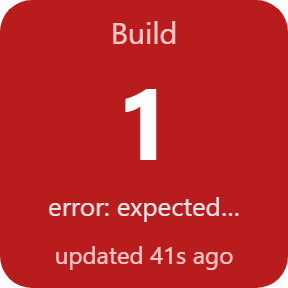
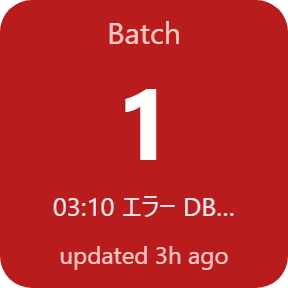
When a new line with an error is added, the key turns red and shows how many error lines there are; a success line turns it green. For build logs, backup logs, game server logs and your own scripts.
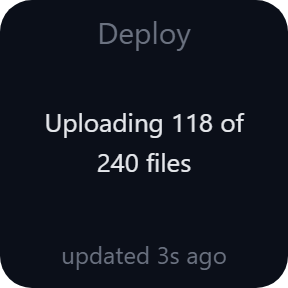
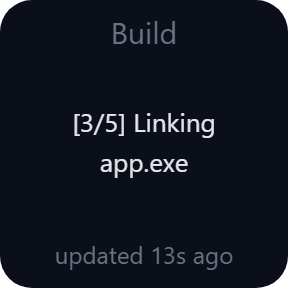
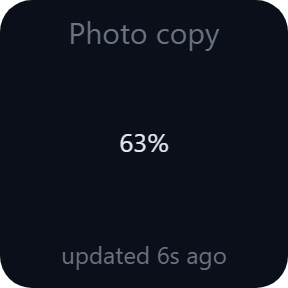
Last Line shows the latest line of a log, such as the progress of a copy, a build or a game server. Press a Watch Log key to clear the count, hold it to open the file.
- Error count in red
- Success line in green
- Last line of any log
- A file or the newest log in a folder
- UTF-8 · UTF-16 · Shift_JIS
- Settings in English and Japanese
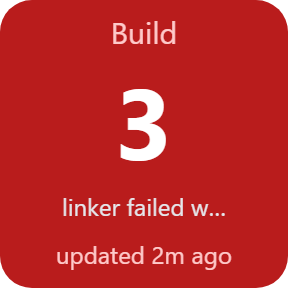
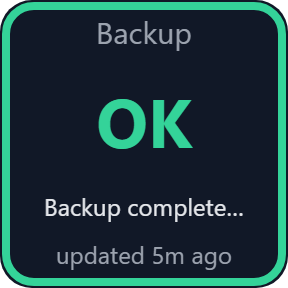
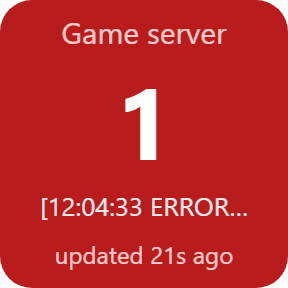
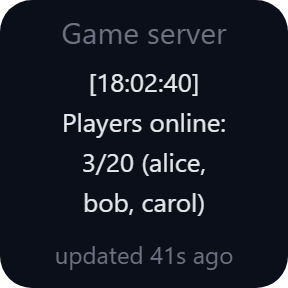
What the keys do
Watch Log
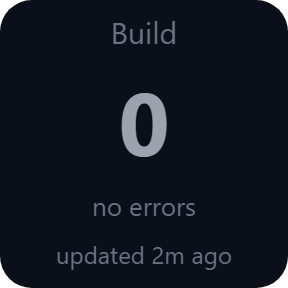
Follows a log file. Each new line that matches the error pattern (error|fail|exception by default) is counted, and the key turns red with the number. Lines already in the file are not counted.
Success in green
Add a success pattern such as done|finished and the key turns green when a matching line appears. An ignore pattern skips lines such as "0 errors".
Press to clear, hold to open
Press the key to set the count back to 0. Hold it for a moment to open the log file. The count is kept when the Stream Deck app restarts.
Last Line
Shows the latest line of a log, up to 4 rows: the progress of a copy, a build or a game server. A show pattern such as Copied|% keeps only the lines you want. Press to open the file.
A file or a folder
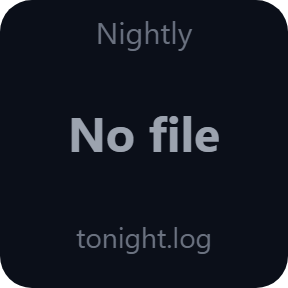
Choose a file, or a folder: the newest file whose name matches (for example *.log) is followed. A renamed or rotated log keeps its place, and the key shows No file until the file appears.
Japanese logs too
Reads UTF-8, UTF-16 and Shift_JIS, so the error lines of Japanese tools are counted too. A log that is written again on every run (cmd > build.log) is read from its first line.
Read it at a glance
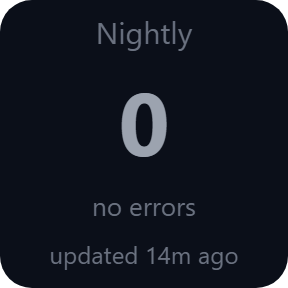
Red with the number of new error lines, green when a success line appears, dark while there is nothing new.
Your logs stay on your PC
The log file is only read, never changed.
Its lines are never sent anywhere.
The only thing that goes online is the license key check.
Set up in 3 steps
- Open the plugin file you download after buying. The Stream Deck app installs it.
- In the Stream Deck app, drag Watch Log or Last Line onto your Stream Deck and enter your license key once in its settings.
- Choose the log file or folder in the key's settings. New error lines turn the key red; press the key to clear the count.
Two places to buy
| Elgato Marketplace | Direct from GRAMSHIFT | |
|---|---|---|
| Amount | Same amount | Same amount, tax added at checkout |
| Checkout | Elgato Marketplace | Stripe (card) |
| New versions | Installed through the Stream Deck app | Download from your license key page |
| Use on | Your Elgato account | Up to 3 PCs per license key |
| Settings | English and Japanese | English and Japanese |
Requirements
- Windows 10 or later
- Stream Deck app 6.9 or later
Questions
How do I watch a log file on Stream Deck?
Drag the Watch Log key of Log Watcher for Windows onto your Stream Deck and choose the log file in its settings. Each new error line is counted on the key, which turns red.
Does it count errors that were already in the log?
No. Only lines added after you set up the key are counted, so an old error does not turn the key red. Press the key to clear the count.
Can I use my own error words?
Yes. The error, success and ignore patterns are regular expressions and ignore upper and lower case. The default error pattern is error|fail|exception.
Can it follow a log that gets a new name every day?
Yes. Choose the folder and a file name such as *.log; the newest matching file is followed. A renamed or rotated log keeps its reading position.
Can it show the progress of a copy or a game server?
Yes. Last Line shows the latest line of the log, up to 4 rows. A show pattern such as Copied|% keeps only the lines you want.
Does it change or send my log file?
No. The log file is only read, never changed, and its lines are never sent anywhere. The only thing that goes online is the license key check.
How many PCs can I use with one license key?
Up to 3 of your own PCs. If you replace a PC, write to us and we free up a place for the new one.
How do I get new versions if I buy direct?
Download the latest version from your thank-you page or the license key page you received. Your license key keeps working. If you cannot open your license key page, email us as the "Recover your license key" page explains.
What if I lose my license key?
Email contact@gramshift.com from the address you paid with, and include your order number, or the date and amount you paid. We check the purchase and reply with a link to your license key page.
Can I get a refund?
Yes, for a direct purchase. If the plugin does not work on your PC, email us within 14 days of purchase and we refund the full amount. The license key stops working after the refund.
Direct purchase: details, refunds and seller
- Price
- ¥780, the same amount as on the Elgato Marketplace. Tax for your country is added at checkout.
- Payment
- Handled by Stripe through Link, Stripe's checkout service. Link appears as the seller on your receipt and card statement, and your card number never reaches GRAMSHIFT.
- Delivery
- Your license key and download link appear right after payment, and the receipt arrives by email.
- Refunds
- If the plugin does not work on your PC, email us within 14 days of purchase for a full refund. You can also ask Link support. The license key stops working after a refund.
- License
- One key for your own use on up to 3 PCs.
- Countries
- The direct checkout is not offered in Ascension Island, China, Cuba, Iran, Kosovo, North Korea, Russia, Syria or Tristan da Cunha.
- Seller
- GRAMSHIFT, Tokyo, Japan. Contact: contact@gramshift.com
Limits
- Windows only.
- It reads text logs in UTF-8, UTF-16 (with BOM, or UTF-16 LE chosen in the settings) and Shift_JIS.
- If the program writing the log does not let other programs read the file, the key cannot read it until the file is closed.
- Keys only, not dials.
- The direct version checks its license key with our server when you activate it, each time the plugin starts, and about once a day while it runs. If it cannot reach the server, it keeps working for up to 44 days after the last successful check.
- If something does not work, email contact@gramshift.com and we will help.