Stream Deck plugin for Windows
Lock your mic volume from a Stream Deck key
Call apps, games and drivers can change your microphone level without asking.
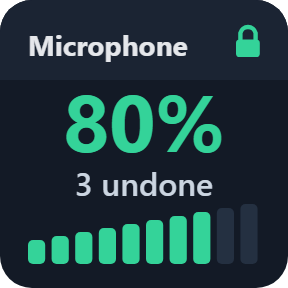
Lock it from a Stream Deck key and Mic Volume Lock puts it back, usually within a second, and the key shows how many times.
Press to lock, hold for a second to lock at the level you have now. It works for speakers too, each input of a device can be locked on its own, and on a Stream Deck + the Lock Dial changes the locked level by 1, 2 or 5% per notch.
- Microphones and speakers
- Changes put back and counted
- Stream Deck + dial
- Level Scenes
- Five looks
- English and Japanese
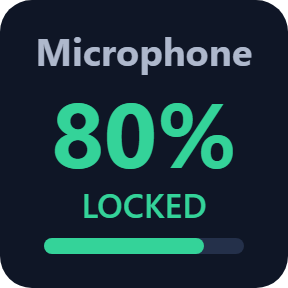
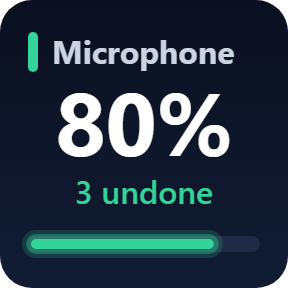
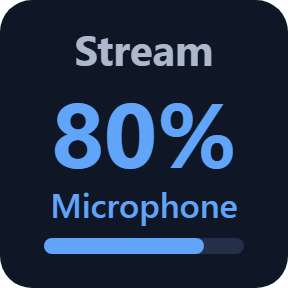
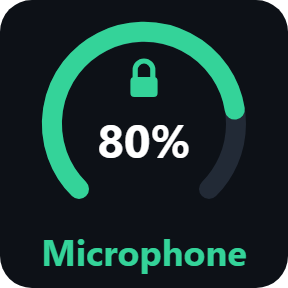
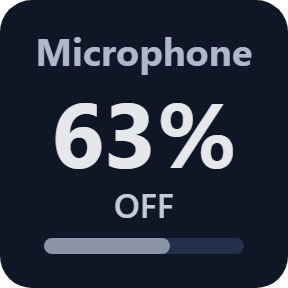
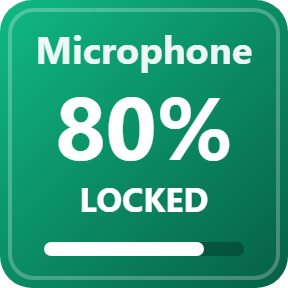
What the keys do
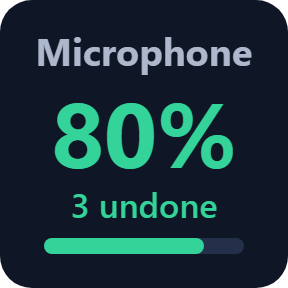
Volume Lock
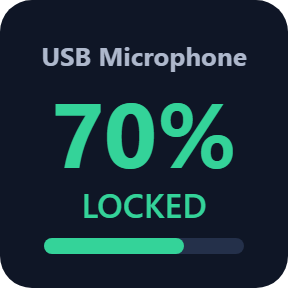
Press to lock a level, or hold for a second to lock the level you have now. When another program changes it, the level is put back, usually within a second, and the key counts each change it undid.
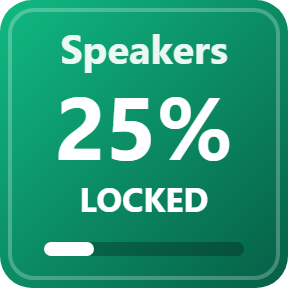
Microphones and speakers
Lock your microphone or your speakers: the default recording device, the default playback device, or one input or output by name. An option turns the sound back on when another program mutes it.
Each input on its own
A device that shows two inputs in Windows lists both, and each gets its own lock and level. Keys, dials and scenes for the same device share one lock.
Level Scenes
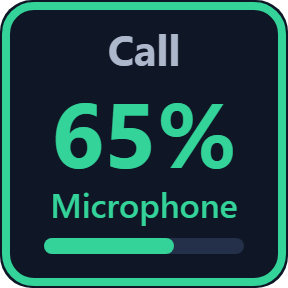
One press sets a device's lock to a level you choose, such as Stream 80% or Call 65%, and turns it on. The scene in use is marked on its key.
Defaults follow Windows
Lock the default communications device your calls use, or the default recording or playback device. Change the default in Windows and the lock moves to the new device.
No endless fight
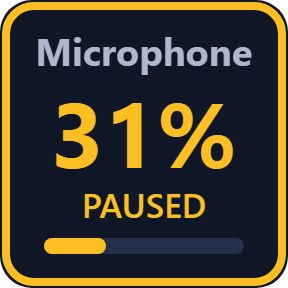
If a program changes the level 7 times within 10 seconds, the lock pauses and the key says PAUSED instead of fighting it. It tries again after 30 seconds, 1 minute and 2 minutes, then waits for you.
Five looks for every key
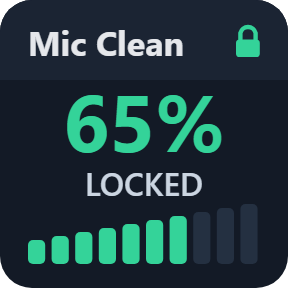
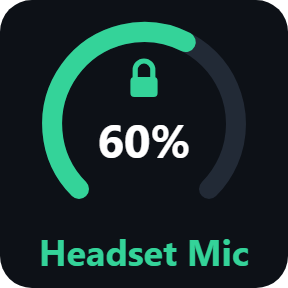
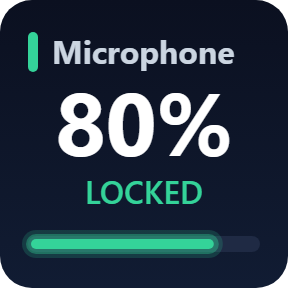
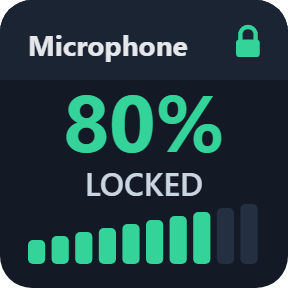
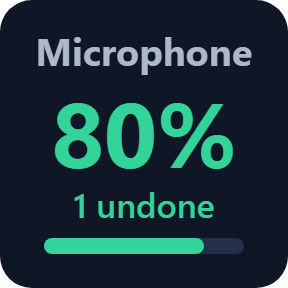
Pick Classic, Neon, Ring, Bars or Solid in a key's settings. Every look shows the device, the locked level and what the lock is doing.
Read it at a glance
The key shows what the lock is doing: holding your level, putting back changes and counting them, or paused because a program keeps changing it.
Your levels stay on your PC
Locks hold again after Stream Deck or the PC restarts. When Stream Deck closes, the locks stop and the levels stay where they are.
The names and levels of your microphones and speakers are used only on your PC. Nothing about them is kept or sent.
The only thing that goes online is the license key check.
Set up in 3 steps
- Open the plugin file you download after buying. The Stream Deck app installs it.
- In the Stream Deck app, drag Volume Lock, Lock Dial or Level Scene onto your Stream Deck and enter your license key once in its settings.
- Choose the device and the level in the key's settings and press the key. The key shows LOCKED.
Two places to buy
| Elgato Marketplace | Direct from GRAMSHIFT | |
|---|---|---|
| Amount | Same amount | Same amount, tax added at checkout |
| Checkout | Elgato Marketplace | Stripe (card) |
| New versions | Installed through the Stream Deck app | Download from your license key page |
| Use on | Your Elgato account | Up to 3 PCs per license key |
| Keys and settings | English and Japanese | English and Japanese |
Requirements
- Windows 10 or Windows 11
- Stream Deck app 6.9 or later
- Windows PowerShell (part of Windows)
- For the Lock Dial: Stream Deck +
Questions
How do I stop Windows apps from changing my microphone volume?
Add a Volume Lock key of Mic Volume Lock for Windows, choose your microphone and the level in its settings, and press it. When a call app, game or driver changes the level, it is put back, usually within a second, and the key shows how many changes it undid.
Can it lock my speaker volume too?
Yes. Choose the default playback device, or one output by name, in the key's settings. It is locked the same way as a microphone.
Can I change the locked level with the Stream Deck + dial?
Yes. Turn the Lock Dial to change the locked level by 1, 2 or 5% per notch; the new level is applied at once. Push or touch the dial to lock or unlock.
What happens if a program keeps changing the level?
If the level is changed 7 times within 10 seconds, the lock pauses and the key says PAUSED instead of fighting it. It tries again after 30 seconds, 1 minute and 2 minutes, then waits for you. Turning off automatic microphone adjustment in that program stops the changes.
Do the locks come back after a restart?
Yes. Locks hold again after Stream Deck or the PC restarts. When Stream Deck closes, the locks stop and the levels stay where they are.
How many PCs can I use with one license key?
Up to 3 of your own PCs. If you replace a PC, write to us and we free up a place for the new one.
How do I get new versions if I buy direct?
Download the latest version from your thank-you page or the license key page you received. Your license key keeps working. If you cannot open your license key page, email us as the "Recover your license key" page explains.
What if I lose my license key?
Email contact@gramshift.com from the address you paid with, and include your order number, or the date and amount you paid. We check the purchase and reply with a link to your license key page.
Can I get a refund?
Yes, for a direct purchase. If the plugin does not work on your PC, email us within 14 days of purchase and we refund the full amount. The license key stops working after the refund.
Direct purchase: details, refunds and seller
- Price
- ¥1,500, the same amount as on the Elgato Marketplace. Tax for your country is added at checkout.
- Payment
- Handled by Stripe through Link, Stripe's checkout service. Link appears as the seller on your receipt and card statement, and your card number never reaches GRAMSHIFT.
- Delivery
- Your license key and download link appear right after payment, and the receipt arrives by email.
- Refunds
- If the plugin does not work on your PC, email us within 14 days of purchase for a full refund. You can also ask Link support. The license key stops working after a refund.
- License
- One key for your own use on up to 3 PCs.
- Countries
- The direct checkout is not offered in Ascension Island, China, Cuba, Iran, Kosovo, North Korea, Russia, Syria or Tristan da Cunha.
- Seller
- GRAMSHIFT, Tokyo, Japan. Contact: contact@gramshift.com
Limits
- Windows only.
- If a device's driver keeps its own level, Windows cannot change it and the key says CAN'T SET; the device's own software sets that level.
- When Stream Deck closes, the locks stop and the levels stay where they are. Switch a lock off before you delete its key.
- The direct version checks its license key with our server when you activate it, each time the plugin starts, and about once a day while it runs. If it cannot reach the server, it keeps working for up to 44 days after the last successful check.
- If something does not work, email contact@gramshift.com and we will help.