Stream Deck plugin for OMSI 2 (Windows and Mac)
Drive OMSI 2 from your Stream Deck: doors, stop request and speed on your keys
Bus Deck for OMSI 2 puts the bus on your Stream Deck.
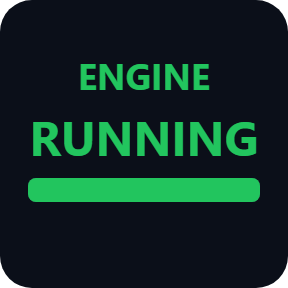
Keys open and close the doors, set the indicators and the bus stop brake, start the engine, pick the gear and sound the horn, and light up while a door is open or a passenger has pressed the stop request.
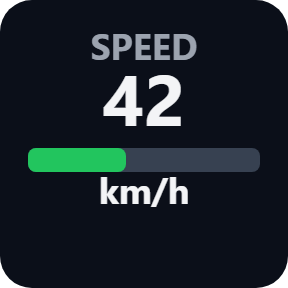
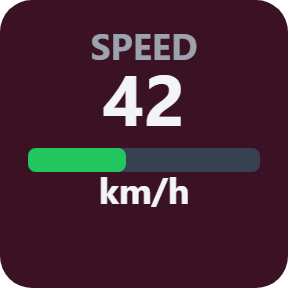
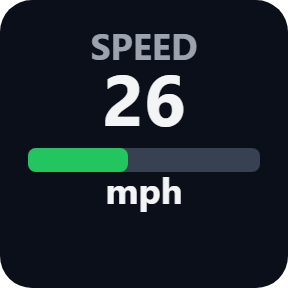
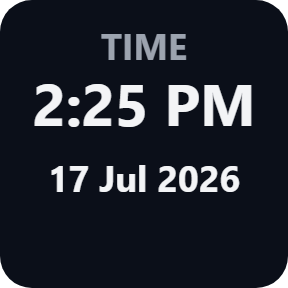
Other keys show the speed in km/h or mph, engine RPM, fuel, the odometer, the time, and the next stop and destination from the IBIS. A press works the switch inside the game, so OMSI does not need to be the active window. A small game plugin goes into OMSI 2 at the press of one button.
- Doors 1 and 2
- Stop request
- Bus stop brake
- Indicators and lights
- Speed and fuel
- Next stop on the IBIS





What the keys do
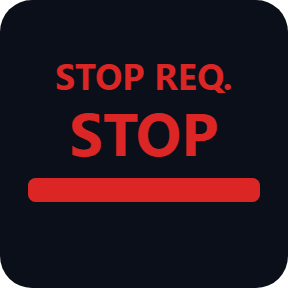
Stop request
Turns red with STOP while a passenger has pressed the stop request, so you see it without looking for the lamp in the cockpit.
Doors 1 and 2
A press opens or closes the front or the rear door, and the key lights up with OPEN while that door is open.
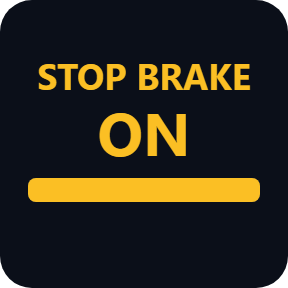
Bus stop brake
A press sets or releases the bus stop brake, and the key shows ON while it holds the bus.
Speed, RPM and fuel
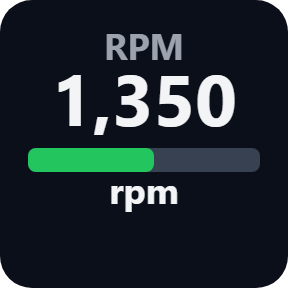
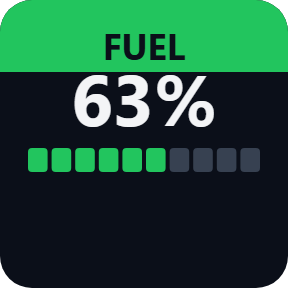
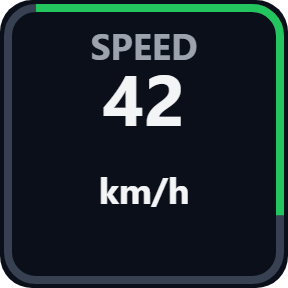
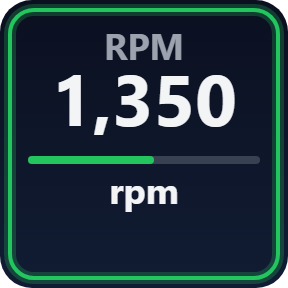
The speed in km/h or mph, engine RPM and fuel, plus the odometer in km or miles.
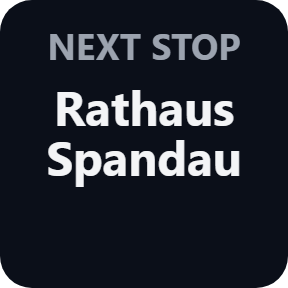
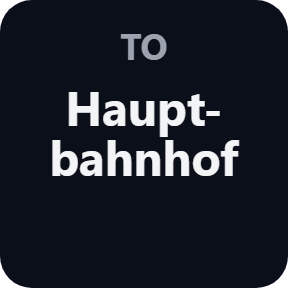
Next stop and destination
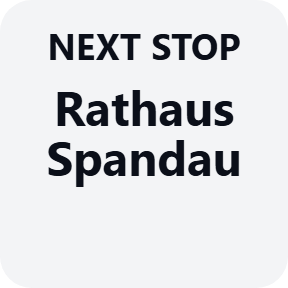
The next stop and the destination as the IBIS shows them. Line and destination + / - are keys too, or a turn of a Stream Deck + dial.
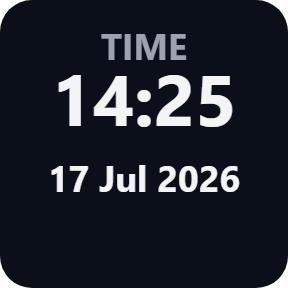
Time and date
The time and date in the game, as a 24 or 12 hour clock.
Pick a look
Pick these in each key's settings: Classic, Neon, Ring, Bars or Solid, km/h or mph, km or miles, and a 24 or 12 hour clock.
Your own color, and the switches of your bus
Use my own color puts your color in place of the gauge and lamp colors on every key; red warnings stay red. Indicators, hazards, headlights, high beam, rear fog, cabin light, engine, gear D / N / R, the horn (held as long as you hold the key), wiper, parking brake, ticket and change and the microphone each have a key. A press plays OMSI's own switch inside the game; for a bus that has the switch on another key, a key can send a keyboard key instead, only while OMSI is the active window. For an add-on bus, change the trigger name a key plays. On Stream Deck +, the keys also work on the dials.
Reads the bus, leaves the game files alone
Press Install in a key's settings with OMSI 2 closed: the plugin finds OMSI 2 in your Steam libraries, or you type its folder, and puts its small game plugin into the OMSI 2 plugins folder. No administrator rights are needed. It reads the bus values and plays OMSI's own switches; it does not change the game's files or your saves.
Until the values arrive, a key says what to do: INSTALL, START OMSI, or LOADING until you pick a bus and drive. After an update of this plugin, a key may say UPDATE DLL: press Update in a key's settings.
The bus values stay on your PC. They go over your home network only if you set up a Mac or a second PC, and then only to the address you write. The only thing that goes online is the license key check.
Ready in 3 steps
- Open the plugin file you download after buying. The Stream Deck app installs it.
- In the Stream Deck app, drag the keys you want onto your Stream Deck and enter your license key once in a key's settings.
- With OMSI 2 closed, press Install under "Game plugin" in a key's settings. Start OMSI 2 and pick a bus: the keys follow it.
Two places to buy
| Elgato Marketplace | Direct from GRAMSHIFT | |
|---|---|---|
| Amount | Same amount | Same amount, tax added at checkout |
| Checkout | Elgato Marketplace | Stripe (card) |
| New versions | Installed through the Stream Deck app | Download from your license key page |
| Use on | Your Elgato account | Up to 3 PCs per license key |
| Plugin display | English and Japanese | English and Japanese |
Requirements
- Windows 10 or later, or macOS 12 or later (OMSI 2 on a Windows PC in the same network)
- Stream Deck app 6.9 or later
- OMSI 2 from Steam
Questions
How do I open the doors in OMSI 2 from a Stream Deck?
Install Bus Deck for OMSI 2, drag the Door 1 and Door 2 keys onto your Stream Deck and press Install in a key's settings with OMSI 2 closed. Start OMSI 2 and pick a bus: a press opens or closes that door, and the key shows OPEN while it is open.
Can a Stream Deck show the stop request and the next stop in OMSI 2?
Yes. The Stop Request key turns red with STOP while a passenger has pressed it, and the Next Stop and Destination keys show what the IBIS shows.
Does OMSI 2 have to be the active window for the keys to work?
No. By default a press plays OMSI's own switch inside the game, so it works while another window is in front. If you set a key to send a keyboard key instead, that key goes only to OMSI while it is the active window.
Does it work with add-on buses?
A bus that names its switches the standard way works as it is. If an add-on bus names a switch differently, add that name under "Extra trigger names", press Update and write it as the key's trigger name. A value the bus does not have shows a dash on that key.
Can I use it with Stream Deck on a Mac?
Yes, for the values. OMSI 2 runs on a Windows PC in the same network: set Receive from to "This PC and the network", press "Save the files to a folder" and copy the plugins folder into the OMSI 2 folder on that PC. On a Mac the keys show the values; presses work on the Windows PC that runs OMSI.
How many PCs can I use with one license key?
Up to 3 of your own PCs. If you replace a PC, write to us and we free up a place for the new one.
How do I get new versions if I buy direct?
Download the latest version from your thank-you page or the license key page you received. Your license key keeps working. If you cannot open your license key page, email us as the "Recover your license key" page explains.
What if I lose my license key?
Email contact@gramshift.com from the address you paid with, and include your order number, or the date and amount you paid. We check the purchase and reply with a link to your license key page.
Can I get a refund?
Yes, for a direct purchase. If the plugin does not work on your PC or with your game, email us within 14 days of purchase and we refund the full amount. The license key stops working after the refund.
Direct purchase: details, refunds and seller
- Price
- ¥1,500, the same amount as on the Elgato Marketplace. Tax for your country is added at checkout.
- Payment
- Handled by Stripe through Link, Stripe's checkout service. Link appears as the seller on your receipt and card statement, and your card number never reaches GRAMSHIFT.
- Delivery
- Your license key and download link appear right after payment, and the receipt arrives by email.
- Refunds
- If the plugin does not work on your PC or with your game, email us within 14 days of purchase for a full refund. You can also ask Link support. The license key stops working after a refund.
- License
- One key for your own use on up to 3 PCs.
- Countries
- The direct checkout is not offered in Ascension Island, China, Cuba, Iran, Kosovo, North Korea, Russia, Syria or Tristan da Cunha.
- Seller
- GRAMSHIFT, Tokyo, Japan. Contact: contact@gramshift.com
Limits
- For OMSI 2 from Steam. A bus that does not have a value or a switch shows a dash on that key; add-on buses may name their switches differently, so change the trigger name in the key settings.
- Keyboard keys reach OMSI only while its window is in front. If OMSI runs as administrator, run Stream Deck the same way.
- With Stream Deck on a Mac or a second PC, OMSI 2 runs on your Windows PC in the same network: copy the game plugin there with the files the key settings save. Presses work only on the Windows PC that runs OMSI; on a Mac the keys show the values.
- Press Remove in a key's settings before you uninstall the plugin, so the game plugin leaves the OMSI 2 folder too.
- The direct version checks its license key with our server when you activate it, each time the plugin starts, and about once a day while it runs. If it cannot reach the server, it keeps working for up to 44 days after the last successful check.
- If something does not work, email contact@gramshift.com and we will help.