Stream Deck plugin for Le Mans Ultimate on PC
Live Le Mans Ultimate telemetry on your Stream Deck keys
Race Deck for Le Mans Ultimate shows fuel laps left, virtual energy, tyre wear, temperature and pressure, your position in class with the gaps ahead and behind, and full course yellow right on your keys while you drive.
Press a key to send the game key you choose, such as the speed limiter or the pit stop request, and your Stream Deck becomes a sim racing button box with a live endurance dashboard. Fuel and energy per lap are measured on your own green-flag laps.
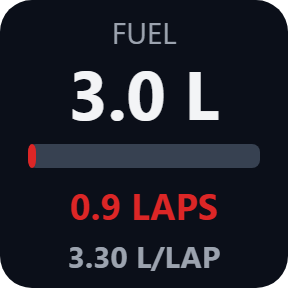
- Fuel and laps left
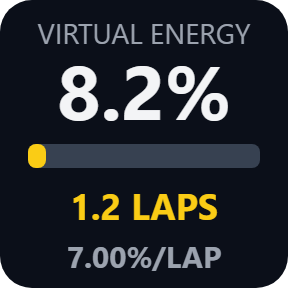
- Virtual energy
- Tyres
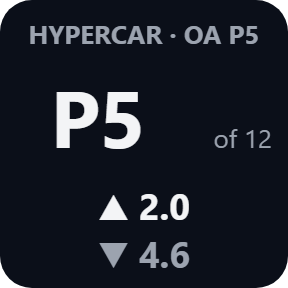
- Position and gaps
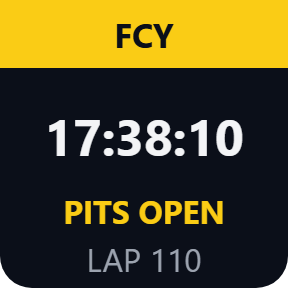
- Full course yellow
What the keys show
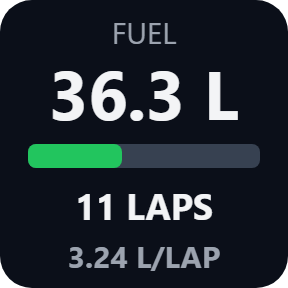
Fuel
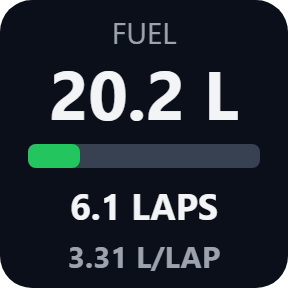
Litres or US gallons with a bar, the laps left and the fuel used per lap, averaged over your last clean green-flag laps. In the last stint of a race, a red SHORT n LAPS tells you if it will not reach the flag, counted from the leader.
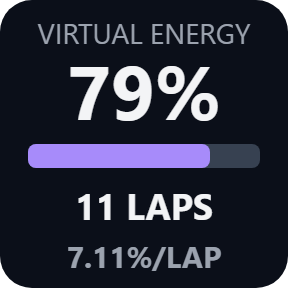
Virtual Energy
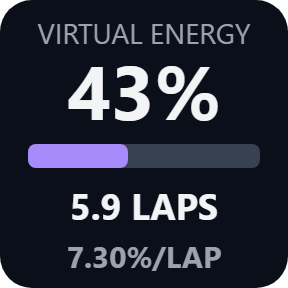
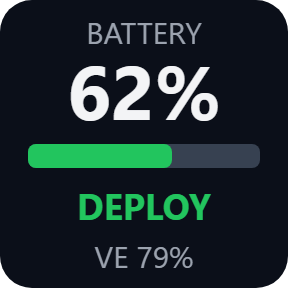
Energy left in percent, the laps left and the energy used per lap, measured the same way, SHORT included. Or switch the key to the hybrid battery: charge and DEPLOY, REGEN or IDLE.
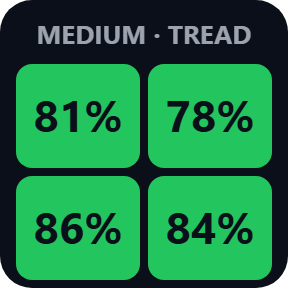
Tyres
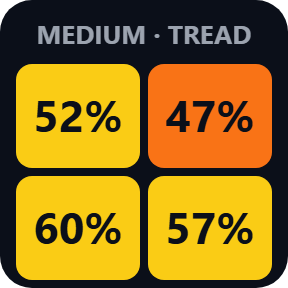
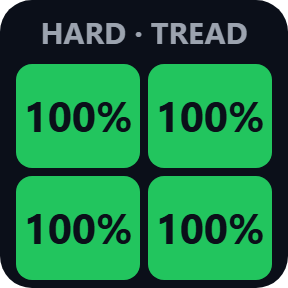
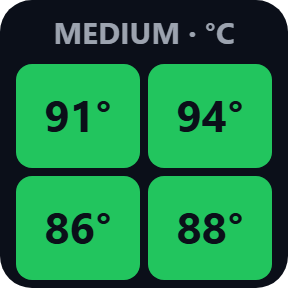
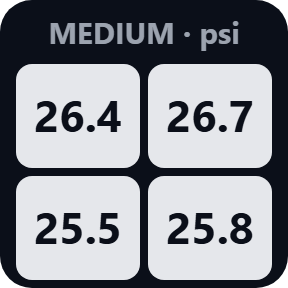
The four tyres in their corners as colors, with the compound: tread left, temperature (C or F) or pressure (psi, kPa or bar). FLAT and OFF (wheel lost) show in red.
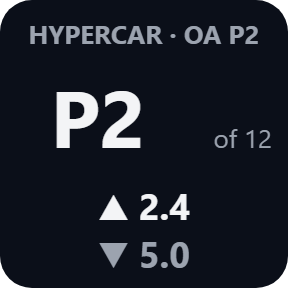
Position
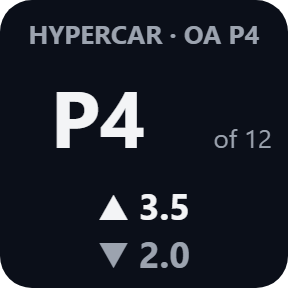
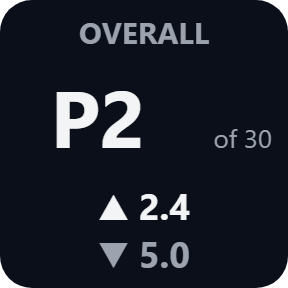
Your place in class with your overall place and class size, and the gaps ahead and behind, in class or overall (in laps once a lap away).
Session
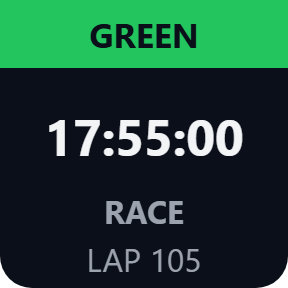
Time left, or laps in a lap race, and the flag: green, yellow, full course yellow (FCY) with its phase (pits closed, pits open, last lap and more), blue, red, checkered and formation.
Pit & Stint
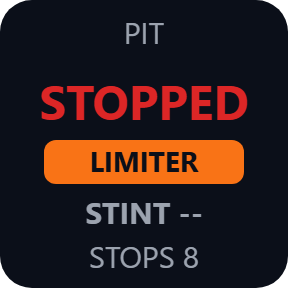
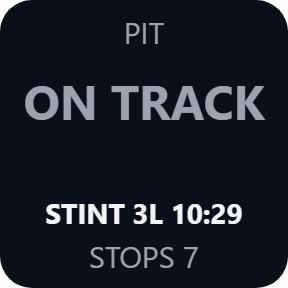
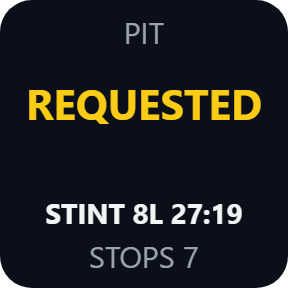
Pit request, entering, stopped, exiting, pit lane, garage and LIMITER, with the laps and time of the stint and your pit stops.
Choose what each key shows
Pick these in each key's settings: tyre temperature or pressure, the hybrid battery instead of virtual energy, and gaps overall instead of in class.
A button box with a live dashboard
Every key can also send the game key you choose, for example F13 or Ctrl+Shift+P, so a press can work the speed limiter or the pit stop request. By default it sends only while the game is the active window, so presses stay out of your other windows.
Reads the race data, tells you when it is not live
The keys read the race data Le Mans Ultimate shares on your PC. Nothing is written to the game.
NO GAME, NO CAR and STALE tell you when the data is not live, so you can tell a stopped number from a live one.
The race data stays on your PC. The only thing that goes online is the license key check.
Set up in 3 steps
- Open the plugin file you download after buying. The Stream Deck app installs it.
- In Le Mans Ultimate (1.2 or later), open Settings > Gameplay, set Enable Plugins to On, then restart the game. The setting works after a restart.
- In the Stream Deck app, drag the keys you want onto your Stream Deck and enter your license key once in a key's settings. On track, the keys show your car.
Two places to buy
| Elgato Marketplace | Direct from GRAMSHIFT | |
|---|---|---|
| Amount | Same amount | Same amount, tax added at checkout |
| Checkout | Elgato Marketplace | Stripe (card) |
| New versions | Installed through the Stream Deck app | Download from your license key page |
| Use on | Your Elgato account | Up to 3 PCs per license key |
| Plugin display | English and Japanese | English and Japanese |
Requirements
- Windows 10 or later
- Stream Deck app 6.9 or later
- Le Mans Ultimate 1.2 or later on PC
Questions
How do I see Le Mans Ultimate fuel, virtual energy and tyres on Stream Deck?
In the game, open Settings > Gameplay, set Enable Plugins to On and restart the game. Then drag the Fuel, Virtual Energy or Tyres keys onto your Stream Deck. On track, the keys show your car.
Can a key press send a game key, like a button box?
Yes. Enter a key such as F13 or Ctrl+Shift+P in a key's settings and bind the same key in the game's controls, such as the speed limiter or the pit stop request. F13 to F24 avoid clashes. By default it sends only while the game is the active window.
Which game versions does it work with?
Le Mans Ultimate 1.2 or later on PC. A newer game version is read too. If an update changes the game's shared data, keys may show wrong numbers or UNSUPPORTED until a plugin update.
Why do the keys say NO GAME?
The game is closed, or Enable Plugins is off, or it was turned on without restarting the game. Open Settings > Gameplay, set Enable Plugins to On and restart the game.
How many PCs can I use with one license key?
Up to 3 of your own PCs. If you replace a PC, write to us and we free up a place for the new one.
How do I get new versions if I buy direct?
Download the latest version from your thank-you page or the license key page you received. Your license key keeps working. If you cannot open your license key page, email us as the "Recover your license key" page explains.
What if I lose my license key?
Email contact@gramshift.com from the address you paid with, and include your order number, or the date and amount you paid. We check the purchase and reply with a link to your license key page.
Can I get a refund?
Yes, for a direct purchase. If the plugin does not work on your PC, email us within 14 days of purchase and we refund the full amount. The license key stops working after the refund.
Direct purchase: details, refunds and seller
- Price
- ¥1,280, the same amount as on the Elgato Marketplace. Tax for your country is added at checkout.
- Payment
- Handled by Stripe through Link, Stripe's checkout service. Link appears as the seller on your receipt and card statement, and your card number never reaches GRAMSHIFT.
- Delivery
- Your license key and download link appear right after payment, and the receipt arrives by email.
- Refunds
- If the plugin does not work on your PC, email us within 14 days of purchase for a full refund. You can also ask Link support. The license key stops working after a refund.
- License
- One key for your own use on up to 3 PCs.
- Countries
- The direct checkout is not offered in Ascension Island, China, Cuba, Iran, Kosovo, North Korea, Russia, Syria or Tristan da Cunha.
- Seller
- GRAMSHIFT, Tokyo, Japan. Contact: contact@gramshift.com
Limits
- Windows only, with the game and your Stream Deck on the same PC. Stream Deck keys only: the actions do not go on dials.
- Reads Le Mans Ultimate 1.2 or later. If an update changes its shared data, keys may show wrong numbers or UNSUPPORTED until a plugin update.
- NO GAME: the game is closed, or Enable Plugins is off or was turned on without a game restart. NO CAR: menus, replays or spectating. GARAGE: your car is in the garage. STALE: the data stopped changing for 3 seconds (pause or loading).
- Fuel and energy per lap need one green-flag lap without a pit visit and start again with a new session, track or car. STINT -- shows until you first leave the pit lane.
- Another Stream Deck page and back within about 45 seconds loses nothing. After longer, the lap not fully seen is left out and STINT -- shows until your next pit exit.
- Under the safety car the Session key shows FCY too: the game reports both the same way.
- A car without virtual energy or a hybrid shows NO VE or NO HYBRID.
- Sent keys do not reach a game running as administrator: start it normally. The display keys still work.
- If a press is not sent (the game was not in front, or anti-cheat hid the name of the program in front), the Status line in the key's settings says why: set Game program, or turn off the active-window check.
- The direct version checks its license key with our server when you activate it, each time the plugin starts, and about once a day while it runs. If it cannot reach the server, it keeps working for up to 44 days after the last successful check.
- If something does not work, email contact@gramshift.com and we will help.