Virtual Stream Deck profile for Windows
Age of Empires III on your Virtual Stream Deck
Yes, RTS Deck is a Age of Empires III (AoE3) profile for Virtual Stream Deck, which the Corsair NIGHTSWORD v2 WIRELESS SD and XENEON EDGE also use.
It comes in 5 x 3 with the MK.2 pages and in 8 x 4 with the XL pages, in English and in Japanese.
On 5 x 3 the keys are on the "Find & Select / Find Buildings", "Find Buildings 2", "Orders / Command Panel", "Command Panel 2", "Command Panel 3", "Command Panel 4", "Command Panel 5 / Game", "Groups" and "Groups 2" pages, and the bottom-right keys turn the pages. In the Virtual Stream Deck settings, set the grid to 5 x 3 or 8 x 4 to match the profile you import.
- Idle villagers and army
- Go to your buildings
- Command panel by place
- 5 x 3 and 8 x 4 grids
- English or Japanese labels
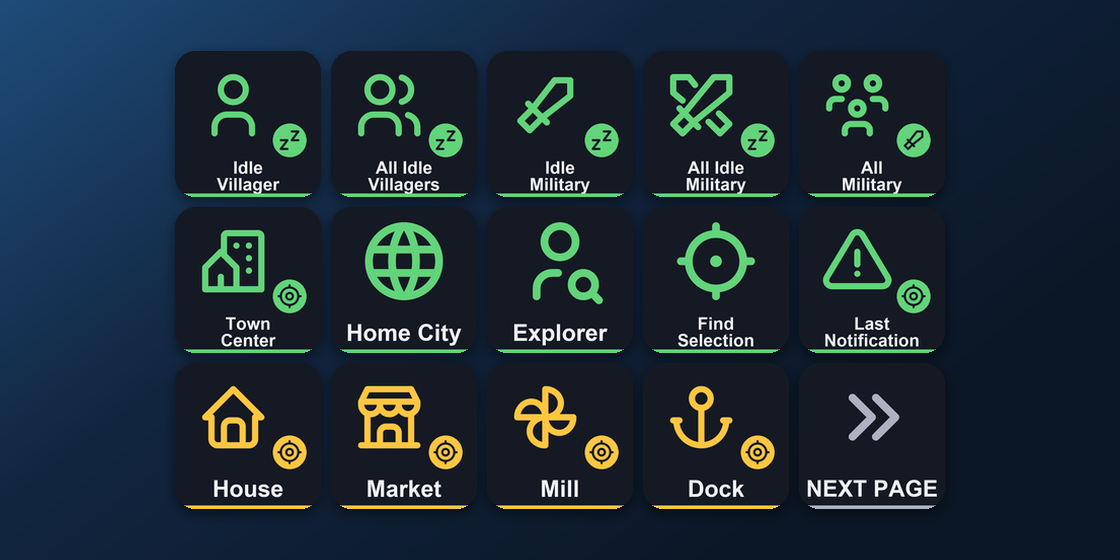
What is on each Virtual Stream Deck page?
The bottom-right keys turn the pages: Next page on "Find & Select / Find Buildings", Previous and Next page on the pages between, and Previous page on "Groups 2". The 8 x 4 profile has the XL pages: "Find & Select / Find Buildings / Orders", "Orders 2 / Command Panel", "Command Panel 2 / Game" and "Game 2 / Groups". There are 5 x 3 and 8 x 4 files for both the Default and the Legacy hotkey sets. Virtual Stream Deck has no dials, so the dial pages do not appear there.
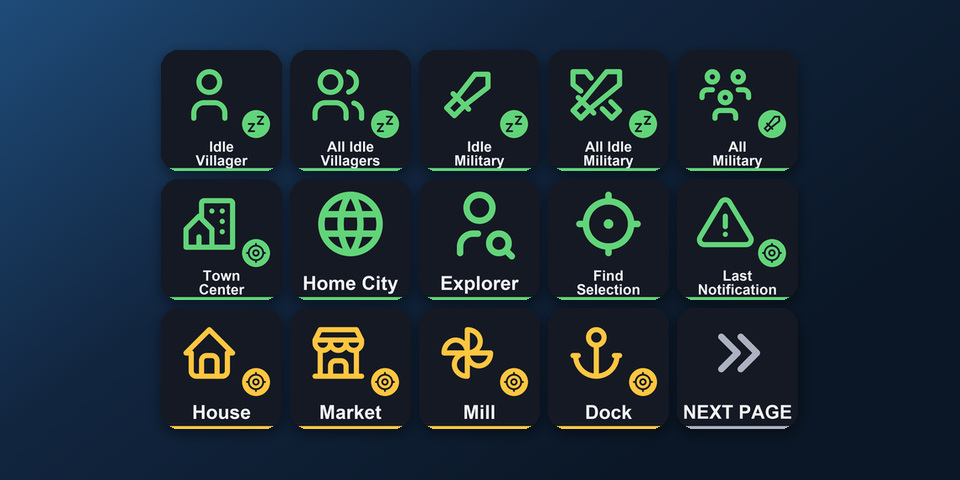
Find & Select / Find Buildings
Idle villager and all idle villagers, idle military and all idle military, all military, town center, home city, explorer, find selection, last notification, house, market, mill, dock.
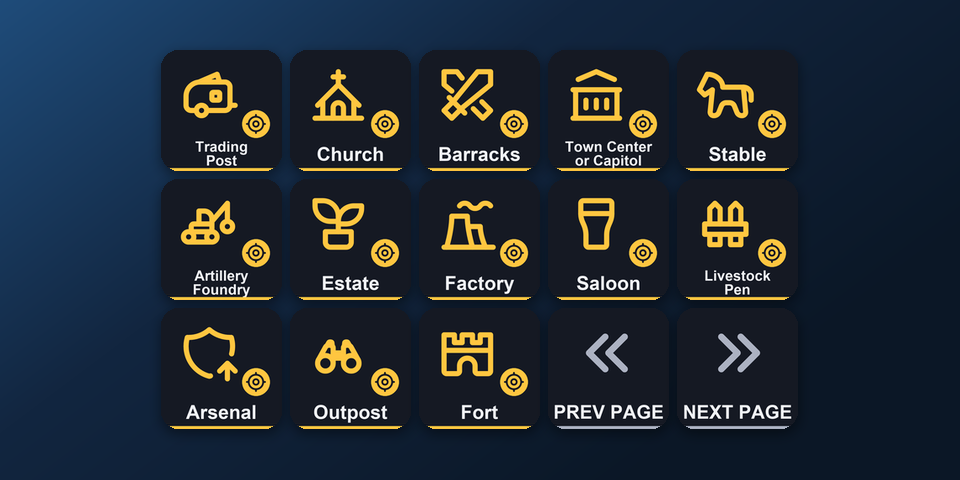
Find Buildings 2
Trading post, church, barracks, town center or capitol, stable, artillery foundry, estate, factory, saloon, livestock pen, arsenal, outpost, fort.
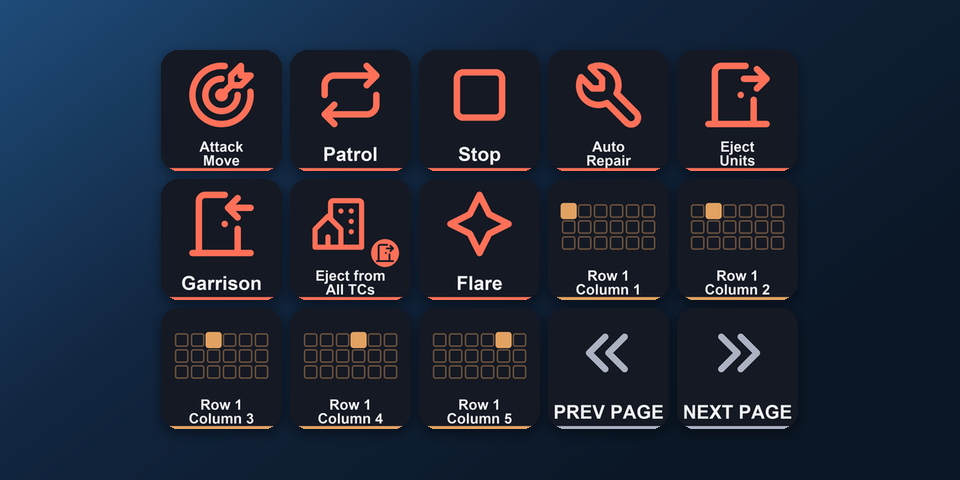
Orders / Command Panel
Attack move, patrol, stop, auto repair, eject units, garrison, eject from all town centers, flare, command panel row 1 columns 1 to 5.
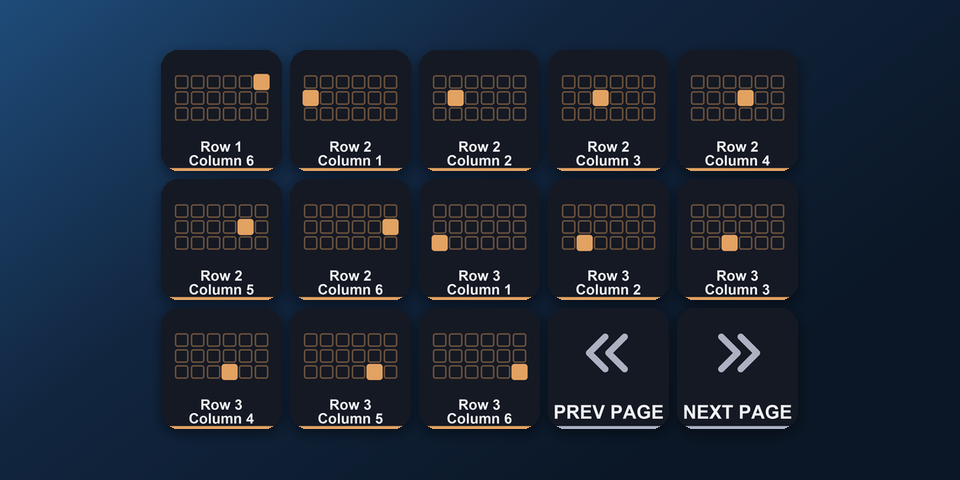
Command Panel 2
Command panel row 1 column 6, rows 2 and 3 columns 1 to 6.
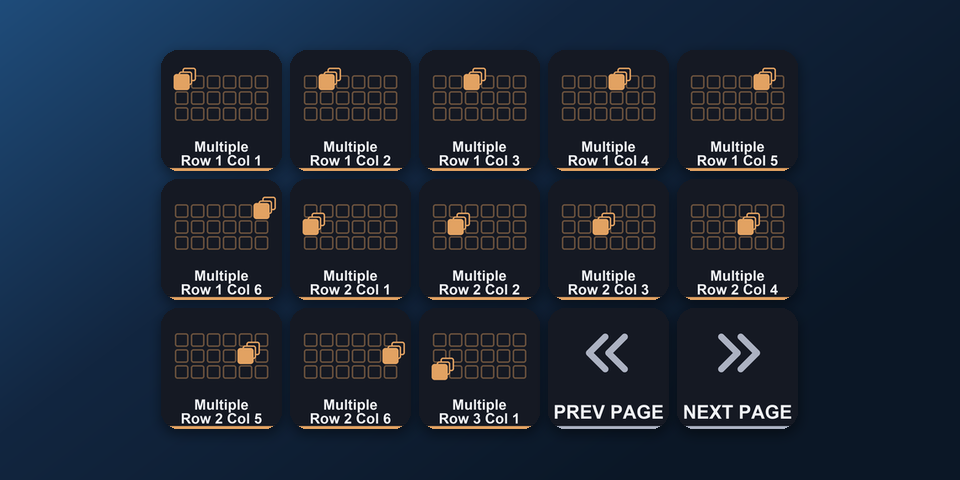
Command Panel 3
Multiple-selection command panel rows 1 and 2 columns 1 to 6, row 3 column 1.
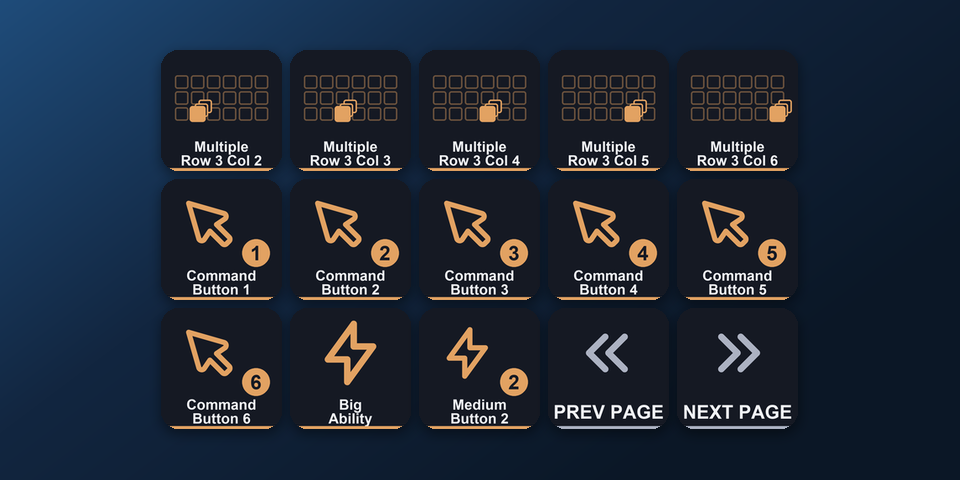
Command Panel 4
Multiple-selection command panel row 3 columns 2 to 6, command buttons 1 to 6, big ability, medium button 2.
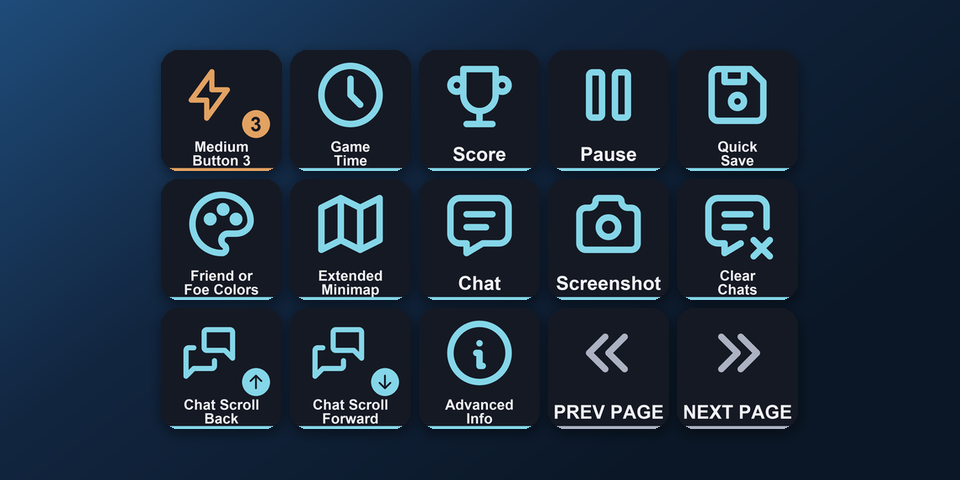
Command Panel 5 / Game
Medium button 3, game time, score, pause, quick save, friend or foe colors, extended minimap, chat, screenshot, clear chats, chat scroll back and forward, advanced info.
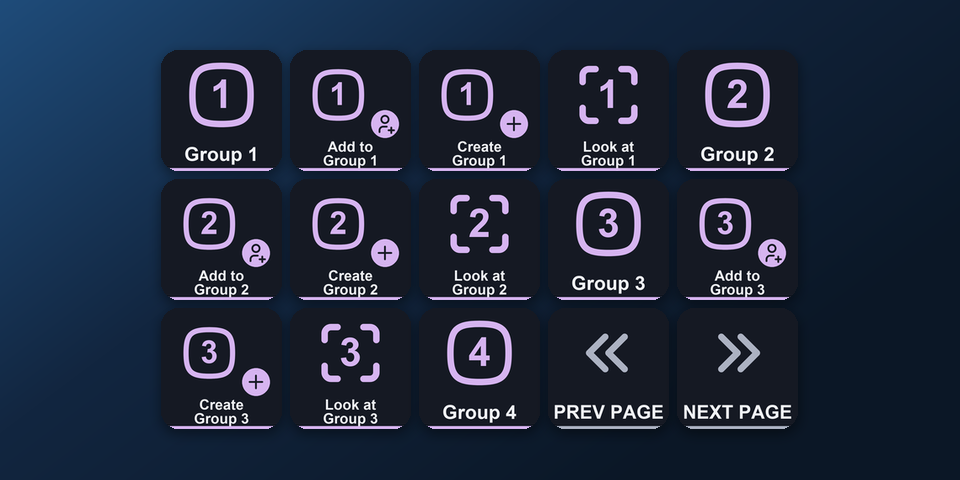
Groups
Select, add to, create and look at groups 1 to 3, select group 4.
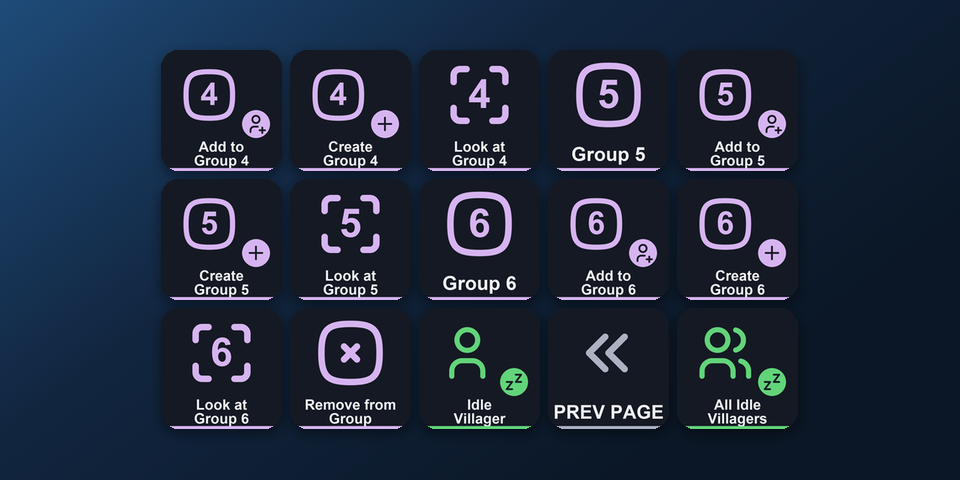
Groups 2
Add to, create and look at group 4, select, add to, create and look at groups 5 and 6, remove from group, idle villager and all idle villagers.
How do I set it up on Virtual Stream Deck?
- Buy, then download and unzip the file.
- In the Virtual Stream Deck settings in the Stream Deck app, set the grid to 5 x 3 or 8 x 4.
- Check the Keybindings field in the game's Options > Hotkeys (Default or Legacy), and double-click the Virtual Stream Deck 5 x 3 or 8 x 4 .streamDeckProfile file with that name. The Stream Deck app imports it.
- Select the profile for Virtual Stream Deck in the Stream Deck app, start Age of Empires III and press a key.
Requirements
- Windows 10 or later
- Virtual Stream Deck (also used by the Corsair NIGHTSWORD v2 WIRELESS SD and XENEON EDGE) with its grid set to 5 x 3 or 8 x 4
- The Stream Deck app, where Virtual Stream Deck and its grid are set up
- Age of Empires III: Definitive Edition for Windows (Steam, or Microsoft Store / Xbox app / PC Game Pass) with the Default or Legacy hotkey set (Options > Hotkeys)
Questions about Virtual Stream Deck
Is there a Age of Empires III profile for Virtual Stream Deck?
Yes. RTS Deck: Age of Empires III includes Virtual Stream Deck profiles in 5 x 3, with the MK.2 pages ("Find & Select / Find Buildings", "Find Buildings 2", "Orders / Command Panel", "Command Panel 2", "Command Panel 3", "Command Panel 4", "Command Panel 5 / Game", "Groups" and "Groups 2"), and in 8 x 4, with the XL pages, in English and in Japanese. Import one in the Stream Deck app and select it for Virtual Stream Deck.
Can I use it on the Corsair NIGHTSWORD v2 WIRELESS SD or XENEON EDGE?
Yes. The Corsair NIGHTSWORD v2 WIRELESS SD opens Virtual Stream Deck with its Stream Deck button, and the XENEON EDGE shows it in the iCUE Stream Deck widget. Import the Virtual Stream Deck profile and select it there.
Which grid should I set on Virtual Stream Deck?
Set the grid to 5 x 3 for the 5 x 3 profile, or 8 x 4 for the 8 x 4 profile, in the Virtual Stream Deck settings in the Stream Deck app. Importing a profile does not change the grid, so set it to match the file you import.
How do I change pages on Virtual Stream Deck?
The bottom-right keys turn the pages: Next page on "Find & Select / Find Buildings", Previous and Next page on the pages between, and Previous page on "Groups 2".
Does Virtual Stream Deck have the Age of Empires III dials?
Virtual Stream Deck has no dials, so the dial pages do not appear there. The keys on the pages work as on the other Stream Deck models.
Do I need to buy it again for Virtual Stream Deck?
No. The same download holds the Virtual Stream Deck profiles and the profiles for Stream Deck MK.2, XL, Neo and +.
Purchase details
- Price
- ¥1,500, paid once. Tax for your country is added at checkout.
- Payment
- Handled by Stripe through Link, Stripe's checkout service. Link appears as the seller on your receipt and card statement, and your card number never reaches GRAMSHIFT.
- Delivery
- A download link appears right after payment, and the receipt arrives by email. You get the profile files and a README.
- Refunds
- If the profile does not work with your Stream Deck and Age of Empires III: Definitive Edition, email us within 14 days of purchase for a full refund. You can also ask Link support. The download closes after a refund.
- Use
- For your own use. Please do not share, resell or upload the file.
- Countries
- Checkout is not offered in Ascension Island, China, Cuba, Iran, Kosovo, North Korea, Russia, Syria or Tristan da Cunha.
- Seller
- GRAMSHIFT, Tokyo, Japan. Contact: contact@gramshift.com
More about RTS Deck: Age of Empires III
- All models and details of RTS Deck: Age of Empires III
- More Virtual Stream Deck game and app profiles
Limitations
- The Virtual Stream Deck profiles are for Age of Empires III on Windows.
- Keep the game window in front: the keys go to the window in front.
- Set to the game's Default and Legacy hotkey sets. After you change a hotkey in the game, edit that key's Hotkey in the Stream Deck app to the same key.
- Made for the direct (English) input mode of Windows: keep Japanese input (IME) off while you play.
- Made for US and Japanese keyboard layouts. On some other layouts (for example French AZERTY) a few keys are in other places. If a key does the wrong thing, edit it in the Stream Deck app, or email contact@gramshift.com and we will help.
- If another program uses the same key combination as a shortcut across Windows, that key does not reach the game. Change the shortcut in that program.
- Each key sends one short press. Scrolling, zooming, held camera keys and mouse actions stay on your mouse. Units and abilities of a single civilization, hero abilities, delete, quick load, age-up, control groups 7 to 9 and hotkeys on the semicolon, slash, minus, equals, bracket, backslash, quote and backtick keys can be added in the Stream Deck app.
- Virtual Stream Deck has no dials, so the dial pages do not appear there.