Stream Deck plugin for Windows
See your unread email on a Stream Deck key
Unread Mail Counter shows how many unread messages wait in Gmail, Yahoo Mail, iCloud Mail or any other IMAP account that signs in with a password.
The number is big and easy to read, the key lights up when mail waits, and one press opens your mail.
Give each key its own folder or label, or count only one sender, starred mail or a Gmail search. It only reads: mail is never marked as read, moved or deleted.
- Gmail, Yahoo, iCloud and IMAP
- Any folder or label
- Filter by sender or star
- Up to 5 accounts
- Stream Deck + dial
- English and Japanese
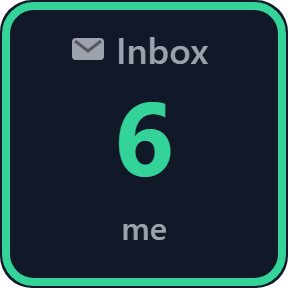
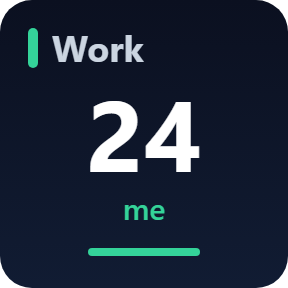
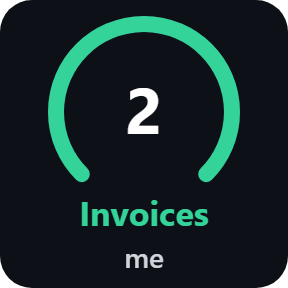
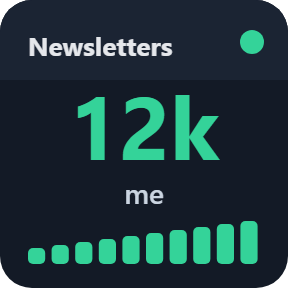
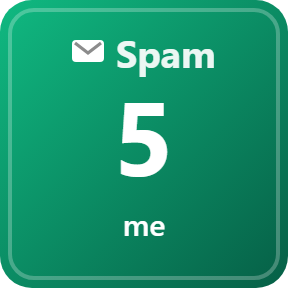
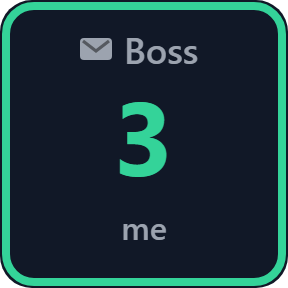
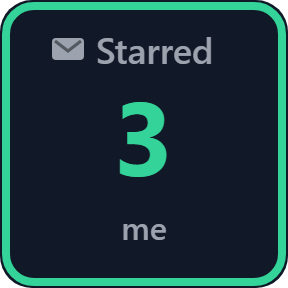
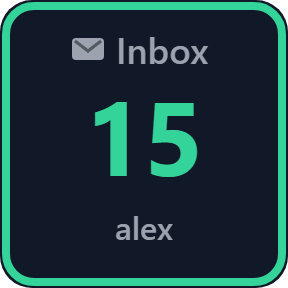
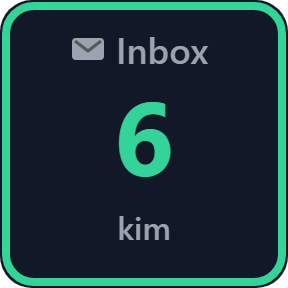
What the keys do
Unread Mail
A big unread count on the key, which lights up when mail waits. The inbox updates within seconds on servers that announce new mail, such as Gmail, iCloud and Yahoo; other folders are checked every 30 seconds to 15 minutes.
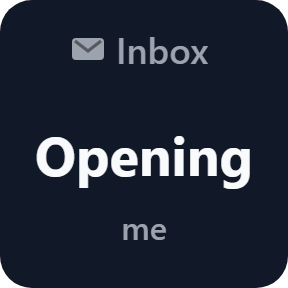
One press opens your mail
Press the key to open your webmail in the browser: the matching Gmail label or search, or any web address you set.
Any folder or label
Each key counts its own folder or Gmail label, such as Invoices or Work, and you can give the key its own name.
Only the mail you care about
Count only mail from one sender, only starred or flagged mail, or the result of a Gmail search such as category:primary.
Up to 5 accounts
Add up to 5 accounts once and use them on every key. On a Stream Deck + dial, see the count with the newest sender and subject, turn to switch accounts, and push or tap to open mail.
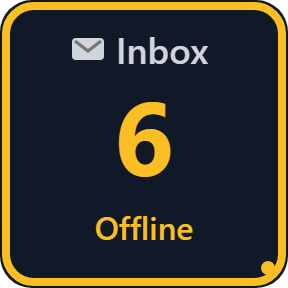
Clear when something is wrong
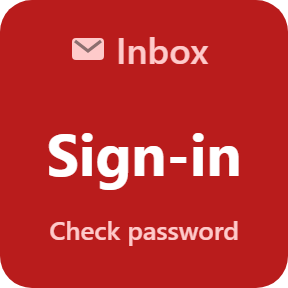
When the PC is offline, the key keeps the last count with a mark. A wrong password shows Check password, and a press tries again at once.
Five looks to choose from
Pick a look in each key's settings: Classic, Neon, Ring, Bars or Solid.
Read it at a glance
The key shows how things stand: nothing unread, mail waiting, or a password that needs checking.
It only reads the count
It reads only the number of unread messages, and on a dial the sender and subject of the newest one. Mail is never marked as read, moved, deleted or sent.
Your app password is saved by Stream Deck on this PC and sent only to your mail server, over an encrypted connection.
Besides your mail server, the only thing that goes online is the license key check.
Set up in 3 steps
- Open the plugin file you download after buying. The Stream Deck app installs it.
- In the Stream Deck app, drag Unread Mail onto your Stream Deck and enter your license key once in its settings.
- Type your email address and app password, pick a folder, and the key shows the unread count. Gmail, Yahoo, iCloud and AOL are found from the address.
Two places to buy
| Elgato Marketplace | Direct from GRAMSHIFT | |
|---|---|---|
| Amount | Same amount | Same amount, tax added at checkout |
| Checkout | Elgato Marketplace | Stripe (card) |
| New versions | Installed through the Stream Deck app | Download from your license key page |
| Use on | Your Elgato account | Up to 3 PCs per license key |
| Keys and settings | English and Japanese | English and Japanese |
Requirements
- Windows 10 or later
- Stream Deck app 6.9 or later
- Any Stream Deck (the dial needs a Stream Deck +)
- A mail account with IMAP that signs in with a password or app password
Questions
How do I see my unread Gmail count on a Stream Deck key?
Add an Unread Mail key of Unread Mail Counter, type your Gmail address and an app password in its settings, and pick the inbox or a label. The key shows the unread count, and one press opens Gmail.
Does it work with Yahoo Mail, iCloud Mail and other IMAP accounts?
Yes. Gmail, Yahoo Mail, AOL and iCloud are found from the address. For other accounts, such as a work, school or own-domain address, type the IMAP server from your provider's settings.
Does it work with Outlook.com, Hotmail or Microsoft 365?
No. Microsoft no longer lets mail apps sign in to those accounts with a password, so they are not supported.
Can a key count only mail from one sender or only starred mail?
Yes. In each key's settings you can count only one sender, only starred or flagged mail, or, with Gmail, the result of a Gmail search such as category:primary.
Does it mark my mail as read?
No. It reads only the number of unread messages, and on a dial the sender and subject of the newest one. Mail is never marked as read, moved, deleted or sent.
How many PCs can I use with one license key?
Up to 3 of your own PCs. If you replace a PC, write to us and we free up a place for the new one.
How do I get new versions if I buy direct?
Download the latest version from your thank-you page or the license key page you received. Your license key keeps working. If you cannot open your license key page, email us as the "Recover your license key" page explains.
What if I lose my license key?
Email contact@gramshift.com from the address you paid with, and include your order number, or the date and amount you paid. We check the purchase and reply with a link to your license key page.
Can I get a refund?
Yes, for a direct purchase. If the plugin does not work on your PC, email us within 14 days of purchase and we refund the full amount. The license key stops working after the refund.
Direct purchase: details, refunds and seller
- Price
- ¥1,600, the same amount as on the Elgato Marketplace. Tax for your country is added at checkout.
- Payment
- Handled by Stripe through Link, Stripe's checkout service. Link appears as the seller on your receipt and card statement, and your card number never reaches GRAMSHIFT.
- Delivery
- Your license key and download link appear right after payment, and the receipt arrives by email.
- Refunds
- If the plugin does not work on your PC, email us within 14 days of purchase for a full refund. You can also ask Link support. The license key stops working after a refund.
- License
- One key for your own use on up to 3 PCs.
- Countries
- The direct checkout is not offered in Ascension Island, China, Cuba, Iran, Kosovo, North Korea, Russia, Syria or Tristan da Cunha.
- Seller
- GRAMSHIFT, Tokyo, Japan. Contact: contact@gramshift.com
Limits
- Windows only.
- Outlook.com, Hotmail and Microsoft 365 accounts are not supported: Microsoft no longer lets mail apps sign in with a password.
- Gmail, Yahoo Mail, AOL and iCloud need an app password. Some work and school accounts, Google Workspace included, have IMAP or app passwords turned off by the admin.
- The Gmail search filter works with Gmail accounts only. Updates within seconds cover one folder per account (the inbox if shown), where the server offers them.
- The direct version checks its license key with our server when you activate it, each time the plugin starts, and about once a day while it runs. If it cannot reach the server, it keeps working for up to 44 days after the last successful check.
- If something does not work, email contact@gramshift.com and we will help.