Stream Deck plugin for Windows
See what is behind your window with one key
Window Opacity Keys makes the window in front see-through with one Stream Deck key on Windows.
Keep chat, notes or a video over your game or work and still see what is behind it. Each press goes to the next step, 80, 60 and 40 % or your own steps, and the press after the last step puts the window back.
A Click-Through key also lets mouse clicks pass through the window to whatever is underneath, and the same key puts it back. Other keys dim the visible windows of one app at once, or put back every window the plugin changed.
- 80 · 60 · 40 % or your steps
- Click-through
- One app's windows
- Press again to put it back
- Restore Windows
- Never below 20 %

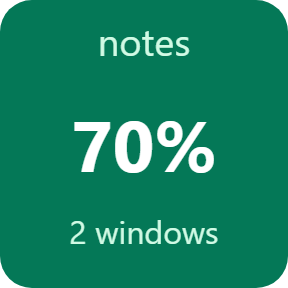
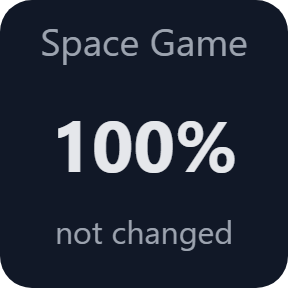
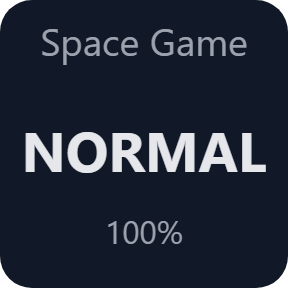
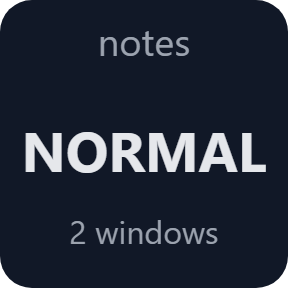
What the keys do
More see-through with each press
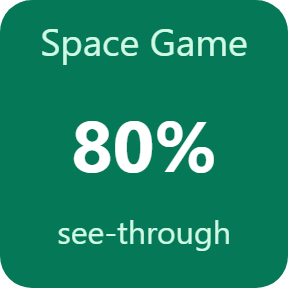
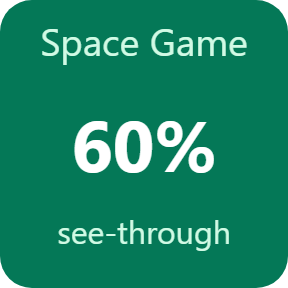
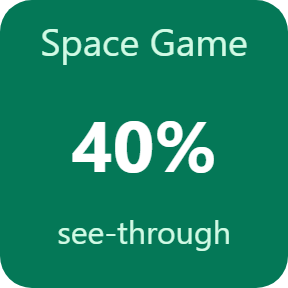
Front Window Opacity takes the window in front to 80, 60 and 40 %, one step per press, and the press after the last step puts it back as it was. Set your own steps from 20 to 99 %. The key shows the percent Windows reports for the window, not the one the plugin asked for.
Let clicks pass through
Click-Through makes the window in front see-through (60 % unless you choose another value) and lets mouse clicks go through it to the window underneath. Since you can no longer click that window, the key keeps showing its name, and pressing the same key again puts it back, whatever window is in front.
All visible windows of one app
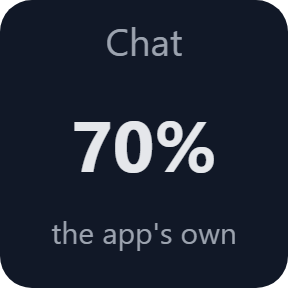
App Opacity dims every visible window of the app you choose (70 % unless you choose another value). Pick the app from the list of programs that have a window open now. Windows that are minimized, hidden or on another virtual desktop, and small tool windows, are skipped. The next press puts them back.
Put everything back
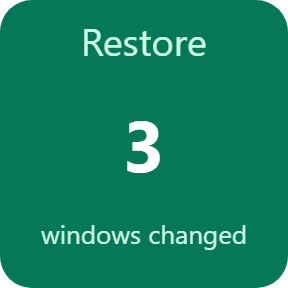
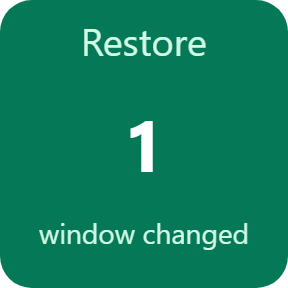
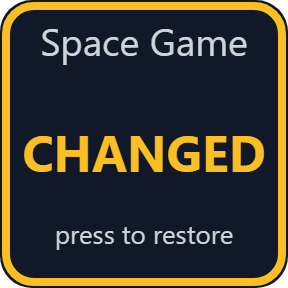
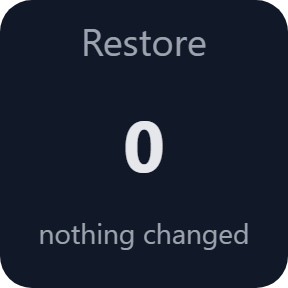
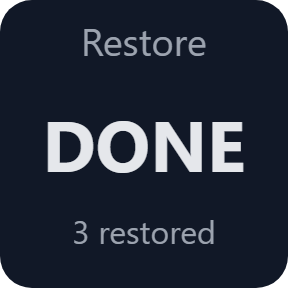
Restore Windows shows how many windows the plugin has changed and puts them all back with one press. If the plugin was ended by force, the Stream Deck app starts it again and this key still finds the windows that are open and puts them back.
Shows a window's own opacity
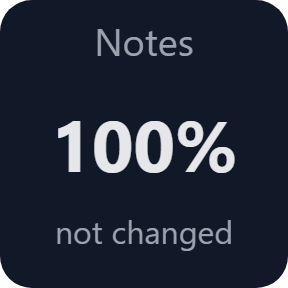
Some programs make their own window see-through. The key reads that and says so, and the next press goes to the next step below it. When you put the window back, it returns to its own opacity.
Tells you when it leaves a window alone
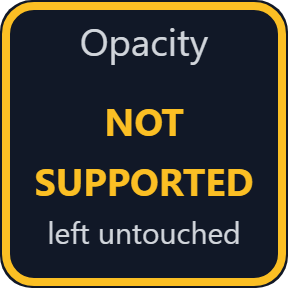
A window drawn in a way an outside opacity would break is left untouched and the key says NOT SUPPORTED. A press Windows does not allow, for example on a program running as administrator, changes nothing and the key says DENIED.
What the key says
The keys read the window again after each press. The key images on this page are the plugin's own output, with sample programs and names.
Your windows come back as they were
Before a window is changed the first time, the plugin keeps how it was. Putting it back writes that back, so a window that had its own opacity gets that opacity again.
When the Stream Deck app closes, the changed windows are put back first. The opacity never goes below 20 %. The desktop, the taskbar, the Stream Deck app and minimized windows are never changed.
No account is needed, and the plugin asks for no administrator rights.
Set up in 3 steps
- Open the plugin file you download after buying. The Stream Deck app installs it.
- In the Stream Deck app, drag Front Window Opacity, Click-Through, App Opacity or Restore Windows onto a key.
- Enter your license key once in the key's settings to turn the keys on. Then click a window and press the key.
Two places to buy
| Elgato Marketplace | Direct from GRAMSHIFT | |
|---|---|---|
| Amount | Same amount | Same amount, tax added at checkout |
| Checkout | Elgato Marketplace | Stripe (card) |
| New versions | Installed through the Stream Deck app | Download from your license key page |
| Use on | Your Elgato account | Up to 3 PCs per license key |
| Plugin display | English and Japanese | English and Japanese |
Requirements
- Windows 10 or later (see "How we checked it" below)
- Stream Deck app 6.9 or later
- A Stream Deck with keys
Questions
How do I make a window see-through with a Stream Deck key?
Drag Front Window Opacity onto a key. Click the window you want and press the key: it goes to 80 %, then 60 % and 40 %, and the next press puts it back. You can set your own steps in the key's settings.
Can I click through a window to the one underneath?
Yes. Click-Through makes the window in front see-through and lets mouse clicks pass through it. The key keeps showing the window's name, and pressing the same key again puts it back.
Can I keep a chat or a video over my game?
The plugin makes the chat or video window see-through; it does not move it above the game. If that app has an always-on-top setting, turn it on, and with Click-Through your clicks go to the game underneath. We have not tried real games, games in exclusive full screen or games with anti-cheat. See "Not checked by us" below.
Does it keep a window always on top?
No. The plugin changes how see-through a window is and whether clicks pass through it. It does not change which window is on top.
How do I get a window back to normal?
Press the same key again, or press Restore Windows. When the Stream Deck app closes, the changed windows are put back first.
Why does the key say NOT SUPPORTED?
That window is drawn in a way an opacity set from outside would break (UpdateLayeredWindow), so the plugin leaves it untouched.
Why does the key say DENIED?
Windows did not allow the change, for example on a program running as administrator. Nothing was changed.
How many PCs can use one license key?
Up to 3 of your own PCs. If you replace a PC, contact us and we will free a place for the new one.
How do I install a new version after buying direct?
Download the latest version from your thank-you page or your license key page. Your license key keeps working. If you cannot open that page, email us as the "Recover your license key" page explains.
What if I lose my license key?
Email contact@gramshift.com from the address you paid with, with your order number or the date and amount you paid. We check the purchase and reply with a link to your license key page.
Can I get a refund?
Yes, when you buy direct. If it does not work on your PC, email us within 14 days of buying for a full refund. Your license key stops working after the refund.
Direct purchase: details, refunds and seller
- Price
- ¥780, the same amount as on the Elgato Marketplace. Tax for your country is added at checkout.
- Payment
- Handled by Stripe through Link, Stripe's checkout service. Link appears as the seller on your receipt and card statement, and your card number never reaches GRAMSHIFT.
- Delivery
- Your license key and download link appear right after payment, and the receipt arrives by email.
- Refunds
- If the plugin does not work on your PC, email us within 14 days of purchase for a full refund. You can also ask Link support. The license key stops working after a refund.
- License
- One key for your own use on up to 3 PCs.
- Countries
- The direct checkout is not offered in Ascension Island, China, Cuba, Iran, Kosovo, North Korea, Russia, Syria or Tristan da Cunha.
- Seller
- GRAMSHIFT, Tokyo, Japan. Contact: contact@gramshift.com
Limits
- Windows only, with your Stream Deck on the same PC. Not for Mac. The four actions go on keys, not on dials, and not in Multi Actions. A Click-Through key holds one window at a time. The plugin does not keep a window on top and does not change windows by itself when an app comes to the front.
- Not supported: windows drawn with UpdateLayeredWindow (the key says NOT SUPPORTED). A program running as administrator may refuse the change (the key says DENIED). A program that does not answer is not changed, and a window whose program stops answering after it was changed cannot be put back and stays in the Restore Windows count.
- If the plugin is ended by force while windows are changed, they stay changed until the Stream Deck app starts it again and you press Restore Windows (or the same key).
- The keys do nothing until your license key is active, and no window changes. When the license ends (after a refund, for example), the windows the plugin changed are put back and the keys stop.
- How we checked it: this direct version ran on one Windows 11 PC (Japanese) under a test tool that stands in for the Stream Deck app, with a test activation server. Presses ran against a stand-in for Windows; on the real Windows this direct version only read the list of programs and changed nothing. The Elgato Marketplace version was also run on that PC, with one screen at 100% scale, on test windows of another program: the steps 80, 60 and 40 %, click-through (Windows then found the window underneath at its middle), one app's windows, and putting back after the plugin was ended by force and started again all read back as Windows reported them at the start; the UpdateLayeredWindow window was left untouched, and 17 windows of other programs were unchanged. Before that, one Chromium window was made see-through and put back.
- Not checked by us: a real Stream Deck device or the real Stream Deck app with this direct version, real games, exclusive full screen, anti-cheat software, a real administrator window, two or more screens, scale other than 100%, Windows 10, ARM PCs and waking from sleep.
- The direct version checks your license key with our server when you activate it, each time the plugin starts, and about once a day while it runs. If your PC cannot reach the server, the keys keep working for up to 44 days after the last successful check.
- If something does not work, email contact@gramshift.com and we will help.