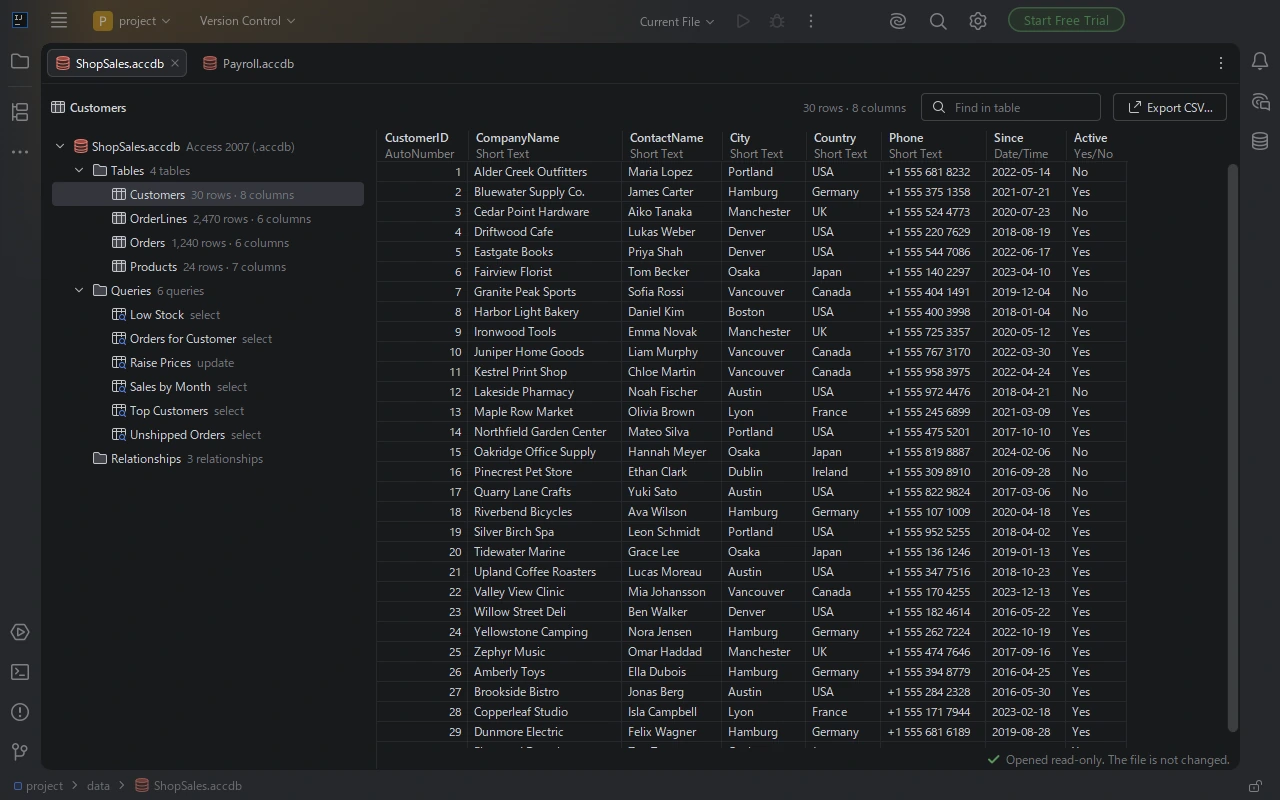
Every table, straight away
The tables and their row counts on the left, the rows on the right with each column's Access type. Find a value, copy cells, or save every row with Export CSV.
JetBrains IDE plugin
Click an .mdb or .accdb file and see every table. Rows, column types, the SQL of every query, linked tables and relationships, with CSV export. On Windows, macOS and Linux, with no Access and no ODBC driver.
Free trial with every feature.
The tables and their row counts on the left, the rows on the right with each column's Access type. Find a value, copy cells, or save every row with Export CSV.
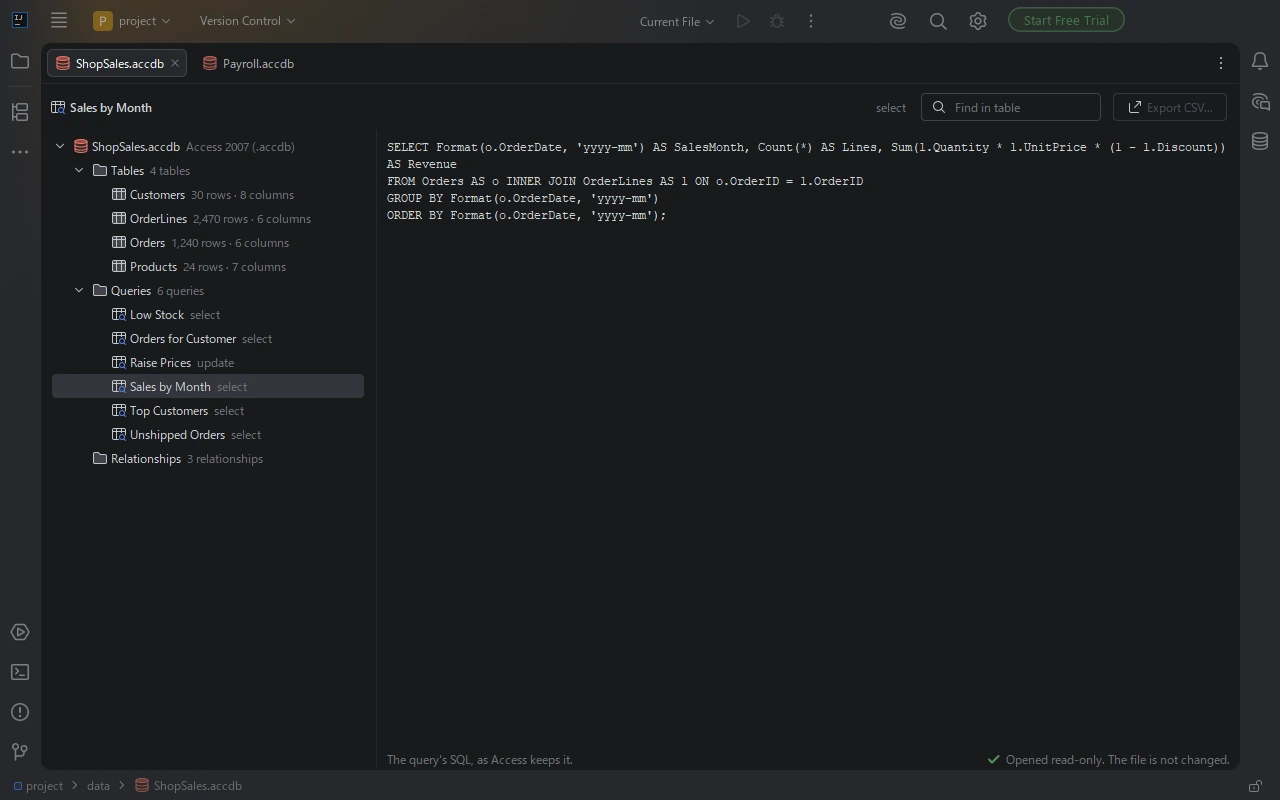
Saved queries are listed with their type. Click one to read its SQL and copy it into a migration or a new query.
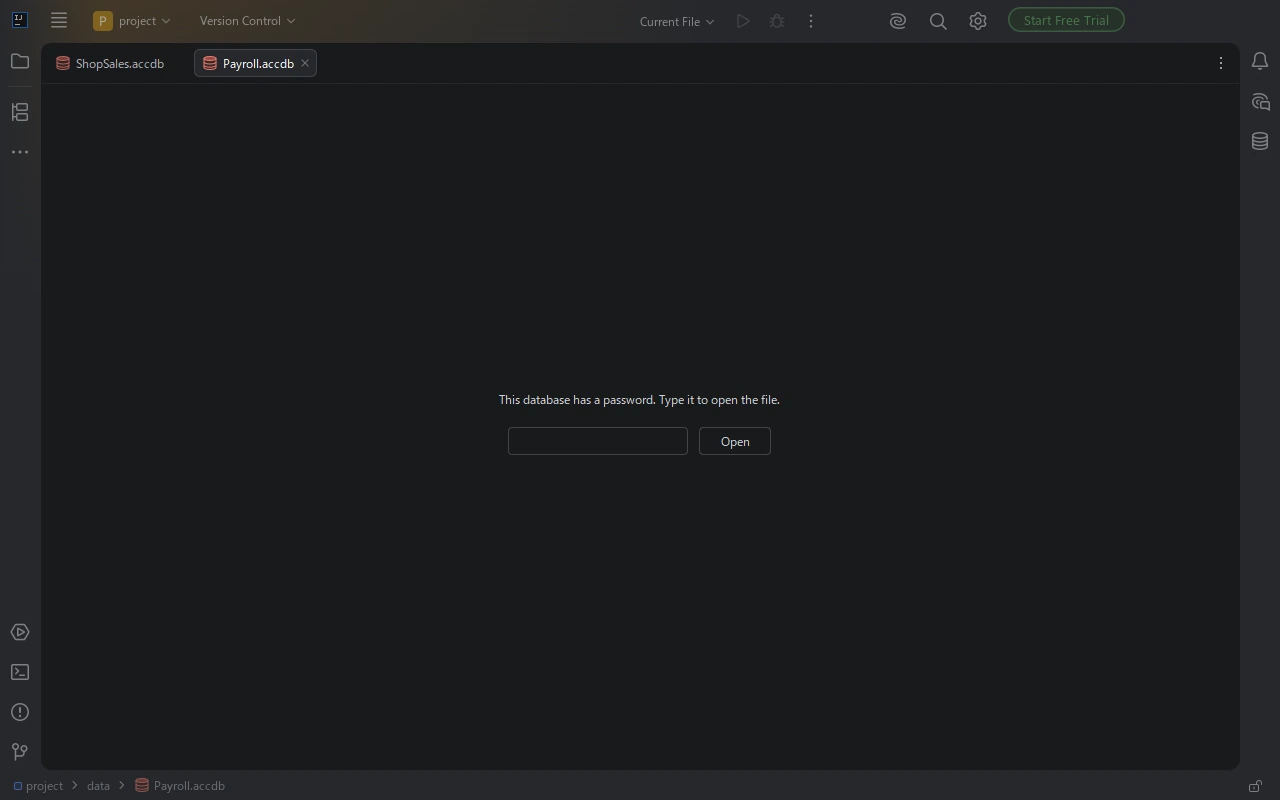
The tab asks for the password before it shows anything, as Access does. Encrypted files from Access 2007 and later open the same way.
Short Text, Long Integer, Currency, Date/Time, Yes/No, Long Text, calculated fields and multiple-value fields, shown as text you can read and copy.
Select, update, append, delete, crosstab and union queries, with their SQL. A password written into a query's connection to another database is hidden.
Where each linked table points, and which columns join which tables. For an ODBC link only the data source name is shown, never the user name or password.
Double-click the cell to save what it holds: each file kept in an attachment field, such as a photo or a PDF, or the content embedded in an OLE object.
.mdb or .accdb file in the Project view. It opens in an editor tab on the first table.The file is opened read-only and is never changed. When it changes on disk, the tab shows the new content.
Install MDB & ACCDB Database Viewer in IntelliJ IDEA, PyCharm, DataGrip or another JetBrains IDE from Settings | Plugins | Marketplace, then click the .accdb or .mdb file in the Project view. It opens in an editor tab with every table and its number of rows on the left; click a table to see its rows and the type of each column. Access, the Access Database Engine and an ODBC driver are not needed.
Microsoft Access runs only on Windows. MDB & ACCDB Database Viewer reads the file itself, so it opens .mdb and .accdb files on macOS and Linux the same way as on Windows, inside a JetBrains IDE.
Open the file, click the table and click Export CSV. Every row of the table is saved as a UTF-8 CSV file with the column names in the first line, ready for Excel, pandas or a database import. You can also select cells and copy them.
Yes. The Queries list shows every saved query; click one to see its SQL, ready to copy into a migration or a new query. The queries are shown and not run.
Yes, when you know the password. The tab asks for the password before it shows anything, just as Access does, and files encrypted with a password in Access 2007 and later open the same way. The password is never saved: the tab keeps it only while it is open.
No. The contents of the files you open stay on your computer. If an error occurs inside the plugin, the IDE may offer to send an error report to JetBrains Marketplace, as it does for other plugins.
IntelliJ IDEA, PyCharm, DataGrip, WebStorm, Rider, GoLand, PhpStorm, RubyMine, CLion and DataSpell, version 2025.2 and later, on Windows, macOS and Linux. Files from Access 97, 2000 and 2002-2003 (.mdb) and from Access 2007 to Access 2019 and Access in Microsoft 365 (.accdb) open.
The contents of the files you open stay on your computer. If an error occurs inside the plugin, the IDE may offer to send an error report to JetBrains Marketplace. See the privacy policy.
If something does not work as expected, or something you need from your Access files is missing, email contact
The viewer shows the data; it does not change it. The grid lists the first 10,000 rows of a table and Export CSV writes all of them. Queries are shown as SQL and are not run. Forms, reports, macros and VBA modules are not shown. The data of a linked table lives in its source and is not shown here.
See what an Access file holds, on any computer you work on.
Get MDB & ACCDB Database Viewer