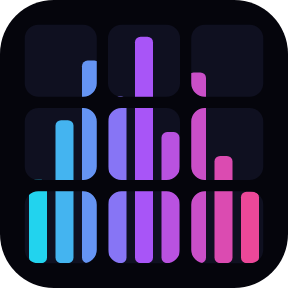
To make a Stream Deck show a music visualizer, add Audio Visualizer for Windows and drag Visualizer onto the keys you want in the picture. The keys join into one picture and move with the music, games and videos your PC plays, as equalizer-style bars, a waveform, a needle meter and more.
Stream Deck plugin · Works on Windows 10 or later with the Stream Deck app 6.9 or later.
What you can do
Pick from six effects: Bars with falling peaks, Mirror, Wave, Meter, Ring and Sparks.
Choose a look from seven color themes: Neon, Sunset, Ocean, Lime, Rainbow, Studio and Mono.
Use a whole page, one row or a corner: the keys you place join into one picture.
Keep your other buttons on the same page, and switch effect, colors or pause with a Visualizer key or a Switch key outside the picture.
Get a good picture from quiet or loud songs: the level adjusts itself, and Sensitivity can show more of the quiet parts or only the loud ones.
Follow your sound: Listen to is set to Auto, which follows the default sound output of Windows, or the Personal Mix of Elgato Wave Link 3, or the output that plays when the first one is quiet. Or pick an output or a Wave Link mix yourself.
Let it rest: when the music stops, the keys rest and the plugin goes idle.
Gentler light when you want it: choose 5 frames per second, Smooth motion and a calm theme.
Sound is measured in memory only to draw the picture. Nothing is recorded, saved or sent, and your volume, mute and default device stay as they are. Settings are in English and Japanese.
How it works
Install the plugin from the Elgato Marketplace. In the Stream Deck app, drag Visualizer onto a key, then copy that key and paste it onto the other keys you want in the picture.
Play some music. The keys join into one picture by their position on the device and move with the sound.
Press a Visualizer key to switch to the next effect, or open a key's settings to choose the effect, the colors and the rest.
Listen to: Auto follows what your speakers or headphones play, such as a music player, a browser, a game or a video, and works with Elgato Wave Link 3 and setups with several sound outputs. The Status line in the settings says which output the keys follow.
Mic Volume Lock for Windows: Lock your microphone or speaker volume so Zoom, Discord, games or drivers cannot change it.
On Air: Mic In Use for Windows: See on a key whether an app is using your microphone right now, and which app, with a red ON AIR lamp.
Questions
How do I get a music visualizer on my Stream Deck?
Drag Visualizer onto a key, then copy it and paste it onto the other keys you want in the picture. Play some music and the keys join into one picture that moves with the sound.
What sound does it react to?
With Listen to set to Auto (the default): the default sound output of Windows, or the Personal Mix when Elgato Wave Link 3 is installed, and the output that plays when that one is quiet. You can also pick one output or a Wave Link mix (Personal, Stream or Chat Mix) in Listen to.
Can I change the effect and colors?
Yes. Press any Visualizer key for the next effect, or open a key's settings to choose from six effects and seven color themes. A Switch key outside the picture can also change the effect, the colors or pause.
Does it record my audio?
No. Sound is measured in memory only to draw the picture. Nothing is recorded, saved or sent anywhere, and the plugin never changes your volume, mute or default device.
Can I make it less bright or flashy?
Yes. Choose 5 frames per second, Smooth motion and a calm theme such as Ocean or Mono, or pause it with a key press.
Limits
The picture shows one output at a time. If two outputs play at once, Auto stays with the one it found first; pick one in Listen to for a fixed choice.
All Visualizer keys share one set of settings, so a change on one key changes them all.
If another app holds the sound output in exclusive mode, the keys say CHECK OUTPUT until you choose another output or close that app.
When no Visualizer key is on the screen, for example on another page or profile, the plugin stops listening.