
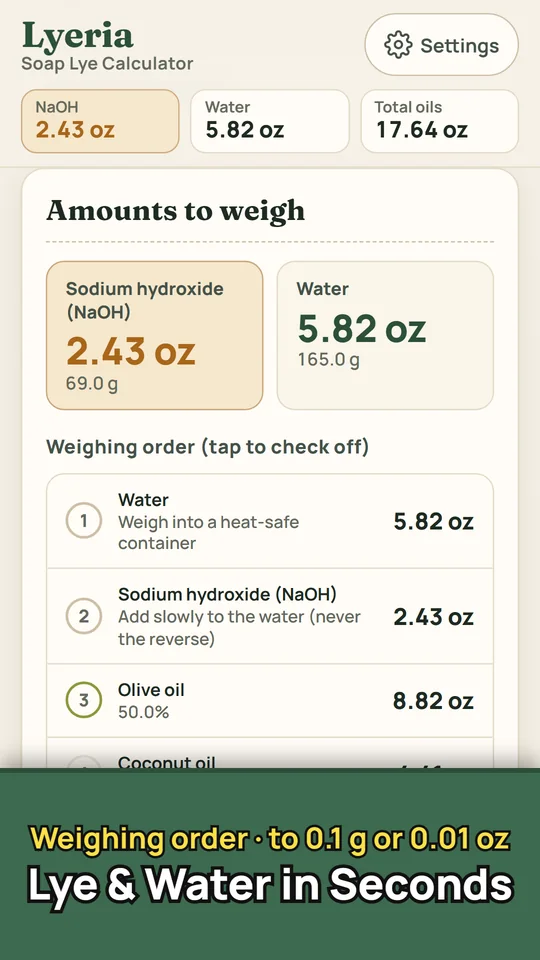
Lyeria is an Android soap calculator that works out the lye and water for your soap recipe. Pick your oils, enter grams, ounces or percentages, and you get the NaOH, KOH and water to weigh, shown at the top of the screen while you type. A weighing checklist lists water, lye, then each oil, so you can tap each one off. Get the oil amount from the inside size of your mold, and compare soap qualities like hardness and lather with a saved recipe. If you sell your soap, the one-time Lyeria Pro purchase adds cost and a suggested price per bar, plus ingredient labels with INCI names. Made and published by GRAMSHIFT.
What you can do with Lyeria
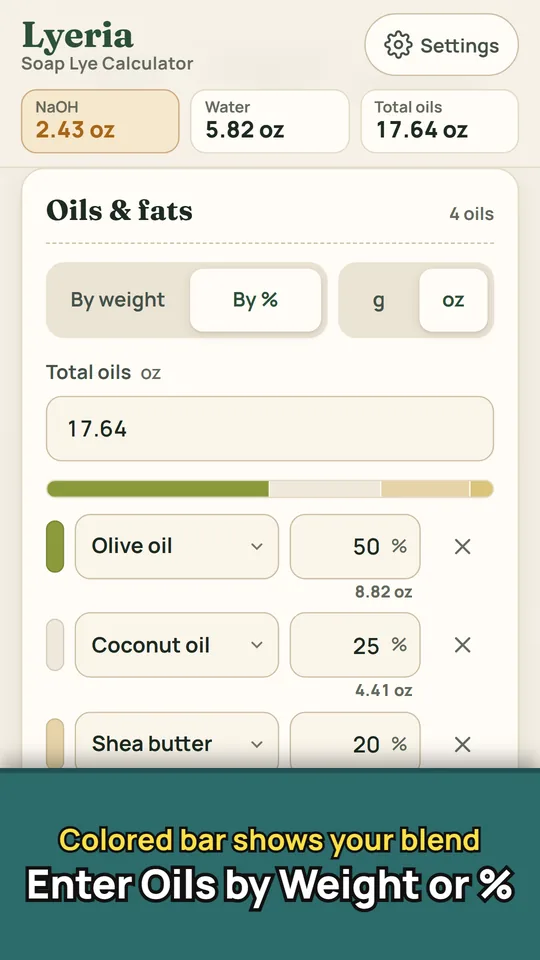
See your blend as a colored bar
Enter oils by weight or by percent. A colored bar shows your blend at a glance.
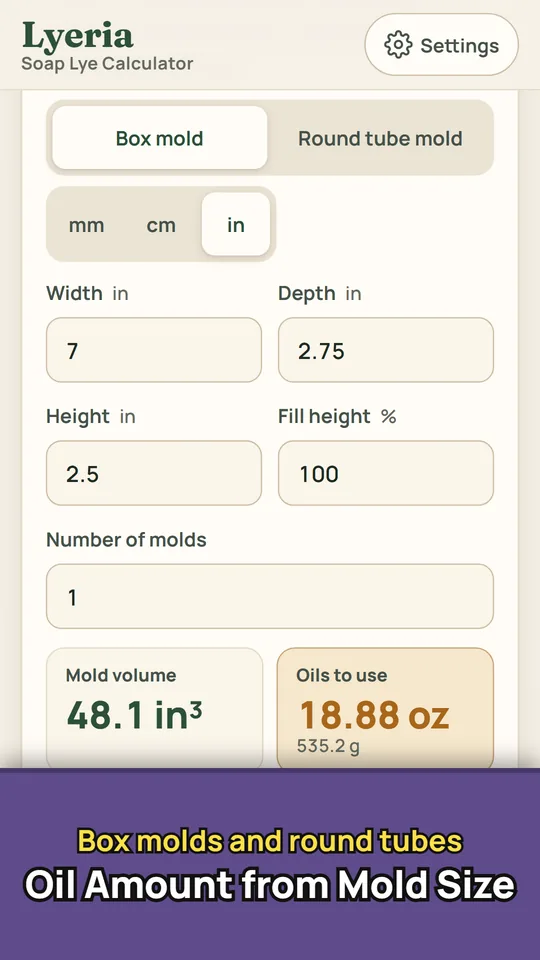
Oil amount from your mold
Enter the inside size of a box mold or round tube, in inches or centimeters, and see how much oil fits. Tap "Use this amount in the recipe" to scale your recipe to it.
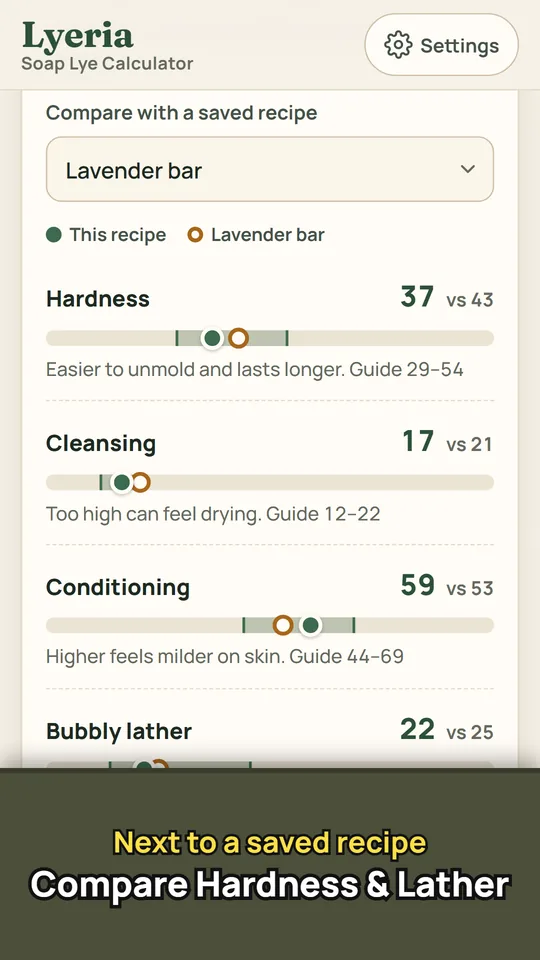
Compare soap qualities
See hardness, cleansing, conditioning, bubbly and creamy lather, iodine and INS as a guide. Compare them side by side with a saved recipe.
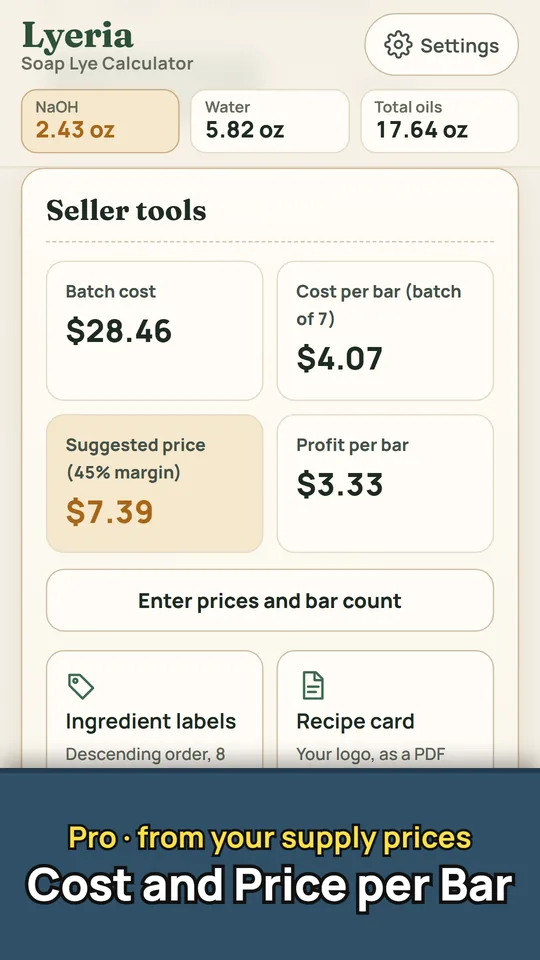
Pro: cost and price per bar
Enter ingredient prices per lb or per kg, packaging, labor and hourly rate to get batch cost and cost per bar. Set your margin for a suggested price.
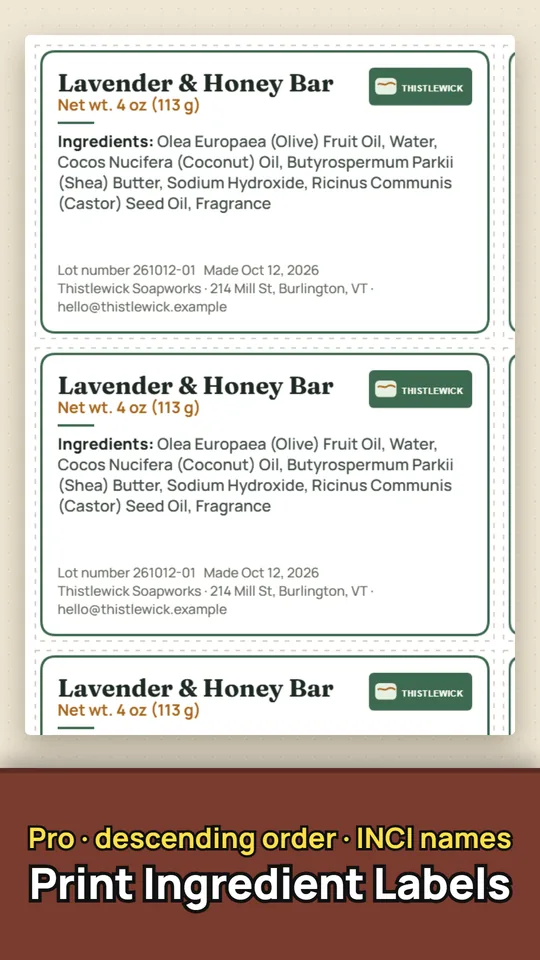
Pro: ingredient labels
List ingredients in descending order by weight, with INCI names (EU or US style) or names in your language. Print 8 labels per sheet as a PDF.
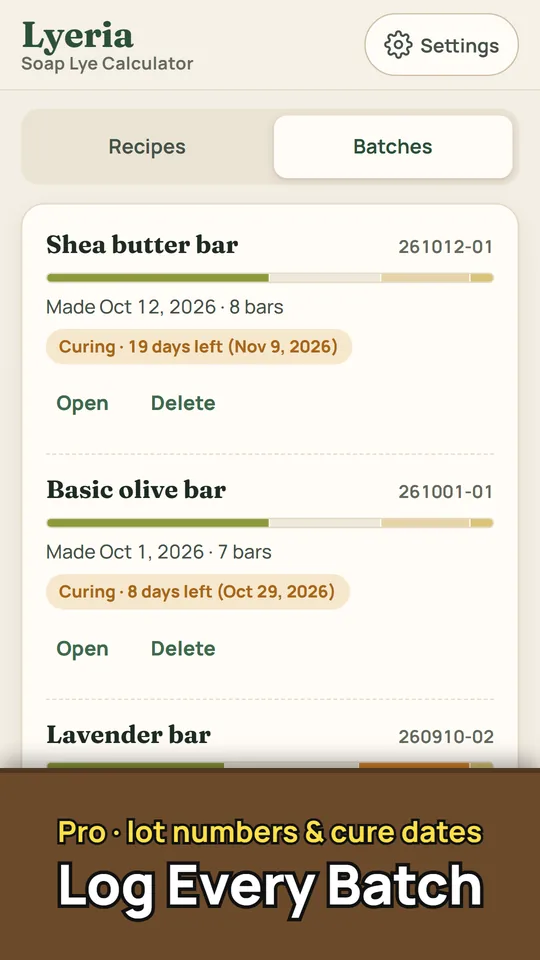
Pro: batch log
Keep lot numbers and the date each batch finishes curing. Save and share recipe cards with your logo as PDF.
From recipe to scale
- Pick your oils and amounts. Enter ounces, grams or percent. Choose NaOH, KOH or dual lye, and set your superfat and water.
- Read the lye and water. Lye, water and oil totals stay at the top of the screen while you type.
- Weigh in order. The checklist lists water, lye, then each oil. Tap each one off, and save the recipe by name to make the same batch again.
Free and Pro
- Free: calculate, save as many recipes as you like on your phone, and share them as text. A banner ad shows at the bottom of the screen.
- Lyeria Pro (one-time purchase): cost and suggested price per bar, ingredient label PDFs, batch log, recipe cards with your logo, and no ads.
- Remove ads (one-time purchase): removes the banner ad. No subscription.
- Your data (recipes, batch logs and so on) stays on your device unless you send it yourself. There is no account to create or sign in to.
Frequently asked questions
How much lye do I need for my soap recipe?
It depends on your oils and their weights. Choose the oils and amounts in Lyeria, and it shows the lye after your superfat.
Can I use a lye calculator for liquid soap (KOH)?
Yes. Choose KOH and Lyeria calculates at 90% purity by default. Change the purity to match your container.
How much oil do I need for my soap mold?
On the Mold screen, enter the inside size of your mold. Tap "Use this amount in the recipe" to scale your recipe to it.
How do I price my handmade soap?
In Pro, enter your ingredient prices, packaging and labor. Lyeria shows the cost per bar and a suggested price for the margin you choose.
Can I make ingredient labels for soap I sell?
Yes, with Pro. It lists ingredients in descending order by weight with INCI names or names in your language, and prints 8 labels per sheet.
Can I save my soap recipes?
Yes. Save as many recipes as you like on your phone, by name, and open any of them to make the same batch again. You can also share a recipe as text.
Is Lyeria free?
Yes. Calculating, saving and sharing are free. Seller tools come with Lyeria Pro, a one-time purchase with no subscription.
Do I need an account?
No. There is no sign-up, and your recipes are saved on your phone.
Good to know
- Results are a guide. Oils vary by origin and harvest, and lye by purity.
- Lye is a strong alkali: wear gloves and eye protection, and always add lye to water.
- Labeling rules differ by country and region. Check the rules where you sell before you sell.
If something does not work, or you have an idea or a request, feel free to write to us through the contact form or at contact