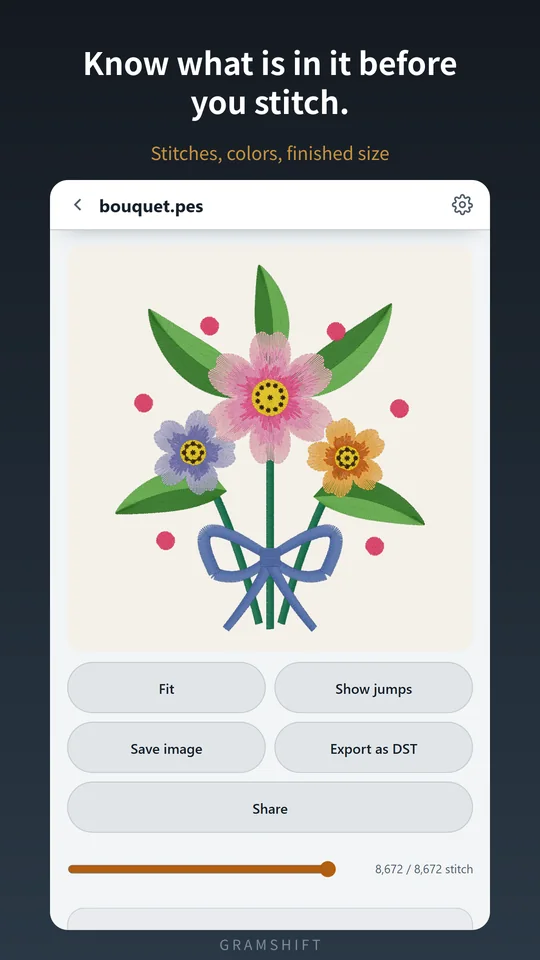
Stitchia is an Android app that opens embroidery files and draws the design stitch by stitch. It shows the stitch count, the number of colors and the finished size in inches or mm, so you know whether it fits your hoop before you stitch. Thread order and stitches per color are listed, and Brother and Janome files also show thread names and the maker's thread numbers. It opens .pes .pec (Brother), .dst .tap (Tajima, Happy), .jef (Janome), .exp (Melco, Bernina), .vp3 (Husqvarna Viking), .pcd .pcq .pcs .pcm (Pfaff), .xxx (Singer), .u01 .dsb (Barudan), .dsz (ZSK), plus Wilcom .emb for preview and info. Downloaded designs open straight from the .zip. Made and published by GRAMSHIFT.
What you can do with Stitchia
Thread order, stitches and numbers
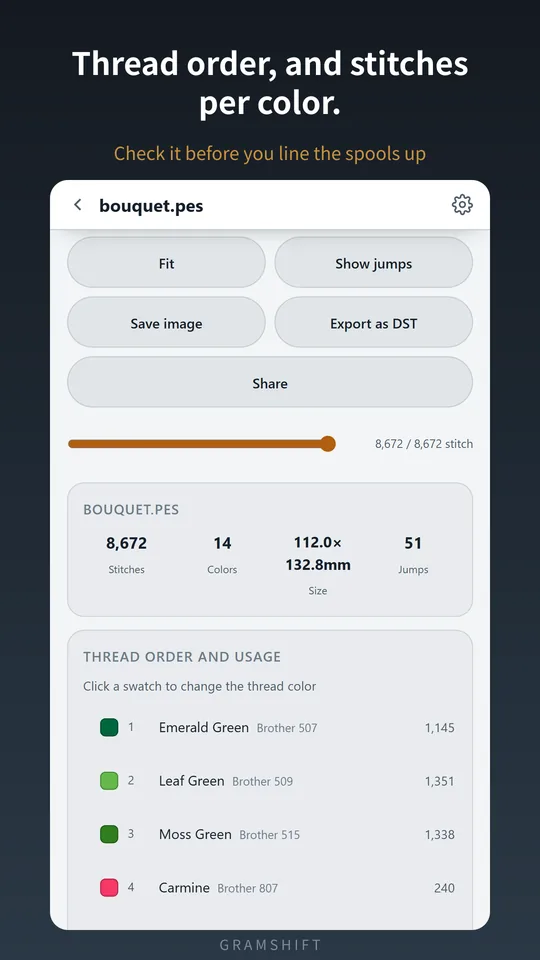
Color 1 for this many stitches, color 2 for that many, in order, so you can check you have enough thread. Brother and Janome files also show thread names and the maker's thread numbers, so you know what to buy.
Follow the stitching order
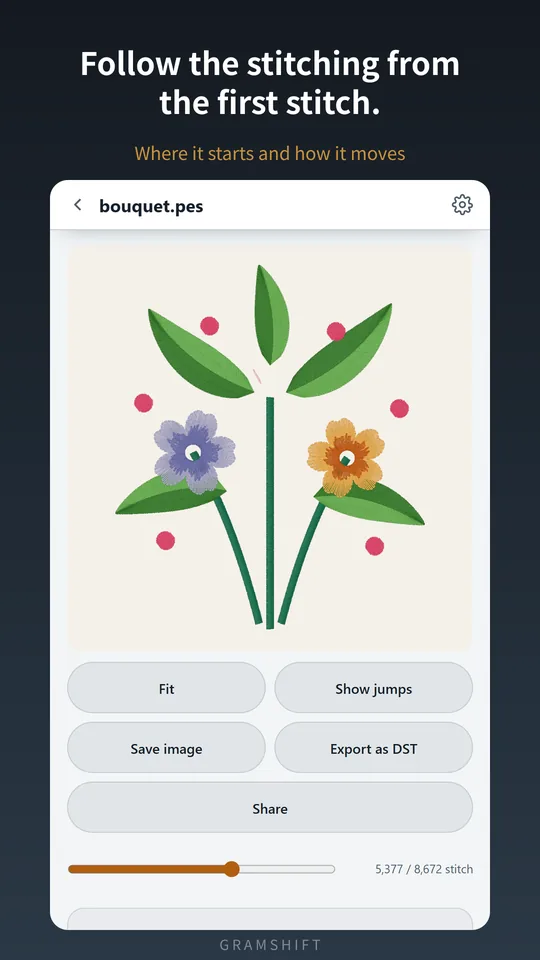
Drag the slider and watch the design build from the first stitch.
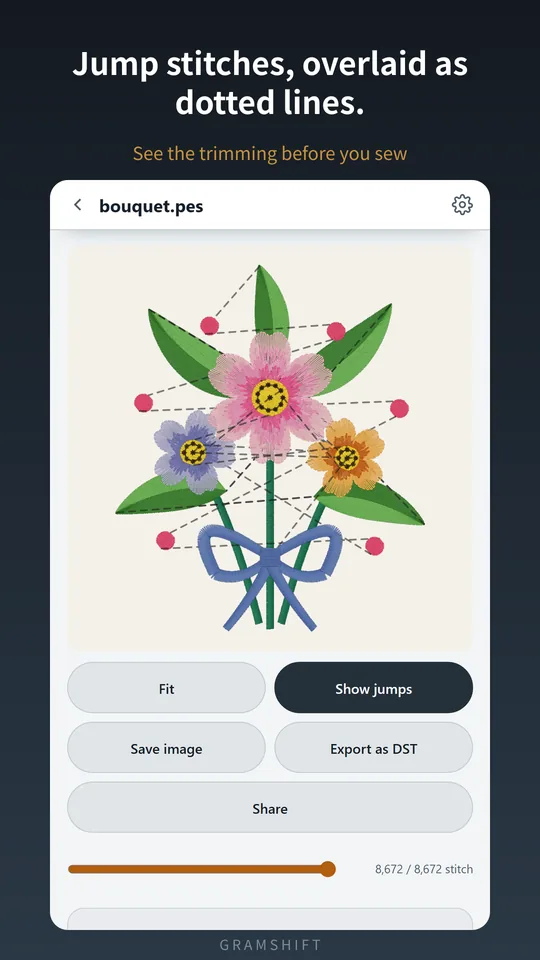
Show jump stitches
Overlay the jumps between color blocks as dotted lines. Lots of jumps means lots of trimming.
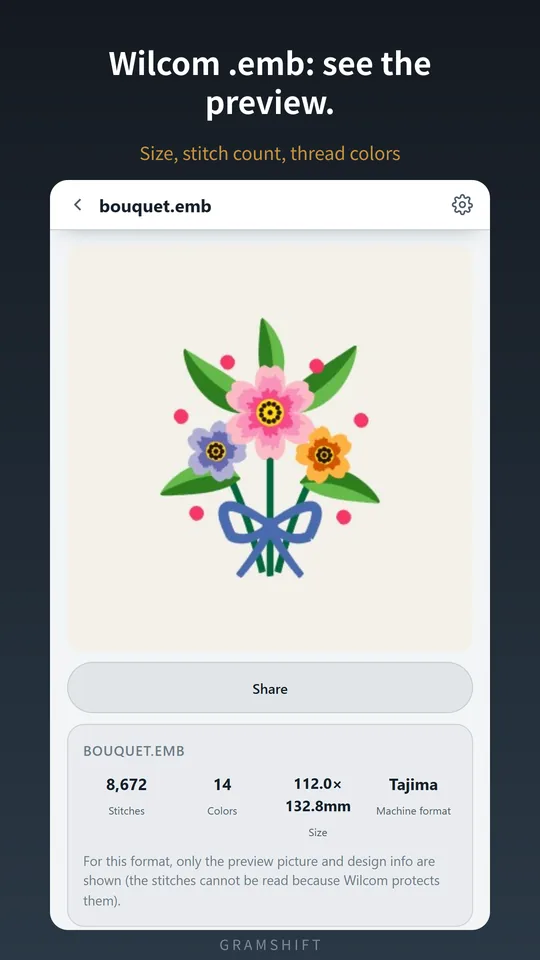
Wilcom .emb preview and info
Open a .emb to see the preview picture stored in the file, with the size, stitch count, number of colors and thread colors. Thread numbers appear when the file records them.
From file to fit check
- Open the design. Pick Stitchia from your file manager or an email attachment. A downloaded .zip opens as it is, and if there are several designs inside, pick one from the list.
- Check stitches, colors and size. The design is drawn stitch by stitch, and you can pinch to zoom right in. Switch between inches and mm.
- Check the thread and stitching order. See the thread order and stitches per color, then drag the slider to follow the stitching. Tap a swatch to match the thread on your shelf.
Free and Remove ads
- Free: all formats and features are there whether or not you buy. Ads are a banner at the top only.
- One full-screen video plays only when you tap "Watch a video — 60 min ad-free" yourself. No full-screen ad interrupts you while you look at a design.
- Remove ads (one-time purchase): removes ads and nothing else.
- The app never uploads or sends the design files you open. No account.
Frequently asked questions
How do I open a PES file on my Android phone?
Open the .pes file in Stitchia and the design is drawn stitch by stitch. You can pick Stitchia straight from your file manager or an email attachment.
Can I check the stitch count and size of an embroidery file?
Yes. Stitchia shows the stitch count, the number of colors and the finished size in inches or mm. You know whether it fits your hoop before you stitch.
Can I open embroidery designs inside a ZIP file?
Yes. Downloaded designs open without unzipping. If there are several designs inside, pick one from the list.
How do I convert PES to DST on my phone?
Open the .pes file in Stitchia and export it as .dst, the format commercial machines expect. You can also save the whole design as a sharp 2048px picture.
Can I change the thread colors to preview a design?
Yes. Tap a swatch and pick a color to match the thread on your shelf or to show a customer. Your choice is remembered per file.
Can I view Wilcom EMB files?
Yes, as a preview. Stitchia shows the preview picture stored in the file with the size, stitch count, number of colors and thread colors, but stitch display, playback, color changes and DST export are not available for .emb.
Is Stitchia free?
Yes. All formats and features work without buying anything. A banner ad shows at the top, and a one-time purchase removes ads only.
Do I need an account?
No. There is no sign-up, and the app never uploads the design files you open.
Good to know
- This is a viewer. It does not create or edit designs.
- Wilcom .emb files show only the preview picture and design info.
- .dst, .exp and .u01 carry no color information, so colors shown are placeholders. Only the stitching order is real.
- Finished size is calculated from the needle coordinates in the file. Fabric stretch, stabilizer and hooping change the real result.
If something does not work, or you have an idea or a request, feel free to write to us through the contact form or at contact