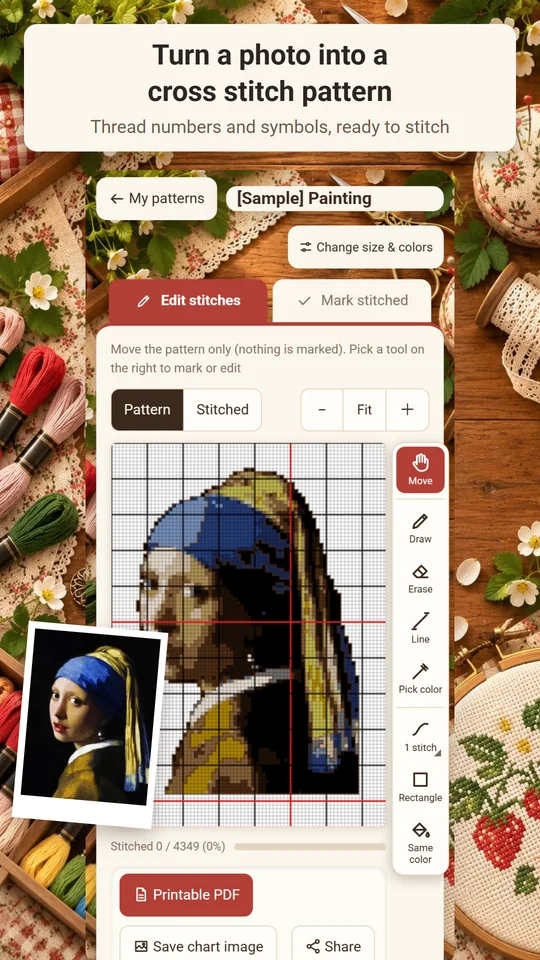
Stitchmint is an Android app that turns your photos and illustrations into cross stitch patterns. Choose the width and height in stitches, 2–40 colors and a fabric count of 11, 14, 16 or 18 ct, and watch the pattern and the finished stitching update live, with the finished size shown before you start. Each color gets a stranded cotton floss number (DMC numbering), with a skein estimate, and you can track your progress as you stitch. You can also color in black-and-white line art to make a pattern. Made and published by GRAMSHIFT.
What you can do with Stitchmint
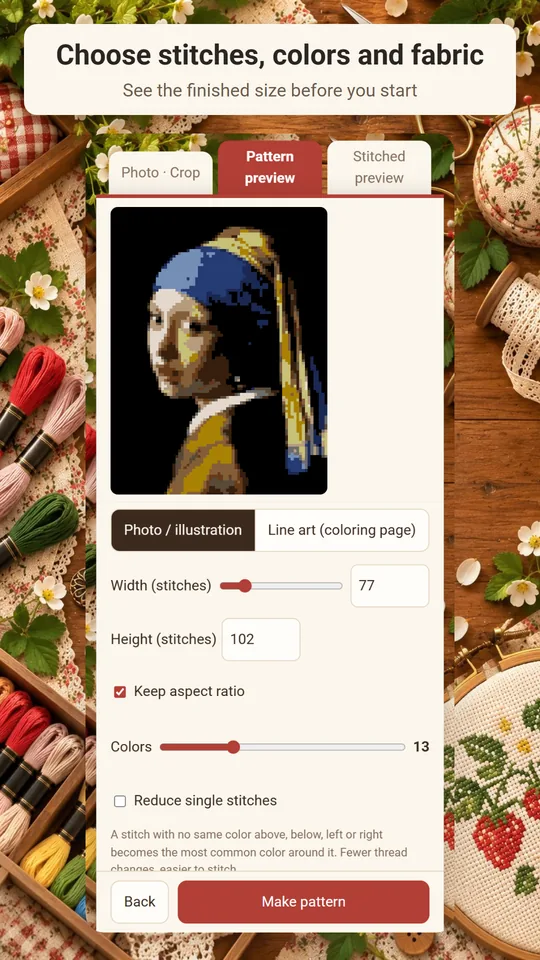
Set stitches, colors and fabric
Choose the width and height in stitches, 2–40 colors and 11, 14, 16 or 18 ct fabric. The pattern and the finished preview update live as you go.
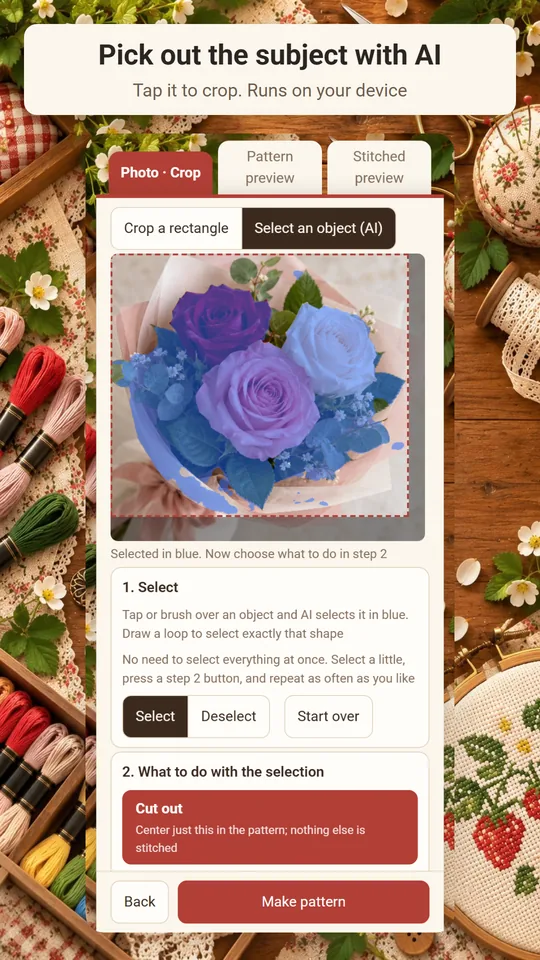
Pick out an object with a tap
Tap an object in your photo to crop it or erase it. Turn just the object you tapped into a pattern.
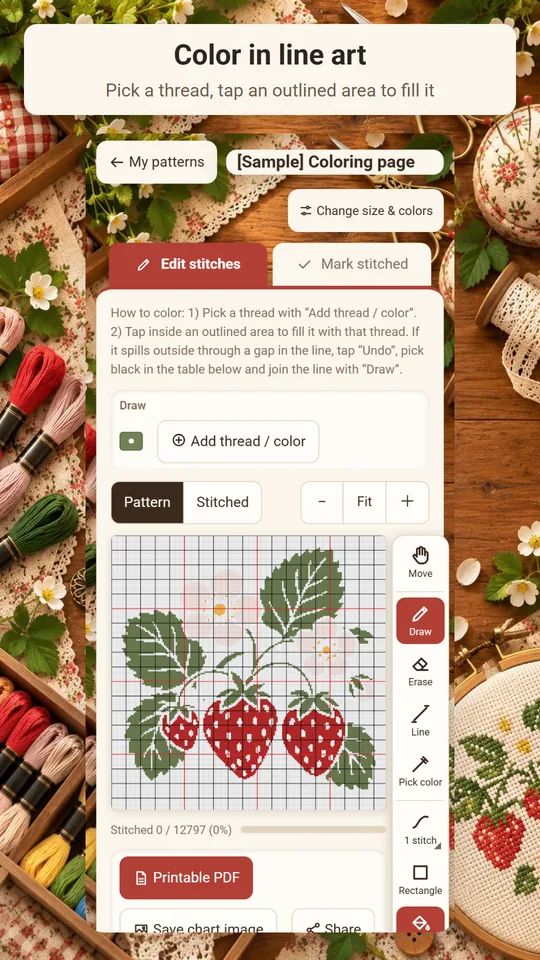
Color in line art
Load black-and-white line art and start from the black outline. Pick a thread and tap an area to fill it.
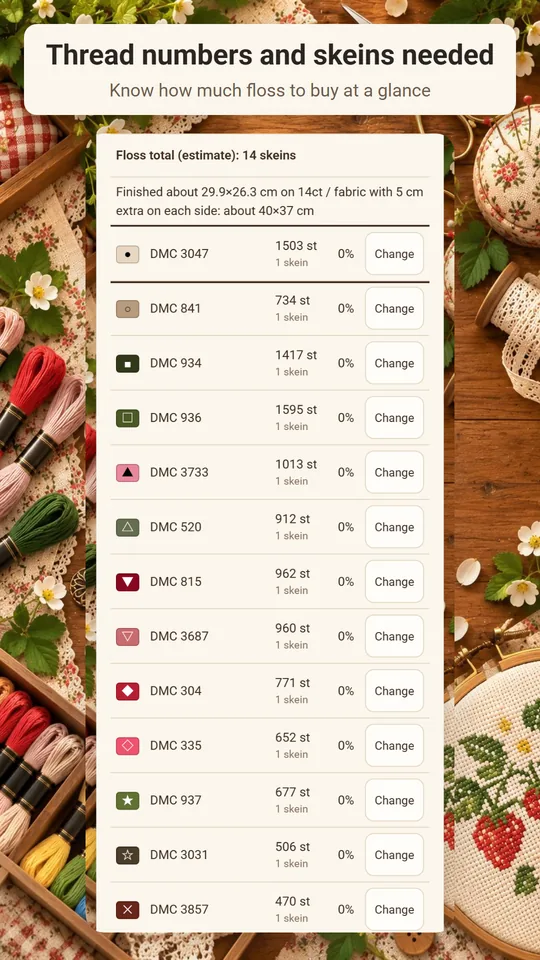
Floss numbers and skeins
Each color gets a stranded cotton floss number (DMC numbering), a stitch count and an estimate of skeins needed. Paste the floss numbers you own to use only those threads.
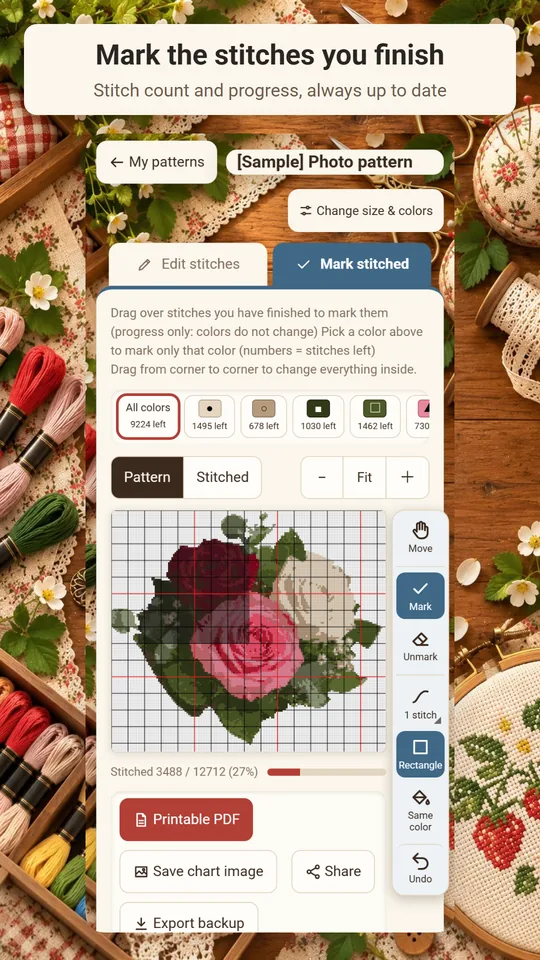
Track your stitching
Mark finished stitches by swiping, in a rectangle or by same-color area. See stitches done and progress for each color.
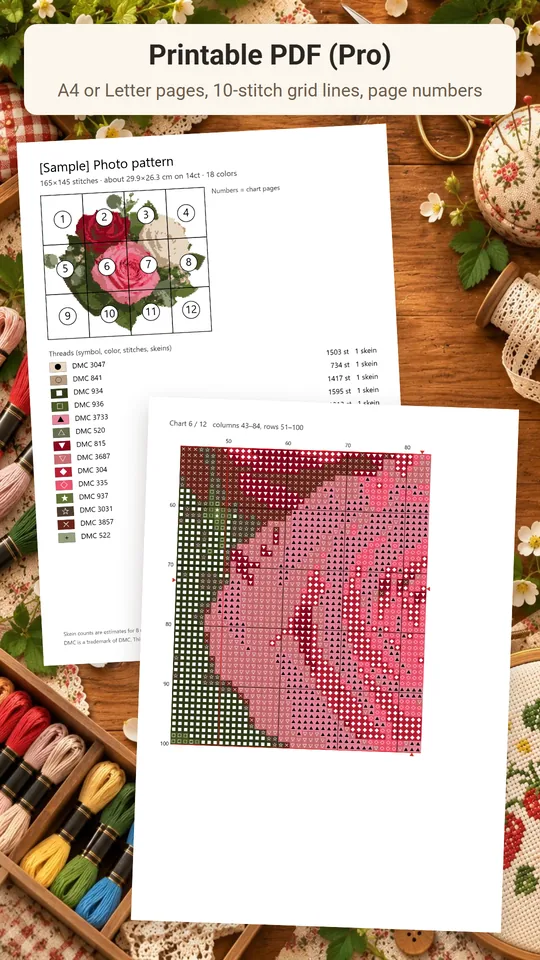
Pro: printable PDF
Split the pattern across A4 or Letter pages with 10-stitch grid lines and page numbers. Print in color or black and white (symbols only).
From photo to finished stitching
- Pick a photo and set the size. Choose the width and height in stitches, the number of colors and the fabric count. Crop, adjust brightness and remove the background if you like.
- Edit the pattern and get your floss. Touch up stitches one by one or in a rectangle, and add backstitch lines. Check the floss numbers and skein estimates, then gather your threads.
- Stitch and track. Switch between the chart (colors and symbols) and the finished preview, and mark stitches as you go. With Pro, print a PDF chart to stitch from paper.
Free and Pro
- Free: make and edit patterns, floss numbers and skein estimates, progress tracking, saving and sharing as an image, and backups. Keep up to 3 patterns (samples don't count). A banner ad shows on screen.
- Pro (one-time purchase): printable PDF (A4 or Letter pages, 10-stitch grid lines, page numbers, black and white option) and saving more than 3 patterns. Pro also removes the ads.
- Pro is a single one-time purchase, not a subscription.
- Photos and patterns stay on your device. No account is needed.
Frequently asked questions
How do I turn a photo into a cross stitch pattern?
Open the photo in Stitchmint and choose the width and height in stitches, 2–40 colors and the fabric count. The pattern and a preview of the finished stitching update live as you change the settings.
Does the pattern show DMC floss numbers?
Yes. Each color gets a stranded cotton floss number (DMC numbering). You can also paste the floss numbers you own to make the pattern with only those threads.
How many skeins of floss do I need?
Stitchmint shows the stitch count for each color and an estimate of skeins needed (8 m skein, 2 strands), plus the total. Skein counts are estimates.
Can I make a cross stitch pattern from line art?
Yes. Load black-and-white line art to start from a pattern with just the black outline, then tap areas to fill them with thread colors. There is also a "Sharp outlines" option for illustrations.
Can I track my progress as I stitch?
Yes. Mark finished stitches by swiping, in a rectangle or by same-color area. You see the stitches done and progress (%) for each color.
Can I print my cross stitch pattern?
Yes, with Pro (one-time purchase). The printable PDF splits the pattern across A4 or Letter pages with 10-stitch grid lines and page numbers, in color or black and white.
Is Stitchmint free?
Everything except the printable PDF and saving more than 3 patterns works for free. The free version keeps 3 patterns (samples don't count) and shows a banner ad.
Do I need an account?
No. Start without signing up. Photos and patterns stay on your device.
Good to know
- DMC is a trademark of DMC. This app is not affiliated with DMC.
- Screen colors may look different from real thread. Skein counts are estimates.
- Backups hold the pattern only, not the original photo, so a restored pattern can't be remade with a different size or colors.
- Saved patterns use storage inside this app, even with Pro. If it fills up, export backups and delete patterns you no longer need.
If something does not work, or you have an idea or a request, feel free to write to us through the contact form or at contact