GRAMSHIFT ART / Hearth
Hearth: Tourbillon Watch Face
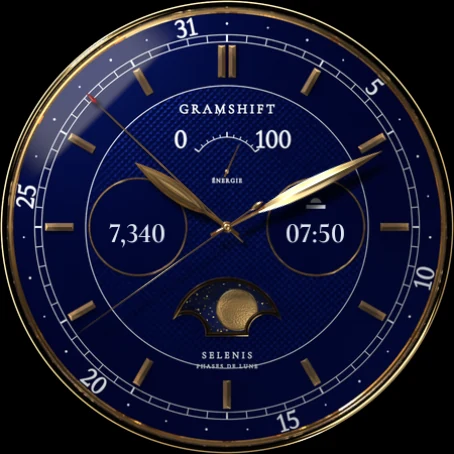
Hearth is an analog watch face for Wear OS in the style of a luxury mechanical watch. Through the window at six o'clock you see a tourbillon cage turning once a minute and a gold balance wheel swinging back and forth.
One-time purchase. No in-app purchases, no subscription and no phone app to install.
WHAT YOU GET
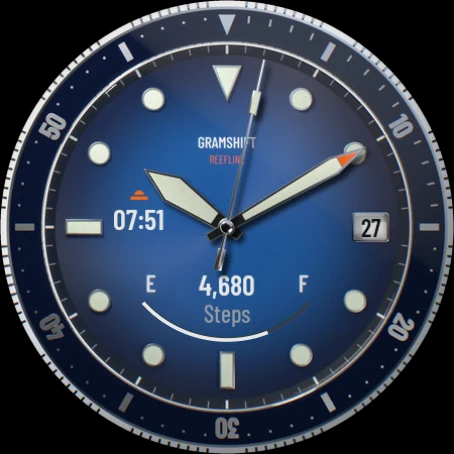
- Photo-like dial with sunburst finish, polished hour markers and a ceramic-style bezel
- Open-heart window with a turning tourbillon cage and a swinging balance wheel
- Movement: Live (smooth motion) or Calm (the balance rests and the cage steps once a second)
- 4 dial colors: Graphite, Navy, Green, Burgundy
- 6 accent colors for the seconds hand, subdial needles and lume dots: Orange, Lume, Ice, Red, Gold, White
- 3 complication slots you can change: a window at the top and two subdials. The window shows the day and date until you pick something else for it. When a subdial shows a value with a range, such as battery, its needle points to the value
- Starts with the day and date, battery and steps
- Day and date in your watch's language or, if you prefer, in English
- Always-on mode: outlined markers and hands, the three subdial rings and the date on a black screen
HOW TO INSTALL
Buy it in Play Store on your phone and choose your watch in the install menu, or open Play Store on your watch. It can take a few minutes to arrive on the watch. Then touch and hold your current watch face, swipe to the end and tap + to add Hearth. On a Galaxy Watch you can also choose it in the Galaxy Wearable app on your phone, under Watch faces.
HOW TO CUSTOMIZE
- Touch and hold the watch face.
- Tap Customize (the gear or pencil icon).
- Swipe to Dial, Accent, Movement, Date language or Complications and pick what you want.
COMPATIBILITY
Made with the Watch Face Format for watches on Wear OS 4 or later (for example Pixel Watch and Galaxy Watch4 or newer). The design is round: on a square screen it shows as a circle with black corners.
LIMITATIONS
- This is a watch face image: the movement is drawn and animated, not a real mechanical watch.
- What each complication shows (weather, steps, heart rate and so on) comes from your watch and the apps installed on it. If a data source is missing on your watch, choose another one in Customize.
- Text from complications, such as Steps or a data source you pick for the window, follows your watch's language. Only the face's own date has an English option.
- Wear OS 3 and older watches cannot install it.
If something does not work as expected, write to contact@gramshift.com and we will help.
 US$1.99 · One-time purchase · Wear OS 4+