OpenDeck plugin for Windows
Now Playing album art on Ajazz and Mirabox with OpenDeck
On an Ajazz or Mirabox deck running OpenDeck, one key shows the cover, title and artist of whatever is playing in Spotify, YouTube in your browser or any app that reports to the Windows media controls.
Press the cover to play or pause, add keys for next, previous and a 5 to 60 second skip, and send the song and its cover to OBS as text and image files.
- Spotify and browser
- Cover, title, artist
- Big cover from 4 keys
- Skip 5 to 60 s
- Song files for OBS





What the keys do
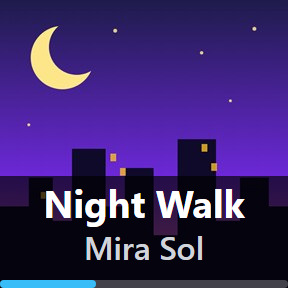
Now Playing
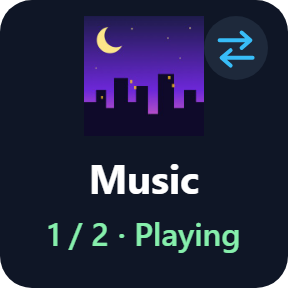
Draws the cover with the title, artist and a time bar. Pressing it plays or pauses, or you can set the press to next song, previous song or nothing.

Big cover
Set four Now Playing keys in a square to Top left, Top right, Bottom left and Bottom right of 4, and together they show one large album cover.
Play / Pause, Next, Previous
Choose the cover behind the symbol or a dark look. A key turns grey when the app does not allow that step.
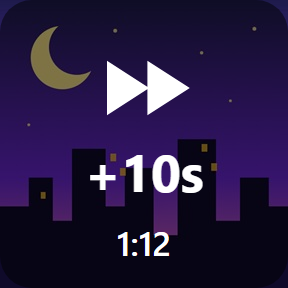
Skip Back / Forward
Each press moves 5, 10, 15, 30 or 60 seconds, and the key shows where you are in the song.
Switch Player
When a music app, a browser and a video player all play at once, one press picks which one the keys show and control. A key can also be tied to a single app.
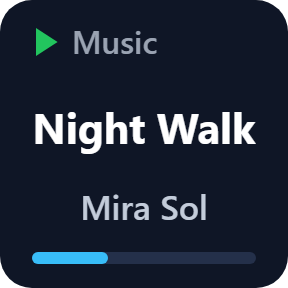
Song files for OBS
Writes the song as text in your own pattern such as "{artist} - {title}", plus title, artist and cover files that change with each song, ready for OBS Text and Image sources.
Install in OpenDeck
In OpenDeck, open the Plugins tab, install the .streamDeckPlugin file you downloaded, then enter your license key once in a key's settings.
Requirements
- Windows 10 version 1809 or later, or Windows 11
- Windows PowerShell (part of Windows; nothing to install)
- A music or video app that shows its song in the Windows media controls, such as Spotify, a browser or Media Player (no music service included)
- OpenDeck 2.14 or later
Questions
How do I show the Spotify song on an Ajazz or Mirabox deck with OpenDeck?
Place the Now Playing key in OpenDeck. It shows the album art, title and artist of the song playing in Spotify, and a press plays or pauses it.
Can I control YouTube in my browser from a deck key?
Yes, when the browser shows up in the Windows media controls, the box that appears next to the volume when you press a media key. Play / pause, next and moving in the song work as far as the web site allows.
How do I show the current song in OBS?
Turn on "Write the song to text files" in any key's settings. Add a Text source reading nowplaying.txt and an Image source for cover.jpg, and they change with the song.
Purchase details, refunds and seller
- Price
- ¥900, paid once. Tax for your country is added at checkout.
- Payment
- Handled by Stripe through Link, Stripe's checkout service. Link appears as the seller on your receipt and card statement, and your card number never reaches GRAMSHIFT.
- Delivery
- Your license key and download link appear right after payment, and the receipt arrives by email.
- Countries
- The direct checkout is not offered in Ascension Island, China, Cuba, Iran, Kosovo, North Korea, Russia, Syria or Tristan da Cunha.
- Seller
- GRAMSHIFT, Tokyo, Japan. Contact: contact@gramshift.com
- Refunds
- If the plugin fails to run on your PC, email contact@gramshift.com within 14 days of purchase for a full refund. The license key stops working after a refund.
- License
- One key for your own use on up to 3 PCs.
Limits
- Windows only. A player that does not report its song to the Windows media controls, such as some older desktop players, cannot be shown or controlled.
- Some web sites and live streams do not allow skipping; those keys turn grey. When an app sends no cover, the key shows a plain colored background with a music note.
- There is no volume control; change the volume in Windows or in the app.
- The direct version checks its license key with our server when you activate it, at each plugin start and about once a day. If the server cannot be reached, it keeps running for up to 44 days after the last successful check.