OpenDeck plugin for Windows
Process priority keys for Ajazz and Mirabox on OpenDeck
On an Ajazz or Mirabox deck running OpenDeck, one key sets the priority of the program in front to High, or sends a heavy background job to Low, and prints the priority Windows reports right on the key.
Press again to put it back. An App Priority key can also set your choice again every time the program starts, so it survives a restart.
- Low to High in one press
- Priority shown on the key
- Set again at every start
- Press again to undo
- Realtime left out

What the keys do
Front App Priority
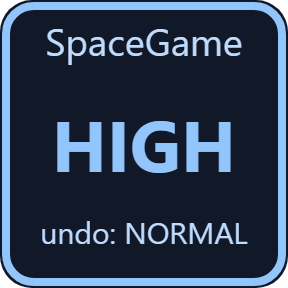
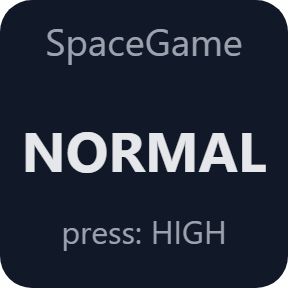
Shows the program of the window in front and its priority. A press sets the one you chose (Low, Below normal, Normal, Above normal or High); the key gets a blue frame and shows what a second press returns it to.
App Priority
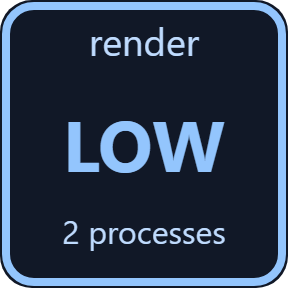
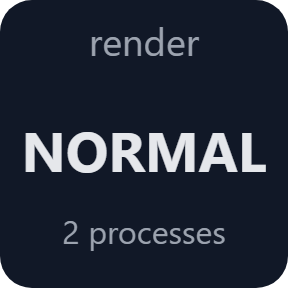
Pick a program from the list and the key covers every process with that file name, a browser's many processes included. Set a render or a download to Low to get it out of the way of what you are doing.
Set again at every start
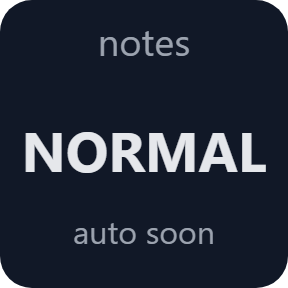
Windows starts every program at Normal again. Turn on Automatic and the plugin sets your priority once per start, after a wait of 2, 5, 10 or 30 seconds, while the key is on a page that is showing.
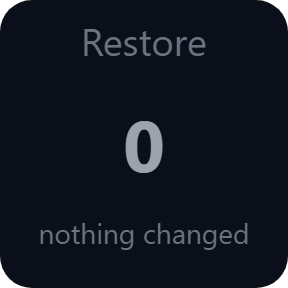
Restore Priorities
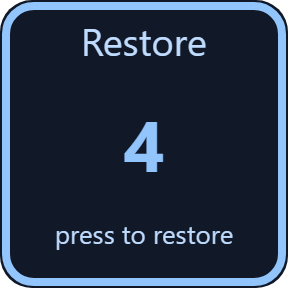
Counts the processes the plugin changed and has not put back. One press returns every one of them to the priority it had before.
The priority Windows reports
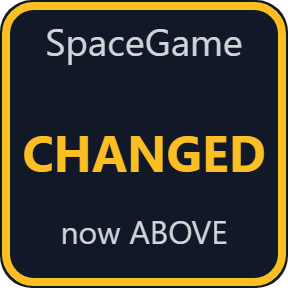
Every key shows the priority read back from Windows. If another program, or you in Task Manager, changes it after the plugin set it, the key says CHANGED.
Leaves Windows alone
Windows' own processes, the desktop and taskbar, and programs of other Windows sessions are never changed. Realtime cannot be chosen, since it can freeze the whole PC.
Install in OpenDeck
In OpenDeck, open the Plugins tab, install the .streamDeckPlugin file you downloaded, then enter your license key once in a key's settings.
Requirements
- Windows 10 or later
- OpenDeck 2.14 or later
Questions
How do I set a program to high priority from an Ajazz or Mirabox deck with OpenDeck?
Place a Front App Priority key in OpenDeck, choose High in its settings and press it while your program is in front. For a program not in front, use an App Priority key and pick the program from its list.
How do I keep a priority after the program restarts?
Turn on Automatic in an App Priority key. Windows starts every program at Normal, so the plugin sets your priority once at each start, after the wait you choose, while that key is on a page that is showing.
Will high priority make my game faster?
Not by itself. Priority only decides which program goes first when the processor has more work than it can do at once, so you may see no difference. Setting a heavy background job to Low is often the gentler way to give your game room.
Purchase details, refunds and seller
- Price
- ¥780, paid once. Tax for your country is added at checkout.
- Payment
- Handled by Stripe through Link, Stripe's checkout service. Link appears as the seller on your receipt and card statement, and your card number never reaches GRAMSHIFT.
- Delivery
- Your license key and download link appear right after payment, and the receipt arrives by email.
- Countries
- The direct checkout is not offered in Ascension Island, China, Cuba, Iran, Kosovo, North Korea, Russia, Syria or Tristan da Cunha.
- Seller
- GRAMSHIFT, Tokyo, Japan. Contact: contact@gramshift.com
- Refunds
- If the plugin fails to run on your PC, email contact@gramshift.com within 14 days of purchase for a full refund. The license key stops working after a refund.
- License
- One key for your own use on up to 3 PCs.
Limits
- Windows only. A higher priority does not make a program faster by itself, and High can make other programs stutter, such as streaming software, voice chat or sound.
- App Priority changes every process with the chosen file name. For a game with a launcher, choose the game itself, not the launcher.
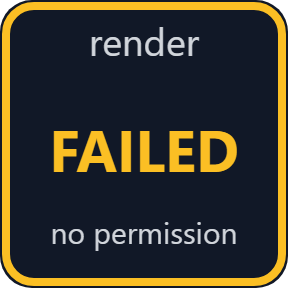
- Programs that run as administrator, or that anti-cheat or security software protects, may refuse the change, and the key says FAILED.
- The direct version checks its license key with our server when you activate it, at each plugin start and about once a day. If the server cannot be reached, it keeps running for up to 44 days after the last successful check.