Stream Deck plugin for Windows
A music visualizer across your Stream Deck keys
Audio Visualizer for Windows turns the keys you place into one picture: equalizer-style spectrum bars, a waveform, a needle meter and more move with the music, games and videos your PC plays.
Use a whole page, one row or a corner and keep your other buttons. Works with Elgato Wave Link 3 (its Personal Mix) and multi-output setups, or choose an output or mix.
- Spectrum bars
- Waveform
- Needle meter
- Color themes
- Wave Link 3
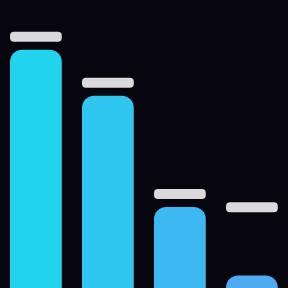
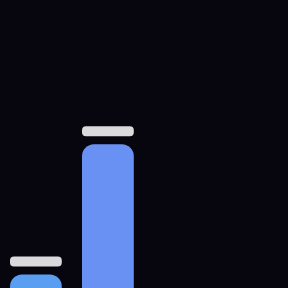
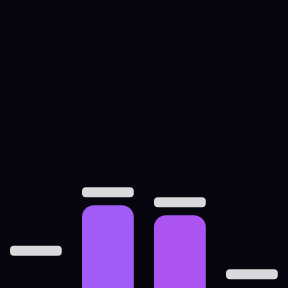





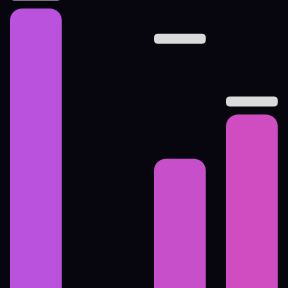


What it does
One picture across your keys
Put Visualizer keys on a whole page, one row or a corner. The keys you place join into one picture that moves with the music, games and videos your PC plays.

Bars, waves, meters and more
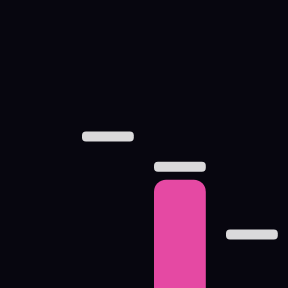
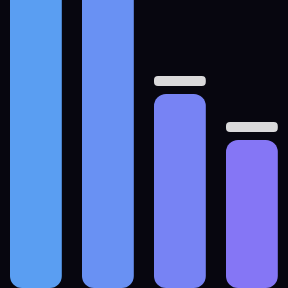
Bars: a spectrum with falling peaks. Mirror: bars from the middle. Wave: a glowing waveform. Meter: a two-needle level meter. Ring: spokes pulsing with the bass. Sparks: rise and burst on the beat.
Color themes
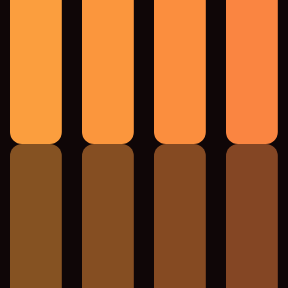
Neon, Sunset, Ocean, Lime, Rainbow, Studio and Mono.

Works with Wave Link 3
Listen to: Auto shows Elgato Wave Link 3's Personal Mix or the output that plays. Or pick an output or mix yourself.

Automatic level
The level adjusts by itself for quiet and loud songs. When the music stops, the keys rest.

Next effect with a press
Press a key, or a Switch key outside the picture, for the next effect, colors or pause.
Made for your desk
Keep your other buttons on the same page: only the keys you place join the picture. Fill a page fast by copying a key and pasting it on the others. For gentler light, choose 5 frames per second and Smooth motion.



Sound stays on your PC
Sound is measured in memory only to draw the picture. Nothing is recorded, saved or sent.
Your volume, mute and default device stay as they are.
The only thing the direct version sends online is its license key check.
Set up in 3 steps
- Open the plugin file you download after buying. The Stream Deck app installs it.
- In the Stream Deck app, drag Visualizer onto the keys you want in the picture: a whole page, one row or a corner. To fill a page fast, copy one key and paste it on the others.
- Enter your license key once in a key's settings. Play music, a game or a video, and the keys move with it.
Two places to buy
| Elgato Marketplace | Direct from GRAMSHIFT | |
|---|---|---|
| Amount | Same amount | Same amount, tax added at checkout |
| Checkout | Elgato Marketplace | Stripe (card) |
| New versions | Installed through the Stream Deck app | Download from your key page |
| Use on | Your Elgato account | Up to 3 PCs per license key |
| Plugin display | English and Japanese | English and Japanese |
Requirements
- Windows 10 or later
- Stream Deck app 6.9 or later
Questions
How do I show a music visualizer on my Stream Deck?
Drag the Visualizer action onto the keys you want, such as a whole page, one row or a corner. The keys join into one picture that moves with the music, games and videos your PC plays.
Does it work with Elgato Wave Link 3?
Yes. With Listen to set to Auto, it shows Wave Link 3's Personal Mix, or the output that plays. You can also choose an output or mix in Listen to.
Does it record or send my audio?
No. Sound is measured in memory only to draw the picture. Nothing is recorded, saved or sent, and your volume, mute and default device stay as they are. The direct version goes online only to check its license key.
How do I change the effect or the colors?
Press a key, or a Visualizer Switch key placed outside the picture, for the next effect, colors or pause. You can also choose them in a key's settings.
How many PCs can I use with one license key?
Up to 3 of your own PCs. If you replace a PC, write to us and we free up a place for the new one.
How do I get new versions if I buy direct?
Download the latest version from your thank-you page or the key page you received. Your license key keeps working. If you cannot open your key page, email us as the "Recover a lost key" page explains.
What if I lose my license key?
Email contact@gramshift.com from the address you paid with, and include your order number, or the date and amount you paid. We check the purchase and reply with a link to your key page.
Can I get a refund?
Yes, for a direct purchase. If the plugin does not work on your PC, email us within 14 days of purchase and we refund the full amount. The license key stops working after the refund.
Direct purchase: details, refunds and seller
- Price
- ¥1,200, the same amount as on the Elgato Marketplace. Tax for your country is added at checkout.
- Payment
- Handled by Stripe through Link, Stripe's checkout service. Link appears as the seller on your receipt and card statement, and your card number never reaches GRAMSHIFT.
- Delivery
- Your license key and download link appear right after payment, and the receipt arrives by email.
- Refunds
- If the plugin does not work on your PC, email us within 14 days of purchase for a full refund. You can also ask Link support. The license key stops working after a refund.
- License
- One key for your own use on up to 3 PCs.
- Countries
- The direct checkout is not offered in Ascension Island, China, Cuba, Iran, Kosovo, North Korea, Russia, Syria or Tristan da Cunha.
- Seller
- GRAMSHIFT, Tokyo, Japan. Contact: contact@gramshift.com
Limits
- One output at a time: if two play, pick one in Listen to.
- Windows only: the plugin does not run on a Mac.
- The direct version checks its license key with our server when you activate it, each time the plugin starts, and about once a day while it runs. If it cannot reach the server, it keeps working for up to 44 days after the last successful check.