Stream Deck plugin for Train Sim World on PC
Your Train Sim World cab on your Stream Deck keys
Cab Deck for Train Sim World shows your speed against the speed limit, the next speed limit and the next signal live on your keys while you drive.
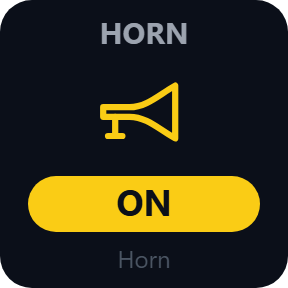
Press a key to sound the horn, acknowledge the AWS or pull the emergency brake. Each press works the cab control in the game itself, so you skip the key binding setup. Setup is one word in Steam's launch options: -HTTPAPI.
- Speed and limit
- Next limit
- Next signal
- Horn and AWS
- Emergency brake
What the keys show
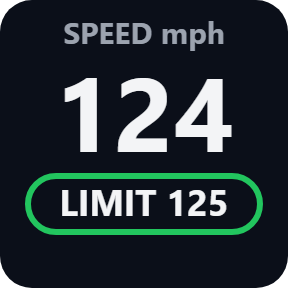
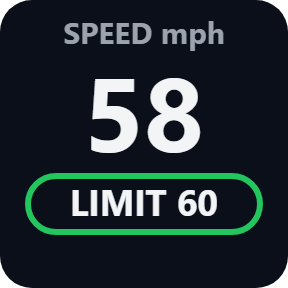
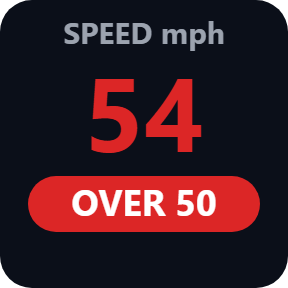
Speed & Limit
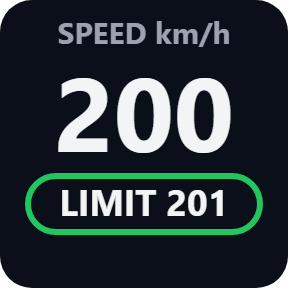
Your speed in big numbers with the limit you are under. Over the limit, the key turns red.
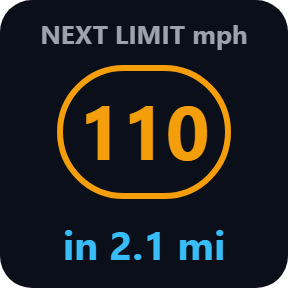
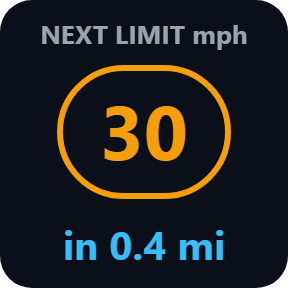
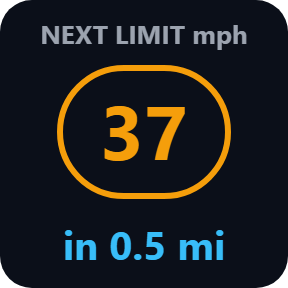
Next Speed Limit
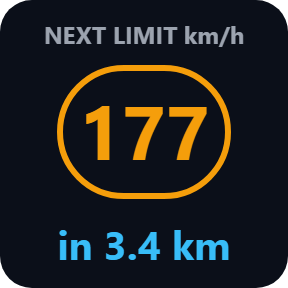
The next limit and how far away it is. Amber when it is lower than now, green when it is higher.
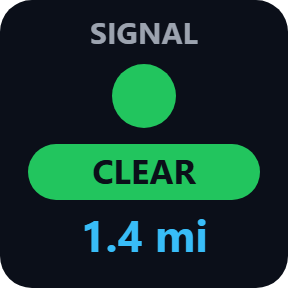
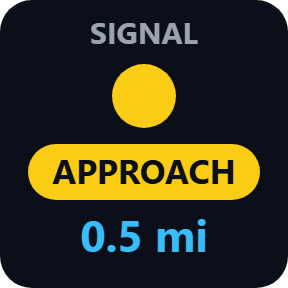
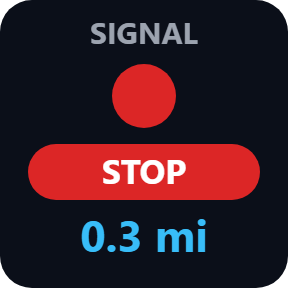
Next Signal
The next signal's aspect in its color with the distance.
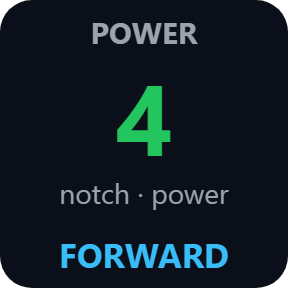
Power Handle
The notch as the game's HUD shows it, a percent on a train without notches, braking notches on a combined handle, and the reverser.
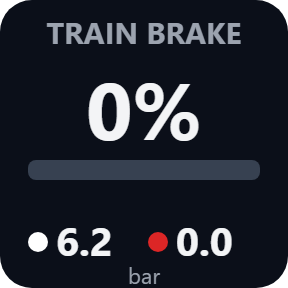
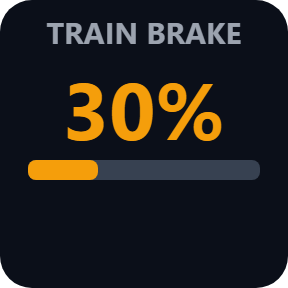
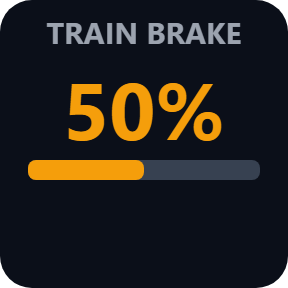
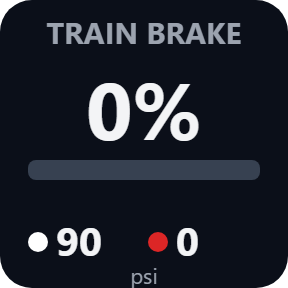
Train Brake
The brake handle with a bar. When the train has a brake gauge, both needles in bar or psi.
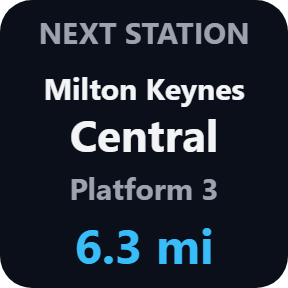
Next Station
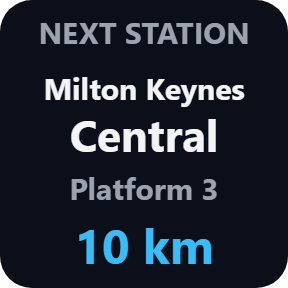
The station name, the platform and the distance. A Game Time key shows the time and your service.
Choose your units
Pick these in each key's settings: mph with miles and yards or km/h with km and m, and the brake gauge in bar or psi.
A button box that knows the train
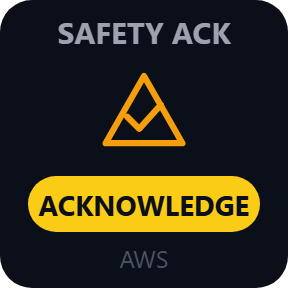
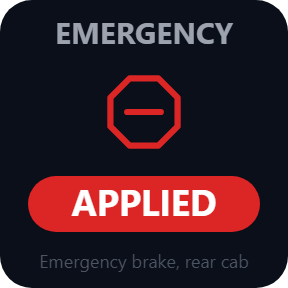
A Cab Button works the horn, the safety acknowledge, the sander or the bell in the cab you drive from: held while you hold it, back at rest when you let go. The acknowledge flashes when the UK AWS, German PZB or US alerter asks, and turns red on a brake demand. The emergency brake stays on after a press; a release key takes it off. A Custom Control key lets you pick a control from the train's list, to hold, toggle or set a value.
Works the cab itself, shows when a press was taken
Keys show what the game reports, also when you drive with the mouse or a controller.
A white frame means the press was taken. If the game is busy when you let go, the key stays red until the control is back at rest.
The train data stays on your PC. The only thing that goes online is the license key check.
Set up in 3 steps
- Open the plugin file you download after buying. The Stream Deck app installs it.
- In Steam, right-click Train Sim World, open Properties and add -HTTPAPI to Launch Options (on Epic: additional command line arguments). Start the game.
- In the Stream Deck app, drag the keys you want onto your Stream Deck and enter your license key once in a key's settings. The keys connect by themselves and show your train.
Two places to buy
| Elgato Marketplace | Direct from GRAMSHIFT | |
|---|---|---|
| Amount | Same amount | Same amount, tax added at checkout |
| Checkout | Elgato Marketplace | Stripe (card) |
| New versions | Installed through the Stream Deck app | Download from your license key page |
| Use on | Your Elgato account | Up to 3 PCs per license key |
| Plugin display | English and Japanese | English and Japanese |
Requirements
- Windows 10 or later
- Stream Deck app 6.9 or later
- Train Sim World 6 or 7 on PC, started with -HTTPAPI
Questions
How do I see Train Sim World speed limits and signals on Stream Deck?
Add -HTTPAPI to the game's launch options in Steam and start the game. Then drag the Speed & Limit, Next Speed Limit or Next Signal keys onto your Stream Deck. In the cab, the keys show your train. Direct purchases also enter the license key once.
Do I need to set up key bindings or install a mod?
No. Each press works the cab control in the game itself, and the only game setting is -HTTPAPI in the launch options. No game files change.
Which Train Sim World versions does it work with?
Train Sim World 6 and Train Sim World 7 on Windows PC, from Steam or Epic Games. Xbox and PlayStation are not supported.
Why does a key say "not on this train"?
Control names differ from train to train. Choose the control from the train's list with a Custom Control key.
How many PCs can I use with one license key?
Up to 3 of your own PCs. If you replace a PC, write to us and we free up a place for the new one.
How do I get new versions if I buy direct?
Download the latest version from your thank-you page or the license key page you received. Your license key keeps working. If you cannot open your license key page, email us as the "Recover your license key" page explains.
What if I lose my license key?
Email contact@gramshift.com from the address you paid with, and include your order number, or the date and amount you paid. We check the purchase and reply with a link to your license key page.
Can I get a refund?
Yes, for a direct purchase. If the plugin does not work on your PC or with your train, email us within 14 days of purchase and we refund the full amount. The license key stops working after the refund.
Direct purchase: details, refunds and seller
- Price
- ¥1,980, the same amount as on the Elgato Marketplace. Tax for your country is added at checkout.
- Payment
- Handled by Stripe through Link, Stripe's checkout service. Link appears as the seller on your receipt and card statement, and your card number never reaches GRAMSHIFT.
- Delivery
- Your license key and download link appear right after payment, and the receipt arrives by email.
- Refunds
- If the plugin does not work on your PC or with your train, email us within 14 days of purchase for a full refund. You can also ask Link support. The license key stops working after a refund.
- License
- One key for your own use on up to 3 PCs.
- Countries
- The direct checkout is not offered in Ascension Island, China, Cuba, Iran, Kosovo, North Korea, Russia, Syria or Tristan da Cunha.
- Seller
- GRAMSHIFT, Tokyo, Japan. Contact: contact@gramshift.com
Limits
- Windows only, with the game and your Stream Deck on the same PC. Not for Xbox or PlayStation.
- Control names differ from train to train. If a Cab Button says "not on this train", choose the control with a Custom Control key.
- Trains report different values: some have no brake gauge, no next speed limit or no acknowledge request. The next station can be one your service does not call at.
- If your Documents folder is in an unusual place, paste the text of CommAPIKey.txt (Documents, My Games, the game's folder, Saved, Config) into the API key field. The Status line in a key's settings shows the game found, the train and the control.
- The direct version checks its license key with our server when you activate it, each time the plugin starts, and about once a day while it runs. If it cannot reach the server, it keeps working for up to 44 days after the last successful check.
- Tested with a stand-in for the game's data, not on every train or game version. If it does not work with your train or setup, email us within 14 days of buying for a full refund.
- If something does not work, email contact@gramshift.com and we will help.