Stream Deck profile for Windows and Mac
Autodesk Fusion on your Stream Deck
Model faster in Autodesk Fusion (Fusion 360): extrude, fillet, sketch and dimension with one press of a labeled Stream Deck key instead of menus.
One purchase covers Stream Deck MK.2, XL, Neo and + on Windows and Mac, and Stream Deck + XL and Corsair Galleon 100 SD on Windows.
The keys send Fusion's own default keyboard shortcuts, so they work with Fusion as it comes and your settings stay as they are. 85 keys on 9 pages cover modeling, sketching, Form, Simulation, Animation, Manufacture and Drawing, and on Stream Deck + the dials undo and redo, switch workspaces and step through Form selections.
- Solid modeling
- Sketch
- Form (T-splines)
- Simulation
- Manufacture and Drawing
- Windows and Mac
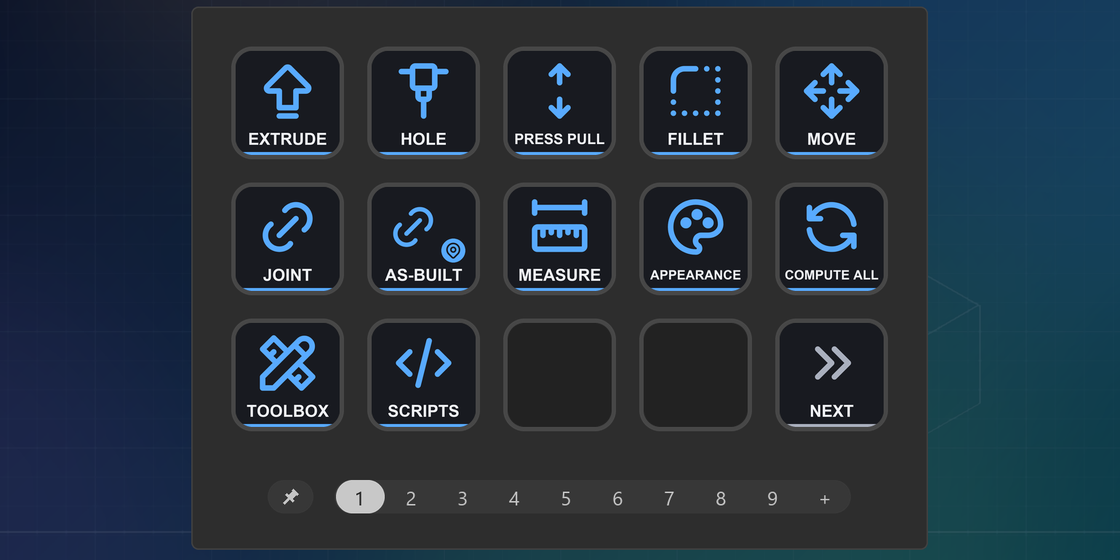
What the keys do
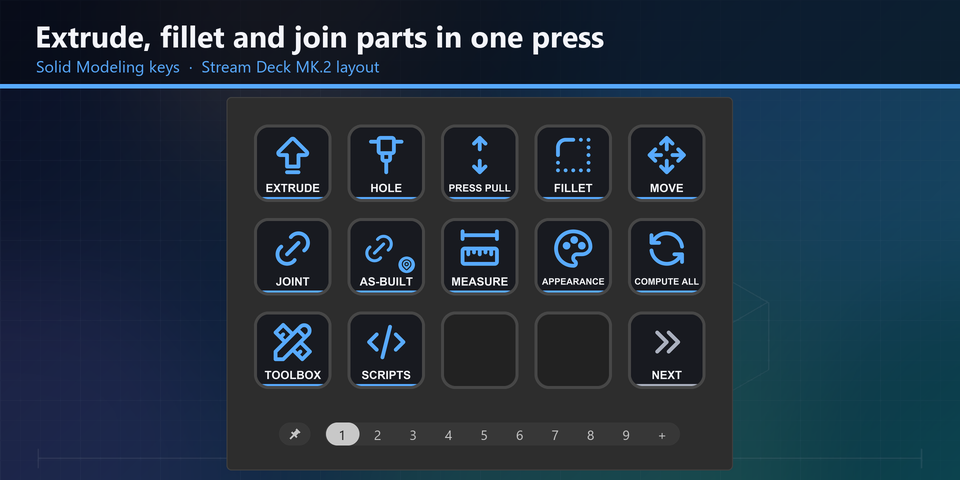
Solid modeling in one press
Extrude, hole, press pull, fillet, move, joint, as-built joint, measure, appearance, compute all, the toolbox and scripts and add-ins.
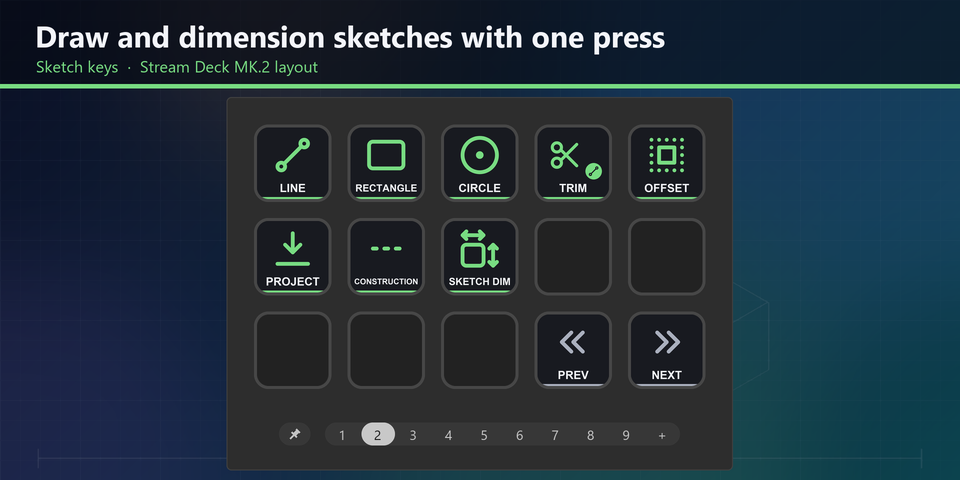
Sketch without the menus
Line, rectangle, circle, trim, offset, project, construction and sketch dimension sit on their own page for the time you spend in a sketch.
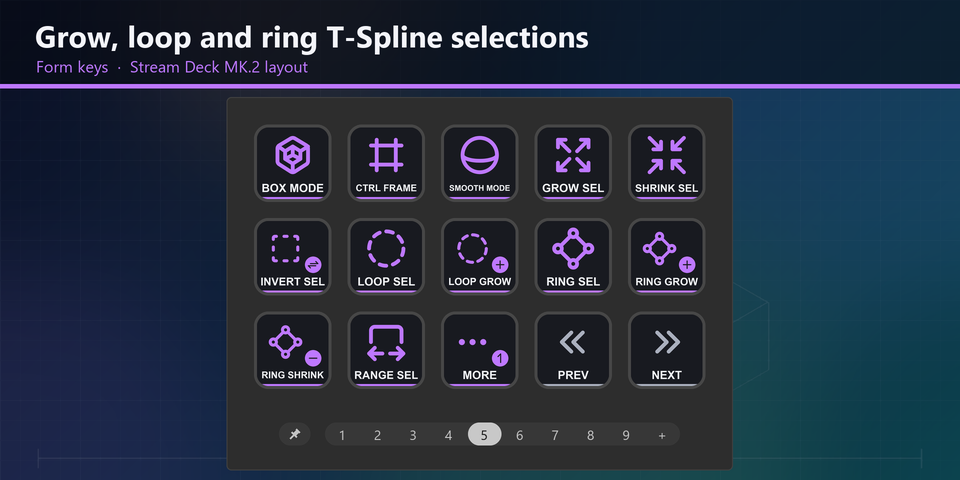
Form and T-splines
Box, control frame and smooth display, grow, shrink, invert, loop, ring, previous and next U and V, range and feature selection for Create Form.
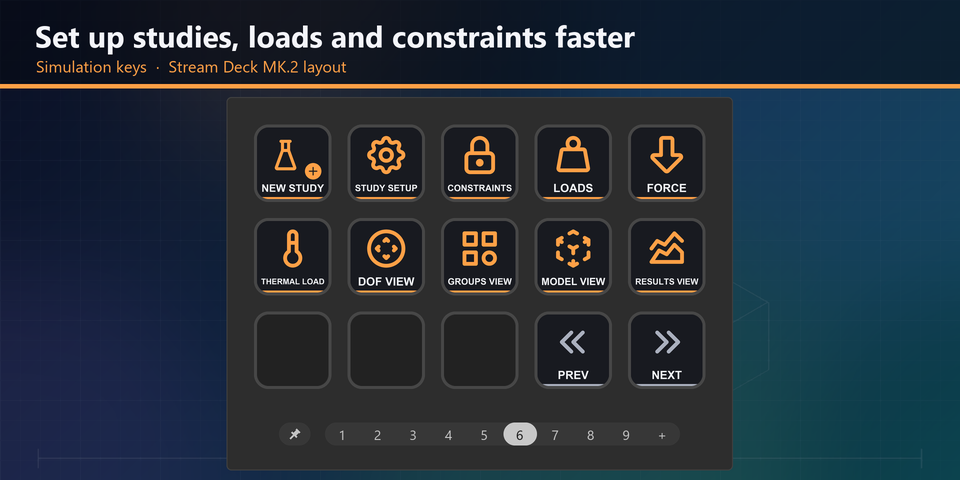
Simulation studies
New study, study settings, constraints, loads, force and thermal load, with the DOF, groups, model and results views one press apart.
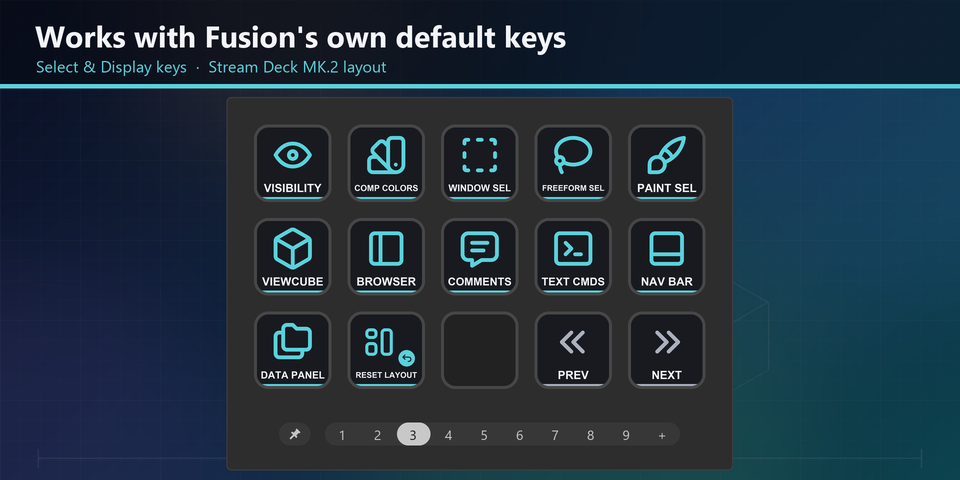
Selection and panels
Toggle visibility and component colors, switch between window, freeform and paint selection, and show or hide the ViewCube, browser, comments, text commands, navigation bar and data panel.
Profiles for six Stream Deck models
The download holds a profile for each of Stream Deck MK.2, XL, Neo and + for Windows and for Mac, and for Stream Deck + XL and Corsair Galleon 100 SD for Windows. MK.2 changes pages with PREV and NEXT, XL and + XL show a whole page at once, and Neo and + show 8 keys a page. On Stream Deck + four dials undo and redo, switch workspaces and step through Form selections; on + XL and Galleon 100 SD two dials undo and redo and switch workspaces.
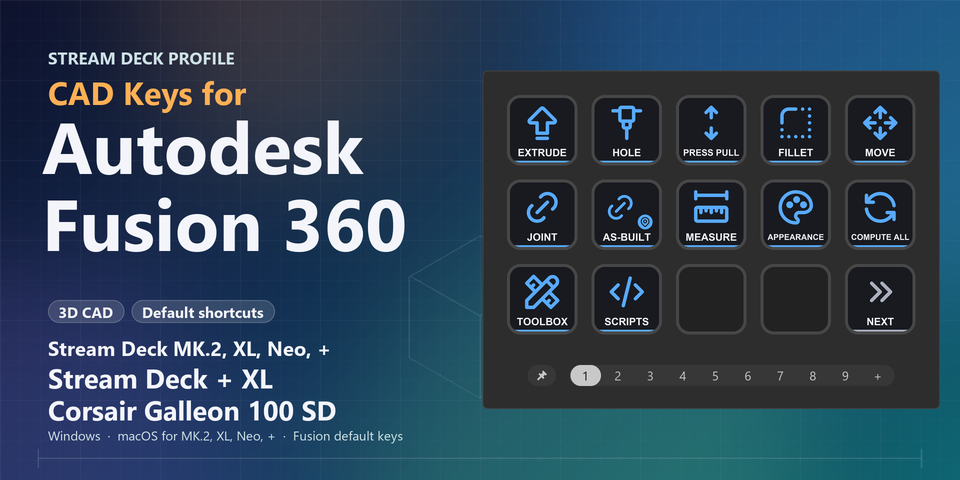
Solid Modeling
Extrude, hole, press pull, fillet, move, joint, as-built joint, measure, appearance, compute all, toolbox, scripts and add-ins.
Sketch
Line, rectangle, circle, trim, offset, project, construction and sketch dimension.
Select & Display
Visibility, component colors, window, freeform and paint selection, ViewCube, browser, comments, text commands, navigation bar, data panel and reset layout.
File & Undo
New design, open, save, recovery save, next tab, undo, redo, copy, paste, cut and workspace up and down.
Form
Display modes, grow, shrink, invert, loop, grow loop, ring, grow and shrink ring, previous and next U and V, range and feature.
Simulation, Animation, Manufacture, Drawing
Study setup, loads and views; transform and explode; generate toolpath and the log; projected views, dimensions, text and balloons.
Set to Fusion's default shortcuts
Each key sends one of Autodesk Fusion's default keyboard shortcuts. Nothing is imported into Fusion, and your Fusion settings stay as they are.
Keep Fusion in front, in the workspace the page is for: the keys are sent to the window in front.
Changed a shortcut in Fusion? Edit that key's Hotkey in the Stream Deck app to the same key.
Set up in 3 steps
- Buy, then download and unzip the file.
- Double-click the .streamDeckProfile file for your Stream Deck and your computer. The Stream Deck app imports it.
- Open Autodesk Fusion, select the profile on your Stream Deck and press a key.
Requirements
- Windows 10 or later, or macOS
- Stream Deck MK.2, XL, Neo or + (Windows or Mac), or Stream Deck + XL or Corsair Galleon 100 SD (Windows)
- The Stream Deck app
- Autodesk Fusion with its default keyboard shortcuts
Questions
How do I use a Stream Deck with Autodesk Fusion 360?
Double-click the CAD Keys profile file for your Stream Deck and the Stream Deck app imports it. Open Fusion, select the profile and press a key: each key sends one of Fusion's default keyboard shortcuts, such as E for extrude or F for fillet.
Do I need to change Fusion's shortcuts or install an add-in?
No. The keys are set to Fusion's default keyboard shortcuts, and nothing is imported into Fusion. If you changed a shortcut in Fusion, edit that key's Hotkey in the Stream Deck app to the same key.
Does it work on a Mac?
Yes. The download holds macOS profiles for Stream Deck MK.2, XL, Neo and +, with Fusion's macOS keys (Command in place of Ctrl). The first time a key is pressed, macOS may ask to let the Stream Deck app control the computer: allow it in System Settings > Privacy & Security > Accessibility.
Which Stream Deck is it for?
Stream Deck MK.2, XL, Neo and + on Windows and Mac, and Stream Deck + XL and Corsair Galleon 100 SD on Windows. One purchase covers all of them.
What do the dials do?
On Stream Deck + the four dials undo and redo (press to save), move up and down the workspace list, grow and shrink a Form selection, and step to the previous or next U. On + XL and Galleon 100 SD the two dials undo and redo and switch workspaces.
Why does a key do nothing?
Keep Fusion in front, in the workspace the page is for: the Sketch keys work in a sketch, the Form keys in Create Form, and the Simulation keys in the Simulation workspace. If you changed that shortcut in Fusion, edit the key's Hotkey in the Stream Deck app to the same key.
What do I get when I buy?
A zip with the profile files (Windows and macOS) and a README. Double-click the profile file for your Stream Deck to import it. No account is needed.
How do I get the file again?
Email contact@gramshift.com from the address you paid with, and include your order number, or the payment date and amount. We check the purchase and send a new link to the download page.
Can I get a refund?
Yes. If the profile does not work with your Stream Deck and Autodesk Fusion, email us within 14 days of purchase for a full refund. The download closes after a refund.
Purchase details
- Price
- ¥2,800, paid once. Tax for your country is added at checkout.
- Payment
- Handled by Stripe through Link, Stripe's checkout service. Link appears as the seller on your receipt and card statement, and your card number never reaches GRAMSHIFT.
- Delivery
- A download link appears right after payment, and the receipt arrives by email. You get the profile files and a README.
- Refunds
- If the profile does not work with your Stream Deck and Autodesk Fusion, email us within 14 days of purchase for a full refund. You can also ask Link support. The download closes after a refund.
- Use
- For your own use. Please do not share, resell or upload the file.
- Countries
- Checkout is not offered in Ascension Island, China, Cuba, Iran, Kosovo, North Korea, Russia, Syria or Tristan da Cunha.
- Seller
- GRAMSHIFT, Tokyo, Japan. Contact: contact@gramshift.com
Limitations
- For Autodesk Fusion with Stream Deck MK.2, XL, Neo or + on Windows or Mac, or Stream Deck + XL or Corsair Galleon 100 SD on Windows.
- Each page is for its own part of Fusion. Keep Fusion in front in that workspace; elsewhere Fusion may ignore a key or use the letter for something else.
- In an Electronics Cooling study, F and C mean Fan and Heat Sink, so the Force and Constraints keys are for the other study types. The Electronics workspace and the Delete key are not included.
- On Windows the two workspace keys use Ctrl+[ and Ctrl+], which sit on other keys on some keyboard layouts. On a Mac there is no next tab key, because Command+Tab switches apps, and no workspace keys.
- Each key sends one key press. Mouse actions (pan, zoom, orbit), drags and keys held while sketching stay on your mouse and keyboard.