Stream Deck profile for Windows
Football Manager 27 on your Stream Deck
A Stream Deck profile for Football Manager 27 (FM27) on Windows: open Squad, Tactics, Recruitment, Training and your bookmarked screens, switch tabs, read messages, press Continue and save your game with one press of a labeled key.
One purchase covers Stream Deck MK.2, XL, Neo and +, with English or Japanese key labels.
The game keys send the game's own default keyboard shortcuts, so the game stays as installed and your saves stay as they are. On Stream Deck +, four dials flick through tabs, sub tabs and messages and step back and forward.
- Squad, tactics and recruitment
- Your bookmarked screens
- Tabs and sub tabs
- Messages and Continue
- Save and load
- Dials on Stream Deck +
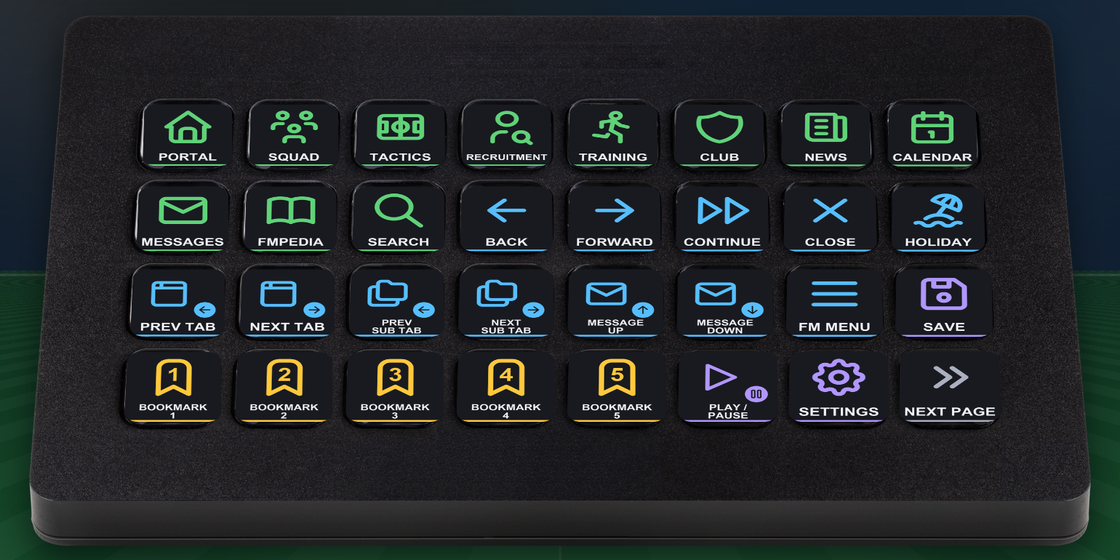
What the keys do
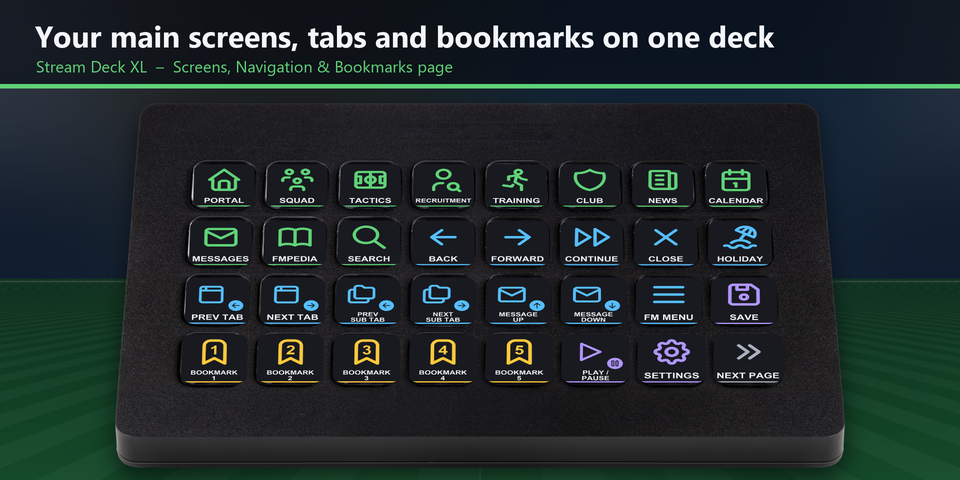
Your main screens on one XL page
On Stream Deck XL, the first page puts the main screens, Back, Forward, Continue, tabs, sub tabs, messages, Save and your first bookmarks side by side.
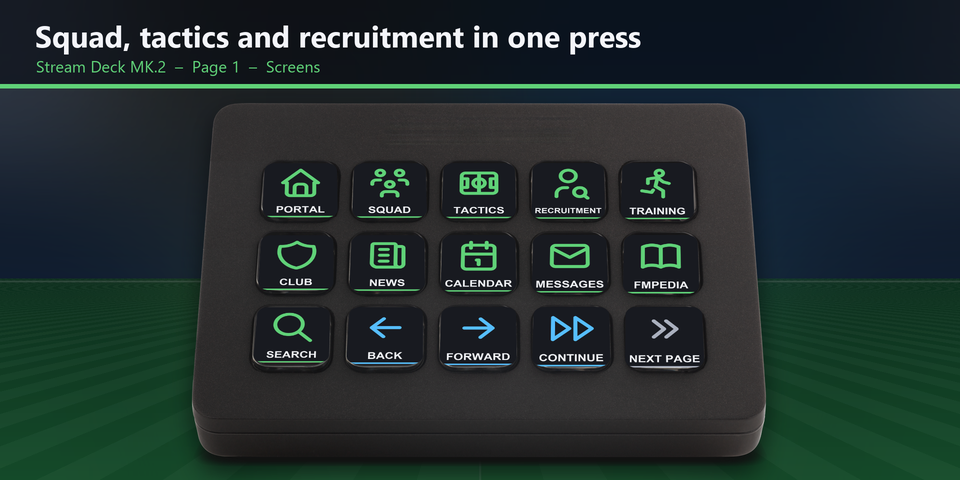
Squad, tactics and recruitment in one press
Portal, Squad, Tactics, Recruitment, Training, Club, News, Calendar, Messages, FMPedia and Search, with Back, Forward and Continue on the same page.
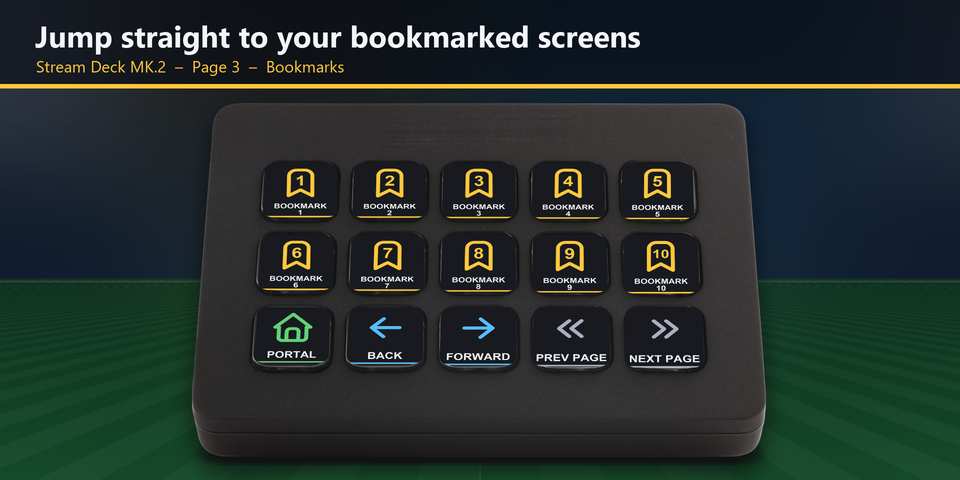
Your bookmarked screens
Bookmark a screen in the game, then jump back to it with one press. Ten bookmark keys sit on their own page.
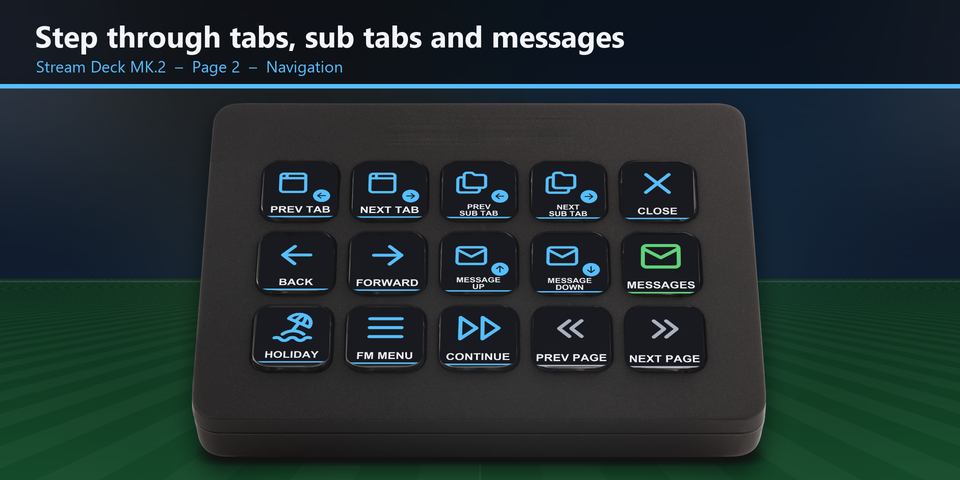
Tabs, sub tabs and messages
Step through tabs and sub tabs, move up and down your messages, close a window, go on holiday or open the FM menu.
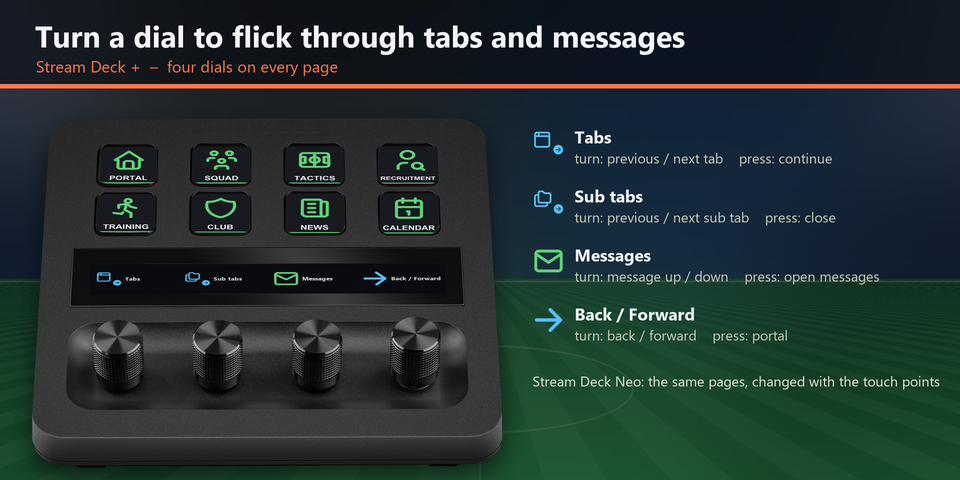
Four dials on Stream Deck +
Turn to flick through tabs, sub tabs and messages, or to step back and forward. Press the dials to continue, close, open messages or go to the portal. On Stream Deck Neo, the touch points change pages.
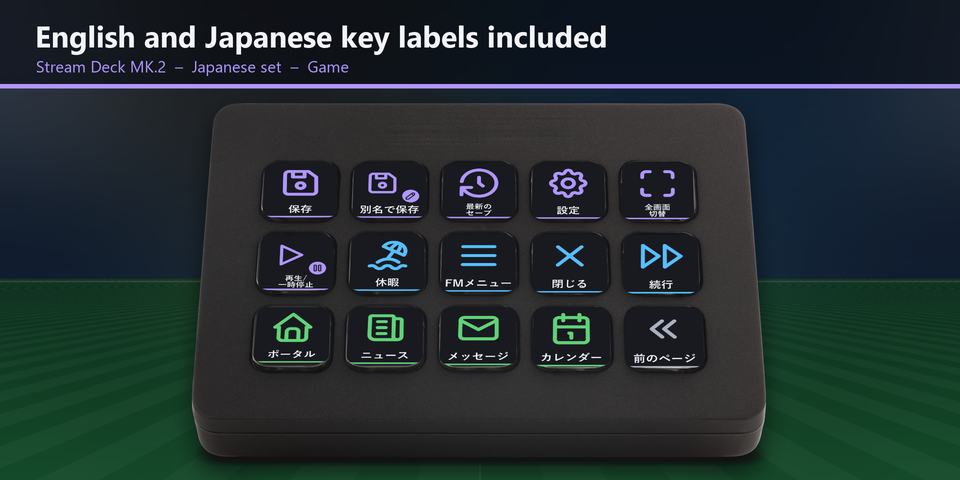
English and Japanese labels
The download holds the same keys twice: once with English labels and once with Japanese labels. Import the set you want.
Profiles for four Stream Deck models
The download holds a profile for each of Stream Deck MK.2, XL, Neo and +, in English and in Japanese. MK.2 has one page per group of keys. Neo and + show 8 keys a page: tap the touch points on Neo, or swipe the touch strip on +, to change pages.
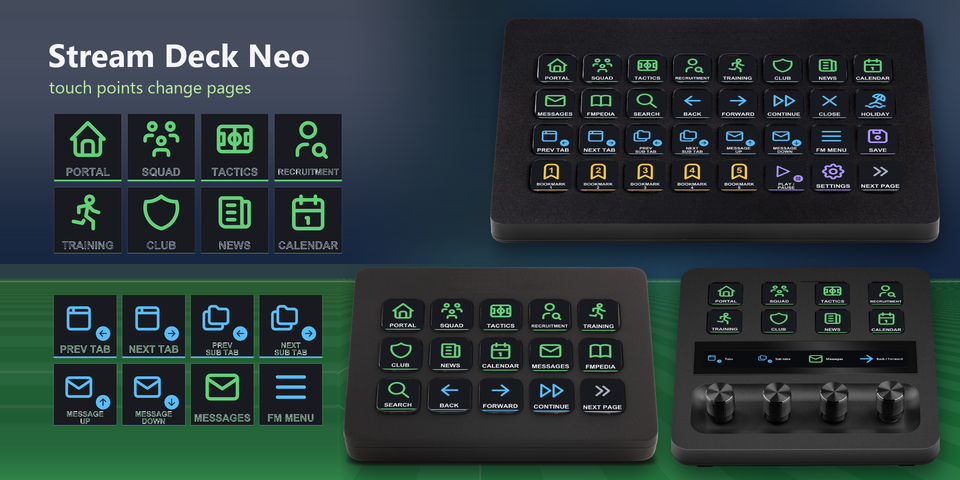
Screens
Portal, Squad, Tactics, Recruitment, Training, Club, News, Calendar, Messages, FMPedia and Search.
Moving around
Back, Forward, Continue, Close, and Go on holiday.
Tabs and messages
Previous and next tab, previous and next sub tab, message up and down, and the FM menu.
Bookmarks
Bookmarks 1 to 10, for the screens you bookmark in the game.
Game
Save, Save as, Load recent save, Settings, full screen on and off, and play / pause the match.
Dials on Stream Deck +
Tabs (press: continue), sub tabs (press: close), messages (press: open messages) and back / forward (press: portal).
Set to the default shortcuts
The game keys send the default keyboard shortcuts of Football Manager 27, so the game and your saves stay as they are. Checked in the real Football Manager 27 with its default shortcuts.
Keep the game window in front: the keys are sent to the window in front.
Changed a shortcut in the game? Edit that key's Hotkey in the Stream Deck app to the same key.
Set up in 3 steps
- Buy, then download and unzip the file.
- Double-click the .streamDeckProfile file for your Stream Deck. The Stream Deck app imports it.
- Start Football Manager 27, select the profile on your Stream Deck and press a key.
Requirements
- Windows 10 or later
- Stream Deck MK.2, XL, Neo or +
- The Stream Deck app
- Football Manager 27 for Windows (Steam, Epic Games Store, or Xbox app / PC Game Pass) with its default keyboard shortcuts
Questions
How do I control Football Manager 27 with a Stream Deck?
Double-click the Club Deck profile file for your Stream Deck and the Stream Deck app imports it. Start the game, select the profile and press a key: the keys send the game's default keyboard shortcuts for your screens, tabs, messages, bookmarks, Continue and Save.
Do I need to change the game's shortcuts?
No. The keys are set to the default keyboard shortcuts of Football Manager 27. If you changed a shortcut in the game, edit that key's Hotkey in the Stream Deck app to the same key.
Which Stream Deck is it for?
Stream Deck MK.2, XL, Neo and +, on Windows. One purchase covers all four, with English or Japanese key labels.
What do the dials on Stream Deck + do?
Turn them to flick through tabs, sub tabs and messages, or to step back and forward. Press them to continue, close, open messages or go to the portal.
How do the bookmark keys work?
Bookmark a screen in Football Manager first. Bookmark keys 1 to 10 then open the bookmark with the same number.
Why does a key do nothing?
Keep the game window in front: the keys are sent to the window in front. Use the direct (English) input mode, not Japanese input. If you changed that shortcut in the game, edit its Hotkey in the Stream Deck app to the same key.
What do I get when I buy?
A zip with the profile files (MK.2, XL, Neo and +, in English and Japanese) and a README. Double-click the profile file for your Stream Deck to import it. No account is needed.
How do I get the file again?
Email contact@gramshift.com from the address you paid with, and include your order number, or the payment date and amount. We check the purchase and send a new link to the download page.
Can I get a refund?
Yes. If the profile does not work with your Stream Deck and Football Manager 27, email us within 14 days of purchase for a full refund. The download closes after a refund.
Purchase details
- Price
- ¥1,600, paid once. Tax for your country is added at checkout.
- Payment
- Handled by Stripe through Link, Stripe's checkout service. Link appears as the seller on your receipt and card statement, and your card number never reaches GRAMSHIFT.
- Delivery
- A download link appears right after payment, and the receipt arrives by email. You get the profile files and a README.
- Refunds
- If the profile does not work with your Stream Deck and Football Manager 27, email us within 14 days of purchase for a full refund. You can also ask Link support. The download closes after a refund.
- Use
- For your own use. Please do not share, resell or upload the file.
- Countries
- Checkout is not offered in Ascension Island, China, Cuba, Iran, Kosovo, North Korea, Russia, Syria or Tristan da Cunha.
- Seller
- GRAMSHIFT, Tokyo, Japan. Contact: contact@gramshift.com
Limitations
- For Football Manager 27 on Windows, with Stream Deck MK.2, XL, Neo or +. There are no macOS keys.
- Keep the game window in front: the keys go to the window in front.
- Set to the default shortcuts. After you change a shortcut in the game, edit that key's Hotkey in the Stream Deck app to the same key.
- Made for the direct (English) input mode of Windows: keep Japanese input (IME) off while you play.
- Made for US and Japanese keyboard layouts. On some other layouts (for example French AZERTY) a few letters are in other places. If a key does the wrong thing, edit it in the Stream Deck app, or email contact@gramshift.com and we will help.
- Each key sends one short press. Bookmarks 11 and 12 (in other places on US and Japanese keyboards), scrolling with the number pad and mouse actions stay on your keyboard and mouse. You can add the bookmarks in the Stream Deck app.
- The bookmark keys open the screens you bookmark in the game. Bookmark a screen first.