Stream Deck plugin for War Thunder on Windows
Live War Thunder cockpit gauges on your Stream Deck keys
Cockpit Gauges for War Thunder shows the airspeed, altitude, fuel with the minutes it lasts, engine temperatures, landing gear and flaps of your aircraft right on your keys while you fly.
Jump into a tank and the same keys switch by themselves to gear and speed, your crew with your gunner and driver, and the rounds in your ready rack. It only shows values: it never sends keys or commands to the game.
- Airspeed and altitude
- Fuel minutes left
- Engine temperatures
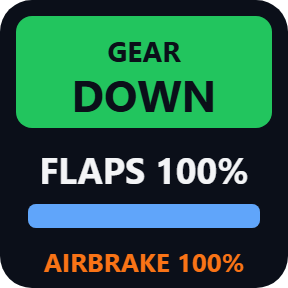
- Gear and flaps
- Tank crew
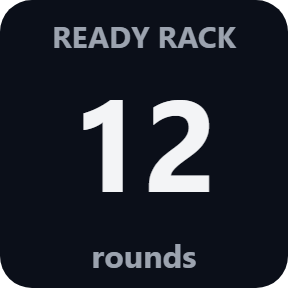
- Ready rack
What the keys show
Speed
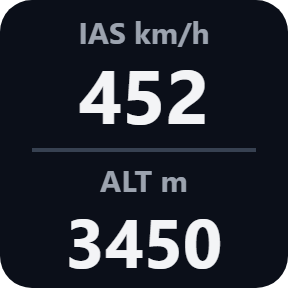
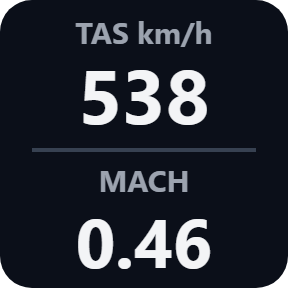
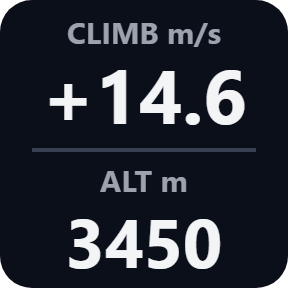
Airspeed (IAS) and altitude. Press the key for true airspeed (TAS) and Mach, then climb rate. In km/h, mph or knots, and meters or feet.
Fuel
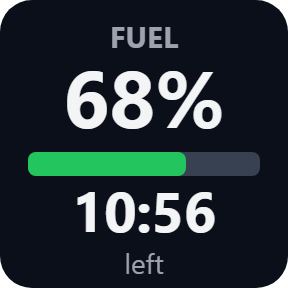
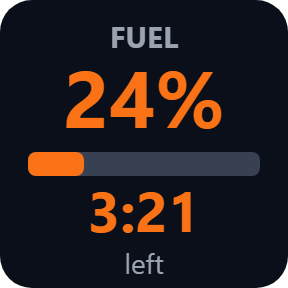
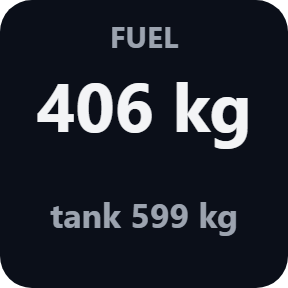
The percent of your full tanks, a bar and the minutes left at your current burn. It turns orange under the warning time you choose (5 minutes unless you change it), red under half of it, and stays red at EMPTY.
Engine
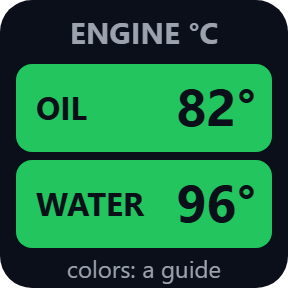
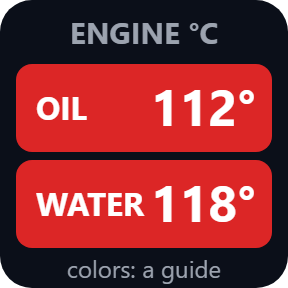
The highest oil temperature and the highest water temperature among your engines, in green, orange and red. The colors start from a guide, and you can enter the temperatures where your aircraft overheats.
Gear & Flaps
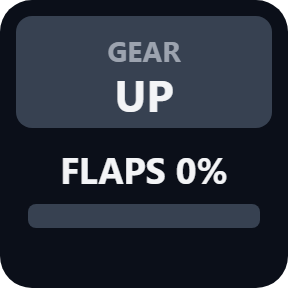
Landing gear UP, DOWN or moving, flaps with a bar, and the airbrake while it is out.
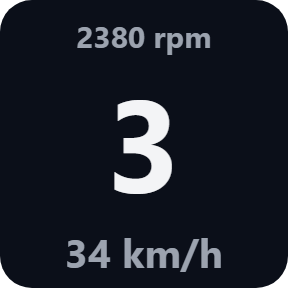
In a tank: gear and speed
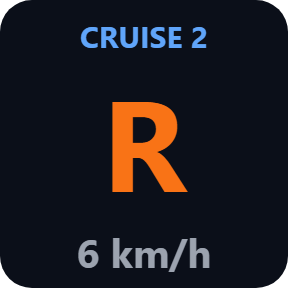
The Speed key shows the gear (N, R) with your speed, rpm and cruise control.
In a tank: crew
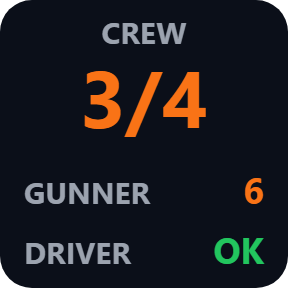
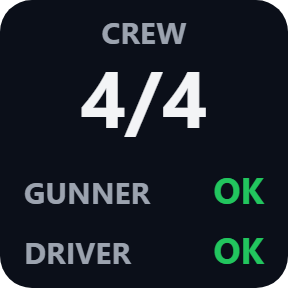
The Fuel / Crew key shows the crew left, for example 3/4, with your gunner and driver shown OK or in orange.
In a tank: ready rack
The Engine / Ready Rack key shows the rounds left in your ready rack.
Press a key for more
Press Speed to step through true airspeed and Mach, then climb rate. Press Fuel for kilograms and the tank size. Units, the fuel warning and the engine temperatures are in each key's settings.
Says so when there is nothing live to show
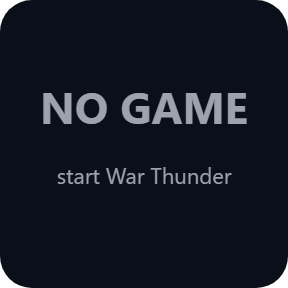
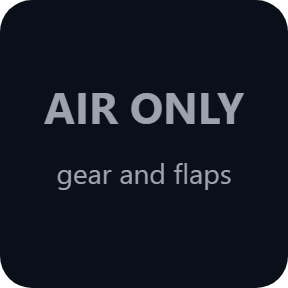
Between battles the keys show IN HANGAR, and with the game closed they show NO GAME. In a tank, Gear & Flaps says it is for aircraft only. While a map loads the last values stay steady, LOADING appears when a load takes longer, and STALE grays the values out when none of them has changed for 10 seconds.

Display only, and it finds the game by itself
Start War Thunder and the keys connect by themselves, with nothing to change in the game. They switch between aircraft and tank on their own, also in the middle of a battle.
It only shows values of your own vehicle: it never sends keys, mouse input or commands to the game, and it shows no other players.
The game's values stay on your PC. The only thing that goes online is the license key check.
Set up in 3 steps
- Open the plugin file you download after buying. The Stream Deck app installs it.
- In the Stream Deck app, drag Speed, Fuel / Crew, Engine / Ready Rack and Gear & Flaps onto your Stream Deck and enter your license key once in a key's settings.
- Start War Thunder and join a battle or a test flight. The keys connect by themselves, with nothing to change in the game.
Two places to buy
| Elgato Marketplace | Direct from GRAMSHIFT | |
|---|---|---|
| Amount | Same amount | Same amount, tax added at checkout |
| Checkout | Elgato Marketplace | Stripe (card) |
| New versions | Installed through the Stream Deck app | Download from your license key page |
| Use on | Your Elgato account | Up to 3 PCs per license key |
| Plugin display | English and Japanese | English and Japanese |
Requirements
- Windows 10 or later
- Stream Deck app 6.9 or later
- War Thunder on PC
Questions
How do I show War Thunder airspeed and fuel on my Stream Deck?
Drag Speed and Fuel / Crew onto keys, start War Thunder and join a battle or a test flight. The keys find the game by themselves and show airspeed (IAS), altitude, the fuel percent and the minutes left at your current burn, with nothing to set up in the game.
Does it work in tanks?
Yes. The same keys switch by themselves to gear with speed and rpm, crew left with your gunner and driver, and the rounds in the ready rack, also when you change vehicles in the middle of a ground battle. Gear & Flaps is for aircraft only.
Why do my keys show NO DATA while I play?
Some game modes and custom battle settings turn the game's data off, and the keys show NO DATA until it is on again; they come back by themselves. The Support page has a quick check, and the Status line in a key's settings shows whether the game is found.
Does it press keys or play for me?
No. It only shows values. It never sends keys, mouse input or commands to the game, and it shows only your own vehicle, not other players.
Can I use knots and feet?
Yes. In the Speed key's settings choose km/h, mph or knots, and meters or feet (the climb rate is then in ft/min). The Engine key has Celsius or Fahrenheit.
How many PCs can I use with one license key?
Up to 3 of your own PCs. If you replace a PC, write to us and we free up a place for the new one.
How do I get new versions if I buy direct?
Download the latest version from your thank-you page or the license key page you received. Your license key keeps working. If you cannot open your license key page, email us as the "Recover your license key" page explains.
What if I lose my license key?
Email contact@gramshift.com from the address you paid with, and include your order number, or the date and amount you paid. We check the purchase and reply with a link to your license key page.
Can I get a refund?
Yes, for a direct purchase. If the plugin does not work on your PC, email us within 14 days of purchase and we refund the full amount. The license key stops working after the refund.
Direct purchase: details, refunds and seller
- Price
- ¥780, the same amount as on the Elgato Marketplace. Tax for your country is added at checkout.
- Payment
- Handled by Stripe through Link, Stripe's checkout service. Link appears as the seller on your receipt and card statement, and your card number never reaches GRAMSHIFT.
- Delivery
- Your license key and download link appear right after payment, and the receipt arrives by email.
- Refunds
- If the plugin does not work on your PC, email us within 14 days of purchase for a full refund. You can also ask Link support. The license key stops working after a refund.
- License
- One key for your own use on up to 3 PCs.
- Countries
- The direct checkout is not offered in Ascension Island, China, Cuba, Iran, Kosovo, North Korea, Russia, Syria or Tristan da Cunha.
- Seller
- GRAMSHIFT, Tokyo, Japan. Contact: contact@gramshift.com
Limits
- Windows only (Windows 10 or later), with the game and your Stream Deck on the same PC. War Thunder on PC only, not PlayStation or Xbox. Stream Deck keys only: the actions do not go on dials.
- Display only: it shows values and never sends keys, mouse input or commands to the game. It shows your own vehicle only, not other players.
- The aircraft gauges (airspeed, altitude, climb, Mach, fuel, oil temperature, landing gear) were checked in War Thunder 2.59 in an arcade air battle. The tank keys and the flaps were checked in a reproduced environment that answers in the game's format. If something looks wrong on your setup, write to us.
- Some game modes and custom battle settings turn the game's data off. The keys then show NO DATA until it comes back. The Support page has a quick check.
- Shows only what the game reports for your own vehicle: no reload timer, ammunition count or damage for tanks, and each aircraft only with the gauges it has (an air-cooled engine has no water temperature).
- Ships are not supported. The fuel time left needs a few seconds of flight to measure.
- If a game update renames a value, the keys leave that value out; with all the main values gone they show DATA CHANGED, and data that cannot be read at all shows BAD DATA.
- The gunner and the driver show OK when the game sends 0, as it does for a full crew; any other number is shown as the game sends it, without a unit, because the game does not document what it counts.
- The direct version checks its license key with our server when you activate it, each time the plugin starts, and about once a day while it runs. If it cannot reach the server, it keeps working for up to 44 days after the last successful check.
- If something does not work, email contact@gramshift.com and we will help.