OpenDeck plugin for Windows and Mac
Run a command on Ajazz or Mirabox keys and see if it passed, OpenDeck
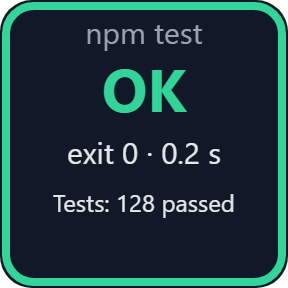
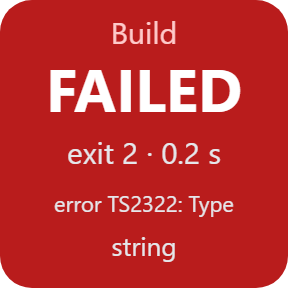
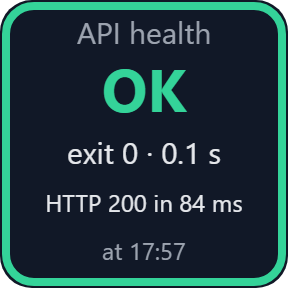
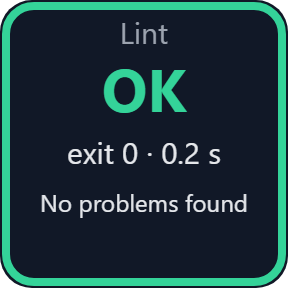
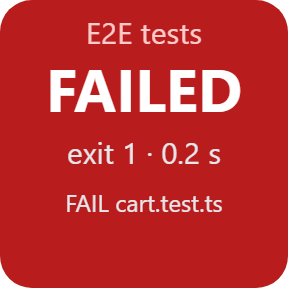
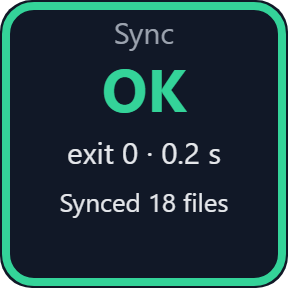
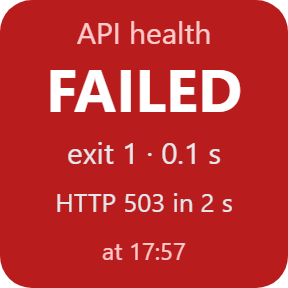
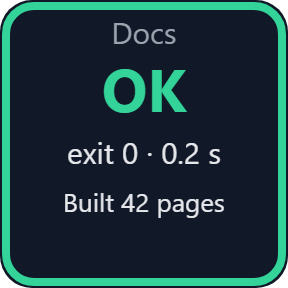
On an Ajazz or Mirabox deck running OpenDeck, Command Status runs your test, build or backup script from a key and shows the result on that key: green on a success exit code, red on failure, with the exit code, the run time and the last line of output.
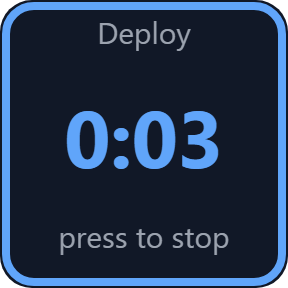
Press again to stop a command and any programs still running under it. A Watch Command key can repeat a check every 1 to 60 minutes while the key is visible. On Windows it works with Command Prompt and Windows PowerShell; on a Mac with zsh, the shell of Terminal, and PowerShell 7. It runs as your own user.
- Command Prompt
- PowerShell
- zsh on Mac
- Exit code
- Last line of output
- Time limit
- Every 1 to 60 minutes
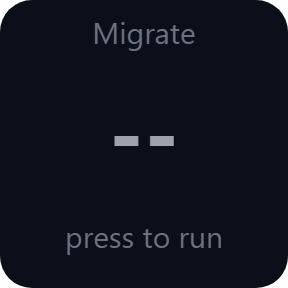
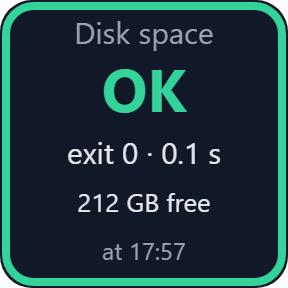
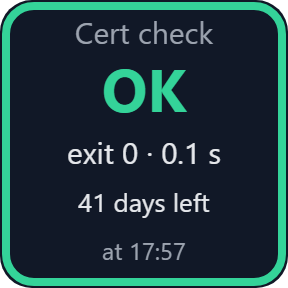
What the keys do
Green when it passes
Press the key to run your command. On a success exit code the key turns green and shows the exit code, the run time and the last line of output.
Red when it fails
A command that fails, times out or cannot start turns the key red, with an alert. The exit code and the last line of output are right there on the key.
Press again to stop
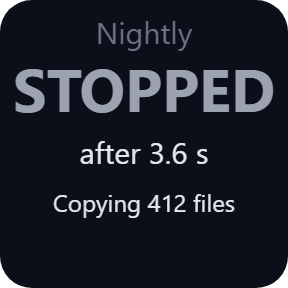
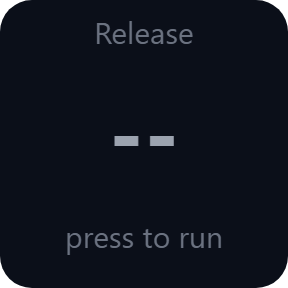
While a command runs, the key shows a timer. Press again to stop the command and any programs still running under it.
Your own success codes
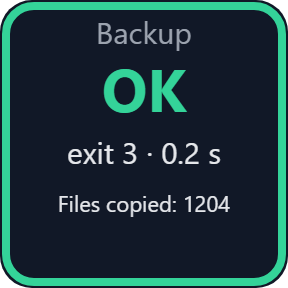
Choose which exit codes count as success, for example 0-7 for robocopy, so a good backup stays green.
Command Prompt, PowerShell, zsh or a program
Type the command as you would at Command Prompt, or run it with Windows PowerShell, or start a program directly. On a Mac, use zsh or PowerShell 7. Set a working folder and a time limit from 1 minute to 4 hours.
More output in the settings
The last lines of output appear in the key's settings. UTF-8, the console code page, such as Japanese Shift_JIS, and English UTF-16 can be read.
Install in OpenDeck
In OpenDeck, open the Plugins tab, install the .streamDeckPlugin file you downloaded, then enter your license key once in a key's settings.
Requirements
- Windows 10 or later, or macOS 13 or later (Apple silicon or Intel)
- OpenDeck 2.14 or later
Questions
How do I run a script from an Ajazz or Mirabox key with OpenDeck and see whether it passed?
Place a Run Command key on your deck in OpenDeck and type your command in its settings, for example npm test. Press the key: it turns green on a success exit code and red on failure, with the exit code, the run time and the last line of output.
How do I stop a command that is running?
Press the key again. That stops the command and any programs still running under it. The time limit, from 1 minute to 4 hours, also ends a command that runs too long.
Why does my robocopy backup show as failed when it worked?
robocopy uses exit codes 1 to 7 for success. Set Success codes to 0-7 in the key's settings and those runs stay green.
Purchase details, refunds and seller
- Price
- ¥980, paid once. Tax for your country is added at checkout.
- Payment
- Handled by Stripe through Link, Stripe's checkout service. Link appears as the seller on your receipt and card statement, and your card number never reaches GRAMSHIFT.
- Delivery
- Your license key and download link appear right after payment, and the receipt arrives by email.
- Countries
- The direct checkout is not offered in Ascension Island, China, Cuba, Iran, Kosovo, North Korea, Russia, Syria or Tristan da Cunha.
- Seller
- GRAMSHIFT, Tokyo, Japan. Contact: contact@gramshift.com
- Refunds
- If the plugin fails to run on your PC, email contact@gramshift.com within 14 days of purchase for a full refund. The license key stops working after a refund.
- License
- One key for your own use on up to 3 PCs.
Limits
- The plugin runs whatever you type, with your permissions, and does not check it. A command that deletes files will delete them, so only set commands you trust.
- Commands get no input, so use a no-prompt option such as --yes or /Y when a command would ask a question. The time limit ends a command that hangs.
- A Watch Command key runs only while it is visible on your deck, and only after your first press.
- The direct version checks its license key with our server when you activate it, at each plugin start and about once a day. If the server cannot be reached, it keeps running for up to 44 days after the last successful check.