Stream Deck plugin for Windows
Run a command from a Stream Deck key and see whether it passed
Command Status for Windows runs your test, build or backup script from a key and shows the result on that key: green on a success exit code, red on failure, with the exit code, the run time and the last line of output.
Press again to stop a command and any programs still running under it. A Watch Command key can repeat a check every 1 to 60 minutes while the key is visible. It works with Command Prompt and Windows PowerShell, as your Windows user.
- Command Prompt
- PowerShell
- Exit code
- Last line of output
- Time limit
- Every 1 to 60 minutes
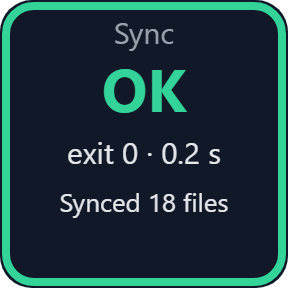
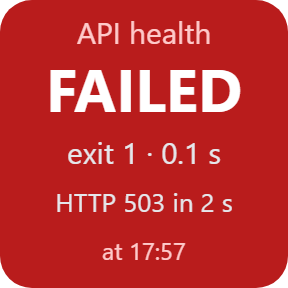
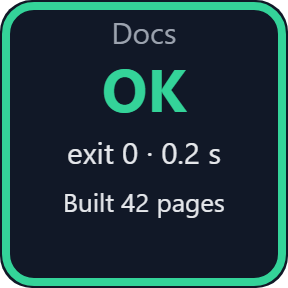
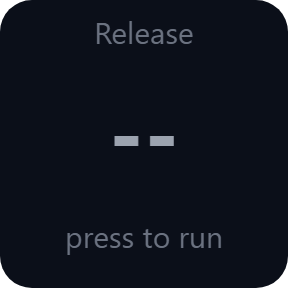
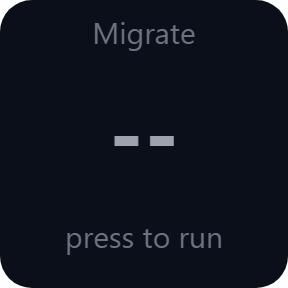
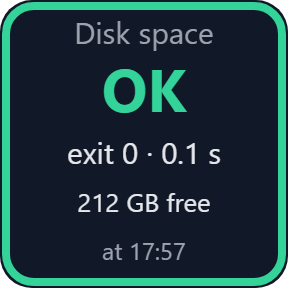
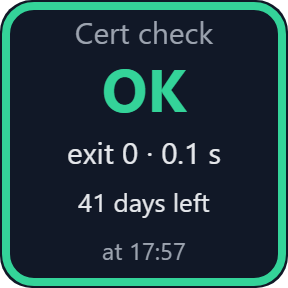
What the keys do
Green when it passes
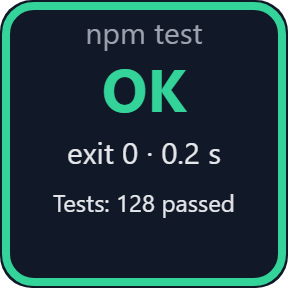
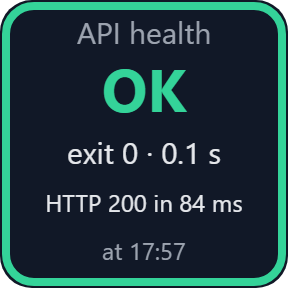
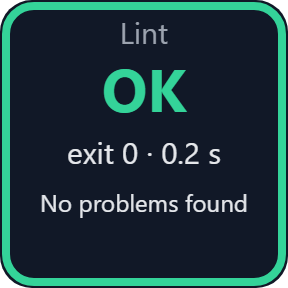
Press the key to run your command. On a success exit code the key turns green and shows the exit code, the run time and the last line of output.
Red when it fails
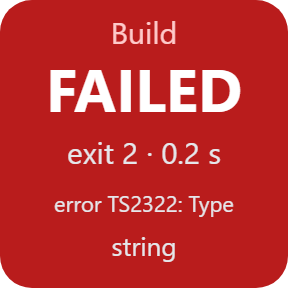
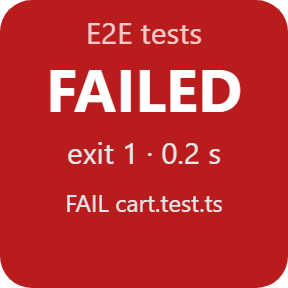
A command that fails, times out or cannot start turns the key red, with an alert. The exit code and the last line of output are right there on the key.
Press again to stop
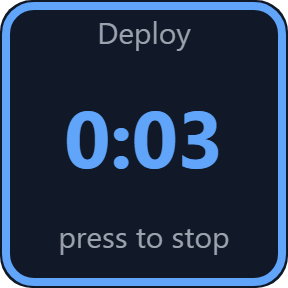
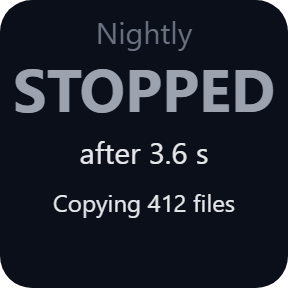
While a command runs, the key shows a timer. Press again to stop the command and any programs still running under it.
Your own success codes
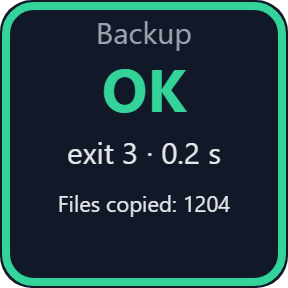
Choose which exit codes count as success, for example 0-7 for robocopy, so a good backup stays green.
Command Prompt, PowerShell or a program
Type the command as you would at Command Prompt, or run it with Windows PowerShell, or start a program directly. Set a working folder and a time limit from 1 minute to 4 hours.
More output in the settings
The last lines of output appear in the key's settings. UTF-8, the console code page, such as Japanese Shift_JIS, and English UTF-16 can be read.
Read the result from across the desk
The key tells you where each command stands. Choose a label for each key, so you can tell your commands apart at a glance. The key images on this page are the plugin's own output with sample commands.
Watch Command: a check that repeats
After your first press, a Watch Command key runs the command every 1, 5, 15, 30 or 60 minutes while the key is visible, and shows the latest result and when it ran. If the key is visible, it also runs right after the Stream Deck app or your PC starts and when your license becomes active again. Press to run it now.
Runs on your PC, as you
The plugin runs exactly the command you type, as your Windows user. It never asks for administrator rights. No account is needed.
Commands get no input, so use a no-prompt option such as --yes or /Y when a command would ask a question. The time limit ends a command that hangs.
Your commands and their output stay on your PC. The only thing that goes online is the license key check.
Set up in 3 steps
- Open the plugin file you download after buying. The Stream Deck app installs it.
- In the Stream Deck app, drag a Run Command or Watch Command key onto your Stream Deck.
- Enter your license key once in a key's settings. The keys start working. Type your command there, for example npm test, and set its working folder.
Two places to buy
| Elgato Marketplace | Direct from GRAMSHIFT | |
|---|---|---|
| Amount | Same amount | Same amount, tax added at checkout |
| Checkout | Elgato Marketplace | Stripe (card) |
| New versions | Installed through the Stream Deck app | Download from your license key page |
| Use on | Your Elgato account | Up to 3 PCs per license key |
| Plugin display | English and Japanese | English and Japanese |
Requirements
- Windows 10 or later (checked on Windows 11)
- Stream Deck app 6.9 or later
- A Stream Deck with keys
Questions
How do I run a script from a Stream Deck key and see whether it passed?
Drag a Run Command key onto your Stream Deck and type your command in its settings, for example npm test. Press the key: it turns green on a success exit code and red on failure, with the exit code, the run time and the last line of output.
Does it work with PowerShell and .bat files?
Yes. Choose Command Prompt or Windows PowerShell in the key's settings. A PowerShell command typed on the key runs as it is. On a PC where scripts are blocked, which is the Windows default, run a .ps1 with Command Prompt: powershell -ExecutionPolicy Bypass -File "C:\path\script.ps1". Run .bat and .cmd files with Command Prompt; the "Program (no shell)" option is for programs such as .exe files.
How do I stop a command that is running?
Press the key again. That stops the command and any programs still running under it. The time limit, from 1 minute to 4 hours, also ends a command that runs too long.
Can a command run by itself every few minutes?
Yes, with a Watch Command key. After your first press it runs every 1, 5, 15, 30 or 60 minutes, but only while the key is visible on your Stream Deck. If the key is visible, it also runs right after the Stream Deck app or your PC starts and when your license becomes active again. It is not a replacement for Task Scheduler: when the key is off screen or the Stream Deck app is closed, nothing runs.
Why does my robocopy backup show as failed when it worked?
robocopy uses exit codes 1 to 7 for success. Set Success codes to 0-7 in the key's settings and those runs stay green.
Do I need admin rights?
No. Commands run with your normal Windows permissions. The plugin never asks for administrator rights, so a command that needs them fails or opens a Windows prompt, depending on the program.
What about a command that asks a question?
Commands get no input. Use a no-prompt option such as --yes or /Y. A command that waits for an answer is ended at the time limit and turns red.
How many PCs can I use with one license key?
Up to 3 of your own PCs. If you replace a PC, write to us and we free up a place for the new one.
How do I get new versions if I buy direct?
Download the latest version from your thank-you page or the license key page you received. Your license key keeps working. If you cannot open your license key page, email us as the "Recover your license key" page explains.
What if I lose my license key?
Email contact@gramshift.com from the address you paid with, and include your order number, or the date and amount you paid. We check the purchase and reply with a link to your license key page.
Can I get a refund?
Yes, for a direct purchase. If the plugin does not work on your PC, email us within 14 days of purchase and we refund the full amount. The license key stops working after the refund.
Direct purchase: details, refunds and seller
- Price
- ¥980, the same amount as on the Elgato Marketplace. Tax for your country is added at checkout.
- Payment
- Handled by Stripe through Link, Stripe's checkout service. Link appears as the seller on your receipt and card statement, and your card number never reaches GRAMSHIFT.
- Delivery
- Your license key and download link appear right after payment, and the receipt arrives by email.
- Refunds
- If the plugin does not work on your PC, email us within 14 days of purchase for a full refund. You can also ask Link support. The license key stops working after a refund.
- License
- One key for your own use on up to 3 PCs.
- Countries
- The direct checkout is not offered in Ascension Island, China, Cuba, Iran, Kosovo, North Korea, Russia, Syria or Tristan da Cunha.
- Seller
- GRAMSHIFT, Tokyo, Japan. Contact: contact@gramshift.com
Limits
- Windows only, with your Stream Deck on the same PC. Stream Deck keys only: the actions do not go on dials. Not available inside Multi Actions.
- The plugin runs whatever you type, with your permissions, and does not check it. A command that deletes files will delete them, so only set commands you trust.
- The keys do nothing until your license key is active. If the license ends (after a refund, for example), a command that is running is stopped and the keys stop working.
- A Watch Command key runs only while it is visible on your Stream Deck, and only after your first press. Once started, it also runs without a press right after the Stream Deck app or your PC starts and when your license becomes active again, if the key is visible. Changing its command, shell or folder needs one more press.
- Commands get no input. A program with its own window, run through Command Prompt, keeps the key on running until you close it, and the time limit (10 minutes by default) ends it along with any unsaved work. With "Program (no shell)", its window may not appear. To only open a program, use Command Prompt: start "" program.exe. Output written after the command itself has ended may not appear.
- Windows PowerShell runs without your profile, and Command Prompt without AutoRun. If a tool you just installed is not found, restart the Stream Deck app: commands get the environment the app started with.
- Command Prompt cannot use a \\server\share path as its working folder: use PowerShell or a drive letter. With "Program (no shell)", .bat and .cmd files are refused: use Command Prompt.
- With a Restricted PowerShell execution policy, the Windows default, a .ps1 script run with Windows PowerShell turns the key red with exit 1, and the last line may not explain why. Run it with Command Prompt instead: powershell -ExecutionPolicy Bypass -File "C:\path\script.ps1". A policy set by your organization through Group Policy still applies.
- Two cases we have not fixed: if the plugin itself is force-killed, a command it started may keep running (a normal Stream Deck app exit ends them); and Japanese text from cmd /u (UTF-16) shows as an empty line, while plain English UTF-16 is read.
- How we checked it: we ran this direct download on one PC with Windows 11 in Japanese, under a simulated Stream Deck app with a test activation server, using commands that only return an exit code. That PC's PowerShell execution policy is RemoteSigned for the user; with the policy set to Restricted for the test, we confirmed that a typed PowerShell command runs, a .ps1 fails with exit 1, and the Command Prompt line above runs the .ps1. The store build of the same plugin also has its own tests for Command Prompt operators, .bat files, robocopy exit codes, PowerShell scripts, paths with spaces and Shift_JIS output. We have not run this direct download on Stream Deck hardware or in the real Stream Deck app, on Windows 10, on English Windows or with PowerShell 7, and we have not watched the screen to confirm that no console window appears. If something looks wrong on your setup, write to us.
- The direct version checks its license key with our server when you activate it, each time the plugin starts, and about once a day while it runs. If it cannot reach the server, it keeps working for up to 44 days after the last successful check.
- If something does not work, email contact@gramshift.com and we will help.