OpenDeck plugin for Elite Dangerous exploration on Windows
Your Elite Dangerous exploration on Ajazz and Mirabox with OpenDeck
To know when you are far enough for the next exobiology sample, put the Sample Distance key on your Ajazz or Mirabox deck running OpenDeck: it shows how far you have walked from your last sample and turns green with GO when you can take the next one.
Other keys show the bodies you have scanned, which world to map next and what your data is worth. It reads the journal the game writes on your PC, so there is nothing to set up in the game. Display only.
- Far enough for the next sample?
- Samples 1, 2, 3 of each species
- The world to map next
- What your unsold data is worth
- Gravity before you land
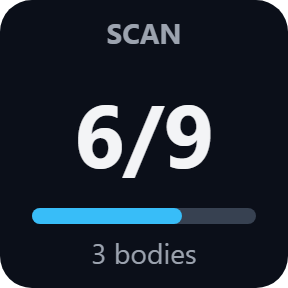
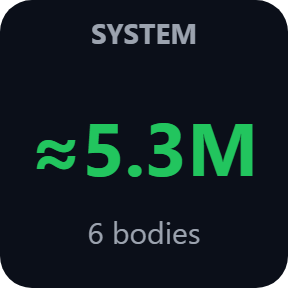
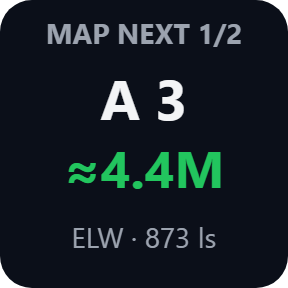
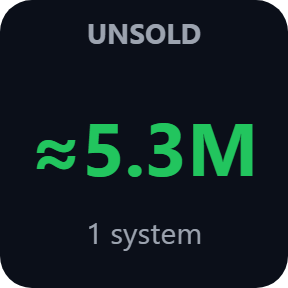
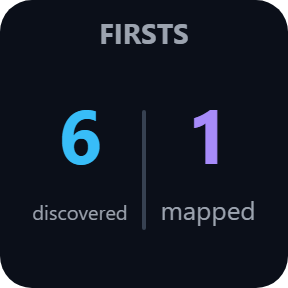
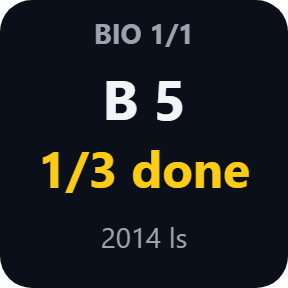
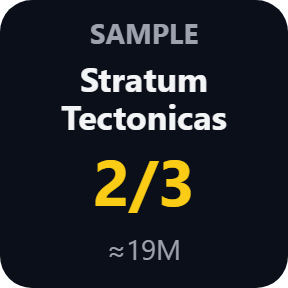
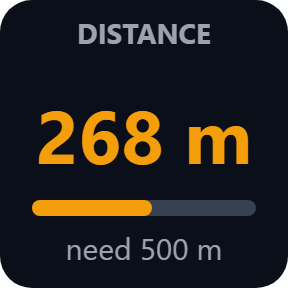
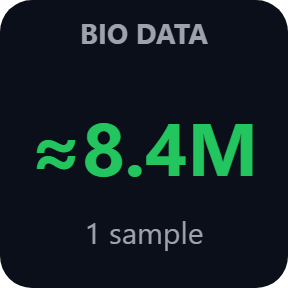
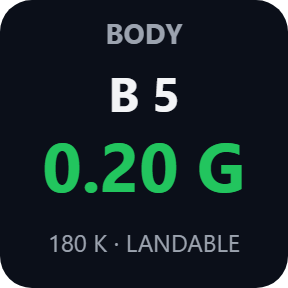
What the keys show
Sample Distance
How far you are from your last sample, next to the distance that life form needs (need 500 m). It turns green and says GO once you are far enough.
Sample Progress
The species you are sampling, how many of its 3 samples you have, and the estimate of what it sells for.
Bio Signals
The worlds in this system with biological signals, how many species you have finished on each, and how far each world is. Press for the next world.
System Scan and System Value
The bodies scanned of the total in the system and how many are left, and the estimate of what the scans of this system are worth.
Map Next
The most valuable world you have not mapped yet, with its estimate, its type and its distance. Press for the next one. You choose the lowest value and the longest distance worth the trip.
Unsold Data and Bio Data
The estimate of the exploration data and of the biological data you carry and have not sold yet. The number starts again after you sell your data.
Install in OpenDeck
In OpenDeck, open the Plugins tab, install the .streamDeckPlugin file you downloaded, then enter your license key once in a key's settings.
Requirements
- Windows 10 or later
- Elite Dangerous for PC; the biology keys need Elite Dangerous: Odyssey, where you sample on foot
- OpenDeck 2.14 or later
Questions
How do I know when I am far enough for the next exobiology sample with an Ajazz or Mirabox deck and OpenDeck?
Put the Sample Distance key on your deck in OpenDeck. It shows the distance from your last sample next to the distance that life form needs, and turns green with GO once you are far enough.
How do I see which planets are worth mapping in Elite Dangerous?
The Map Next key shows the most valuable world in the system that you have not mapped yet, with its estimate and distance. Press it for the next one. In its settings you choose the lowest value and the longest distance worth the trip.
Can I see what my exploration data is worth before I sell it?
Yes. Unsold Data shows the estimate for the exploration data you carry, and Bio Data the estimate for your biological samples. The numbers are estimates, shown with ≈; the game pays the exact amount when you sell.
Purchase details, refunds and seller
- Price
- ¥980, paid once. Tax for your country is added at checkout.
- Payment
- Handled by Stripe through Link, Stripe's checkout service. Link appears as the seller on your receipt and card statement, and your card number never reaches GRAMSHIFT.
- Delivery
- Your license key and download link appear right after payment, and the receipt arrives by email.
- Countries
- Checkout is not offered in Ascension Island, China, Cuba, Iran, Kosovo, North Korea, Russia, Syria or Tristan da Cunha.
- Seller
- GRAMSHIFT, Tokyo, Japan. Contact: contact@gramshift.com
- Refunds
- If the plugin fails to run on your PC, email contact@gramshift.com within 14 days of purchase for a full refund. The license key stops working after a refund.
- License
- One key for your own use on up to 3 PCs.
Limits
- Values are estimates, shown with ≈. The game pays the exact amount when you sell.
- Display only: it presses no keys in the game and writes nothing to it.
- Unsold data is counted from your recent journal files (up to 150 files), so on a very long trip the total can be lower than what you carry.
- The direct version checks its license key with our server when you activate it, at each plugin start and about once a day. If the server cannot be reached, it keeps running for up to 44 days after the last successful check.