OpenDeck plugin for Farming Simulator 25 on Windows PC
Farming Simulator 25, live on Ajazz and Mirabox keys with OpenDeck
Field Deck shows your speed, fuel, fill level, money, the time of day, the weather and your hired workers live on the keys of an Ajazz or Mirabox deck running OpenDeck while you play Farming Simulator 25 on PC.
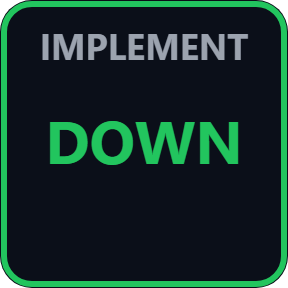
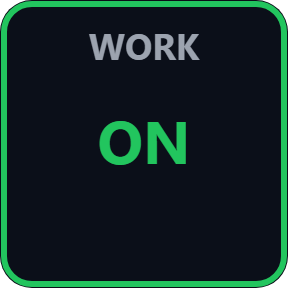
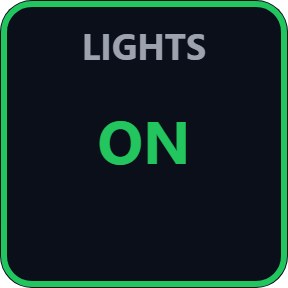
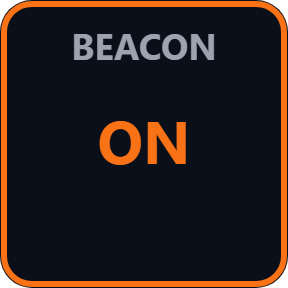
Press a key to start the engine, switch the lights, beacon and cruise control, lower, turn on or fold your implement, or hire a worker, and the key shows whether it is on. A free companion mod comes with the plugin and installs from a key's settings.
- Speed and cruise
- Fuel
- Fill level
- Money and time
- Worker alerts
What the keys show
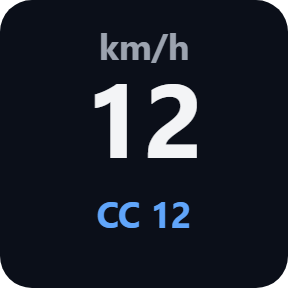
Speed
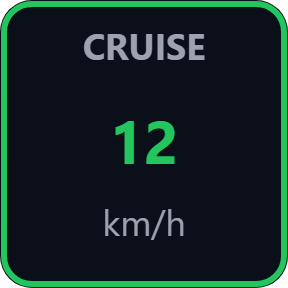
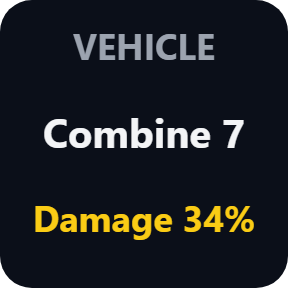
The speed of the vehicle you drive in the game's unit, with the cruise speed when cruise control is on.
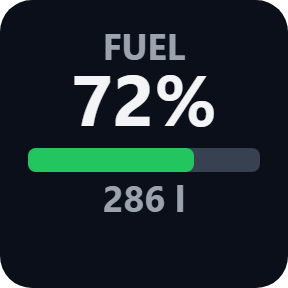
Fuel
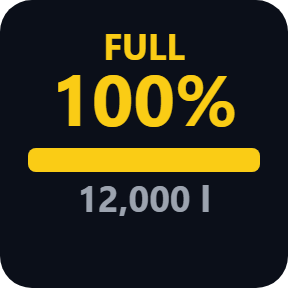
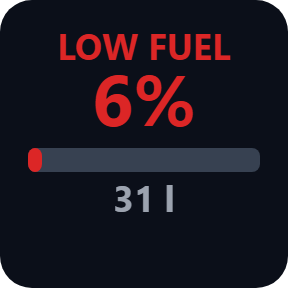
Diesel, electric charge or methane left, as a percent or an amount. Yellow when low, red when nearly empty.
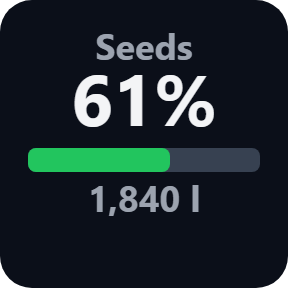
Fill Level
What is in your vehicle or its implement and how full it is, with FULL when the tank or trailer is full.
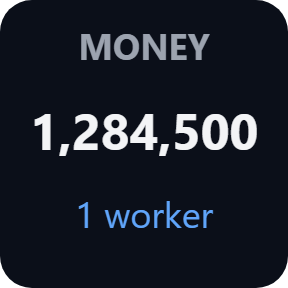
Money
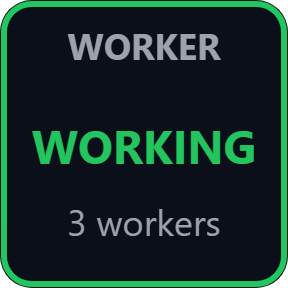
The farm's money and how many workers are hired.
Worker
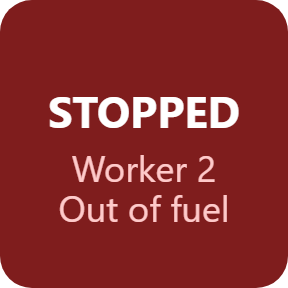
Hire or dismiss the worker with a press. The key turns red and tells you when a worker stops: done, blocked or out of fuel.
Time and Day
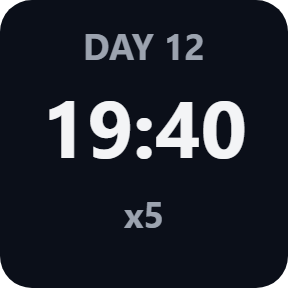
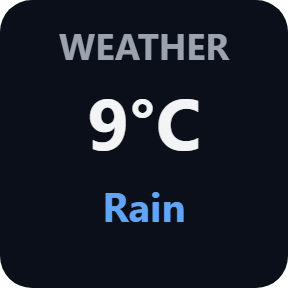
The time of day, the day and the time scale. The Weather key shows the temperature and rain or hail.
Install in OpenDeck
In OpenDeck, open the Plugins tab, install the .streamDeckPlugin file you downloaded, then enter your license key once in a key's settings.
Requirements
- Windows 10 or later
- Farming Simulator 25 on a Windows PC, with the free Field Deck companion mod (included, installed from a key's settings) ticked in your savegame's mod list
- OpenDeck 2.14 or later
Questions
How do I show Farming Simulator 25 speed, fuel and fill level on an Ajazz or Mirabox deck with OpenDeck?
Place Speed, Fuel and Fill Level on your deck in OpenDeck and enter your license key once in a key's settings. Press Install under Companion mod there, start the game and tick Field Deck in the mod list when you load your savegame. The keys then show your vehicle.
Do I need to set up key bindings?
Usually not. A press sends the keyboard key set in the game's Controls, including keys you changed yourself. If a control has only a mouse or controller button, give it a keyboard key in the game's Controls, or type a key in the key's settings.
What is the companion mod and how do I install it?
A small free mod that lets your keys show the game's values. Press Install under Companion mod in any key's settings and it goes into the game's mods folder. Tick Field Deck in the mod list when you load your savegame. Remove in the same settings takes it out.
Purchase details, refunds and seller
- Price
- ¥2,200, paid once. Tax for your country is added at checkout.
- Payment
- Handled by Stripe through Link, Stripe's checkout service. Link appears as the seller on your receipt and card statement, and your card number never reaches GRAMSHIFT.
- Delivery
- Your license key and download link appear right after payment, and the receipt arrives by email.
- Countries
- Checkout is not offered in Ascension Island, China, Cuba, Iran, Kosovo, North Korea, Russia, Syria or Tristan da Cunha.
- Seller
- GRAMSHIFT, Tokyo, Japan. Contact: contact@gramshift.com
- Refunds
- If the plugin fails to run on your PC, email contact@gramshift.com within 14 days of purchase for a full refund. The license key stops working after a refund.
- License
- One key for your own use on up to 3 PCs.
Limits
- Windows only, with the game and your deck on the same PC.
- The keys show values only while the free companion mod is ticked in the mod list of the savegame you play.
- Your presses reach the game only while its window is in front. If the game runs as administrator, start it normally instead.
- The direct version checks its license key with our server when you activate it, at each plugin start and about once a day. If the server cannot be reached, it keeps running for up to 44 days after the last successful check.