Stream Deck plugin for Windows
Force close a frozen game or app from your Stream Deck
Force Close Keys for Windows ends a frozen game or app when Task Manager is out of reach. The keys show which apps Windows reports as not responding. Hold a key to end task and kill the app.
A short press asks the app to close, so it can ask to save. You choose the hold, from 1 to 3 seconds, and letting go early cancels it.
- Not responding
- Front app
- Close a chosen app
- Hold to end
- Release to cancel
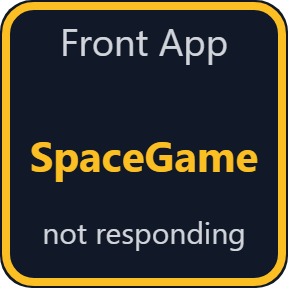
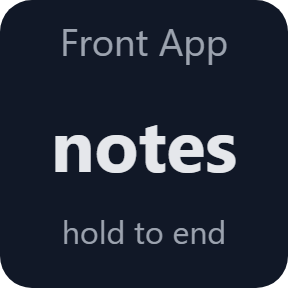
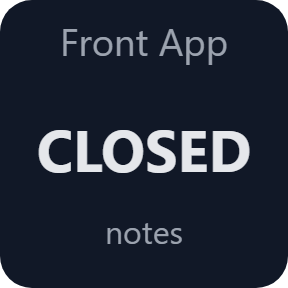
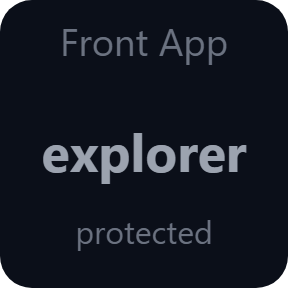
What the keys do
Not Responding
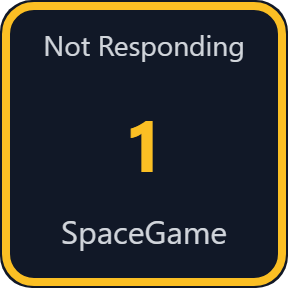
Counts the visible apps Windows reports as not responding and shows their names. Hold to end them. A short press ends nothing.
Close Front App
Shows the app in front. Press to ask it to close, so it can ask to save. Hold to end it at once.
Close App
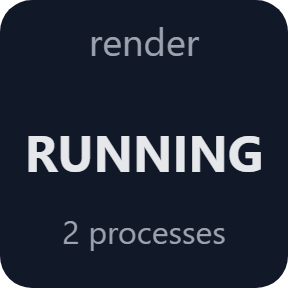
The same for every process with a file name you choose. The key shows RUNNING or --, so it also tells you whether the program is still open.
Hold 1 to 3 seconds
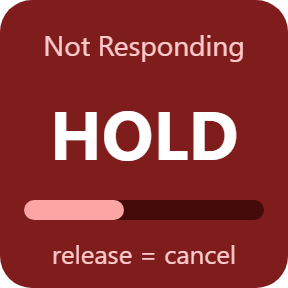
A bar fills while you hold, and the key says what happens. Release early to cancel: nothing is ended. Choose the time in each key's settings.
Protected programs
Core Windows processes such as sign-in, the desktop and the taskbar, plus the Stream Deck app, are marked protected and are never ended.
ENDED only once it is gone
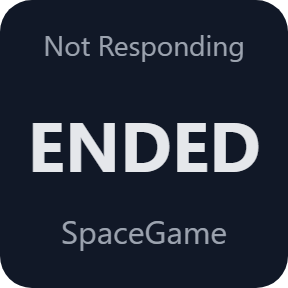
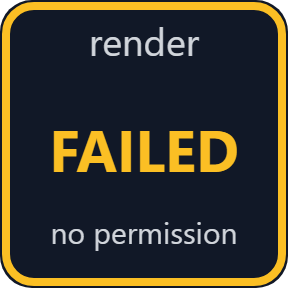
The target is fixed when you press and checked again first. ENDED appears once the process is gone; if Windows refuses, the key says FAILED and the settings page gives the reason.
Keys that follow what Windows reports
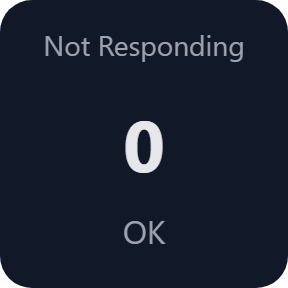
The Not Responding key shows OK until an app stops answering, then shows its name. A loading game may count as not responding for a moment: set a longer wait, up to 30 seconds, in the key's settings.
Runs on your PC
The plugin reads program paths, start times and window details on this PC, and it closes or ends a program only when you press or hold a key.
It does not read or change the memory or files of a game or app.
What it reads stays on your computer. The only thing the direct version sends online is its license key check.
Set up in 3 steps
- Open the plugin file you download after buying. The Stream Deck app installs it.
- In the Stream Deck app, drag the keys you want onto your Stream Deck and enter your license key once in a key's settings.
- Choose the program for Close App and the hold time in a key's settings. When an app freezes, hold the key.
Two places to buy
| Elgato Marketplace | Direct from GRAMSHIFT | |
|---|---|---|
| Amount | Same amount | Same amount, tax added at checkout |
| Checkout | Elgato Marketplace | Stripe (card) |
| New versions | Installed through the Stream Deck app | Download from your license key page |
| Use on | Your Elgato account | Up to 3 PCs per license key |
| Plugin display | English and Japanese | English and Japanese |
Requirements
- Windows 10 or later (tested on Windows 11)
- Stream Deck app 6.9 or later
Questions
How do I force close a frozen game from my Stream Deck on Windows?
Install the plugin and drag a Not Responding or Close Front App key onto your Stream Deck. When a game freezes, hold the key for the time you chose, from 1 to 3 seconds. It works like End task in Task Manager, so you do not need to reach Task Manager. The direct version asks for your license key once first.
What is the difference between a short press and a hold?
On Close Front App and Close App, a short press asks the app to close, so it can ask to save. A hold ends it like End task, and unsaved work is lost. On Not Responding, only a hold does anything. Letting go early cancels the hold.
Can a key end Windows or the wrong app?
The target is fixed when you press and checked again before anything ends. Core Windows processes such as sign-in, the desktop and the taskbar, plus the Stream Deck app, are protected and never ended.
Why does a key say FAILED?
Windows or the program refused. Programs run as administrator, or protected by anti-cheat, can refuse to be ended. The key's settings page gives the reason.
A game counts as not responding while it loads. What can I do?
Set a longer wait in the Not Responding key's settings, up to 30 seconds. The app is counted only after it has not responded for that long.
How many PCs can I use with one license key?
Up to 3 of your own PCs. If you replace a PC, write to us and we free up a place for the new one.
How do I get new versions if I buy direct?
Download the latest version from your thank-you page or the license key page you received. Your license key keeps working. If you cannot open your license key page, email us as the "Recover your license key" page explains.
What if I lose my license key?
Email contact@gramshift.com from the address you paid with, and include your order number, or the date and amount you paid. We check the purchase and reply with a link to your license key page.
Can I get a refund?
Yes, for a direct purchase. If the plugin does not work on your PC, email us within 14 days of purchase and we refund the full amount. The license key stops working after the refund.
Direct purchase: details, refunds and seller
- Price
- ¥780, the same amount as on the Elgato Marketplace. Tax for your country is added at checkout.
- Payment
- Handled by Stripe through Link, Stripe's checkout service. Link appears as the seller on your receipt and card statement, and your card number never reaches GRAMSHIFT.
- Delivery
- Your license key and download link appear right after payment, and the receipt arrives by email.
- Refunds
- If the plugin does not work on your PC, email us within 14 days of purchase for a full refund. You can also ask Link support. The license key stops working after a refund.
- License
- One license key for your own use on up to 3 PCs.
- Countries
- The direct checkout is not offered in Ascension Island, China, Cuba, Iran, Kosovo, North Korea, Russia, Syria or Tristan da Cunha.
- Seller
- GRAMSHIFT, Tokyo, Japan. Contact: contact@gramshift.com
Limits
- Windows only, with your Stream Deck on the same PC. Tested on Windows 11. Stream Deck keys only: the actions do not go on dials.
- A hold works like End task: unsaved work is lost, and processes the app started keep running.
- Some programs close on a short press without asking to save.
- A loading game may count as not responding; set a longer wait in the key's settings.
- Hidden windows and windows on other virtual desktops are skipped. One frozen window ends its whole process.
- Programs run as administrator or protected by anti-cheat may refuse; the key says FAILED. Online games can have their own rules about tools that act on the game: check them before you use one.
- The direct version checks its license key with our server when you activate it, each time the plugin starts, and about once a day while it runs. If it cannot reach the server, it keeps working for up to 44 days after the last successful check.
- If something does not work, email contact@gramshift.com and we will help.