Stream Deck profile for Windows
FINAL FANTASY XIV on your Stream Deck
A Stream Deck profile for FINAL FANTASY XIV (FFXIV, FF14) on Windows: press your hotbar slots, pick enemy and party targets, open menus, post to chat and steer the camera from labeled keys.
One purchase covers Stream Deck MK.2, XL, Neo, +, + XL and Corsair Galleon 100 SD, with sets for the English and the Japanese game client.
The keys send the game's default keybinds, so your game settings stay as they are. On Stream Deck +, + XL and Galleon 100 SD, the dials zoom the camera and cycle your target. Every key comes in Dark, Light and Mono icon packs.
- Hotbars 1 and 2
- Targets and party
- Menus
- Chat
- Camera and move
- English and Japanese client
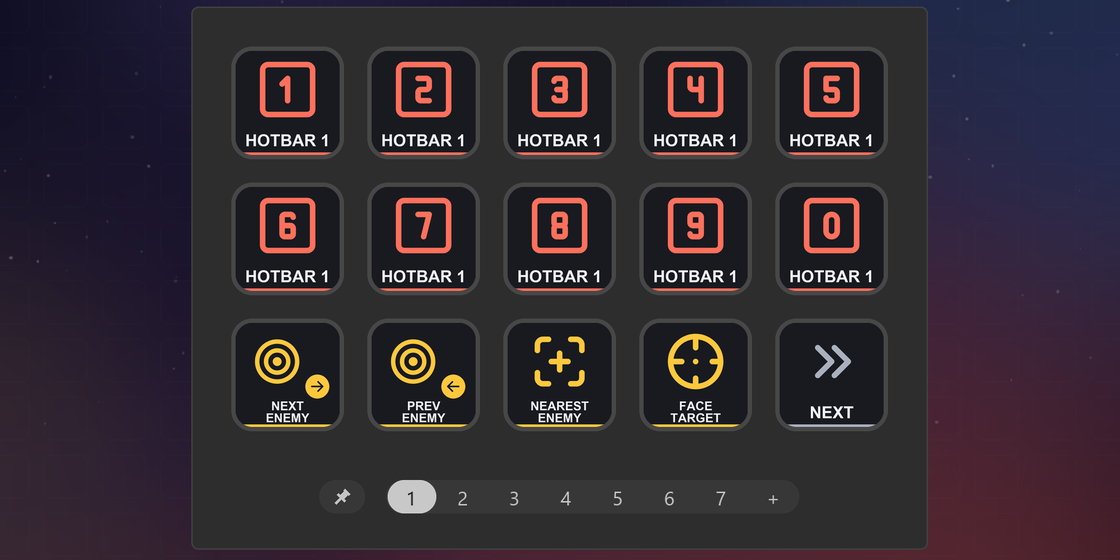
What the keys do
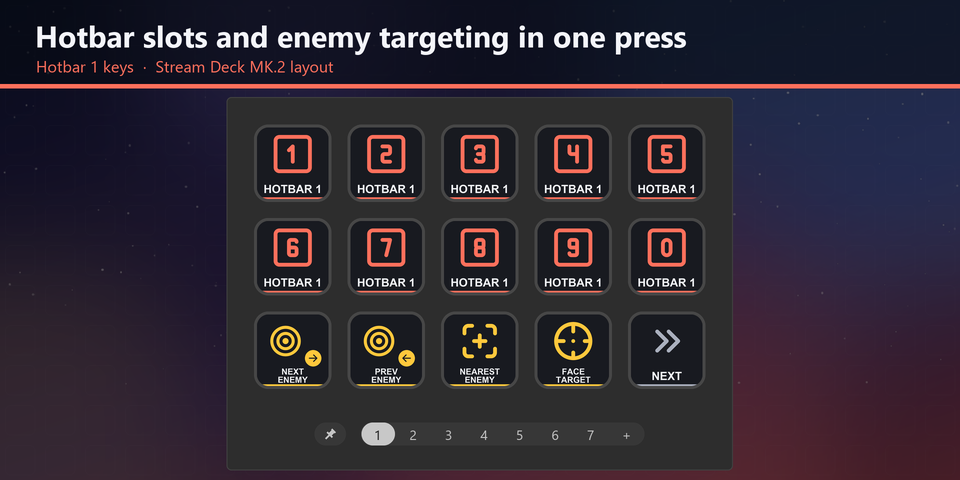
Hotbar slots on keys
Hotbars 1 and 2, slots 1 to 10, sit on their own pages, so your rotation is a press away without leaving the keys you know.
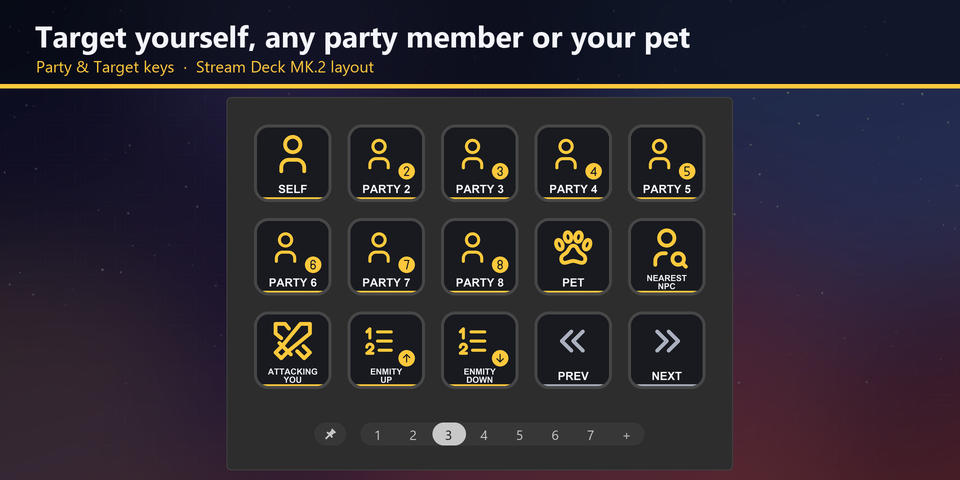
Targets and party
Next, previous and nearest enemy, the target's target, yourself, party members 2 to 8, your pet, the focus target and the enmity list.
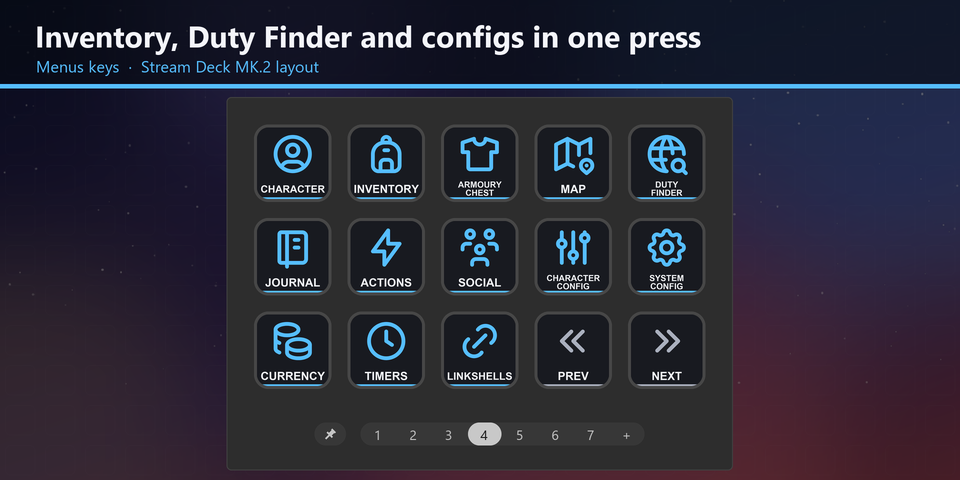
Menus in one press
Character, Inventory, Armoury Chest, Saddlebag, Map, Duty Finder, Journal, Actions, Social, Configs, Currency and Timers.
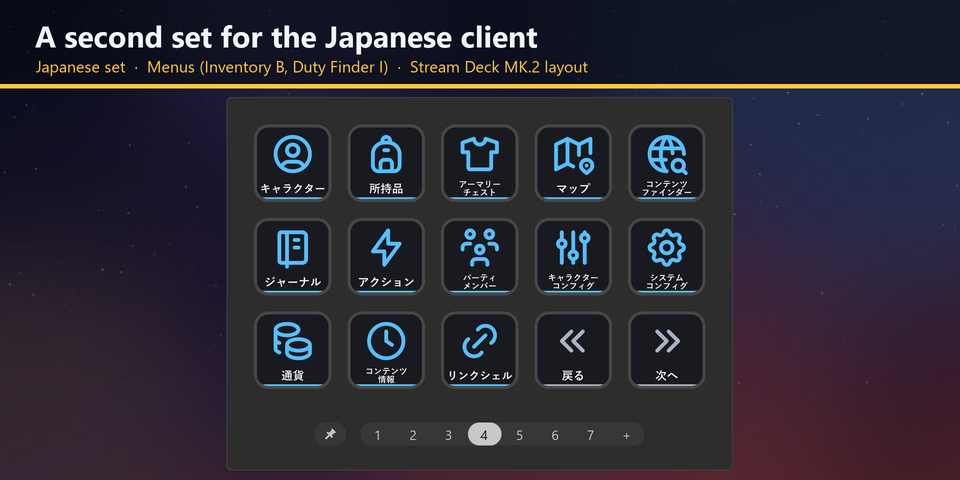
English and Japanese client
The download holds the same keys twice, once for the English client and once for the Japanese client, whose menu keys differ in a few places. Import the set that matches your game.
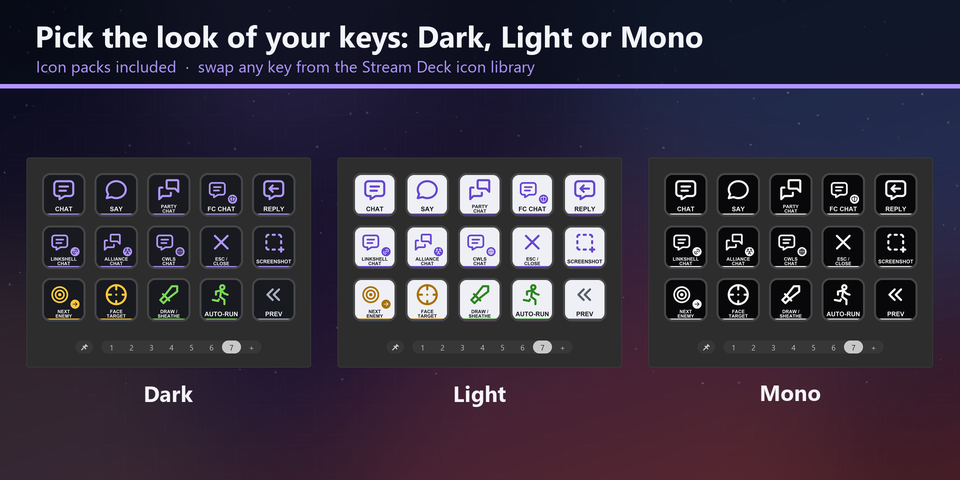
Dark, Light and Mono looks
Two icon packs put every key in Dark, Light and Mono. Pick a look in the Stream Deck Icon Library.
Profiles for six Stream Deck models
The download holds a profile for each of Stream Deck MK.2, XL, Neo, +, + XL and Corsair Galleon 100 SD, in English and in Japanese. MK.2 has seven pages, XL and + XL fit the keys on three, and Neo and + show 8 keys a page. The dials on +, + XL and Galleon 100 SD zoom the camera and cycle your target.
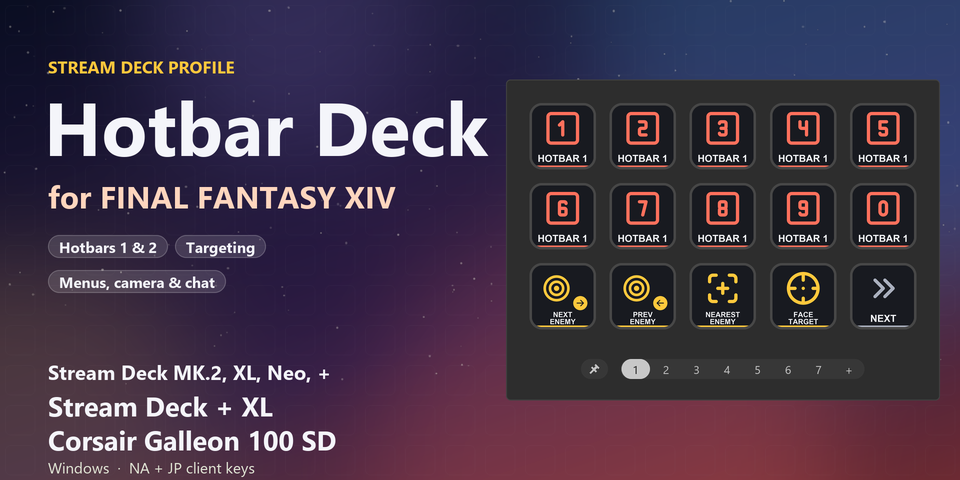
Hotbars
Hotbars 1 and 2, slots 1 to 10.
Target
Next, previous and nearest enemy, target's target, attacker, self, party members 2 to 8, pet, focus, NPC and the enmity list.
Menus
Character, Inventory, Armoury Chest, Saddlebag, Map, Duty Finder, Journal, Actions, Social, Configs, Currency and Timers.
Logs and markers
Crafting, Gathering, Hunting and Fishing logs, signs, waymarks, hide UI and screenshot.
Camera and move
Zoom, view, save and return, flip, camera lock, auto-run, draw or sheathe and jump.
Chat
Say, Party, Free Company, reply, Linkshell, Alliance and Cross-world Linkshell.
Set to the default keybinds
The keys send the default keybinds of FINAL FANTASY XIV, so your game settings and characters stay as they are.
Keep the game window in front: the keys are sent to the window in front.
Changed a keybind in the game? Edit that key's Hotkey in the Stream Deck app to the same key.
Set up in 3 steps
- Buy, then download and unzip the file.
- Double-click the .streamDeckProfile file for your Stream Deck. The Stream Deck app imports it.
- Start FINAL FANTASY XIV, select the profile on your Stream Deck and press a key.
Requirements
- Windows 10 or later
- Stream Deck MK.2, XL, Neo, +, + XL or Corsair Galleon 100 SD
- The Stream Deck app
- FINAL FANTASY XIV for Windows with the default keybinds, Direct Chat off and Num Lock on
Questions
How do I control FFXIV with a Stream Deck?
Double-click the Hotbar Deck profile file for your Stream Deck and the Stream Deck app imports it. Start the game, select the profile and press a key: the keys send the game's default keybinds for your hotbars, targets, menus and chat.
Does it work with FFXIV Evercold?
Yes. It works with the current game and is updated for the 8.0 job changes when Evercold arrives in early 2027. The keys send the game's keybinds, so your hotbars, targets, menus and chat carry on as before.
Do I need to change the game's keybinds?
No. The keys are set to the default keybinds. If you changed a keybind in the game, edit that key's Hotkey in the Stream Deck app to the same key.
Which Stream Deck is it for?
Stream Deck MK.2, XL, Neo, + and + XL, and Corsair Galleon 100 SD, on Windows. One purchase covers all six, with sets for the English and the Japanese client.
What do the dials do?
On Stream Deck +, + XL and Galleon 100 SD, the first two dials zoom the camera and cycle your target. Stream Deck + has two more, for the camera and the enmity list.
Does it work with the Japanese game client?
Yes. The download holds an English set and a Japanese set. A few menu keys differ between the two clients, for example Inventory is I in English and B in Japanese, so import the set that matches your game.
Why does a key do nothing?
Keep the game window in front: the keys are sent to the window in front. Check that Direct Chat is off and Num Lock is on. If you changed that keybind in the game, edit its Hotkey in the Stream Deck app to the same key.
What do I get when I buy?
A zip with the profile files (six Stream Deck models, in English and Japanese), two icon packs and a README. Double-click the profile file for your Stream Deck to import it. No account is needed.
How do I get the file again?
Email contact@gramshift.com from the address you paid with, and include your order number, or the payment date and amount. We check the purchase and send a new link to the download page.
Can I get a refund?
Yes. If the profile does not work with your Stream Deck and FINAL FANTASY XIV, email us within 14 days of purchase for a full refund. The download closes after a refund.
Purchase details
- Price
- ¥1,600, paid once. Tax for your country is added at checkout.
- Payment
- Handled by Stripe through Link, Stripe's checkout service. Link appears as the seller on your receipt and card statement, and your card number never reaches GRAMSHIFT.
- Delivery
- A download link appears right after payment, and the receipt arrives by email. You get the profile files, the icon packs and a README.
- Refunds
- If the profile does not work with your Stream Deck and FINAL FANTASY XIV, email us within 14 days of purchase for a full refund. You can also ask Link support. The download closes after a refund.
- Use
- For your own use. Please do not share, resell or upload the file.
- Countries
- Checkout is not offered in Ascension Island, China, Cuba, Iran, Kosovo, North Korea, Russia, Syria or Tristan da Cunha.
- Seller
- GRAMSHIFT, Tokyo, Japan. Contact: contact@gramshift.com
Limitations
- For FINAL FANTASY XIV on Windows, with Stream Deck MK.2, XL, Neo, +, + XL or Corsair Galleon 100 SD.
- Keep the game window in front: the keys go to the window in front.
- Set to the default keybinds. After you change a keybind in the game, edit that key's Hotkey in the Stream Deck app to the same key.
- Made for US and Japanese keyboard layouts. On other layouts a few letters are in other places. If a key does the wrong thing, edit it in the Stream Deck app, or email contact@gramshift.com and we will help.
- Each key sends one short press. Holding the camera or movement stays on your keyboard, mouse or pad, and the profile does not include hotbar slots 11 and 12, hotbars 3 to 10, macros or typed text.