Stream Deck plugin for internet radio on Windows
Internet radio stations on your Stream Deck keys
Internet Radio for Windows puts radio stations on your Stream Deck keys: press once to play and again to stop, with the station logo and the song now playing on the key.
Search radio stations worldwide by name or genre, filter by country, or paste a stream URL. No browser needed. Add volume keys, a Stream Deck + dial and a sleep timer that fades out at the end.
- Stations on keys
- Song now playing
- Search worldwide
- Your own stream URL
- Volume and dial
- Sleep timer








What the keys do
Station
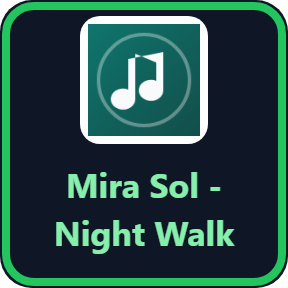
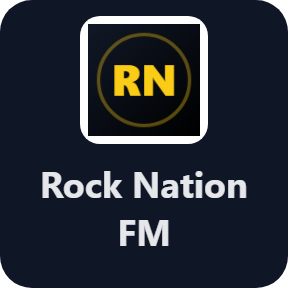
One station per key, found by name or genre (jazz, lofi, news, rock) or a SHOUTCAST, Icecast or web radio URL you paste. Press to play, press again to stop; pressing another station switches over. The key shows the station logo and the song now playing, and long titles turn pages.
Play / Stop
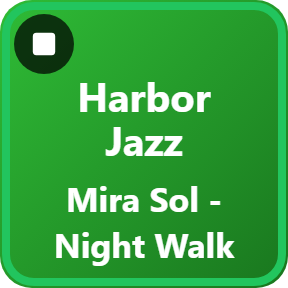
Plays or stops the last station you played, with its name and song on the key.
Volume
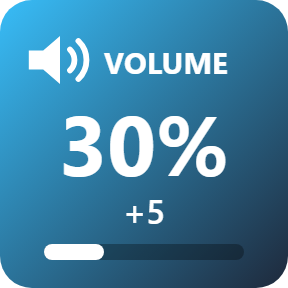
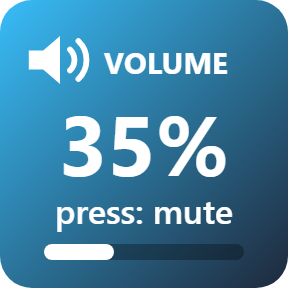
Up, down or mute, separate from the Windows volume, so the radio gets louder or quieter without touching your other sounds. On a Stream Deck + dial: turn for volume, push to play or stop, touch for a recent station.
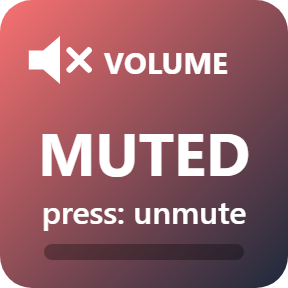
Volume: mute
One press mutes the radio and the key says MUTED; press again to bring it back.
Sleep Timer
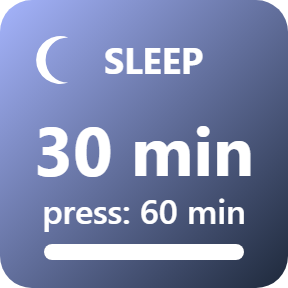
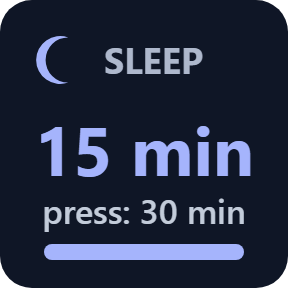
15, 30, 60 or 90 minutes. Each press steps to the next time, and the radio fades out at the end.
Now playing
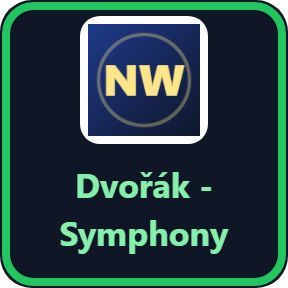
The song title comes from the station and shows on the key. Long titles turn pages, so the whole name fits.
Choose your look
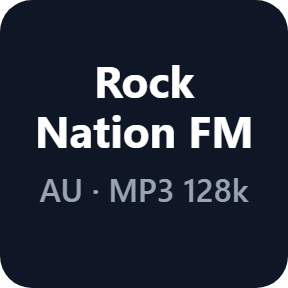
Pick a look in each key's settings: Logo shows the station logo, Dark and Color add the station name, country and stream quality.



Find any station
Search radio stations worldwide by name or genre, filter by country, or pick from the most popular. Paste a stream URL, and .m3u and .pls playlist links work too.

No browser, and it keeps playing
The radio plays from the plugin itself: no browser tab, no other app to install.
When a stream drops, it reconnects on its own, and after the PC wakes from sleep it plays again.
Your stations and listening stay on your PC. Searches go to the open station directory radio-browser.info, and the direct version also goes online to check its license key.
Set up in 3 steps
- Open the plugin file you download after buying. The Stream Deck app installs it.
- In the Stream Deck app, drag a Station key onto your Stream Deck and enter your license key once in a key's settings.
- Search for a station by name or genre, or paste a stream URL, then press the key to play.
Two places to buy
| Elgato Marketplace | Direct from GRAMSHIFT | |
|---|---|---|
| Amount | Same amount | Same amount, tax added at checkout |
| Checkout | Elgato Marketplace | Stripe (card) |
| New versions | Installed through the Stream Deck app | Download from your license key page |
| Use on | Your Elgato account | Up to 3 PCs per license key |
| Plugin display | English and Japanese | English and Japanese |
Requirements
- Windows 10 or later
- Stream Deck app 6.9 or later
- An internet connection for the radio streams
Questions
How do I play internet radio on a Stream Deck?
Install Internet Radio for Windows, drag a Station key onto your Stream Deck, search for a station by name or genre in the key's settings and press the key. Press again to stop.
Can I use my own radio stream URL?
Yes. Paste a SHOUTCAST, Icecast or web radio URL in the key's settings. .m3u and .pls playlist links work too.
Does the Stream Deck key show the song that is playing?
Yes, when the station sends the song title. The key shows the station logo and the song now playing, and long titles turn pages.
Can I change the radio volume without changing the Windows volume?
Yes. The Volume key turns the radio up, down or mutes it, separate from the Windows volume. On a Stream Deck +, turn the dial for volume.
Is there a sleep timer?
Yes. The Sleep Timer key stops the radio after 15, 30, 60 or 90 minutes, with a fade-out at the end.
How many PCs can I use with one license key?
Up to 3 of your own PCs. If you replace a PC, write to us and we free up a place for the new one.
How do I get new versions if I buy direct?
Download the latest version from your thank-you page or the license key page you received. Your license key keeps working. If you cannot open your license key page, email us as the "Recover your license key" page explains.
What if I lose my license key?
Email contact@gramshift.com from the address you paid with, and include your order number, or the date and amount you paid. We check the purchase and reply with a link to your license key page.
Can I get a refund?
Yes, for a direct purchase. If the plugin does not work on your PC, email us within 14 days of purchase and we refund the full amount. The license key stops working after the refund.
Direct purchase: details, refunds and seller
- Price
- ¥500, the same amount as on the Elgato Marketplace. Tax for your country is added at checkout.
- Payment
- Handled by Stripe through Link, Stripe's checkout service. Link appears as the seller on your receipt and card statement, and your card number never reaches GRAMSHIFT.
- Delivery
- Your license key and download link appear right after payment, and the receipt arrives by email.
- Refunds
- If the plugin does not work on your PC, email us within 14 days of purchase for a full refund. You can also ask Link support. The license key stops working after a refund.
- License
- One key for your own use on up to 3 PCs.
- Countries
- The direct checkout is not offered in Ascension Island, China, Cuba, Iran, Kosovo, North Korea, Russia, Syria or Tristan da Cunha.
- Seller
- GRAMSHIFT, Tokyo, Japan. Contact: contact@gramshift.com
Limits
- Windows only.
- Song titles show when the station sends them.
- After three failed tries a station shows Offline; press the key to try again.
- Plays the audio formats built into Windows, such as MP3 and AAC.
- The direct version checks its license key with our server when you activate it, each time the plugin starts, and about once a day while it runs. If it cannot reach the server, it keeps working for up to 44 days after the last successful check.
- If something does not work, email contact@gramshift.com and we will help.