Plugin for OpenDeck on Windows
MSFS gear, flaps and autopilot on your OpenDeck keys
Fly with a real cockpit panel under your fingers: keys for landing gear, flaps, autopilot, lights and transponder show your aircraft's state in Microsoft Flight Simulator 2024 and 2020 and switch it with one press.
The keys connect through SimConnect, which is built into the sim, so the plugin is all you install. Presses reach the sim while it is in the background, and your keyboard and joystick bindings stay as they are.
- Landing gear
- Flaps
- Autopilot
- Lights
- Transponder
- Custom Key



What your keys do
Gear, flaps and brakes
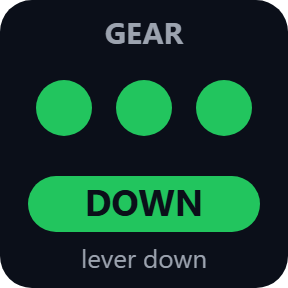
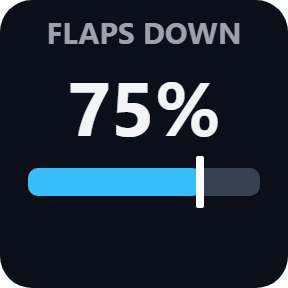
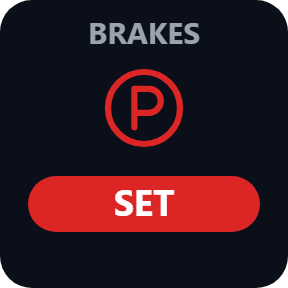
A lamp per gear leg: green when down, red while moving, dark when up. Press to raise or lower. Flap position shows with a bar, MOVING while they travel; press for one notch. Spoilers and the parking brake show their state and switch with a press.
Autopilot
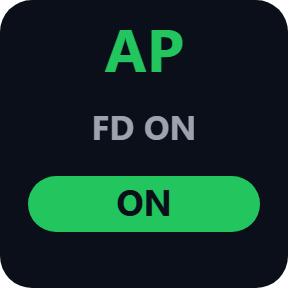
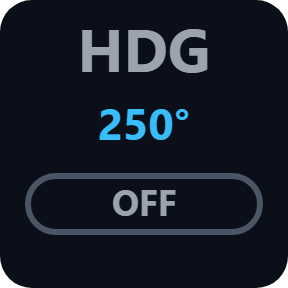
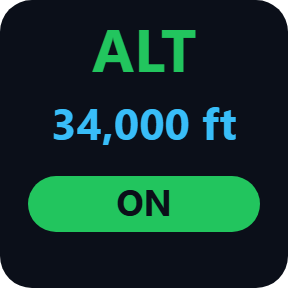
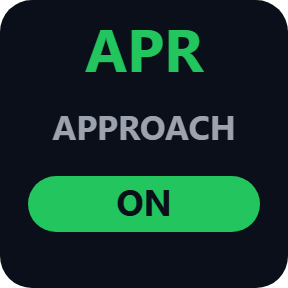
AP, HDG, ALT, NAV, APR and V/S, one mode per key: green when the mode holds, white when armed, with the selected heading, altitude or climb rate. Press to switch that mode.
Lights
Landing, taxi, strobe, beacon and nav lights, one per key, shown ON or OFF. Press to switch.
Transponder
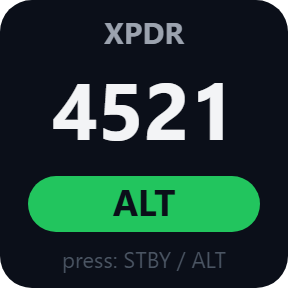
The squawk code and mode. A press toggles standby and ALT or sends IDENT, as you choose in the key's settings. 7500, 7600 and 7700 turn red.
Flight data
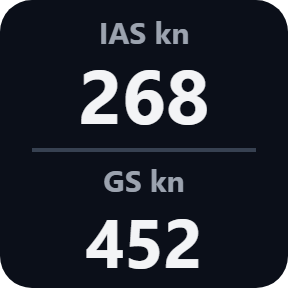
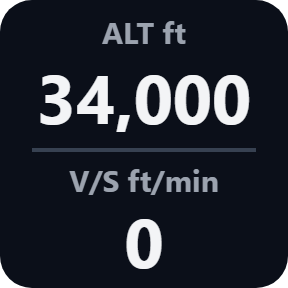
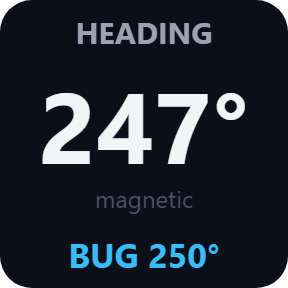
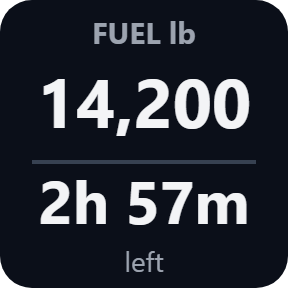
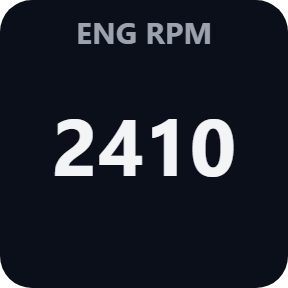
Airspeed and ground speed, altitude and vertical speed, heading with the bug, fuel and how long it lasts at the current flow, and the next GPS waypoint with distance and time to go.
Custom Key
Sends a key event you name, with an optional value, and shows any SimVar or L:var as ON/OFF or as a number. A mistyped SimVar shows ? on its own key.
Install in OpenDeck
In OpenDeck, open the Plugins tab, install the .streamDeckPlugin file you downloaded, then enter your license key once in a key's settings.
Requirements
- Windows 10 or later
- OpenDeck 2.14 or later
- Microsoft Flight Simulator 2024 or 2020 on the same Windows PC
Questions
Can I show MSFS gear, flaps and autopilot on an Ajazz deck with OpenDeck?
Yes. Add the keys you want in OpenDeck, start Microsoft Flight Simulator 2024 or 2020 and load a flight. Each key reads the aircraft's state through SimConnect and switches it with the sim's own key events, so there is no hotkey profile to build.
Do I need to install anything inside the sim?
No. The plugin connects through SimConnect, which is built into the sim. Your Community folder and the sim's files stay as they are.
Does the sim have to be the active window?
No. Presses reach the sim as its own key events, so they work while it is in the background.
Purchase details, refunds and seller
- Price
- ¥3,300, paid once. Tax for your country is added at checkout.
- Payment
- Handled by Stripe through Link, Stripe's checkout service. Link appears as the seller on your receipt and card statement, and your card number never reaches GRAMSHIFT.
- Delivery
- Your license key and download link appear right after payment, and the receipt arrives by email.
- Countries
- The direct checkout is not offered in Ascension Island, China, Cuba, Iran, Kosovo, North Korea, Russia, Syria or Tristan da Cunha.
- Seller
- GRAMSHIFT, Tokyo, Japan. Contact: contact@gramshift.com
- Refunds
- If the plugin fails to run on your PC, email contact@gramshift.com within 14 days of purchase for a full refund. The license key stops working after a refund.
- License
- One key for your own use on up to 3 PCs.
Limits
- Windows only, with the sim and your deck on the same PC. Xbox is not supported.
- The built-in keys work with aircraft that use the standard SimVars and key events; others can use a Custom Key. Add-ons inside the sim (WASM, H: events) are not supported.
- The direct version checks its license key with our server when you activate it, at each plugin start and about once a day while running. If the server cannot be reached, it keeps working for up to 44 days after the last successful check.