OpenDeck plugin for Windows and Mac
Lightroom Classic keys for Ajazz and Mirabox with OpenDeck
Live Keys puts Lightroom Classic culling and editing on your Ajazz or Mirabox deck with OpenDeck: pick, reject and star keys show the flag and stars of the photo you are on.
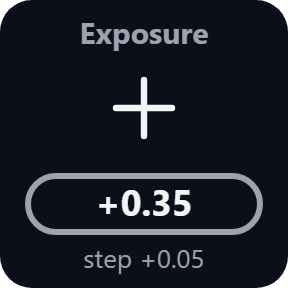
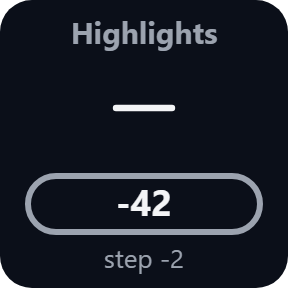
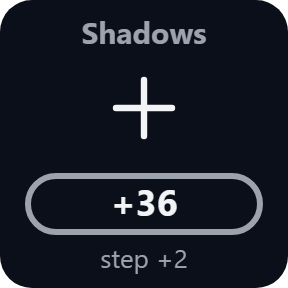
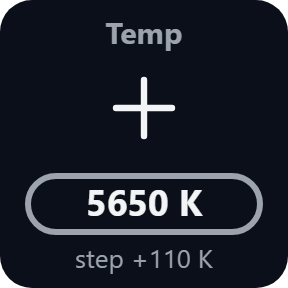
Slider keys move Exposure, Highlights, Temp and other Develop sliders one step at a time, with the live value on the key. Command keys run Auto Tone, Before/After, Undo and Redo, and one press syncs settings to every selected photo.
- Pick, reject and stars
- Develop sliders with live value
- Sync to selected photos
- Auto Tone and Undo
- Next and previous photo




What the keys do
Flag
Picks, rejects or unflags the selected photos. The key lights with the flag of the photo you are on and shows its stars, so culling stays on the keys.
Rating
Gives 0 to 5 stars to the selected photos, and the key lights when the photo has that rating. Next and Previous Photo keys move through the filmstrip.
Develop Slider
Moves a slider one step up or down, or back to its default, with the live value on the key. It covers Basic, Tone Curve, HSL, Color Grading, Detail, Lens Corrections, Effects and Calibration, or any other Develop setting by name.
Copy, Paste and Sync
Sync Settings sends the settings of your current photo to all the selected photos in one press, and the key shows how many more are selected. Copy and Paste keys show when settings are ready to paste.
Command
Runs Auto Tone, Auto White Balance, Reset, Before/After, Undo, Redo, Library, Develop, Crop or Masking. Any key can carry your own label.
Install in OpenDeck
In OpenDeck, open the Plugins tab, install the .streamDeckPlugin file you downloaded, then enter your license key once in a key's settings.
Requirements
- Windows 10 or later, or macOS 12 or later
- Lightroom Classic 11 or later on the same computer
- A small Lightroom plug-in that comes with the keys, installed once with the Setup key
- OpenDeck 2.14 or later
Questions
Can I cull photos in Lightroom Classic with an Ajazz or Mirabox deck on OpenDeck?
Yes. Flag, Rating and Next / Previous Photo keys pick, reject and star photos, and the keys light with the flag and stars of the photo you are on.
Can I sync Develop settings to many photos with one key?
Yes. Select the photos in Lightroom Classic and press Sync Settings: the settings of the photo you are on go to all the selected photos.
What do I need to install in Lightroom Classic?
A small Lightroom plug-in that comes with the keys. Press the Setup key and restart Lightroom Classic once. From then on the keys connect by themselves whenever Lightroom Classic is open.
Purchase details, refunds and seller
- Price
- ¥2,980, paid once. Tax for your country is added at checkout.
- Payment
- Handled by Stripe through Link, Stripe's checkout service. Link appears as the seller on your receipt and card statement, and your card number never reaches GRAMSHIFT.
- Delivery
- Your license key and download link appear right after payment, and the receipt arrives by email.
- Countries
- Checkout is not offered in Ascension Island, China, Cuba, Iran, Kosovo, North Korea, Russia, Syria or Tristan da Cunha.
- Seller
- GRAMSHIFT, Tokyo, Japan. Contact: contact@gramshift.com
- Refunds
- If the plugin fails to run on your PC, email contact@gramshift.com within 14 days of purchase for a full refund. The license key stops working after a refund.
- License
- One key for your own use on up to 3 PCs.
Limits
- For Lightroom Classic 11 or later, not the cloud-based Lightroom.
- Copy, Paste and Sync Settings carry the Develop settings except crop, spot removal, red eye and masks.
- The Before/After key shows the view it set: after changing the view with the mouse, press it again to bring them in step.
- The direct version checks its license key with our server when you activate it, at each plugin start and about once a day. If the server cannot be reached, it keeps running for up to 44 days after the last successful check.