OpenDeck plugin for Windows
Monitor brightness that follows the sun, on OpenDeck
Set day and night once, and your monitors' brightness and color warmth change slowly at sunrise and sunset in your city, or at times you choose.
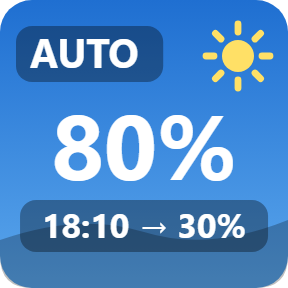
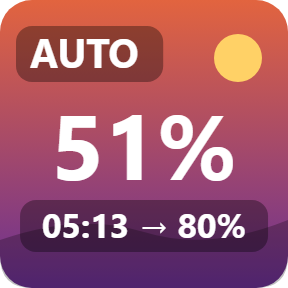
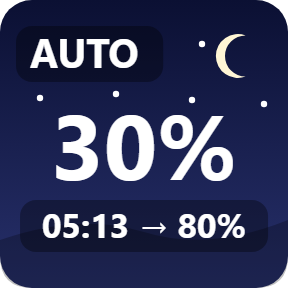
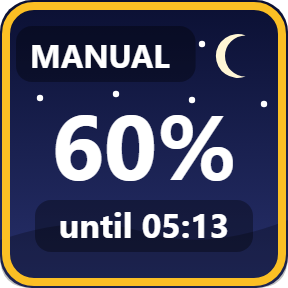
The Auto key on your Ajazz or Mirabox deck in OpenDeck shows the next change, such as 18:10 → 30%.
After the PC wakes from sleep, or when a monitor is plugged in again, each monitor gets its last value back. Control one monitor or all of them from a key.
- Sunrise and sunset or set times
- Back after sleep
- One monitor or all
- Warmth 6500K to 2700K
- English and Japanese
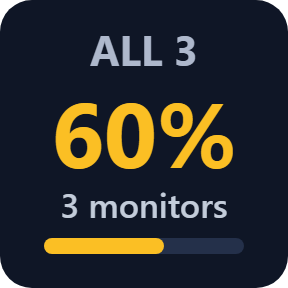
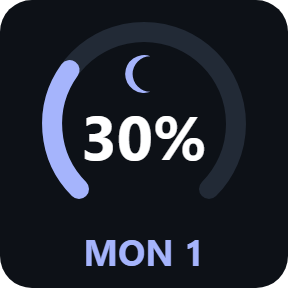
What the keys do
Follows the sun
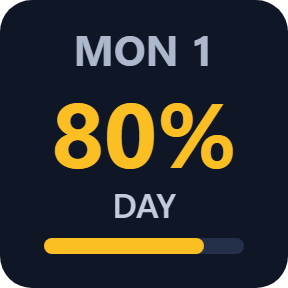
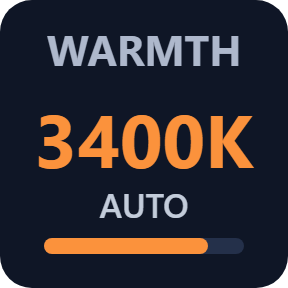
The Auto key changes brightness and warmth at sunrise and sunset for 220+ cities or your own coordinates, worked out on your PC, or at fixed times. The change is slow, and the key shows the next one.
A change by hand comes first
Change the brightness yourself and the schedule waits until its next change, shown as MANUAL until 05:13. Press Auto to go back to the schedule now.
Back after sleep
After the PC wakes from sleep, or when a monitor is plugged in again, each monitor gets its last value back. Your monitor's own buttons still work.
One monitor or all
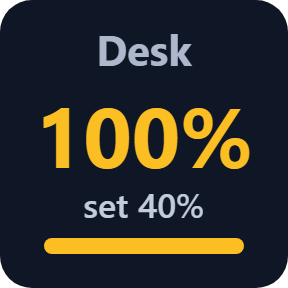
A key can control one monitor or all of them, each in its own range. Set a value, step up or down, or switch between two values. Brightness or contrast.
Warmer colors at night
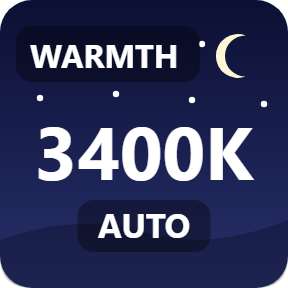
Warmth makes the screen warmer, from 6500K down to 2700K, by hand or with the schedule. Switch it off or stop Auto, and your colors come back.
Scenes
A Scene key sets brightness, contrast and warmth on all monitors with one press. Name your monitors in the settings.
Install in OpenDeck
In OpenDeck, open the Plugins tab, install the .streamDeckPlugin file you downloaded, then enter your license key once in a key's settings.
Requirements
- Windows 10 or Windows 11
- External monitors with DDC/CI turned on in the monitor's menu
- Windows PowerShell (part of Windows)
- OpenDeck 2.14 or later
Questions
How do I change monitor brightness from an Ajazz or Mirabox deck with OpenDeck?
Add a Brightness key in OpenDeck, choose one monitor or all of them in its settings, and press it to set a value, step up or down, or switch between two values.
Can my monitor brightness change automatically at sunset?
Yes. The Auto key changes brightness and color warmth slowly at sunrise and sunset for 220+ cities or your own coordinates, or at times you choose. The key shows the next change, such as 18:10 → 30%.
Does it bring my brightness back after the PC wakes from sleep?
Yes. After the PC wakes from sleep, or when a monitor is plugged in again, each monitor gets the last value the plugin set. If Auto is on, the scheduled value is used.
Purchase details, refunds and seller
- Price
- ¥1,500, paid once. Tax for your country is added at checkout.
- Payment
- Handled by Stripe through Link, Stripe's checkout service. Link appears as the seller on your receipt and card statement, and your card number never reaches GRAMSHIFT.
- Delivery
- Your license key and download link appear right after payment, and the receipt arrives by email.
- Countries
- The direct checkout is not offered in Ascension Island, China, Cuba, Iran, Kosovo, North Korea, Russia, Syria or Tristan da Cunha.
- Seller
- GRAMSHIFT, Tokyo, Japan. Contact: contact@gramshift.com
- Refunds
- If the plugin fails to run on your PC, email contact@gramshift.com within 14 days of purchase for a full refund. The license key stops working after a refund.
- License
- One key for your own use on up to 3 PCs.
Limits
- Works with external monitors that have DDC/CI turned on. Laptop screens are not supported.
- Windows limits how warm a display can get, and may refuse color changes while HDR is on.
- The direct version checks its license key with our server when you activate it, at each plugin start and about once a day. If the server cannot be reached, it keeps running for up to 44 days after the last successful check.