Stream Deck plugin for Windows
Monitor brightness that follows the sun
Set day and night once, and your monitors' brightness and color warmth change slowly at sunrise and sunset in your city, or at times you choose.
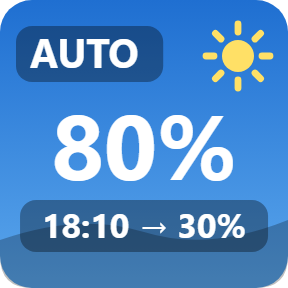
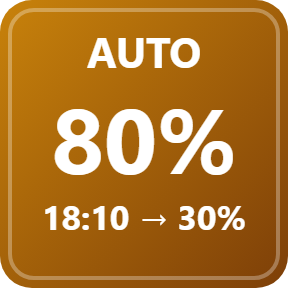
The Auto key shows the next change, such as 18:10 → 30%.
After the PC wakes from sleep, or when a monitor is plugged in again, each monitor gets its last value back. Control one monitor or all of them from a key or the Stream Deck + dial.
- Sunrise and sunset or set times
- Back after sleep
- One monitor or all
- Warmth 6500K to 2700K
- Stream Deck + dial
- English and Japanese
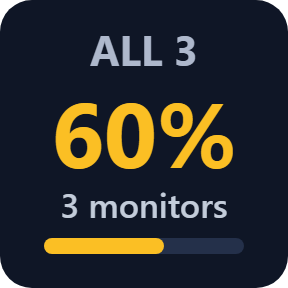
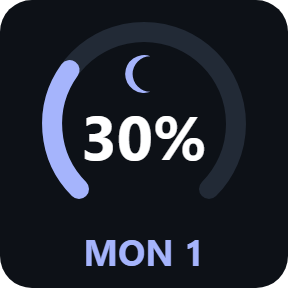
What the keys do
Follows the sun
The Auto key changes brightness and warmth at sunrise and sunset for 220+ cities or your own coordinates, worked out on your PC, or at fixed times. The change is slow, and the key shows the next one.
A change by hand comes first
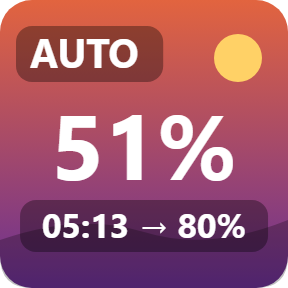
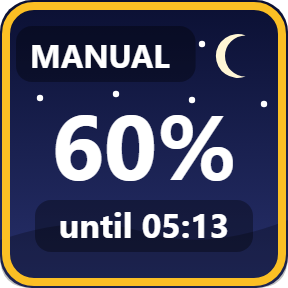
Change the brightness yourself and the schedule waits until its next change, shown as MANUAL until 05:13. Press Auto to go back to the schedule now.
Back after sleep
After the PC wakes from sleep, or when a monitor is plugged in again, each monitor gets its last value back. Your monitor's own buttons still work.
One monitor or all
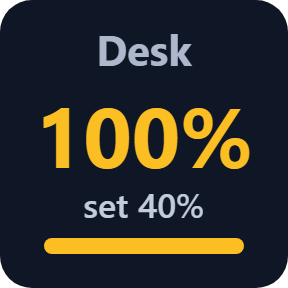
A key can control one monitor or all of them, each in its own range. Set a value, step up or down, or switch between two values. Brightness or contrast.
Warmer colors at night
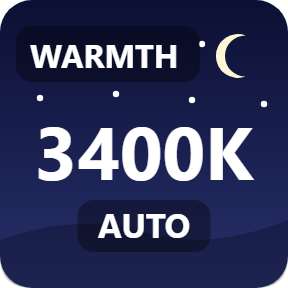
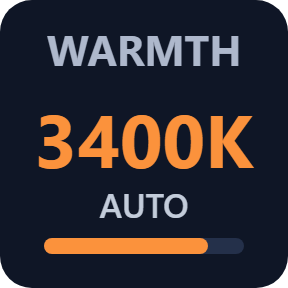
Warmth makes the screen warmer, from 6500K down to 2700K, by hand or with the schedule. Switch it off, stop Auto or close Stream Deck, and your colors come back.
Dial and scenes
On a Stream Deck +, turn the dial for brightness and push it for auto or manual. A Scene key sets brightness, contrast and warmth on all monitors with one press. Name your monitors in the settings.
Four looks, chosen per key
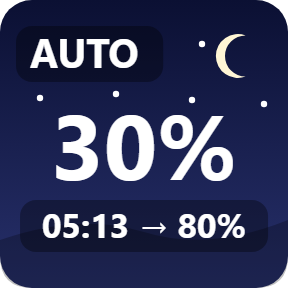
Sky changes with the time of day: day, sunset and night. Mix the looks on one Stream Deck.
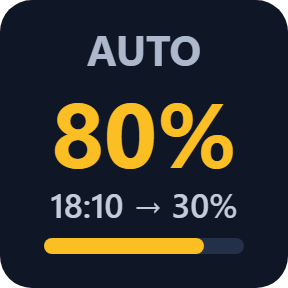
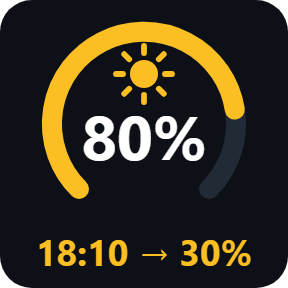
Read it at a glance
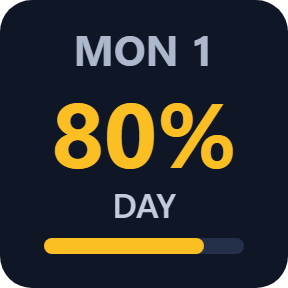
The Auto key shows the brightness now and what comes next, through day, dusk and night.
Your colors come back
When you switch Warmth off, stop Auto or close Stream Deck, your original colors come back. If the plugin stops unexpectedly, a small helper puts them back, and the next start checks again.
Sunrise and sunset are worked out on your PC from the city or coordinates you choose. No location service is used.
The only thing that goes online is the license key check.
Set up in 3 steps
- Open the plugin file you download after buying. The Stream Deck app installs it.
- In the Stream Deck app, drag Brightness, Auto, Warmth or Scene onto your Stream Deck and enter your license key once in its settings.
- In the Auto key's settings, choose your city or set times and the day and night values. The key shows the next change.
Two places to buy
| Elgato Marketplace | Direct from GRAMSHIFT | |
|---|---|---|
| Amount | Same amount | Same amount, tax added at checkout |
| Checkout | Elgato Marketplace | Stripe (card) |
| New versions | Installed through the Stream Deck app | Download from your license key page |
| Use on | Your Elgato account | Up to 3 PCs per license key |
| Keys and settings | English and Japanese | English and Japanese |
Requirements
- Windows 10 or Windows 11
- Stream Deck app 6.9 or later
- External monitors with DDC/CI turned on in the monitor's menu
- Windows PowerShell (part of Windows)
- For the dial: Stream Deck +
Questions
How do I change monitor brightness from a Stream Deck on Windows?
Add a Brightness key of Monitor Brightness for Windows, choose one monitor or all of them in its settings, and press it to set a value, step up or down, or switch between two values. On a Stream Deck +, turn the Brightness Dial.
Can my monitor brightness change automatically at sunset?
Yes. The Auto key changes brightness and color warmth slowly at sunrise and sunset for 220+ cities or your own coordinates, or at times you choose. The key shows the next change, such as 18:10 → 30%.
Does it bring my brightness back after the PC wakes from sleep?
Yes. After the PC wakes from sleep, or when a monitor is plugged in again, each monitor gets the last value the plugin set. If Auto is on, the scheduled value is used.
Can I make the screen warmer at night?
Yes. Warmth sets the colors from 6500K (off) down to 2700K, by hand or with the Auto schedule. When you switch it off, stop Auto or close Stream Deck, your original colors come back.
Which monitors does it work with?
External monitors on a Windows PC with DDC/CI turned on in the monitor's own menu. A key can control one monitor or all of them, each in its own range.
Does it send my location anywhere?
No. Sunrise and sunset are worked out on your PC from the city or coordinates you choose, and no location service is used. The only thing that goes online is the license key check.
How many PCs can I use with one license key?
Up to 3 of your own PCs. If you replace a PC, write to us and we free up a place for the new one.
How do I get new versions if I buy direct?
Download the latest version from your thank-you page or the license key page you received. Your license key keeps working. If you cannot open your license key page, email us as the "Recover your license key" page explains.
What if I lose my license key?
Email contact@gramshift.com from the address you paid with, and include your order number, or the date and amount you paid. We check the purchase and reply with a link to your license key page.
Can I get a refund?
Yes, for a direct purchase. If the plugin does not work on your PC, email us within 14 days of purchase and we refund the full amount. The license key stops working after the refund.
Direct purchase: details, refunds and seller
- Price
- ¥1,500, the same amount as on the Elgato Marketplace. Tax for your country is added at checkout.
- Payment
- Handled by Stripe through Link, Stripe's checkout service. Link appears as the seller on your receipt and card statement, and your card number never reaches GRAMSHIFT.
- Delivery
- Your license key and download link appear right after payment, and the receipt arrives by email.
- Refunds
- If the plugin does not work on your PC, email us within 14 days of purchase for a full refund. You can also ask Link support. The license key stops working after a refund.
- License
- One key for your own use on up to 3 PCs.
- Countries
- The direct checkout is not offered in Ascension Island, China, Cuba, Iran, Kosovo, North Korea, Russia, Syria or Tristan da Cunha.
- Seller
- GRAMSHIFT, Tokyo, Japan. Contact: contact@gramshift.com
Limits
- Windows only.
- Works with external monitors that have DDC/CI turned on. Laptop screens are not supported.
- Windows limits how warm a display can get, and may refuse color changes while HDR is on.
- The direct version checks its license key with our server when you activate it, each time the plugin starts, and about once a day while it runs. If it cannot reach the server, it keeps working for up to 44 days after the last successful check.
- If something does not work, email contact@gramshift.com and we will help.