OpenDeck plugin for Windows and Mac
Your next meeting on an OpenDeck key
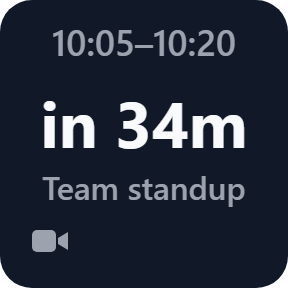
The time, a live countdown such as "in 12m" or "40m left" and the title of your next event, from Google Calendar, Outlook or iCloud, on a key of your Ajazz or Mirabox deck in OpenDeck.
Paste your calendar's iCal (.ics) link once, with no sign-in.
The key turns amber a few minutes before the meeting and red when it starts, and one press joins the Zoom, Teams, Google Meet or Webex call. A Timeline key shows the next hours of your day as colored blocks.
- Google, Outlook and iCloud
- Live countdown
- One press joins the call
- Up to 3 calendars
- Timeline of the next hours
What the keys do
Your next meeting at a glance
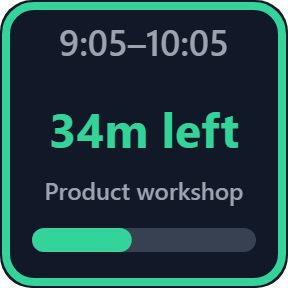
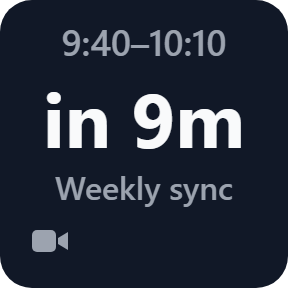
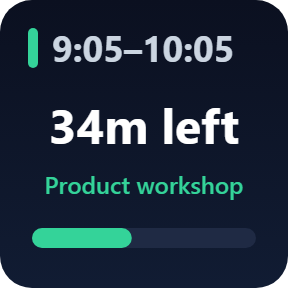
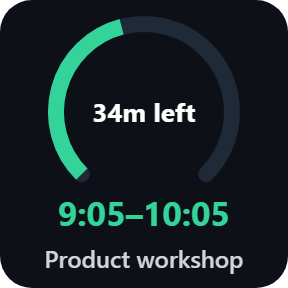
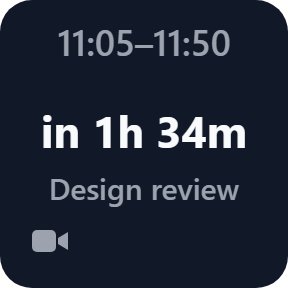
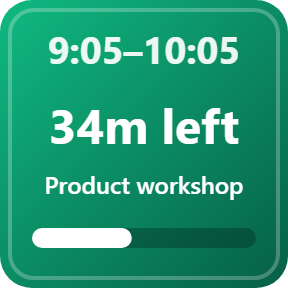
The Next Event key shows the time, a live countdown ("in 12m", "40m left") and the title of your next event. While a meeting runs, the key is green with a progress bar.
Amber before, red at the start
Choose amber 5, 10 or 15 minutes before an event. The key turns red when the meeting starts, so you never miss the moment to join.
One press joins the call
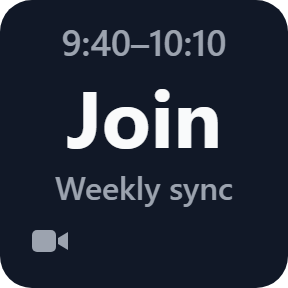
Join Meeting always shows the next event that has a meeting link, and one press opens it. Zoom, Microsoft Teams, Google Meet, Webex, GoTo Meeting, Whereby, Jitsi, Amazon Chime, Slack huddles and more.
Timeline of the next hours
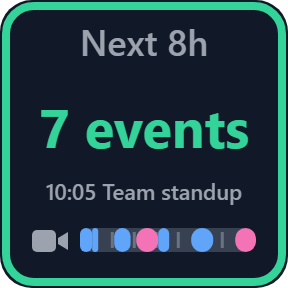
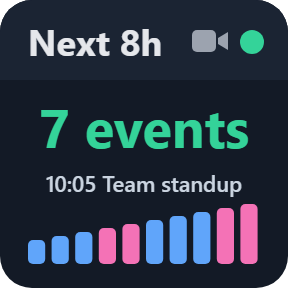
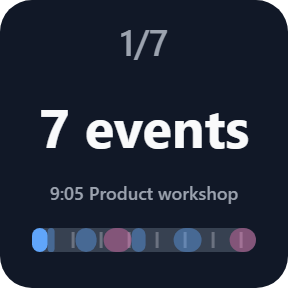
The Timeline key shows the next 4, 8 or 12 hours as a band, one block per event in its calendar's color. Press it to step through the events with their times.
Press to see what comes after
When the next meeting is not about to start, a press of Next Event shows the events after it. Or set the key to always show the next event on a press.
Up to 3 calendars, one list
Work, personal and team calendars are merged into one list, and the same event in two calendars is shown once. Repeating, moved and cancelled events and time zones are handled.
Install in OpenDeck
In OpenDeck, open the Plugins tab, install the .streamDeckPlugin file you downloaded, then enter your license key once in a key's settings.
Requirements
- Windows 10 or Windows 11, or macOS 13 or later (Apple silicon or Intel)
- An internet connection
- A calendar link in iCal (.ics) format: Google Calendar, Outlook, iCloud or any calendar that offers one
- OpenDeck 2.14 or later
Questions
How do I show my next Google Calendar or Outlook meeting on an Ajazz or Mirabox deck with OpenDeck?
Add the Next Event key in OpenDeck and paste your calendar's iCal (.ics) link in its settings. The key shows the time, a countdown and the title right away.
Can I join a Zoom, Teams or Google Meet call with one button?
Yes. Next Event joins when the meeting starts within 10 minutes. Join Meeting opens the next meeting link at any time.
Do I need to sign in to Google or Microsoft?
No. The plugin reads the calendar link you paste, the same way a calendar app subscribes to it. Your calendar link stays on your computer and goes only to your calendar's own site.
Purchase details, refunds and seller
- Price
- ¥1,500, paid once. Tax for your country is added at checkout.
- Payment
- Handled by Stripe through Link, Stripe's checkout service. Link appears as the seller on your receipt and card statement, and your card number never reaches GRAMSHIFT.
- Delivery
- Your license key and download link appear right after payment, and the receipt arrives by email.
- Countries
- The direct checkout is not offered in Ascension Island, China, Cuba, Iran, Kosovo, North Korea, Russia, Syria or Tristan da Cunha.
- Seller
- GRAMSHIFT, Tokyo, Japan. Contact: contact@gramshift.com
- Refunds
- If the plugin fails to run on your PC, email contact@gramshift.com within 14 days of purchase for a full refund. The license key stops working after a refund.
- License
- One key for your own use on up to 3 PCs.
Limits
- Reads calendars only: events cannot be created or changed from a key. Events from yesterday to 31 days ahead are read.
- A change in your calendar shows up when the calendar site updates its link, which can take from minutes to hours. Some work and school accounts turn off calendar links.
- The direct version checks its license key with our server when you activate it, at each plugin start and about once a day. If the server cannot be reached, it keeps running for up to 44 days after the last successful check.