Virtual Stream Deck profile for Windows
MuseScore Studio on your Virtual Stream Deck
Yes, Notehead Keys is a MuseScore Studio profile for Virtual Stream Deck, which the Corsair NIGHTSWORD v2 WIRELESS SD and XENEON EDGE also use.
It comes in 5 x 3 with the MK.2 pages and in 8 x 4 with the XL pages.
On 5 x 3 the keys are on the Note Input, Pitch & Chords, Intervals, Articulations, Tuplets & Voices, Text, Measures & Layout, Edit, Navigate and View, Play & File pages, and the bottom-right keys turn the pages. In the Virtual Stream Deck settings, set the grid to 5 x 3 or 8 x 4 to match the profile you import.
- Notes A-G and durations
- Chords and intervals
- Articulations and slurs
- 5 x 3 and 8 x 4 grids
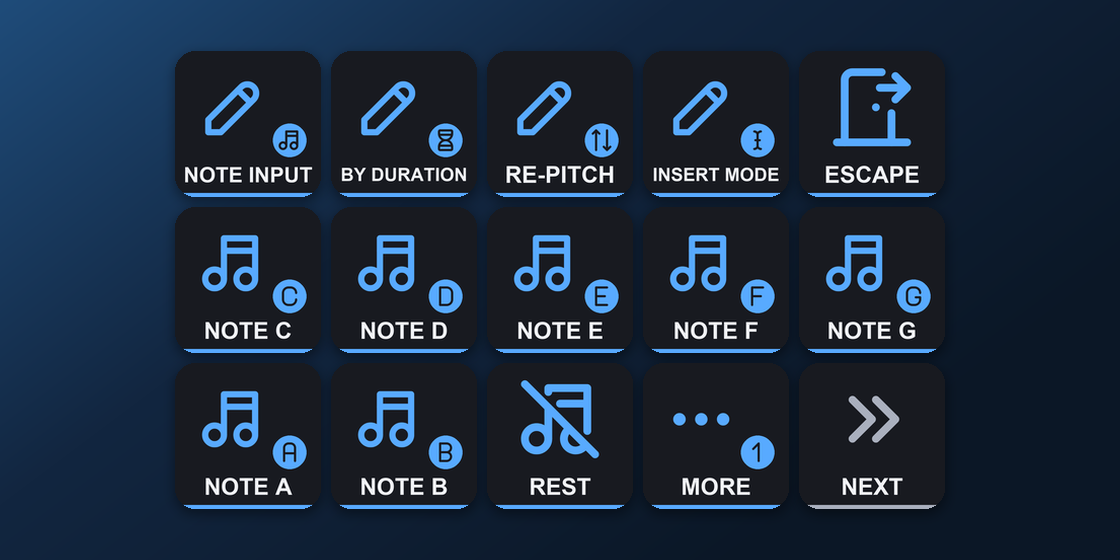
What is on each Virtual Stream Deck page?
The bottom-right keys turn the pages: Next page on Note Input, Previous and Next page on the pages between, and Previous page on View, Play & File. The 8 x 4 profile has the same pages, with the keys of the XL. Virtual Stream Deck has no dials, so the dial pages do not appear there.
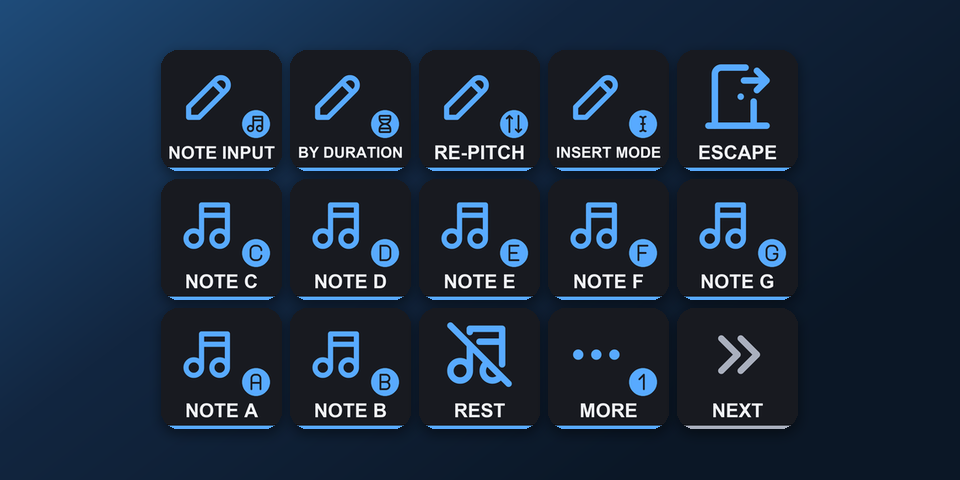
Note Input
Notes A-G, rest, 64th to longa, dot.
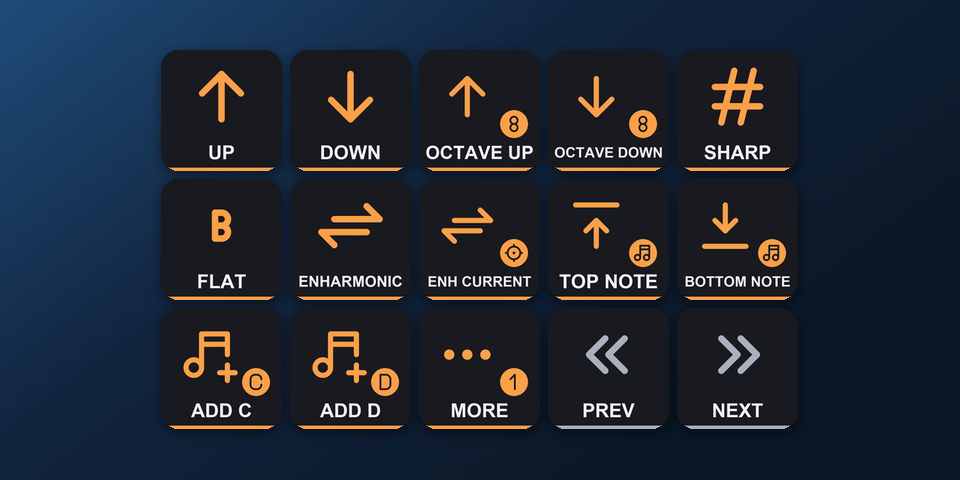
Pitch & Chords
Octave, sharp, flat, add A-G.
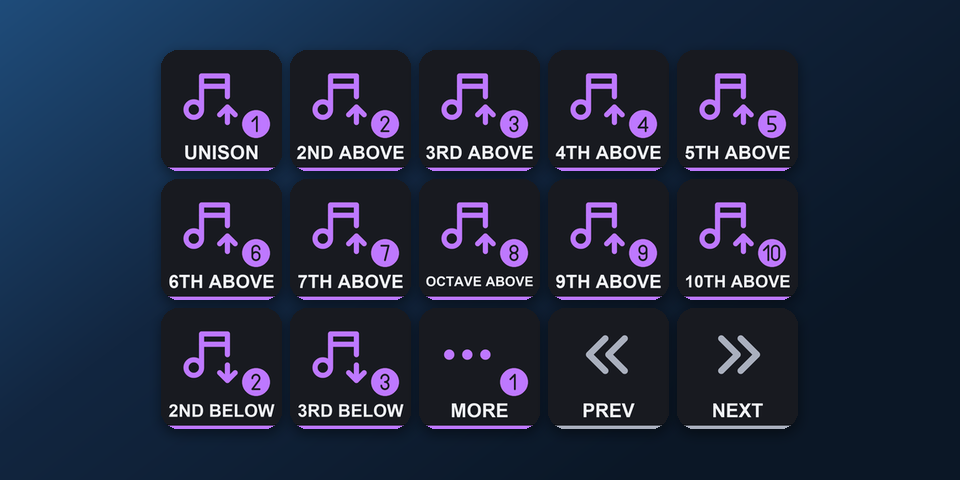
Intervals
Unison to 10th, above and below.
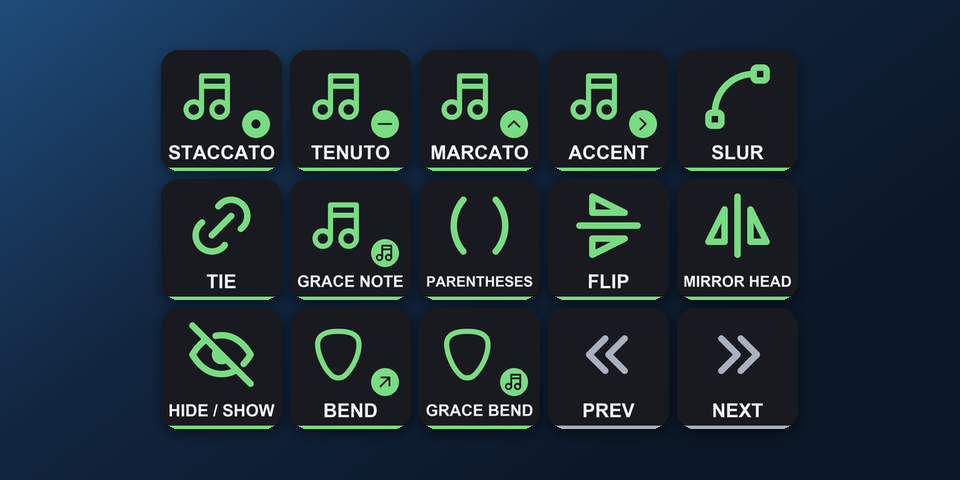
Articulations
Staccato, slur, tie, grace note, bends.
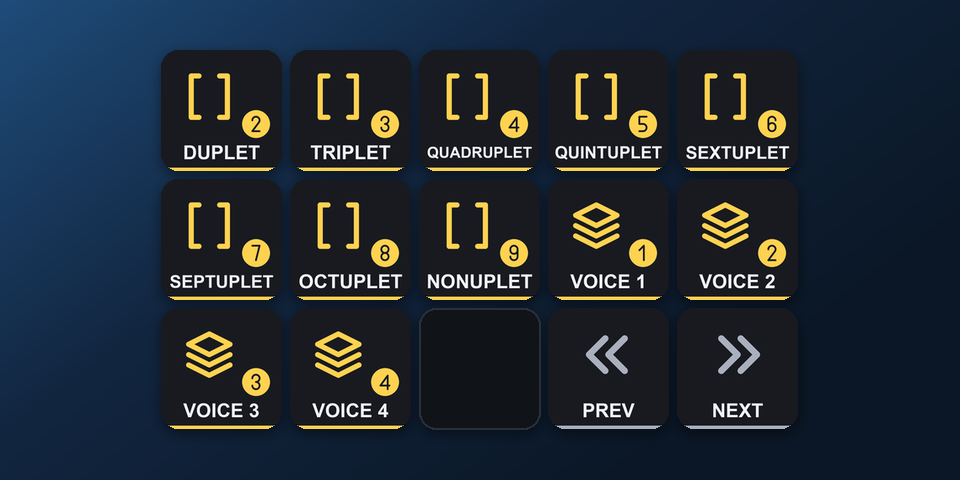
Tuplets & Voices
Duplet to nonuplet, voices 1-4.
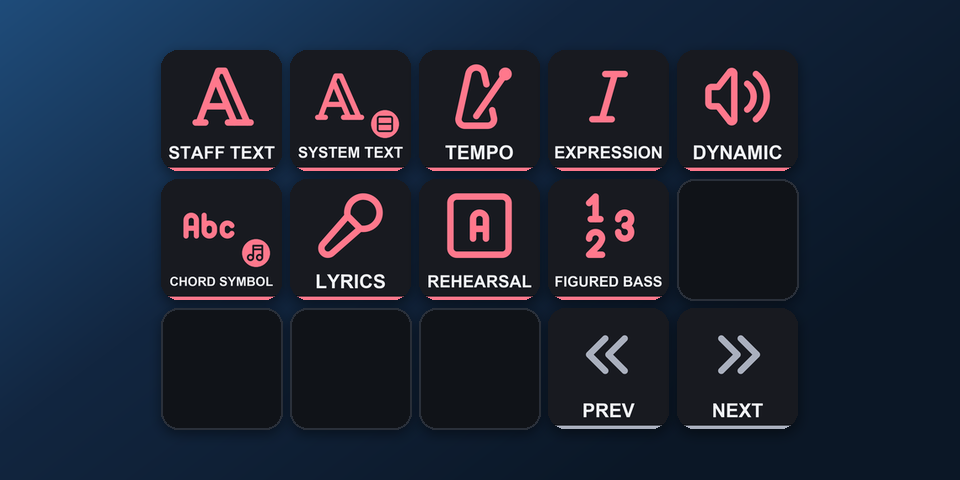
Text
Tempo, dynamics, lyrics, chord symbols.
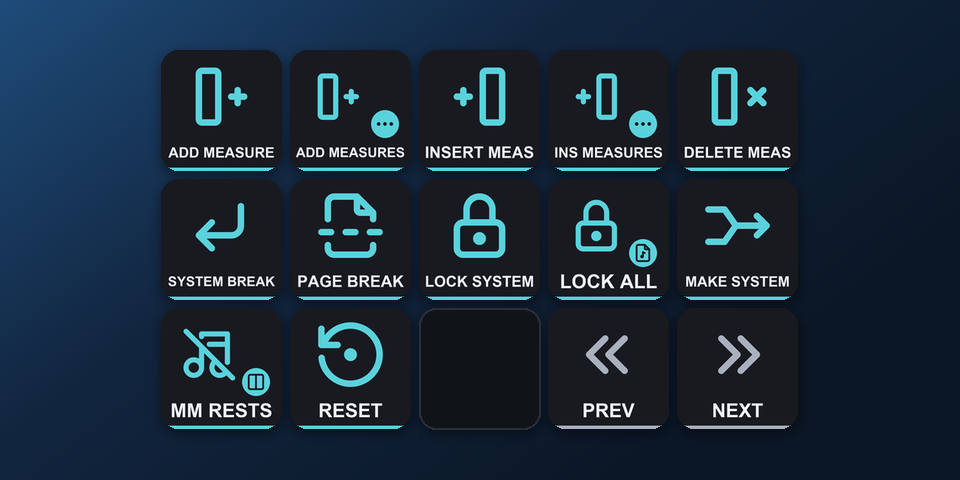
Measures & Layout
Add, insert, breaks, locks.
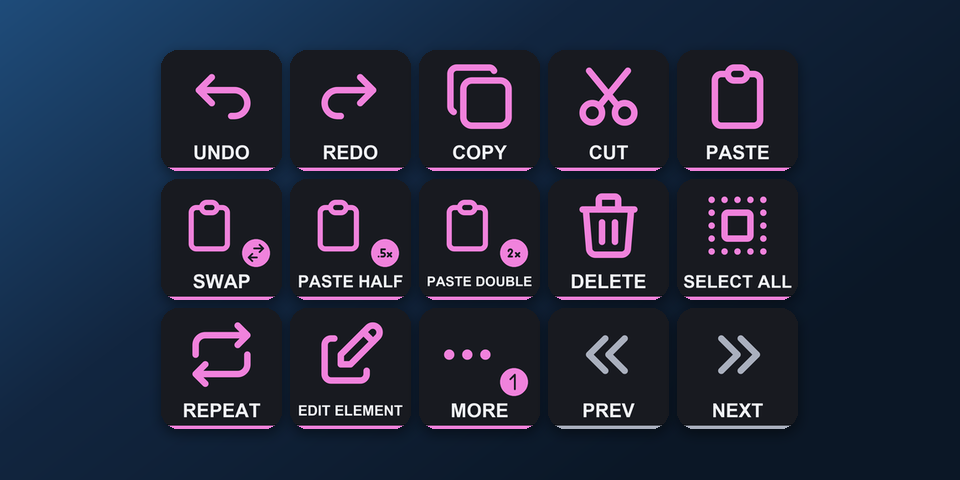
Edit
Undo, swap, paste half/double, repeat.
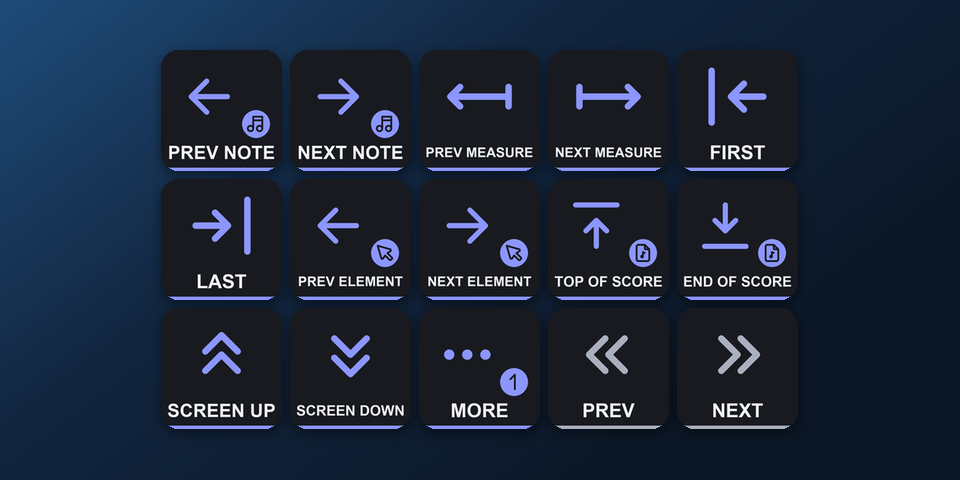
Navigate
Notes, measures, pages.
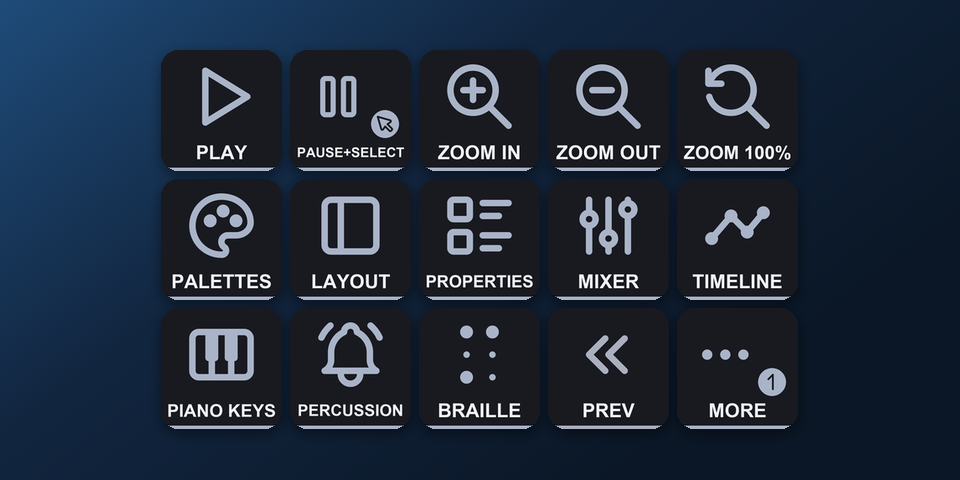
View, Play & File
Play, zoom, panels, save.
How do I set it up on Virtual Stream Deck?
- Buy, then download and unzip the file.
- In the Virtual Stream Deck settings in the Stream Deck app, set the grid to 5 x 3 or 8 x 4.
- Double-click "Notehead Keys - MuseScore Studio shortcuts, Virtual Stream Deck 5x3 (Windows).streamDeckProfile" (or the 8 x 4 file). The Stream Deck app imports it.
- Select the profile for Virtual Stream Deck in the Stream Deck app, start MuseScore Studio and press a key.
Requirements
- Windows 10 or later
- Virtual Stream Deck (also used by the Corsair NIGHTSWORD v2 WIRELESS SD and XENEON EDGE) with its grid set to 5 x 3 or 8 x 4
- The Stream Deck app, where Virtual Stream Deck and its grid are set up
- MuseScore Studio with its default shortcuts
Questions about Virtual Stream Deck
Is there a MuseScore Studio profile for Virtual Stream Deck?
Yes. Notehead Keys includes Virtual Stream Deck profiles in 5 x 3, with the MK.2 pages (Note Input, Pitch & Chords, Intervals, Articulations, Tuplets & Voices, Text, Measures & Layout, Edit, Navigate and View, Play & File), and in 8 x 4, with the XL pages. Import one in the Stream Deck app and select it for Virtual Stream Deck.
Can I use it on the Corsair NIGHTSWORD v2 WIRELESS SD or XENEON EDGE?
Yes. The Corsair NIGHTSWORD v2 WIRELESS SD opens Virtual Stream Deck with its Stream Deck button, and the XENEON EDGE shows it in the iCUE Stream Deck widget. Import the Virtual Stream Deck profile and select it there.
Which grid should I set on Virtual Stream Deck?
Set the grid to 5 x 3 for the 5 x 3 profile, or 8 x 4 for the 8 x 4 profile, in the Virtual Stream Deck settings in the Stream Deck app. Importing a profile does not change the grid, so set it to match the file you import.
How do I change pages on Virtual Stream Deck?
The bottom-right keys turn the pages: Next page on Note Input, Previous and Next page on the pages between, and Previous page on View, Play & File.
Does Virtual Stream Deck have the MuseScore Studio dials?
Virtual Stream Deck has no dials, so the dial pages do not appear there. The keys on the pages work as on the other Stream Deck models.
Do I need to buy it again for Virtual Stream Deck?
No. The same download holds the Virtual Stream Deck profiles and the profiles for Stream Deck MK.2, XL, Neo and + (Windows and Mac), and for Stream Deck + XL and Corsair Galleon 100 SD (Windows).
Direct purchase details
- Price
- ¥1,800. Tax for your country is added at checkout.
- Payment
- Handled by Stripe through Link, Stripe's checkout service. Link appears as the seller on your receipt and card statement, and your card number never reaches GRAMSHIFT.
- Delivery
- A download link appears right after payment, and the receipt arrives by email. You get the profile files and a README: there is nothing to activate.
- Refunds
- If the profile does not work with your Stream Deck and MuseScore Studio, email us within 14 days of purchase for a full refund. You can also ask Link support. The download closes after a refund.
- Use
- For your own use. Please do not share, resell or upload the file.
- Countries
- The direct checkout is not offered in Ascension Island, China, Cuba, Iran, Kosovo, North Korea, Russia, Syria or Tristan da Cunha.
- Seller
- GRAMSHIFT, Tokyo, Japan. Contact: contact@gramshift.com
More about Notehead Keys
- All models and details of Notehead Keys
- See this profile for Corsair Galleon 100 SD
- See this profile for Stream Deck + XL
- More Virtual Stream Deck game and app profiles
Limitations
- The Virtual Stream Deck profiles are for MuseScore Studio on Windows.
- Shortcuts that exist only on symbol keys of the main keyboard are left out, such as natural (=), hairpins (< >) and layout stretch ({ }).
- Also left out: tablature-only keys, keys used only while typing text or lyrics, panel navigation keys, Quit (Ctrl+Q) and the handbook (F1).
- Made for Japanese and US keyboard layouts. If a key does not act as labeled, email contact@gramshift.com and we will help.
- Key labels are in English. The Stream Deck + XL and Corsair Galleon 100 SD profiles are for Windows.
- Virtual Stream Deck has no dials, so the dial pages do not appear there.