OpenDeck plugin for Windows and Mac
Drive OMSI 2 from OpenDeck: doors, stop request and speed on your keys
Bus Deck for OMSI 2 puts the bus on your Ajazz or Mirabox deck in OpenDeck.
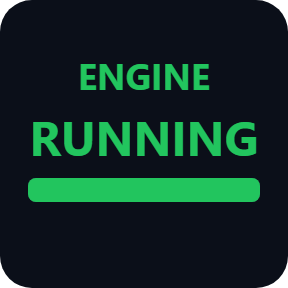
Keys open and close the doors, set the indicators and the bus stop brake, start the engine, pick the gear and sound the horn, and light up while a door is open or a passenger has pressed the stop request.
Other keys show the speed in km/h or mph, engine RPM, fuel, the odometer, the time, and the next stop and destination from the IBIS. A press works the switch inside the game, so OMSI does not need to be the active window.
- Doors 1 and 2
- Stop request
- Bus stop brake
- Indicators and lights
- Speed and fuel
- Next stop on the IBIS
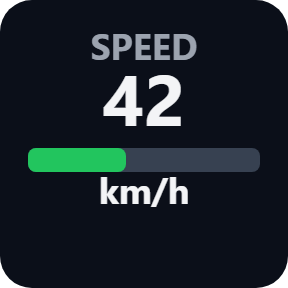
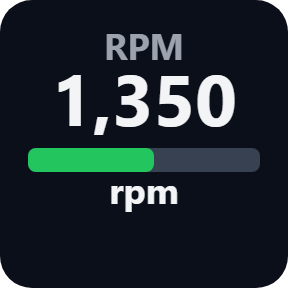
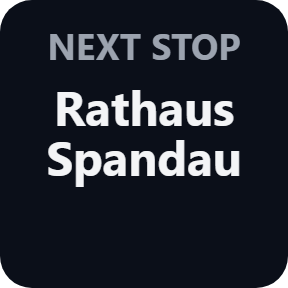
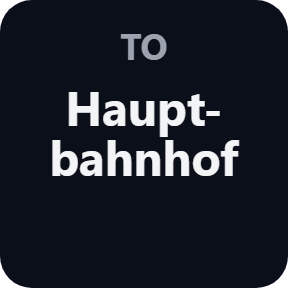




What the keys do
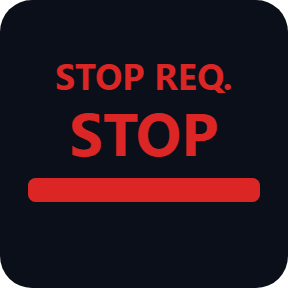
Stop request
Turns red with STOP while a passenger has pressed the stop request, so you see it without looking for the lamp in the cockpit.
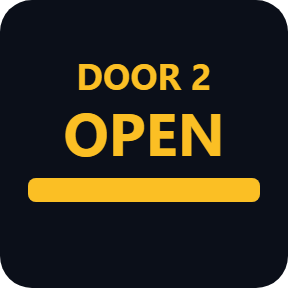
Doors 1 and 2
A press opens or closes the front or the rear door, and the key lights up with OPEN while that door is open.
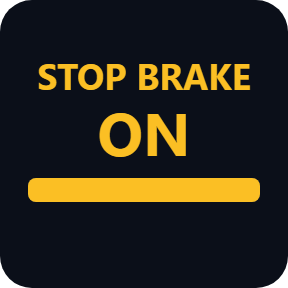
Bus stop brake
A press sets or releases the bus stop brake, and the key shows ON while it holds the bus.
Speed, RPM and fuel
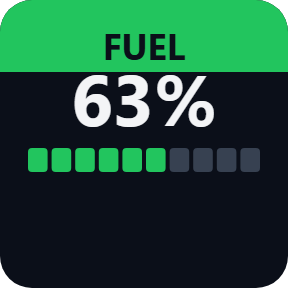
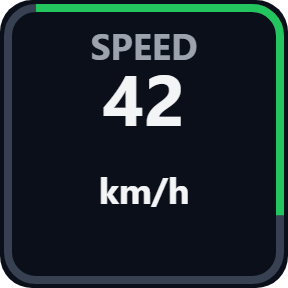
The speed in km/h or mph, engine RPM and fuel, plus the odometer in km or miles.
Next stop and destination
The next stop and the destination as the IBIS shows them. Line and destination + / - are keys too.
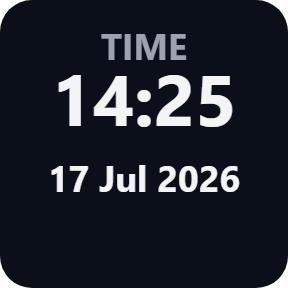
Time and date
The time and date in the game, as a 24 or 12 hour clock.
Install in OpenDeck
In OpenDeck, open the Plugins tab, install the .streamDeckPlugin file you downloaded, then enter your license key once in a key's settings.
Requirements
- Windows 10 or later, or macOS 12 or later (OMSI 2 runs on a Windows PC in the same network)
- OMSI 2 from Steam
- OpenDeck 2.14 or later
Questions
How do I open the doors in OMSI 2 from an Ajazz or Mirabox deck with OpenDeck?
Install Bus Deck for OMSI 2, place the Door 1 and Door 2 keys in OpenDeck and press Install in a key's settings with OMSI 2 closed. Start OMSI 2 and pick a bus: a press opens or closes that door, and the key shows OPEN while it is open.
Can the deck show the stop request and the next stop in OMSI 2?
Yes. The Stop Request key turns red with STOP while a passenger has pressed it, and the Next Stop and Destination keys show what the IBIS shows.
Does OMSI 2 have to be the active window for the keys to work?
No. By default a press plays OMSI's own switch inside the game, so it works while another window is in front. If you set a key to send a keyboard key instead, that key goes only to OMSI while it is the active window.
Purchase details, refunds and seller
- Price
- ¥1,500, paid once. Tax for your country is added at checkout.
- Payment
- Handled by Stripe through Link, Stripe's checkout service. Link appears as the seller on your receipt and card statement, and your card number never reaches GRAMSHIFT.
- Delivery
- Your license key and download link appear right after payment, and the receipt arrives by email.
- Countries
- The direct checkout is not offered in Ascension Island, China, Cuba, Iran, Kosovo, North Korea, Russia, Syria or Tristan da Cunha.
- Seller
- GRAMSHIFT, Tokyo, Japan. Contact: contact@gramshift.com
- Refunds
- If the plugin fails to run on your PC, email contact@gramshift.com within 14 days of purchase for a full refund. The license key stops working after a refund.
- License
- One key for your own use on up to 3 PCs.
Limits
- For OMSI 2 from Steam. A bus that does not have a value or a switch shows a dash on that key; add-on buses may name their switches differently, so change the trigger name in the key settings.
- On a Mac or a second PC, OMSI 2 runs on your Windows PC in the same network. Presses work only on the Windows PC that runs OMSI; on a Mac the keys show the values.
- The direct version checks its license key with our server when you activate it, at each plugin start and about once a day. If the server cannot be reached, it keeps running for up to 44 days after the last successful check.