Stream Deck profile for Windows
Microsoft Flight Simulator 2024 on your Stream Deck
A Stream Deck profile for Microsoft Flight Simulator 2024 (MSFS 2024) on Windows: lower the gear, set flaps, engage autopilot modes, trim, switch cameras and answer ATC with one press of a labeled key.
One purchase covers Stream Deck MK.2, XL, Neo and +, with English or Japanese key labels.
Each key sends one of the sim's own default keyboard keys, so the sim stays as installed and your keyboard works as before. On Stream Deck +, four dials move the throttle, the flaps, the autopilot altitude and the camera zoom.
- Gear, flaps and spoilers
- Autopilot modes
- Autopilot values
- Trim and engine
- Cameras and views
- ATC replies
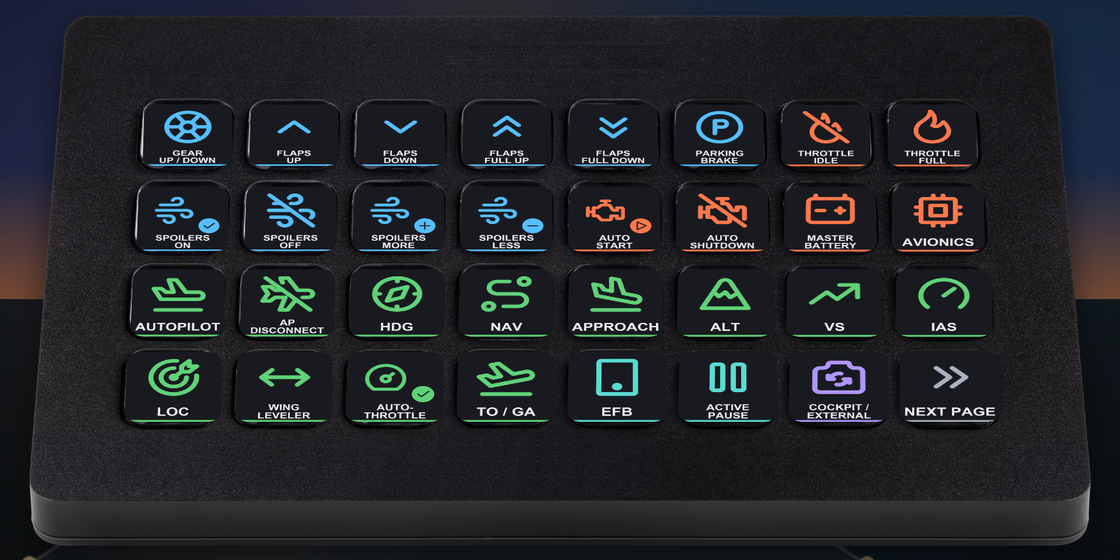
What the keys do
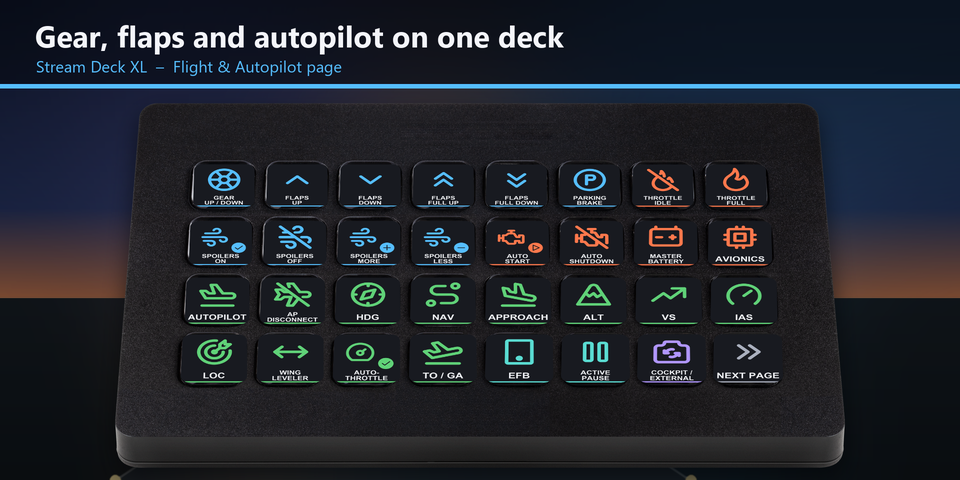
Takeoff to landing on one XL page
On Stream Deck XL, the first page puts gear, flaps, spoilers, parking brake, throttle, auto start, battery, avionics and the autopilot modes side by side.
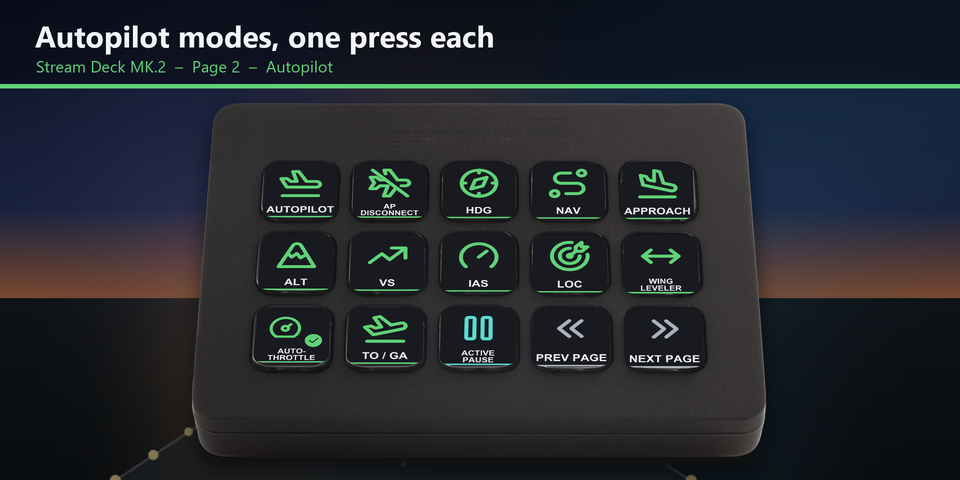
Autopilot modes
Autopilot on and off, disconnect, HDG, NAV, approach, ALT, VS, IAS, LOC, wing leveler, auto-throttle arm and TO / GA, one press each.
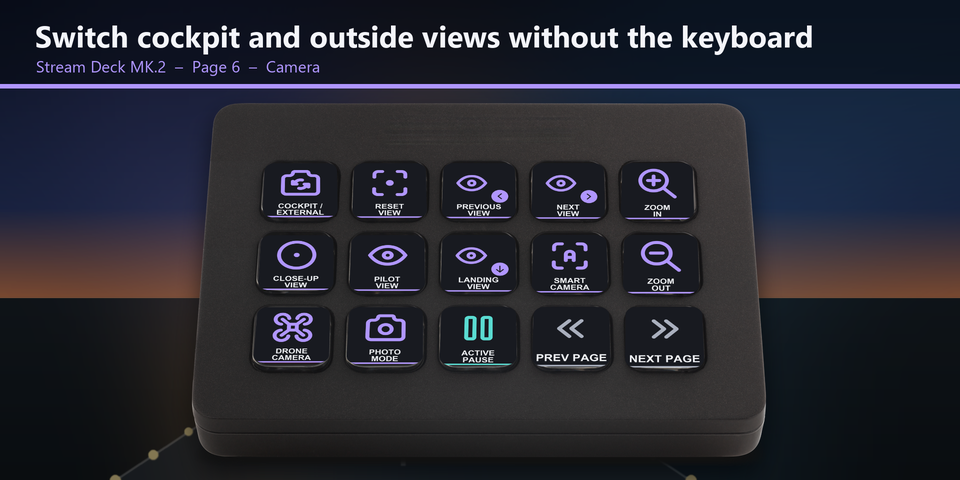
Cameras and views
Switch between cockpit and outside, reset the view, step through views, zoom, jump to the close-up, pilot or landing view, and open the smart camera, drone camera or photo mode.
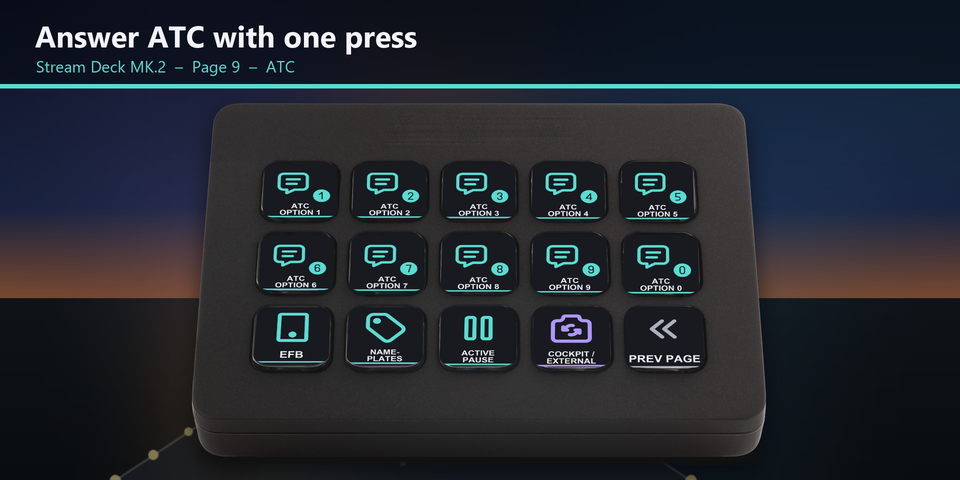
Answer ATC
The ATC option keys sit on their own page, next to EFB, nameplates and active pause.
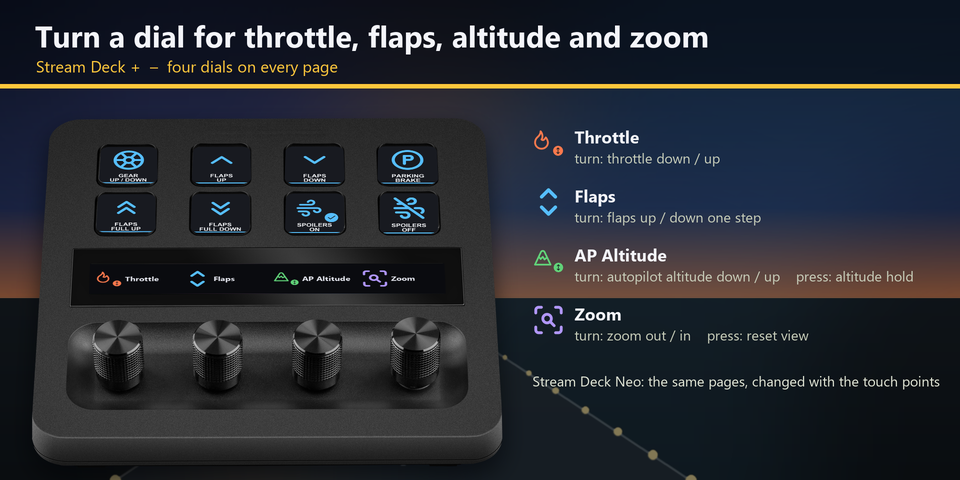
Four dials on Stream Deck +
Turn for throttle, flaps, autopilot altitude and camera zoom. Press the altitude dial for altitude hold and the zoom dial to reset the view. On Stream Deck Neo, the touch points change pages.
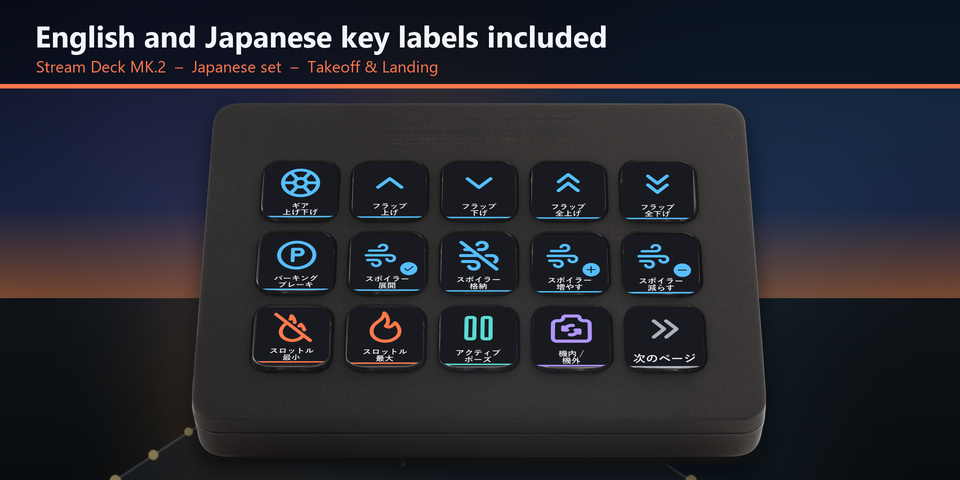
English and Japanese labels
The download holds the same keys twice: once with English labels and once with Japanese labels. Import the set you want.
Profiles for four Stream Deck models
The download holds a profile for each of Stream Deck MK.2, XL, Neo and +, in English and in Japanese. MK.2 has one page per task. Neo and + show 8 keys a page: tap the touch points on Neo, or swipe the touch strip on +, to change pages.
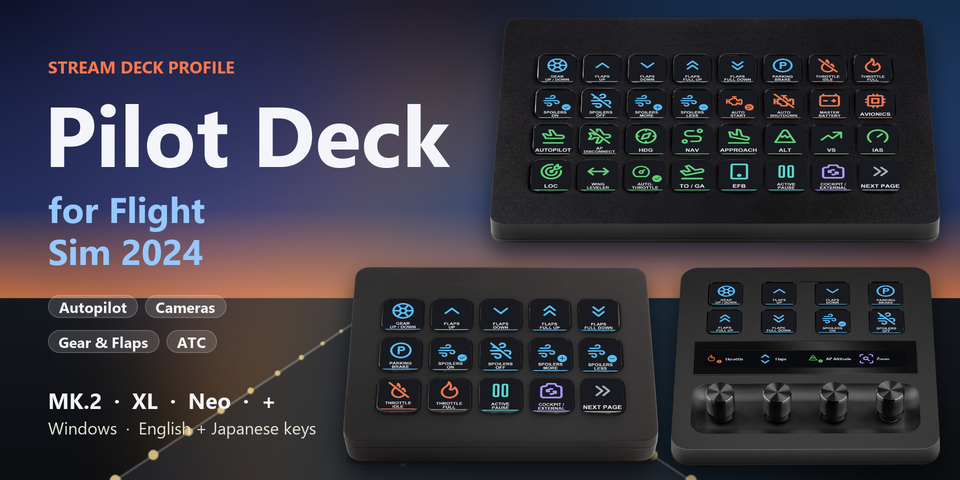
Takeoff and landing
Gear, flaps up and down one step or all the way, parking brake, spoilers on, off, more and less, throttle idle and full.
Engine and systems
Auto start, auto shutdown, master battery, avionics, throttle up and down, mixture rich and lean.
Autopilot and values
Autopilot modes, plus altitude, vertical speed and speed targets up and down. Pick the heading, altitude, speed or VS bug, or the transponder, then change it with Value up and down.
Trim and instruments
Elevator, rudder and aileron trim, altimeter setting.
Cameras
Cockpit / external, reset view, next and previous view, close-up, pilot and landing views, zoom, custom cameras 1 to 4, smart camera, drone camera, photo mode.
Sim, tools and ATC
Active pause, pause menu, EFB, pushback, flashlight, back on track, nameplates, landing ribbon, assist displays and the ATC options.
Set to the default keys
Every key sends a default keyboard key of Microsoft Flight Simulator 2024, so the sim settings stay as they are. Checked in the sim on its default key settings.
Every profile in the download imports into the Stream Deck app with all its keys in place.
Keep the sim window in front: the keys are sent to the window in front.
Changed a key in the sim's controls? Edit that key's Hotkey in the Stream Deck app to the same key.
Set up in 3 steps
- Buy, then download and unzip the file.
- Double-click the .streamDeckProfile file for your Stream Deck. The Stream Deck app imports it.
- Start Microsoft Flight Simulator 2024, select the profile on your Stream Deck and press a key.
Requirements
- Windows 10 or later
- Stream Deck MK.2, XL, Neo or +
- The Stream Deck app
- Microsoft Flight Simulator 2024 for Windows (Steam or Microsoft Store / Xbox app) with its default keyboard keys
Questions
How do I control Microsoft Flight Simulator 2024 with a Stream Deck?
Double-click the Pilot Deck profile file for your Stream Deck and the Stream Deck app imports it. Start the sim, select the profile and press a key: the keys send the sim's default keyboard keys for gear, flaps, autopilot, trim, cameras and ATC.
Do I need to change the sim's controls?
No. The keys are set to the default keyboard keys of Microsoft Flight Simulator 2024. If you changed a key in the sim's controls, edit that key's Hotkey in the Stream Deck app to the same key.
Which Stream Deck is it for?
Stream Deck MK.2, XL, Neo and +, on Windows. One purchase covers all four, with English or Japanese key labels.
What do the dials on Stream Deck + do?
Turn them for throttle, flaps, autopilot altitude and camera zoom. Press the altitude dial for altitude hold and the zoom dial to reset the view.
How do I set the heading or altitude bug?
Press SELECT HDG BUG (or the altitude, speed or VS bug, or SELECT XPDR for the transponder), then press VALUE UP or VALUE DOWN to change that value.
Why does a key do nothing?
Keep the sim window in front: the keys are sent to the window in front. If you changed that key in the sim's controls, edit its Hotkey in the Stream Deck app to the same key.
What do I get when I buy?
A zip with the profile files (MK.2, XL, Neo and +, in English and Japanese) and a README. Double-click the profile file for your Stream Deck to import it. No account is needed.
How do I get the file again?
Email contact@gramshift.com from the address you paid with, and include your order number, or the payment date and amount. We check the purchase and send a new link to the download page.
Can I get a refund?
Yes. If the profile does not work with your Stream Deck and Microsoft Flight Simulator 2024, email us within 14 days of purchase for a full refund. The download closes after a refund.
Purchase details
- Price
- ¥2,900, paid once. Tax for your country is added at checkout.
- Payment
- Handled by Stripe through Link, Stripe's checkout service. Link appears as the seller on your receipt and card statement, and your card number never reaches GRAMSHIFT.
- Delivery
- A download link appears right after payment, and the receipt arrives by email. You get the profile files and a README.
- Refunds
- If the profile does not work with your Stream Deck and Microsoft Flight Simulator 2024, email us within 14 days of purchase for a full refund. You can also ask Link support. The download closes after a refund.
- Use
- For your own use. Please do not share, resell or upload the file.
- Countries
- Checkout is not offered in Ascension Island, China, Cuba, Iran, Kosovo, North Korea, Russia, Syria or Tristan da Cunha.
- Seller
- GRAMSHIFT, Tokyo, Japan. Contact: contact@gramshift.com
Limitations
- For Microsoft Flight Simulator 2024 on Windows, with Stream Deck MK.2, XL, Neo or +. There are no macOS keys.
- Keep the sim window in front: the keys go to the window in front.
- Each key sends one short press. Controls you hold or move (rudder, smooth throttle, brakes, looking around) stay on your keyboard, yoke or controller.
- Set to the default keys. After you change a key in the sim's controls, edit that key's Hotkey in the Stream Deck app to the same key.
- Made for US and Japanese keyboard layouts. On some other layouts (for example French AZERTY) a few letters are in other places. If a key does the wrong thing, edit it in the Stream Deck app, or email contact@gramshift.com and we will help.
- Default keys that sit in different places on US and Japanese keyboards (all lights, anti-ice, spoilers arm, auto-throttle disconnect, COM panel) stay on your keyboard. You can add them in the Stream Deck app.